Freenotes: AI Notes, Docs, PDF

Planner, Journal, Memo Notepad

Description

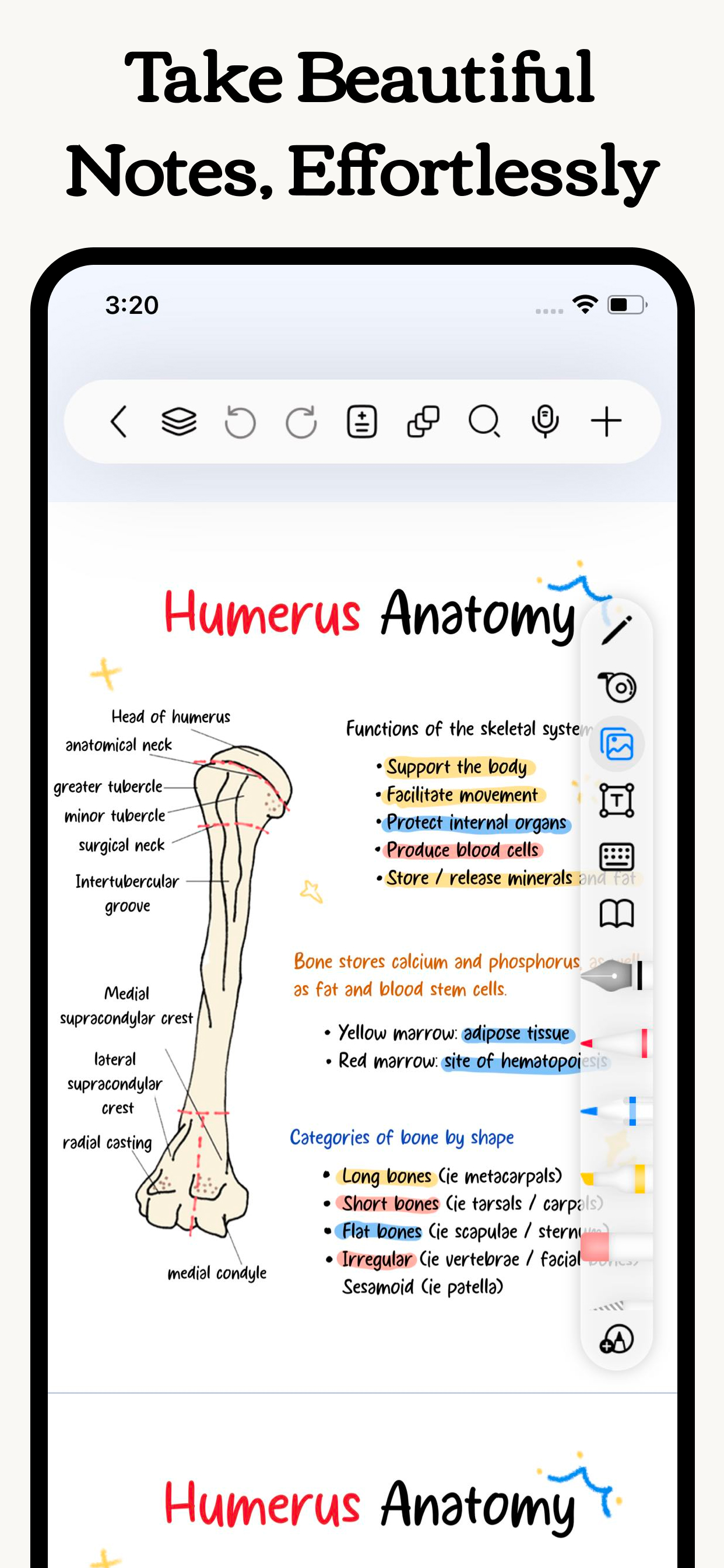
Freenotes lets you experience true paperless learning, enjoying the pleasure of writing while boosting your study efficiency. Realistic pen strokes bring the feel of writing on paper, and tools like handwriting-to-text, stickers and drawing brushes help you take notes effectively.
iCloud sync and multi-cloud backups keep your notes seamlessly accessible across iPad, iPhone, and Mac. Features like PDF annotation, picture-in-picture video, and split-screen for courses meet diverse learning needs.
Plus, an AI assistant provides instant answers and content summaries, making learning even easier!

[Just like writing on real paper]
- Realistic Pen Strokes: By combining handwriting pens, you can experience lifelike pen strokes on electronic devices, providing a natural feel for writing on digital platforms.
Smooth Writing: The handwriting tool provides a smooth writing experience, accurately capturing your strokes whether you're sketching or taking detailed notes.

[AI Assistant]
Take a screenshot or upload a document to instantly get answers to questions and summaries of content.

[Organize your notes easy and neat]
- Organized and Neat: The folder feature allows you to categorize and organize your notes by projects, courses, or topics, keeping your note library tidy and orderly.
- Quick Search: No more wasting time searching for specific notes; with the folder function, you can easily find the content you need.

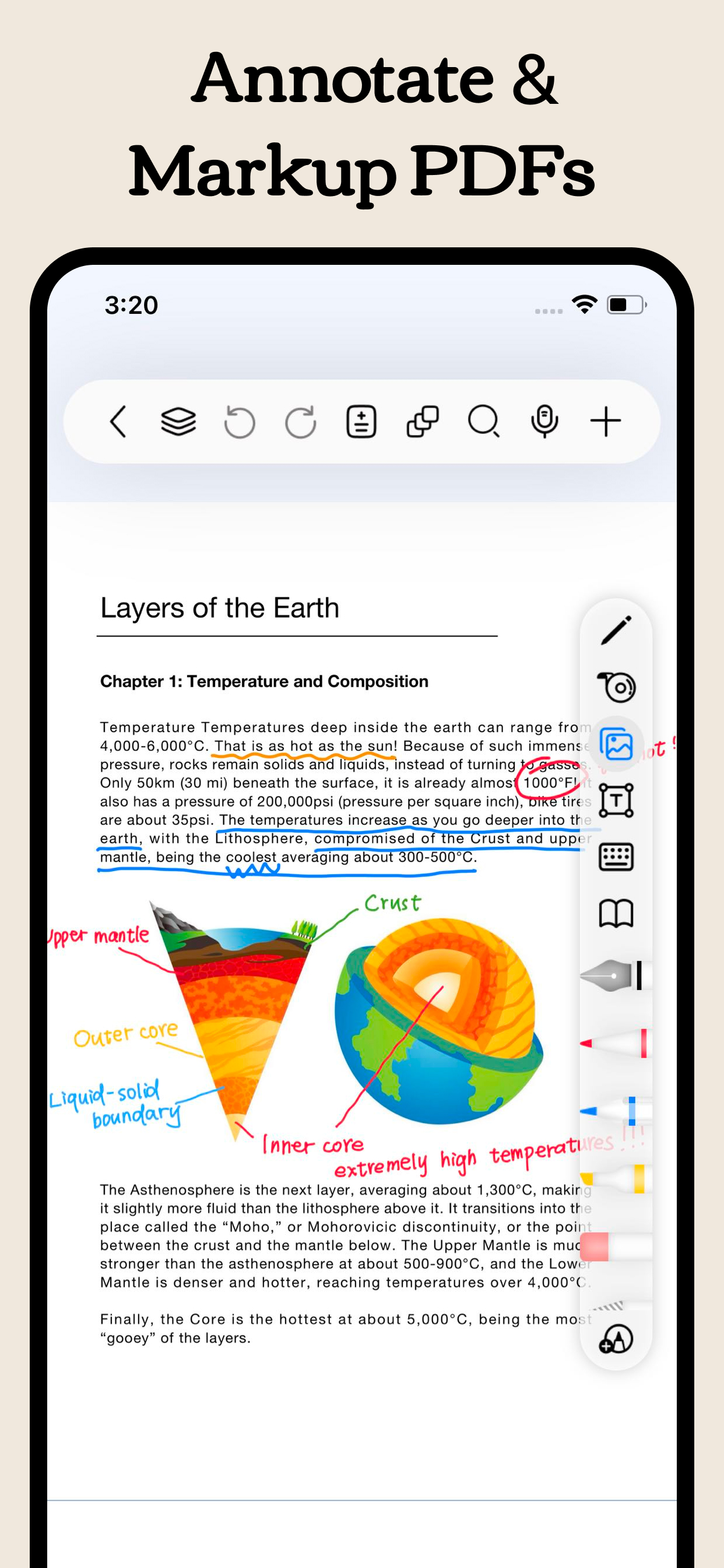
[Annotate PDFs]
- Interactive Learning: Annotate, mark up, and highlight PDF files. Select text to translate and look up words directly, making learning more convenient and engaging.
- Content Integration: Combine text and handwritten notes to better understand and memorize study materials.
- Hyperlinks: Add hyperlinks to jump to different pages within your notes or to external web pages for easy access to related information.

[Enhance learning efficiency]
- Batch Import: In addition to local import, supports batch importing from cloud services like Google Drive, OneDrive, and Dropbox.
- Video Learning: Use picture-in-picture to take notes while watching videos and instantly capture screenshots directly into your notes.
- Course Learning: Display your handwritten or mind map notes alongside course content for a deeper understanding and quick review.
- Exam Prep: The resource center provides exam materials for various tests, combined with timers, layers, and in-app split-screen, allowing you to practice and simulate exams without re-importing files.
- Review and Memorization: Use the tape tool to mark key information for memorization and quickly test yourself by toggling visibility.

[Dark Themes]
- Eye Protection and Comfort: Dark mode adjusts the background color of the app to darker tones, reducing glare and protecting your eyes, allowing you to focus on learning and working for longer periods.
- Nighttime Reading: Night mode adjusts the app's background to a darker tone, reducing glare and protecting your eyes.

[Personalized Note-taking]
- Custom Brushes: Create custom brushes with different parameters in the custom pen box for quick access. Now supports Apple Pencil Pro.
- Custom Templates: Create or import your favorite templates and covers to create note formats and layouts that suit your needs.
- Templates Center: Provides original templates, stickers, and curated fonts and color palettes for you to download and use to create beautiful digital notebooks. You can also import your own resources.

Payment will be charged to subscriber’s iTunes account at the confirmation of purchase. Subscriptions automatically renew unless canceled at least 24 hours before the end of the current period. Subscriber’s account will be charged for renewal within 24 hours prior to the end of the current period. Subscribers can manage their subscriptions by going to their account settings on the App Store.

Privacy Policy: https://www.freenotetech.com/policy/
Terms of Service: https://www.freenotetech.com/terms/
Hide Show More...

Screenshots

Freenotes FAQ

  • Is Freenotes free?

    Yes, Freenotes is completely free and it doesn't have any in-app purchases or subscriptions.

  • Is Freenotes legit?

    🤔 The Freenotes app's quality is mixed. Some users are satisfied, while others report issues. Consider reading individual reviews for more context.

    Thanks for the vote

  • How much does Freenotes cost?

    Freenotes is free.

  • What is Freenotes revenue?

    To get estimated revenue of Freenotes app and other AppStore insights you can sign up to AppTail Mobile Analytics Platform.

User Rating

4.67 out of 5

1,030 ratings in Jordan

5 star
868
4 star
81
3 star
28
2 star
11
1 star
42
Ratings History

Freenotes Reviews

.

soresovg on

Jordan

Perfect 💕💕💕💕💕

It’s fun

Puffypienad on

Jordan

It’s just a very fun Notes app You can customize your icon in it

Lagging

Joudatieh on

Jordan

The app is amazing, I’ve been using it for a while now, but an issue I have is in the spacing and words not lying on the lines making them overlap. The keyboard lags when I paste text on it and change the font. the whole page crashes and the font settings change on its own, after it crashes it adds unnecessary spaces between the lines so the words won’t lie on the line. Another comment I have is the invisible space when we reach the end of the page, instead of continuing on the next page when I press enter on the last line of a paragraph, the words just continue going down and not be seen.

Really nice

Mohammad al—khateeb on

Jordan

👍🏻👍🏻

Abt this app 😊

Hater mater kater on

Jordan

It’s a very good app Apple Pencils recommend plus it doesn’t have adds that’s the bast thing and u can make more than a drawing or more than a note it’s so good

OoO

Close, on

Jordan

Interactive recording with the note is the last feature I wish🥲

笔很好写

i 1111 on

China

笔很好写,界面也很好看,但是总是闪退,总是黑屏就很烦

简直太棒了

ou同学 on

China

又不收费,又平替无边记,无边记写多了是真的卡功能都很齐全

bug挺多

iPad正使用中 on

China

莫名其妙写完就没了,很多用法也不流畅,问了客服也根本没有答复

新版本有问题

糯米糕c c on

China

最新版本会闪退

Store Rankings

Ranking History
App Ranking History not available yet
Category Rankings
Chart
Category
Rank
Top Free
82
Top Free
96
Top Free
118
Top Free
120
Top Free
130

Keywords

Freenotes Installs

Last 30 days

Freenotes Revenue

Last 30 days

Freenotes Revenue and Downloads

Gain valuable insights into Freenotes performance with our analytics.
Sign up now to access downloads, revenue, and more.

App Info

Languages
English, Arabic, Czech, Danish, Dutch, Finnish, French, German, Greek (modern), Hungarian, Indonesian, Italian, Japanese, Korean, Malay, Norwegian Bokmål, Polish, Portuguese, Russian, Chinese, Spanish, Swedish, Thai, Turkish, Ukrainian, Vietnamese
Recent release
3.11.2 (6 days ago )
Released on
Sep 5, 2023 (2 years ago )
Last Updated
2 weeks ago
This page includes copyrighted content from third parties, shared solely for commentary and research in accordance with fair use under applicable copyright laws. All trademarks, including product, service, and company names or logos, remain the property of their respective owners. Their use here falls under nominative fair use as outlined by trademark laws and does not suggest any affiliation with or endorsement by the trademark holders.