PDF Document Scanner - Captize

Paperless Filler & Editor

Published by: MWare Technologies

Description

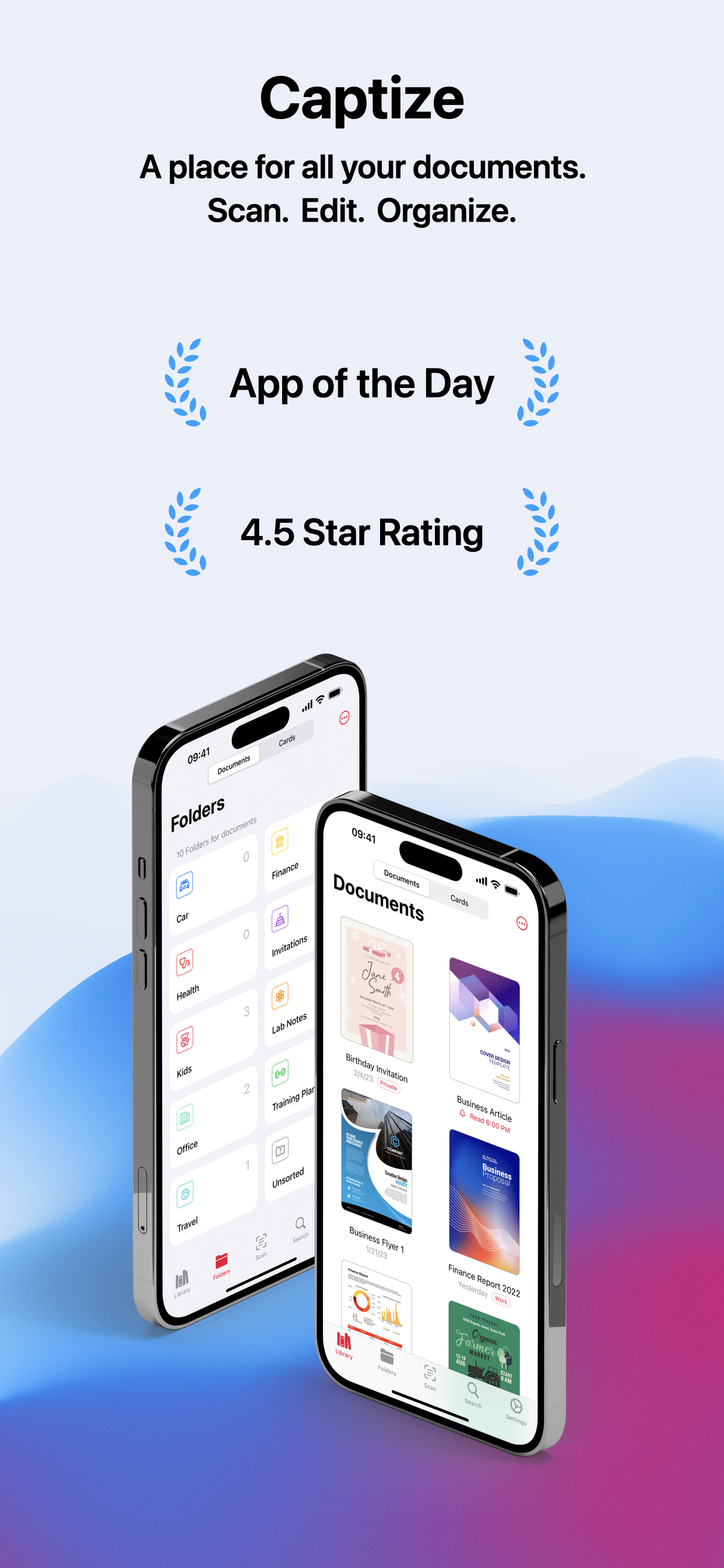
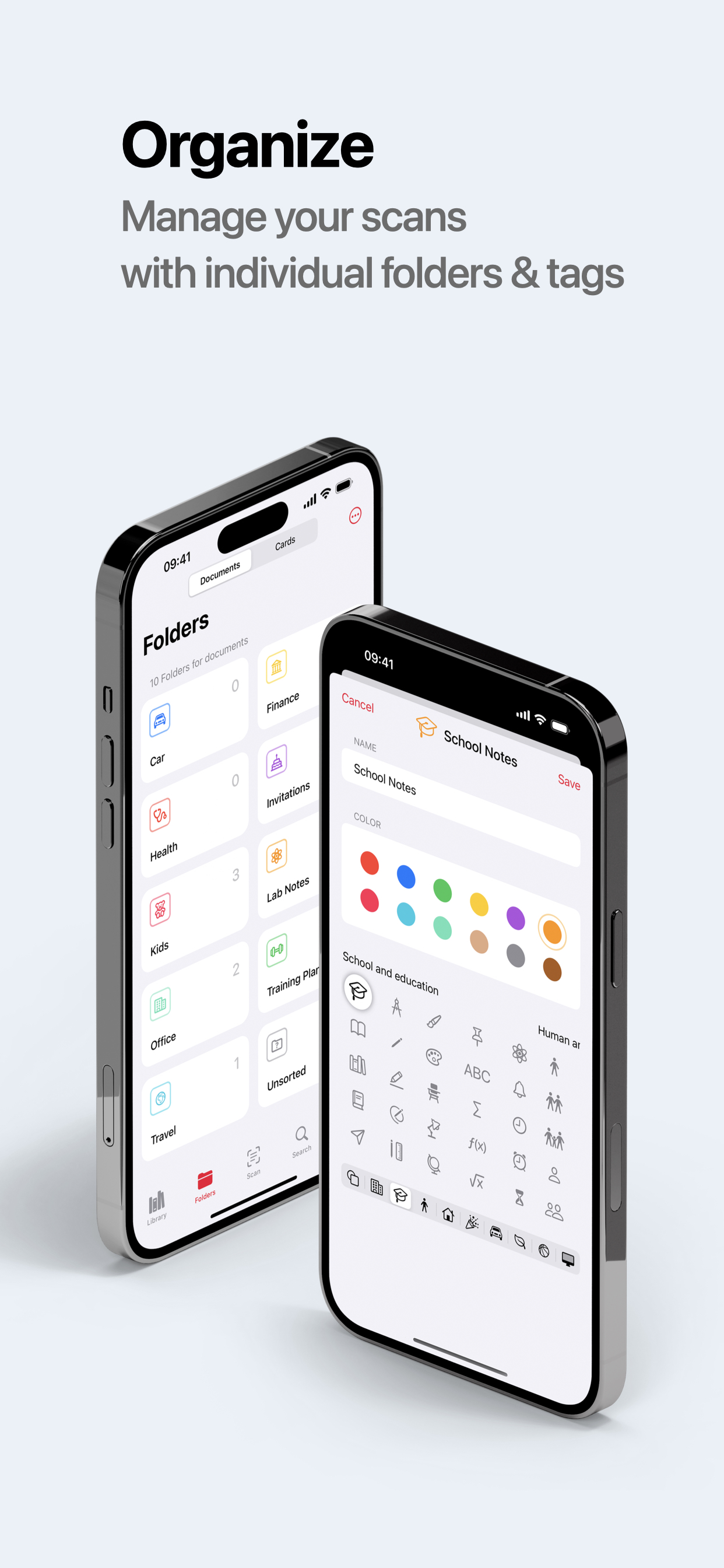
Captize is a versatile scanner and document management app for your mobile device. Easily extract contact information from business cards or create PDFs from all kinds of documents. Organize everything in your own personal library with folders and tags. Captize uses advanced image and word processing technologies and provides built-in tools for organizing, editing, signing, and sending your scans whether in the office, at school or at home - digitize and optimize your workflow with Captize!
Features
• Automatic document detection, cropping, perspective and exposure correction
• Automatic recognition of contact information on business cards
• Create searchable PDFs that contain the scanned text
• Sign, edit and share your documents with the built-in PDF Editor
• Powerful full-text search and OCR
• Create your own folders and tags to organize your documents
• Personalize the app appearance
• Search your scans for people, companies, folders and tags
• Never miss a deadline by creating reminders for your documents
• Protect your private documents with FacelD or TouchID
• Synchronize your document library with all your devices via iCloud - no additional login required
• Share folders and work together with family, friends and colleagues
• Your privacy is respected - all image and word processing runs exclusively locally on your device
Terms and Conditions
https://www.mwaretechnologies.com/products/captize/terms-and-conditions-en
Technical Assistance
Reach out to our team at [email protected]
Learn more
Follow us on Twitter @CaptizeApp for useful tips and tricks
Hide Show More...

In-Apps

PRO Scanner Yearly
$12.99
PRO Scanner monthly
$1.99
Pro Version Unlimited
$22.99

Screenshots

PDF Document Scanner FAQ

  • Is PDF Document Scanner free?

    Yes, PDF Document Scanner is free to download, however it contains in-app purchases or subscription offerings.

  • Is PDF Document Scanner legit?

    🤔 The PDF Document Scanner app's quality is mixed. Some users are satisfied, while others report issues. Consider reading individual reviews for more context.

    Thanks for the vote

  • How much does PDF Document Scanner cost?

    PDF Document Scanner has several in-app purchases/subscriptions, the average in-app price is $12.66.

  • What is PDF Document Scanner revenue?

    To get estimated revenue of PDF Document Scanner app and other AppStore insights you can sign up to AppTail Mobile Analytics Platform.

User Rating

4.7 out of 5

97 ratings in United States

5 star
84
4 star
5
3 star
4
2 star
0
1 star
4
Ratings History

PDF Document Scanner Reviews

Great app but missing features

NotGojo on

United States

I wish you could just drag and drop files to the app on Mac Also there is no right click functionality which is a big miss

I love this App

MarkRRRRRRRR on

United States

It’s useful to me

Love the ease of use

Dan O'Leary on

United States

Easily sorting scanned documents is the way this app excels over using the default Notes app for example on iOS.

Love the app!

Saad Be on

United States

I actually liked how simple the UI is which enables a smooth usage of the various features. Also, having the files in sync is a great add-on and not offered by many apps out there.

A must have

Skfervid on

United States

Highly impressed with this scanning app! It's incredibly user-friendly and efficient. The quality of the scanned documents is exceptional, and the auto-edge detection works flawlessly. The variety of export options and sorting with tags makes managing my scanned files a breeze. Definitely a must-have tool for anyone looking to digitize their documents seamlessly.

Fantastic Application

Ivanesh on

United States

Design and functionality are superb ! Supporting all devices makes it even better ! Love it …

schnell und einfach

Usergibtsschon on

Germany

Die Bedienung geht fix, die Qualität ist gut und die Einstellungsmöglichkeiten vielfältig. Was aber definitiv fehlt, ist die Möglichkeit am Mac das Dokument aufzurufen und parallel die Details zu bearbeiten. Wenn man die Tags, Infos und Datum nachbearbeiten will, ist es nervig immer wieder das Dokumnet neu aufzumachen. Erst alles scannen und dann nachbearbeiten ist damit nahezu unmöglich. So lassen sich neue Features nicht mehr gut in die bestehenden Dokumente einbringen.

Crasht und verliert Scans häufig

wertigø on

Germany

Die App crasht immer wieder, verliert häufig Scans und überlebt den Wechsel zwischen Applikationen nicht, ohne den Scan zu verlieren. Dazu werde ich erst am Ende langer Scans darüber benachrichtigt, dass die Dokumentengröße überschritten ist und der gesamte Scan verworfen wird. Das sind Eigenschaften, die einer Scannerapp unter keinen Umständen passieren dürfen. Damit leider komplett unbrauchbar, auch wenn die App ansonsten sehr vielversprechend aussieht.

Cos PDF

frzgff on

Germany

Sehr Gut

Von wegen alle Geräte

Auswanderer on

Germany

In der App heißt es vollmundig: Greifen Sie von all Ihren Geräten auf Captize zu. Offenbar sind Androit Geräte keine Geräte.

Store Rankings

Ranking History
App Ranking History not available yet
Category Rankings
App is not ranked yet

Keywords

PDF Converter Scanner Installs

Last 30 days

PDF Converter Scanner Revenue

Last 30 days

PDF Document Scanner Revenue and Downloads

Gain valuable insights into PDF Converter Scanner performance with our analytics.
Sign up now to access downloads, revenue, and more.
This page includes copyrighted content from third parties, shared solely for commentary and research in accordance with fair use under applicable copyright laws. All trademarks, including product, service, and company names or logos, remain the property of their respective owners. Their use here falls under nominative fair use as outlined by trademark laws and does not suggest any affiliation with or endorsement by the trademark holders.