


PUB Reader : for MS Publisher
Viewer for MS Publisher files
Published by:
RootRise Technologies Private
Description
PUB Reader allows you to open and read Microsoft Publisher documents (.pub)
* * * PUB Reader for iOS (iPad, iPhone and iPod) is available on the iTunes App Store. * * *
Do you receive Micosoft Publisher documents (.pub) as email attachments on you mac? Are you switched from Windows to Mac and have plenty of Micosoft Publisher files that no decent viewer available to open on your Mac? The easiest way to circumvent these problems is PUB Reader.
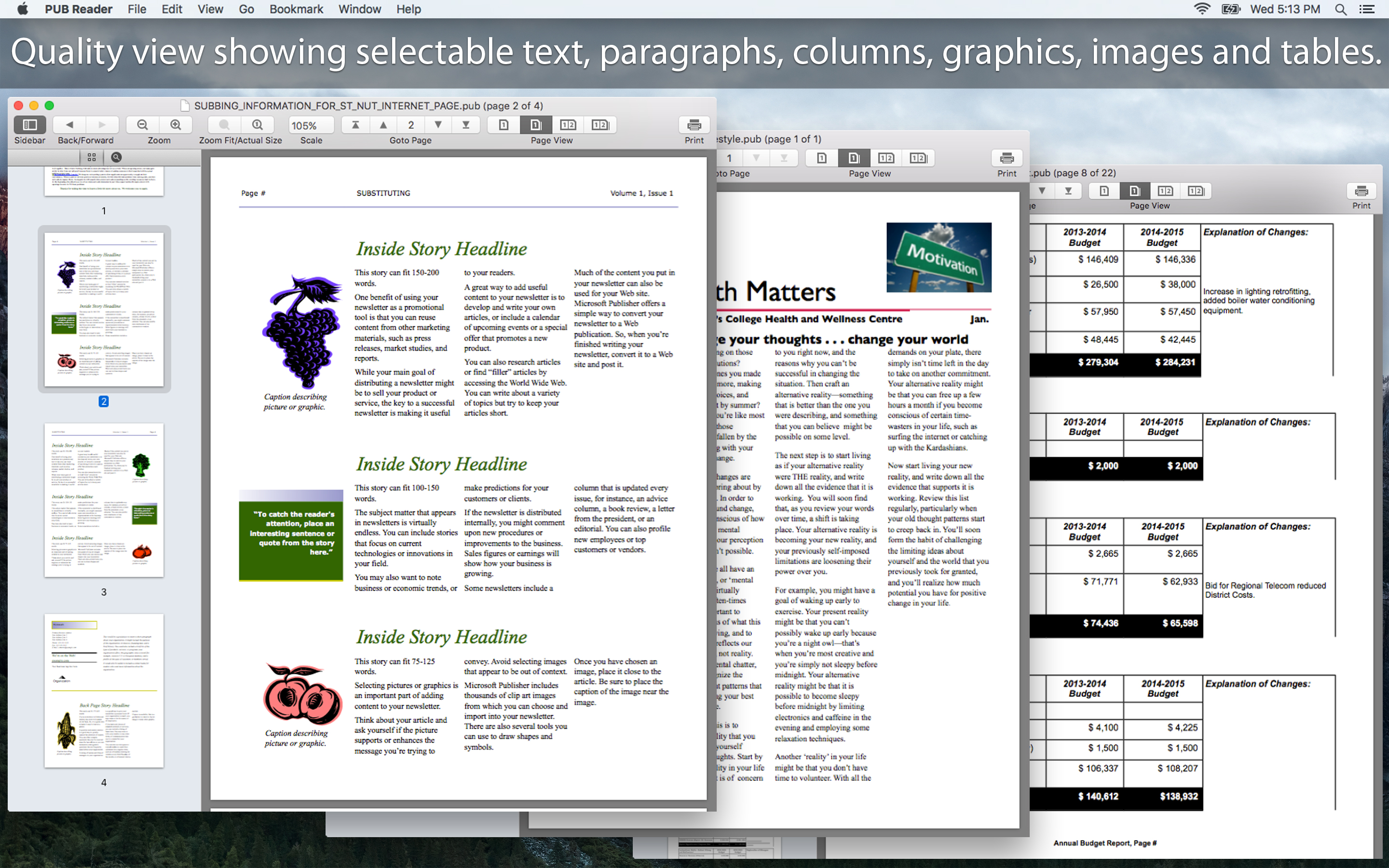
PUB Reader offers you fantastic reading experience using different page reading styles with sidebar consisting page thumbnail and search pane. In addition, bookmark management, viewing scale, page navigation, reading history and full screen view support makes PUB Reader easy-to-use and complete PUB document viewing solution.
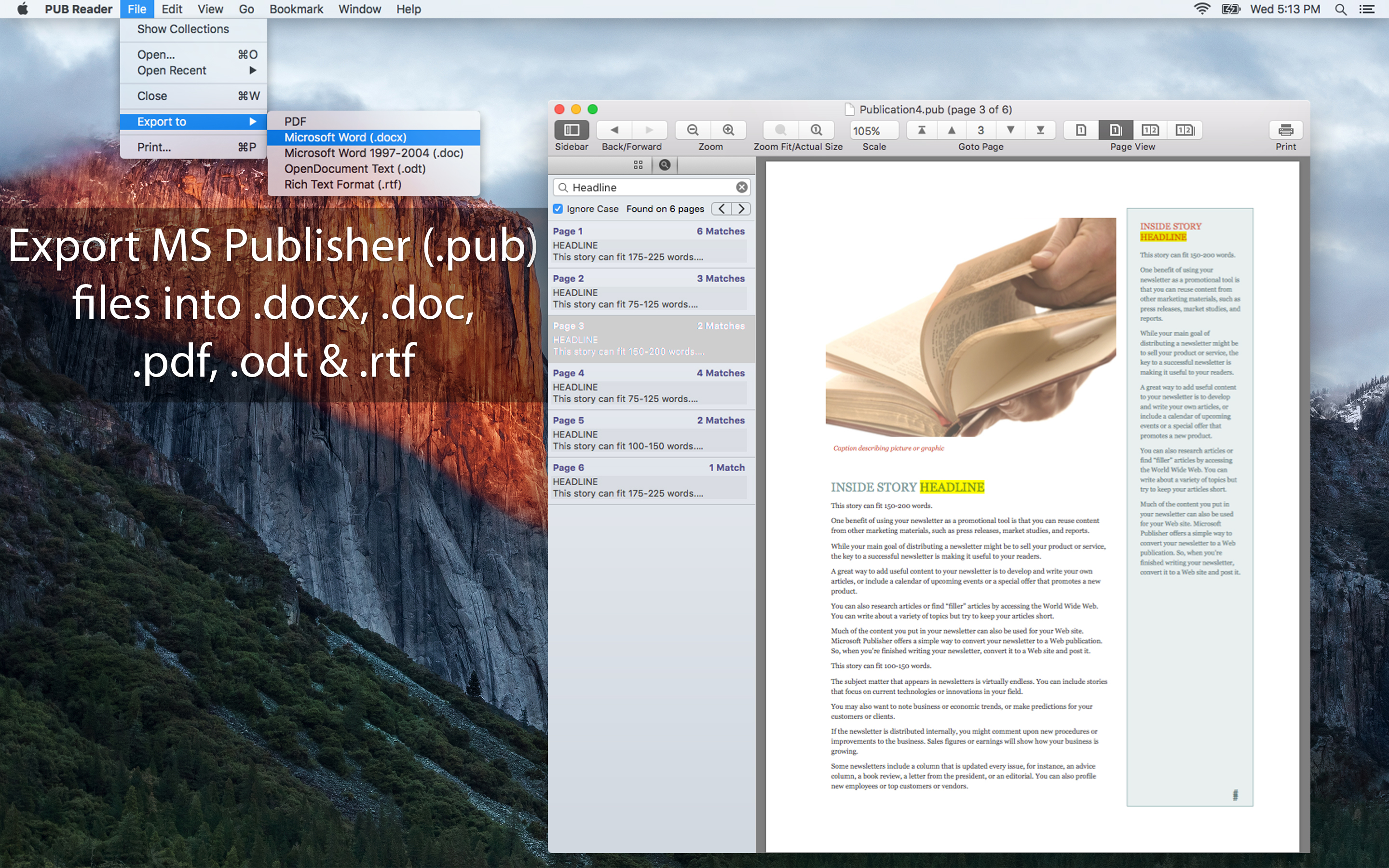
PUB Reader can convert Microsoft Publisher documents (.pub) into Microsoft Word documents (.docx and .doc), OpenOffice document (.odt), PDF and RTF. Converts every Publisher page into an equivalent page in the resulting Microsoft Word, OpenOffice document, PDF and rich text conversion into RTF.
Converts the text, text characteristics, paragraphs, text frames linking, text frame columns, tables, graphics and other Publisher objects and properties to the matching Microsoft Word and OpenOffice document format objects and properties by preserving layout.
KEY FEATURES:
- Fantastic tab view to open multiple XPS/OXPS files in single window.
- Sidebar with Thumbnails and Search panel.
- Easy reading page view options. Single page and double page view with optional continuous reading.
- Fully selectable and searchable text contents. Can copy text to clipboard.
- Bigger and smaller page view using ZoomIn, ZoomOut, Actual Size and Fit to Zoom controls.
- Add and manage bookmarks for future reading.
- Grouped by files, Group by tags and recent bookmark list for easy and faster access in future.
- Maintains reading history. Go to Back and Forward reading page.
- Very flexible page navigation controls for easy traverse into open document.
- Print PUB document.
- Bookshelf Collections to manage set of recently open and added PUB files.
Hide
Show More...
* * * PUB Reader for iOS (iPad, iPhone and iPod) is available on the iTunes App Store. * * *
Do you receive Micosoft Publisher documents (.pub) as email attachments on you mac? Are you switched from Windows to Mac and have plenty of Micosoft Publisher files that no decent viewer available to open on your Mac? The easiest way to circumvent these problems is PUB Reader.
PUB Reader offers you fantastic reading experience using different page reading styles with sidebar consisting page thumbnail and search pane. In addition, bookmark management, viewing scale, page navigation, reading history and full screen view support makes PUB Reader easy-to-use and complete PUB document viewing solution.
PUB Reader can convert Microsoft Publisher documents (.pub) into Microsoft Word documents (.docx and .doc), OpenOffice document (.odt), PDF and RTF. Converts every Publisher page into an equivalent page in the resulting Microsoft Word, OpenOffice document, PDF and rich text conversion into RTF.
Converts the text, text characteristics, paragraphs, text frames linking, text frame columns, tables, graphics and other Publisher objects and properties to the matching Microsoft Word and OpenOffice document format objects and properties by preserving layout.
KEY FEATURES:
- Fantastic tab view to open multiple XPS/OXPS files in single window.
- Sidebar with Thumbnails and Search panel.
- Easy reading page view options. Single page and double page view with optional continuous reading.
- Fully selectable and searchable text contents. Can copy text to clipboard.
- Bigger and smaller page view using ZoomIn, ZoomOut, Actual Size and Fit to Zoom controls.
- Add and manage bookmarks for future reading.
- Grouped by files, Group by tags and recent bookmark list for easy and faster access in future.
- Maintains reading history. Go to Back and Forward reading page.
- Very flexible page navigation controls for easy traverse into open document.
- Print PUB document.
- Bookshelf Collections to manage set of recently open and added PUB files.
Screenshots

PUB Reader FAQ
-
Is PUB Reader free?
Yes, PUB Reader is completely free and it doesn't have any in-app purchases or subscriptions.
-
Is PUB Reader legit?
Not enough reviews to make a reliable assessment. The app needs more user feedback.
Thanks for the vote -
How much does PUB Reader cost?
PUB Reader is free.
-
What is PUB Reader revenue?
To get estimated revenue of PUB Reader app and other AppStore insights you can sign up to AppTail Mobile Analytics Platform.

User Rating
App is not rated in South Africa yet.
Ratings History
PUB Reader Reviews
App doesn't have any reviews yet
Store Rankings
Ranking History
App Ranking History not available yet
Category Rankings
App is not ranked yet
PUB Reader Installs
Last 30 days
PUB Reader Revenue
Last 30 daysPUB Reader Revenue and Downloads
Gain valuable insights into PUB Reader performance with our analytics.
Sign up now to access downloads, revenue, and more.
Sign up now to access downloads, revenue, and more.
App Info
- Category
- Utilities
- Publisher
- RootRise Technologies Private
- Languages
- English
- Recent release
- 3.1 (2 years ago )
- Released on
- Dec 11, 2015 (10 years ago )
- Also available in
- Indonesia , Ecuador , Poland , Ireland , Belgium , Chile , Denmark , Finland , Hong Kong SAR China , India , Kuwait , Mexico , Malaysia , New Zealand , Philippines , Portugal , Thailand , South Africa
- Last Updated
- 1 month ago
This page includes copyrighted content from third parties, shared solely for commentary and research in accordance with fair use under applicable copyright laws. All trademarks, including product, service, and company names or logos, remain the property of their respective owners. Their use here falls under nominative fair use as outlined by trademark laws and does not suggest any affiliation with or endorsement by the trademark holders.