VRPlayer Pro : 2D 3D 360°Video

Published by: LEE DONG WON

Description

● VRPlayer can record screen/audio of your desktop and streaming it to VRPlayer via VRPlayer Helper.
- to use this feature "VRPlayer Helper" should be installed and executed on your desktop.
please select or add "VRPlayer Helper" item on vrplayer app and follow instruction first.
- this feature is experimental for now.
so there might be considerable amount of latency and unstability depends on network environment and system spec where helper is running
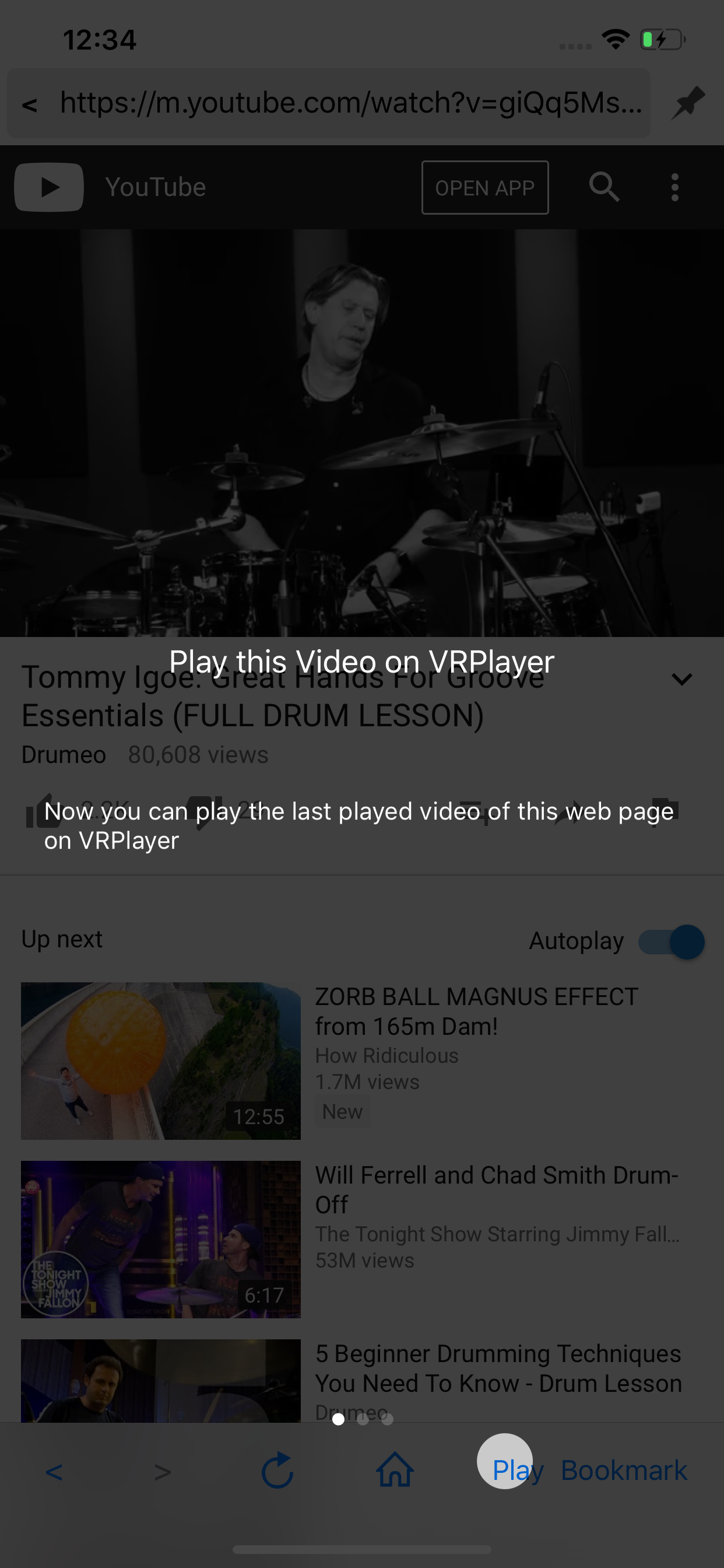
● VRPlayer can play not only general 2D movies but also 3D movies (half side by side or over and under) for VR (google cardboard)
● and support the following file formats.
- video : mp4, mov, DRM free m4v
- subtitle : smi, srt
● VRPlayer can play following file formats by real time streaming via VRPlayer Helper
- Video : mp4, mov, m4v, mkv, avi, wmv, asf, flv, swf, mpg, 3gp, vob, divix
- Subtitle : smi, srt
※ this app can not play DRM protected videos purchased from iTunes store.
● You can add or access following items
- VRPlayer Helper (streaming server)
- Folder
- FTP Server
- GoogleDrive, Dropbox
- Video Library
※ VRPlayer Helper is embedded in your own VRPlayer app and the download URL provided by VRPlayer is your own iPhone's IP address itself not an external web server.
so iPhone and the server PC should be in the same wifi network to download Helper.
tap the "+"button at top right corner of VRPlayer and select VRPlayer Helper then you will see the URL from which you can download helper.
● You can control VRPlayer with keyboard
- Bluetooth Keyboard
- USB Keyboard (connected by camera kit)
- Keyboard of PC on which VRPlayer Helper is installed
※ while navigating
- up / down : move cursor by item
- up / down + shift : move cursor by page
- right / enter / space : select item
- left / esc : back to previous
※ while playing
- up / down : move cursor by button
- enter : select button & do action
- esc : stop & back to list
- space : play & pause
- right : move forward 5 seconds
- left : move backward 5 seconds
- right + shift : move forward 1 minute
- left + shift : move backward 1 minute
- up + shift : play previous video
- down + shift : play next video
- [ : slow down the playback rate
- ] : speed up the playback rate
- 1 : Toggle 360°/180° Video
- 2 : Toggle VR Mode
- 3 : Change 2D/3D Mode
- 4 : Zoom In/Out
- 5 : Back To Center / Motion Tracking
- 6 : Motion Tracking Constraint
- 7 : Loop
- 8 : Audio/Subtitle
● You can control VRPlayer with Game Controller
※ supported controller
- XBox controller
- Playstation Dualshock controller
- Other MFi certified game controller
※ while navigating
- up / down : move cursor by item
- up / down + RB : move cursor by page
- right / A : select item
- left / B : back to previous
※ while playing
- up / down : move cursor by button
- A : select button & do action
- B : stop & back to list
- X : play & pause
- right : move forward 5 seconds
- left : move backward 5 seconds
- right + RB : move forward 1 minute
- left + RB : move backward 1 minute
- up + RB : play previous video
- down + RB : play next video
● support panorama photo
- enjoy your own panorama photos in VR
● Use multiple gestures to control playing
- Tap the screen with two fingers to change 2D/3D screen mode.
- Double tap the screen to zoom in/out.
- Swipe right to skip forward 5 seconds.
- Swipe left to skip back 5 seconds.
- Swipe right with two fingers to speed up the playback rate.
- Swipe left with two fingers to slow down the playback rate.
- Long press with one finger to select audio or subtitle.
- Drag & drop subtitle to change position.
- Pinch in or out screen to change font size of subtitle.
Hide Show More...

Screenshots

VRPlayer Pro FAQ

  • Is VRPlayer Pro free?

    Yes, VRPlayer Pro is completely free and it doesn't have any in-app purchases or subscriptions.

  • Is VRPlayer Pro legit?

    🤔 The VRPlayer Pro app's quality is mixed. Some users are satisfied, while others report issues. Consider reading individual reviews for more context.

    Thanks for the vote

  • How much does VRPlayer Pro cost?

    VRPlayer Pro is free.

  • What is VRPlayer Pro revenue?

    To get estimated revenue of VRPlayer Pro app and other AppStore insights you can sign up to AppTail Mobile Analytics Platform.

User Rating

3.75 out of 5

24 ratings in China

5 star
11
4 star
5
3 star
2
2 star
3
1 star
3
Ratings History

VRPlayer Pro Reviews

Rendering api(Google vr) doesn't work

Jstshoth on

China

When rendering api choose Google vr, app will crush or spinning when play the vr modes

怎么连电脑呢

诺言聖禪 on

China

电脑端怎么下载助手?根本搜不到啊

请开放隐藏相册的访问权限

百里冰蝶 on

China

1.之前能直接播放隐藏相册,app更新之后不能访问了。 2.建议增加对图片的支持。在切换图片时,联系把按钮隐藏,有点遮挡。 3.建议增加中文界面。

视频会掉帧,希望赶紧优化

爱心可怜1提哦咯24586 on

China

视频画面缩放希望能换成双手对角线自由拉伸,而不是点五下才能回到原始缩放比例

真垃圾

1914769329 on

China

高码率还是不能看啊

相当不错

起什么名不重复a on

China

看得出来开发者是很用心的,在很大程度上考虑到用户使用的各种场景,不愧是付费软件,赞! 只是他好像无法播放普通视频,难道是我使用方式不对?因为我看介绍中说可以播放各种格式的视频

8k 视频播放黑屏,请解决一下

阿拉蕾考虑 on

China

8k高码率无法播放

清晰度高就掉帧,苹果13ProMax

掉帧vjdndjvjsnsm on

China

清晰度高就掉帧,苹果13ProMax

iOS15闪退

点击率的话 on

China

如题

Not working in iOS 15

Eren Liu on

China

When clicking VRHELPER the app exits

Store Rankings

Ranking History
App Ranking History not available yet
Category Rankings
Chart
Category
Rank
Top Paid
7
Top Paid
8
Top Paid
9
Top Paid
11
Top Paid
11

Keywords

VRPlayer Pro Competitors

VRPlayer Pro Installs

Last 30 days

VRPlayer Pro Revenue

Last 30 days

VRPlayer Pro Revenue and Downloads

Gain valuable insights into VRPlayer Pro performance with our analytics.
Sign up now to access downloads, revenue, and more.
This page includes copyrighted content from third parties, shared solely for commentary and research in accordance with fair use under applicable copyright laws. All trademarks, including product, service, and company names or logos, remain the property of their respective owners. Their use here falls under nominative fair use as outlined by trademark laws and does not suggest any affiliation with or endorsement by the trademark holders.