LastPass Authenticator

Veröffentlicht von: LastPass US LP

Beschreibung

LastPass Authenticator offers effortless two-factor authentication for your LastPass account and other supported apps. With one-tap verification and secure cloud backup, LastPass Authenticator gives you all the security, without any of the frustration.
ADD MORE SECURITY
Safeguard your LastPass account by requiring two-factor authentication codes when signing in. Two-factor authentication improves your digital security by protecting your account with an additional login step. Even if your password is compromised, your account can’t be accessed without the two-factor authentication code.
You can even mark a device as “trusted”, so you won’t be prompted for codes on that device while your account remains protected by two-factor authentication.
TURNING IT ON
To turn on LastPass Authenticator for your LastPass account:
1. Download LastPass Authenticator to your mobile device.
2. Log in to LastPass on your computer and launch “Account Settings” from your vault.
3. In “Multifactor Options”, edit LastPass Authenticator and view the barcode.
4. Scan the barcode with the LastPass Authenticator app.
5. Set your preferences and save your changes.
LastPass Authenticator can also be turned on for any service or app that supports Google Authenticator or TOTP-based two-factor authentication.
LOGGING IN
To login to your LastPass account or other supported vendor service:
1. Open the app to generate a 6-digit, 30-second code OR approve/deny an automated push notification
2. Alternatively, send SMS code
3. Enter the code into the login prompt on your device OR hit approve/deny request
FEATURES
- Generates 6-digit codes every 30 seconds
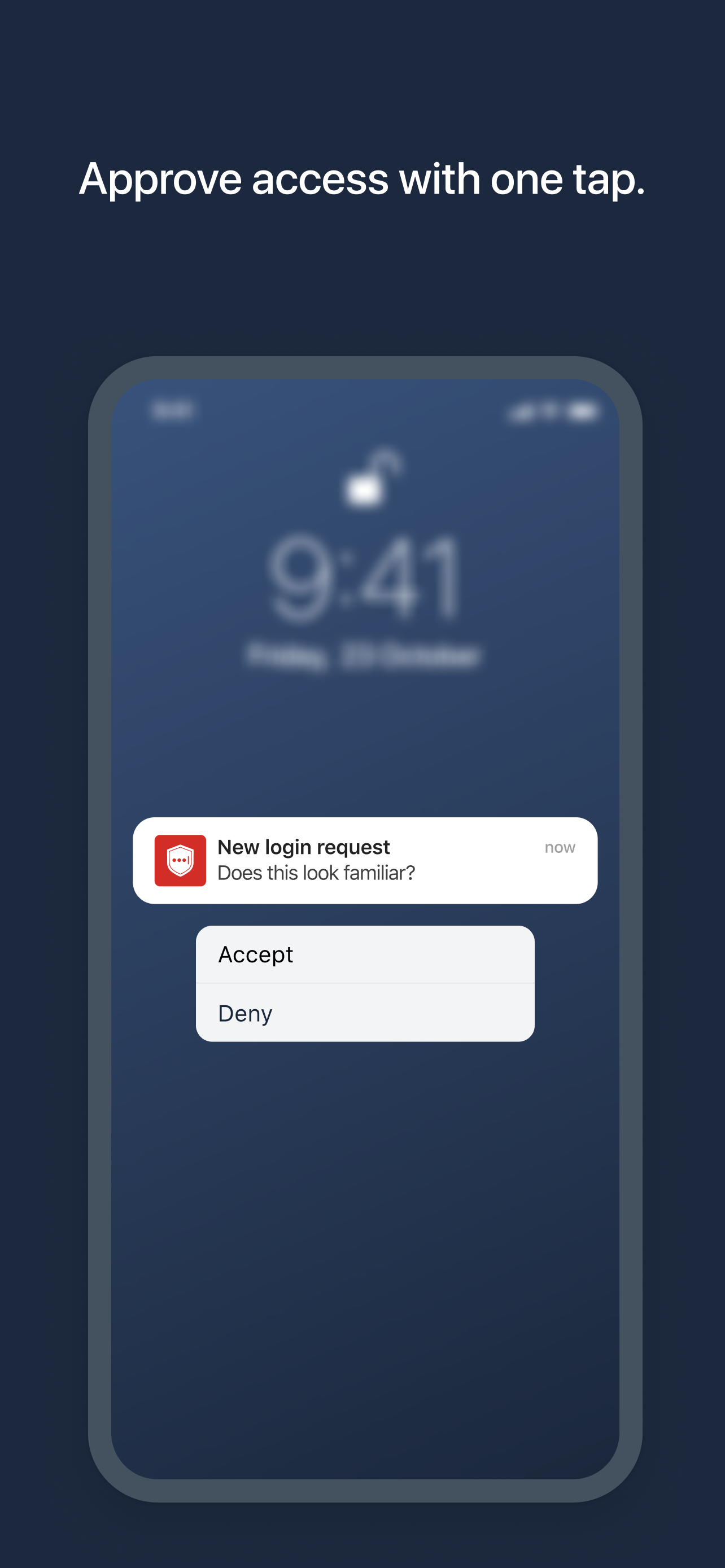
- Push notifications for one-tap approval
- Free encrypted backup to restore your tokens on a new/reinstalled device
- Support for SMS codes
- Automated set-up via QR code
- Support for LastPass accounts
- Support for other TOTP-compatible services and apps (including any that support Google Authenticator)
- Add multiple accounts
Ausblenden Mehr anzeigen...

Screenshots

LastPass Authenticator Häufige Fragen

  • Ist LastPass Authenticator kostenlos?

    Ja, LastPass Authenticator ist komplett kostenlos und enthält keine In-App-Käufe oder Abonnements.

  • Ist LastPass Authenticator seriös?

    ⚠️ Die LastPass Authenticator-App hat schlechte Bewertungen und negatives Feedback. Die Nutzer scheinen mit der Leistung oder den Funktionen unzufrieden zu sein.

    Danke für die Stimme

  • Wie viel kostet LastPass Authenticator?

    LastPass Authenticator ist kostenlos.

  • Wie hoch ist der Umsatz von LastPass Authenticator?

    Um geschätzte Einnahmen der LastPass Authenticator-App und weitere AppStore-Einblicke zu erhalten, können Sie sich bei der AppTail Mobile Analytics Platform anmelden.

Benutzerbewertung

4.83 von 5

586 Bewertungen in Brasilien

5 star
551
4 star
8
3 star
6
2 star
7
1 star
14
Bewertungsverlauf

LastPass Authenticator Bewertungen

Won’t sync

Pzneto on

Brasilien

The app won’t sync between devices sometimes you just need to delete and install again for it to sync without wiping all data. They will never fix this apparently

Had to replace my phone, cloud backup fails and lost all

parisneto on

Brasilien

I used to trust and love LastPass Authenticator, but after replacing my phone I simply cannot restore my cloud backup ( made by the app ) again and lost dozen of MFA tokens, life is a horror movie. Basic functionality that used to work, now is a nightmare. Dozens of posts on foruns and support without answers.

All 2fa erased

alephao on

Brasilien

Afeter updating the version, all my 2fa keys vanished, thanks dor fing up my life

I am not able to restore every account with the cloud save

victorcaet on

Brasilien

When restoring the authenticator from the cloud it doesn’t work as intended, many of the accounts don’t work properly. Support doesn’t help.

Códigos não sendo exibidos

Luiz AML on

Brasilien

Alguns códigos não estão mais sendo exibidos, aparecem em branco.

Scanning QR codes doesn’t work

Mariana Benitez on

Brasilien

I’m able to manually add accounts, but when I scan a QR code I get an error message saying that the account is not linked

Best 2FA Ever

mateusbarros92 on

Brasilien

Such an amazing app, I can sync my 2fa keys with my LastPass account.

One click to solve it all

Roberto Braga Silveira on

Brasilien

Super prático e simples. A autenticação de 2 etapas traz muita segura. Integra com Face ID. Agora ficou fácil logar em muitas aplicações. No desktop e móbile.

Sync isn't work properly

VPablo_ on

Brasilien

Sync is not working between 2 phones

Após o update da versão 3.7

wotavio on

Brasilien

Após update está ruim com bugs, logo site e não consigo confirmada pelo iPhone.

Store-Rankings

Ranking-Verlauf
App-Ranking-Verlauf noch nicht verfügbar
Kategorien-Rankings
Diagramm
Kategorie
Rang
Top Kostenlos
344
Top Kostenlos
379
Top Kostenlos
467
Top Kostenlos
474

Schlüsselwörter

LastPass Authenticator Konkurrenten

LastPass Authenticator Installationen

Letzte 30 Tage

LastPass Authenticator Umsatz

Letzte 30 Tage

LastPass Authenticator Einnahmen und Downloads

Gewinnen Sie wertvolle Einblicke in die Leistung von LastPass Authenticator mit unserer Analytik.
Melden Sie sich jetzt an, um Zugriff auf Downloads, Einnahmen und mehr zu erhalten.
This page includes copyrighted content from third parties, shared solely for commentary and research in accordance with fair use under applicable copyright laws. All trademarks, including product, service, and company names or logos, remain the property of their respective owners. Their use here falls under nominative fair use as outlined by trademark laws and does not suggest any affiliation with or endorsement by the trademark holders.