LastPass Authenticator

Veröffentlicht von: LastPass US LP

Beschreibung

LastPass Authenticator offers effortless two-factor authentication for your LastPass account and other supported apps. With one-tap verification and secure cloud backup, LastPass Authenticator gives you all the security, without any of the frustration.
ADD MORE SECURITY
Safeguard your LastPass account by requiring two-factor authentication codes when signing in. Two-factor authentication improves your digital security by protecting your account with an additional login step. Even if your password is compromised, your account can’t be accessed without the two-factor authentication code.
You can even mark a device as “trusted”, so you won’t be prompted for codes on that device while your account remains protected by two-factor authentication.
TURNING IT ON
To turn on LastPass Authenticator for your LastPass account:
1. Download LastPass Authenticator to your mobile device.
2. Log in to LastPass on your computer and launch “Account Settings” from your vault.
3. In “Multifactor Options”, edit LastPass Authenticator and view the barcode.
4. Scan the barcode with the LastPass Authenticator app.
5. Set your preferences and save your changes.
LastPass Authenticator can also be turned on for any service or app that supports Google Authenticator or TOTP-based two-factor authentication.
LOGGING IN
To login to your LastPass account or other supported vendor service:
1. Open the app to generate a 6-digit, 30-second code OR approve/deny an automated push notification
2. Alternatively, send SMS code
3. Enter the code into the login prompt on your device OR hit approve/deny request
FEATURES
- Generates 6-digit codes every 30 seconds
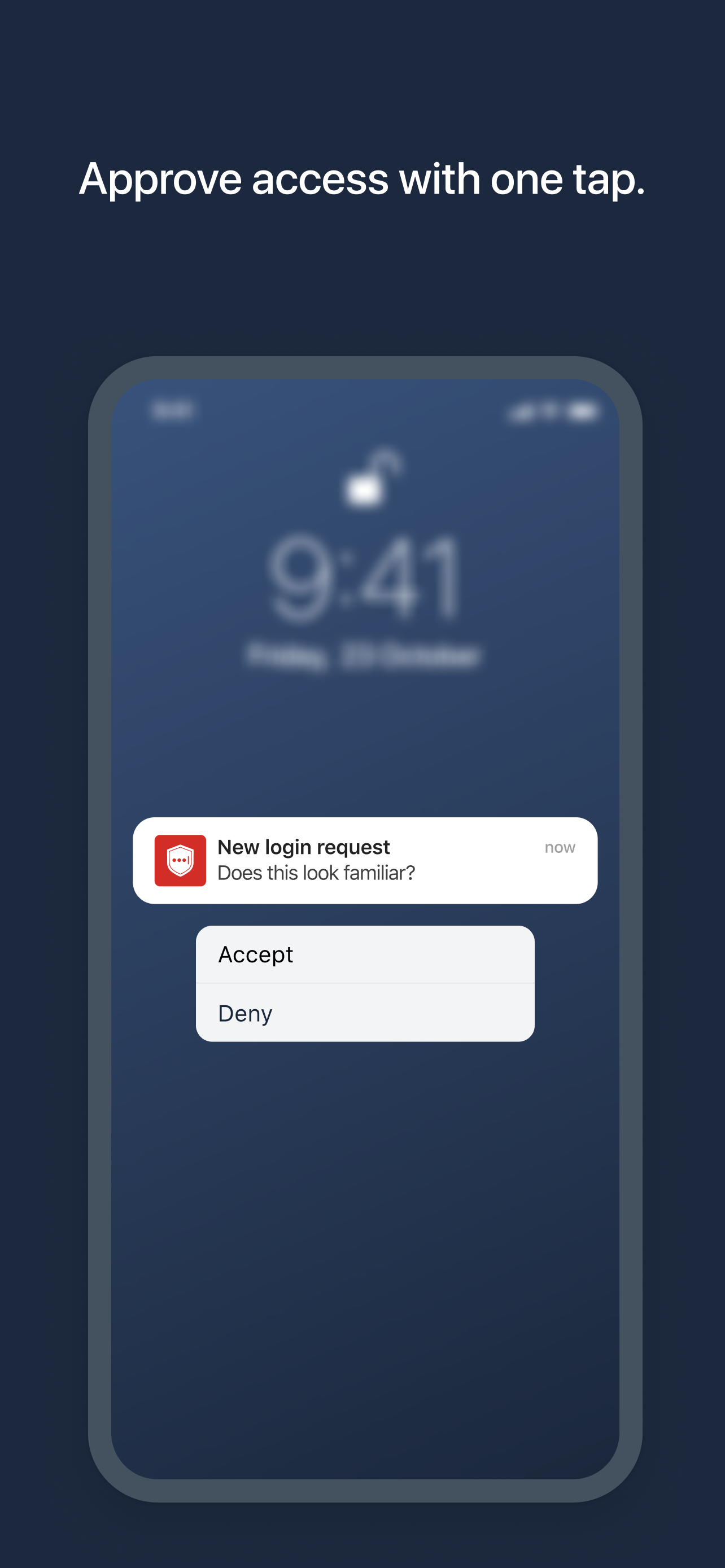
- Push notifications for one-tap approval
- Free encrypted backup to restore your tokens on a new/reinstalled device
- Support for SMS codes
- Automated set-up via QR code
- Support for LastPass accounts
- Support for other TOTP-compatible services and apps (including any that support Google Authenticator)
- Add multiple accounts
Ausblenden Mehr anzeigen...

Screenshots

LastPass Authenticator Häufige Fragen

  • Ist LastPass Authenticator kostenlos?

    Ja, LastPass Authenticator ist komplett kostenlos und enthält keine In-App-Käufe oder Abonnements.

  • Ist LastPass Authenticator seriös?

    🤔 Die Qualität der LastPass Authenticator-App ist gemischt. Einige Nutzer sind zufrieden, während andere Probleme melden. Ziehen Sie in Betracht, einzelne Bewertungen für mehr Kontext zu lesen.

    Danke für die Stimme

  • Wie viel kostet LastPass Authenticator?

    LastPass Authenticator ist kostenlos.

  • Wie hoch ist der Umsatz von LastPass Authenticator?

    Um geschätzte Einnahmen der LastPass Authenticator-App und weitere AppStore-Einblicke zu erhalten, können Sie sich bei der AppTail Mobile Analytics Platform anmelden.

Benutzerbewertung

4.77 von 5

472 Bewertungen in Italien

5 star
405
4 star
47
3 star
8
2 star
2
1 star
10
Bewertungsverlauf

LastPass Authenticator Bewertungen

Some problems with zoom

nikinname on

Italien

If is set zoom in iOS settings the buttons to accept or deny push authorisation are not shown

Last pass

Cristina92:) on

Italien

Comodo veloce e sicuro!! Consigliato!!

Ottimo prodotto

mc7014 on

Italien

Facile da usare, funziona molto bene

Nuova versione

Gimli1952 on

Italien

L’applicazione ha sempre funzionato alla grande fino all’ultima versione. Adesso non mi permette più di effettuare il collegamento in automatico ma devo richiedere il codice SMS per poter accedere al sito web. Peccato modificare qualcosa che funziona perfettamente e renderla inutilizzabile. Forse era doveroso verificare meglio prima di rendere disponibile qualcosa che non funziona. Spero sistemiate alla svelta. La versione 2.6.3 ha risolto il problema. Ora tutto ha ricominciato a funzionare perfettamente. Grazie per il veloce e cortese supporto

Indispensabile

giampica on

Italien

Facile da usare, efficiente ed efficace👏👏

Applicazione molto utile e facile da usare

Oiccud on

Italien

Compatibilmente con il bisogno di proteggere le informazioni (e quindi un controllo con password e codice) l’applicazione è facilissima da usare e le sue versioni su IOS e Microsoft permettono di passare da PC a Mac a IPhone molto facilmente e senza impazzire.

Ottima come al solito

kakaluma on

Italien

La uso per Google e tutti gli altri servizi da anni. Nessun bisogno di cambiarla per ora

Si sono cancellati tutti i dati

Dirk41mffl on

Italien

All’improvviso stasera sono spariti tutti gli account registrati, zero possibilità di recupero, così senza senso

Inutilizzabile

Fabio.tab on

Italien

Scaricata l’app non si può registrarsi, ma bisogna andare sul sito, vai sul sito dal PC ti registri e scopri che con la versione free puoi scegliere alternativamente o il PC o il cellulare, ma non entrambi. Ok, a me la gestione sul PC non interessa, quindi cerco di dirgli che voglio accedere solo dal telefono, ma non c’è modo di capire come fare. Disintallata dopo dieci minuti persi e altrettante imprecazioni

Quasi perfetta

emabia72 on

Italien

Perfetta finì a pochi giorni fa. Non ricevo più le notifiche sul mio Apple Watch quando devo verificare la mia identità per accedere a LastPass. Ho provato a rimuovere l’abbinamento con Apple Watch e poi rifarlo ma per ora sembra non aver risolto il problema.

Store-Rankings

Ranking-Verlauf
App-Ranking-Verlauf noch nicht verfügbar
Kategorien-Rankings
Diagramm
Kategorie
Rang
Top Kostenlos
344
Top Kostenlos
379
Top Kostenlos
467
Top Kostenlos
474

Schlüsselwörter

LastPass Authenticator Konkurrenten

LastPass Authenticator Installationen

Letzte 30 Tage

LastPass Authenticator Umsatz

Letzte 30 Tage

LastPass Authenticator Einnahmen und Downloads

Gewinnen Sie wertvolle Einblicke in die Leistung von LastPass Authenticator mit unserer Analytik.
Melden Sie sich jetzt an, um Zugriff auf Downloads, Einnahmen und mehr zu erhalten.
This page includes copyrighted content from third parties, shared solely for commentary and research in accordance with fair use under applicable copyright laws. All trademarks, including product, service, and company names or logos, remain the property of their respective owners. Their use here falls under nominative fair use as outlined by trademark laws and does not suggest any affiliation with or endorsement by the trademark holders.