LastPass Authenticator

Veröffentlicht von: LastPass US LP

Beschreibung

LastPass Authenticator offers effortless two-factor authentication for your LastPass account and other supported apps. With one-tap verification and secure cloud backup, LastPass Authenticator gives you all the security, without any of the frustration.
ADD MORE SECURITY
Safeguard your LastPass account by requiring two-factor authentication codes when signing in. Two-factor authentication improves your digital security by protecting your account with an additional login step. Even if your password is compromised, your account can’t be accessed without the two-factor authentication code.
You can even mark a device as “trusted”, so you won’t be prompted for codes on that device while your account remains protected by two-factor authentication.
TURNING IT ON
To turn on LastPass Authenticator for your LastPass account:
1. Download LastPass Authenticator to your mobile device.
2. Log in to LastPass on your computer and launch “Account Settings” from your vault.
3. In “Multifactor Options”, edit LastPass Authenticator and view the barcode.
4. Scan the barcode with the LastPass Authenticator app.
5. Set your preferences and save your changes.
LastPass Authenticator can also be turned on for any service or app that supports Google Authenticator or TOTP-based two-factor authentication.
LOGGING IN
To login to your LastPass account or other supported vendor service:
1. Open the app to generate a 6-digit, 30-second code OR approve/deny an automated push notification
2. Alternatively, send SMS code
3. Enter the code into the login prompt on your device OR hit approve/deny request
FEATURES
- Generates 6-digit codes every 30 seconds
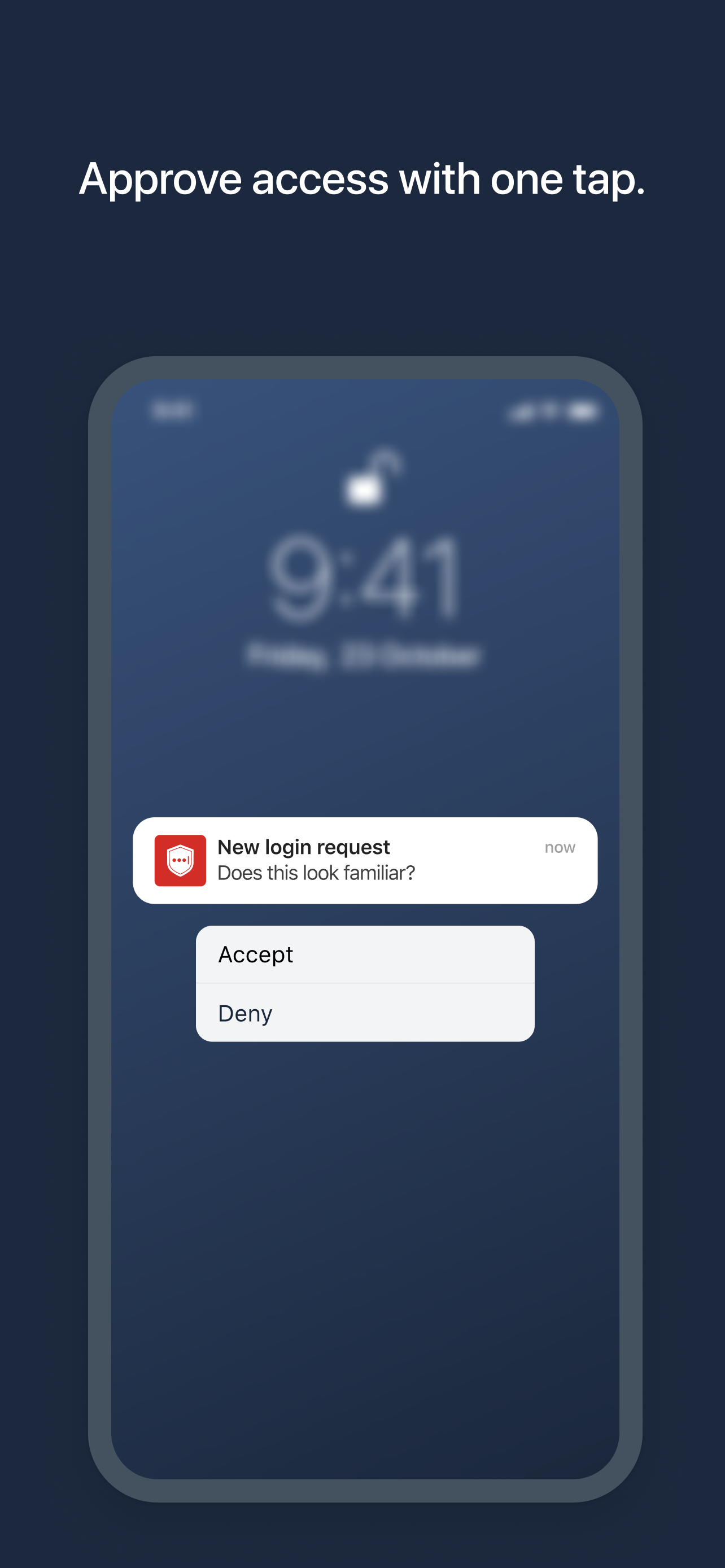
- Push notifications for one-tap approval
- Free encrypted backup to restore your tokens on a new/reinstalled device
- Support for SMS codes
- Automated set-up via QR code
- Support for LastPass accounts
- Support for other TOTP-compatible services and apps (including any that support Google Authenticator)
- Add multiple accounts
Ausblenden Mehr anzeigen...

Screenshots

LastPass Authenticator Häufige Fragen

  • Ist LastPass Authenticator kostenlos?

    Ja, LastPass Authenticator ist komplett kostenlos und enthält keine In-App-Käufe oder Abonnements.

  • Ist LastPass Authenticator seriös?

    ⚠️ Die LastPass Authenticator-App hat schlechte Bewertungen und negatives Feedback. Die Nutzer scheinen mit der Leistung oder den Funktionen unzufrieden zu sein.

    Danke für die Stimme

  • Wie viel kostet LastPass Authenticator?

    LastPass Authenticator ist kostenlos.

  • Wie hoch ist der Umsatz von LastPass Authenticator?

    Um geschätzte Einnahmen der LastPass Authenticator-App und weitere AppStore-Einblicke zu erhalten, können Sie sich bei der AppTail Mobile Analytics Platform anmelden.

Benutzerbewertung

4.7 von 5

356 Bewertungen in Spanien

5 star
302
4 star
31
3 star
6
2 star
4
1 star
13
Bewertungsverlauf

LastPass Authenticator Bewertungen

Error con IOs 18

JavierNI-486544 on

Spanien

Actualicé mi IPhone a IOs 18 y dejó de funcionar, ahora no tengo acceso a varios servicios

Suddenly not able to see my codes anymore!!!

angelstoone on

Spanien

The app was working fine and all of a sudden, after one recent update I opened it and nothing..it was empty!!! So I have lost all my codes 😭 Now whe I open the app it says restart the app and that’s it..what happened?!

Excelente

Jorede on

Spanien

Funciona perfectamente, es muy fácil de usar y mejora sensiblemente la seguridad

Genial

Mongry2000 on

Spanien

Muy buena aplicación estoy encantado con ella Además es gratis Fabuloso

Aplicación excelente

in cliente muy enfadado on

Spanien

Estoy muy contento con la aplicacion. La estoy utilizando de hace unos cuantos años y puedo decir que no la voy a cambiar con otra para nada. Simplemente es perfecta

Buena app

Harry2878 on

Spanien

Lo que buscaba. Una buena aplicación 2FA. Le puedes añadir PIN independiente del dispositivo. Tiene sincronización con otros dispositivos para clientes premium del Lastpass Password Manager, pero yo no lo deseo.

Mejorable

DaniPuertas on

Spanien

Le falta widget como otras aplicaciones, estaría bien que en vez de ser una app independiente estuviera integrada en la app de LastPass

Apple Watch and iPad

José Miguel S. on

Spanien

Please, add support for Apple Watch and iPad

Terrible

Bob49832 on

Vereinigte Staaten

Don’t use

Need better support

BigD27501 on

Vereinigte Staaten

I have spent hours trying to setup passwordless login and have the notice come to my phone. It only works with my IPad. I cannot find any support online.

Store-Rankings

Ranking-Verlauf
App-Ranking-Verlauf noch nicht verfügbar
Kategorien-Rankings
Diagramm
Kategorie
Rang
Top Kostenlos
344
Top Kostenlos
379
Top Kostenlos
467
Top Kostenlos
474

Schlüsselwörter

LastPass Authenticator Konkurrenten

LastPass Authenticator Installationen

Letzte 30 Tage

LastPass Authenticator Umsatz

Letzte 30 Tage

LastPass Authenticator Einnahmen und Downloads

Gewinnen Sie wertvolle Einblicke in die Leistung von LastPass Authenticator mit unserer Analytik.
Melden Sie sich jetzt an, um Zugriff auf Downloads, Einnahmen und mehr zu erhalten.
This page includes copyrighted content from third parties, shared solely for commentary and research in accordance with fair use under applicable copyright laws. All trademarks, including product, service, and company names or logos, remain the property of their respective owners. Their use here falls under nominative fair use as outlined by trademark laws and does not suggest any affiliation with or endorsement by the trademark holders.