Remote Mouse Pro

Handy Computer Remote

Veröffentlicht von: 耀 阮

Beschreibung

Remote Mouse™ transforms your mobile phone or tablet into an easy-to-use remote control for your computer, complete with a cross-device clipboard that enables seamless text and image transfer across platforms. It mimics the functions of a wireless mouse, keyboard, and touchpad, and also offers various specialized control panels that enhance your control over specific operations. The small features, designed for one-handed use or intuitive operations, will delight you.
Featured on CNET, Mashable, and Product Hunt, Remote Mouse is recognized as one of the most sophisticated and user-friendly computer remote apps. With over 20 million users worldwide, it's a trusted choice for effortless computer control.
Whether you're watching a movie online, giving a presentation, or shutting down your computer with one click, nothing can be more convenient than having a mobile phone remote at your fingertips.
Mouse
• Fully simulated mouse function
• Gyro mouse is a feature that allows you to move the mouse cursor with a gyro sensor
• Left-handed mode
Keyboard
• Integrated with system and third-party keyboards, supports typing in various languages
• Remotely typing by voice if the soft keyboard supports speech recognition
• Supports sending various shortcuts
• Displays different keypads for Mac or PC
Touchpad
• Simulates the Apple Magic Trackpad and supports multi-touch gestures
Specialty Control Panels
• Media Remote: Supports iTunes, VLC, Windows Media Player, Keynote, PowerPoint, and Windows Photo Viewer, and will support more
• Web Remote: Supports Chrome, Firefox, and Opera
• Application Switcher: quickly launch and switch between programs
• Power Options: Supports remotely shutting down, sleeping, restarting, and logging off
• Cross-device Clipboard: Allows for the transfer of text and images between your computer and mobile device
Other Features
• Use the physical volume buttons on the mobile device for remote control
• Set a password for the connection
• Customizable wallpaper
Connection Method
• Connect via IP address or QR code
• Connect via history
Operating Environment
• Compatible with Windows, Mac OSX, and Linux
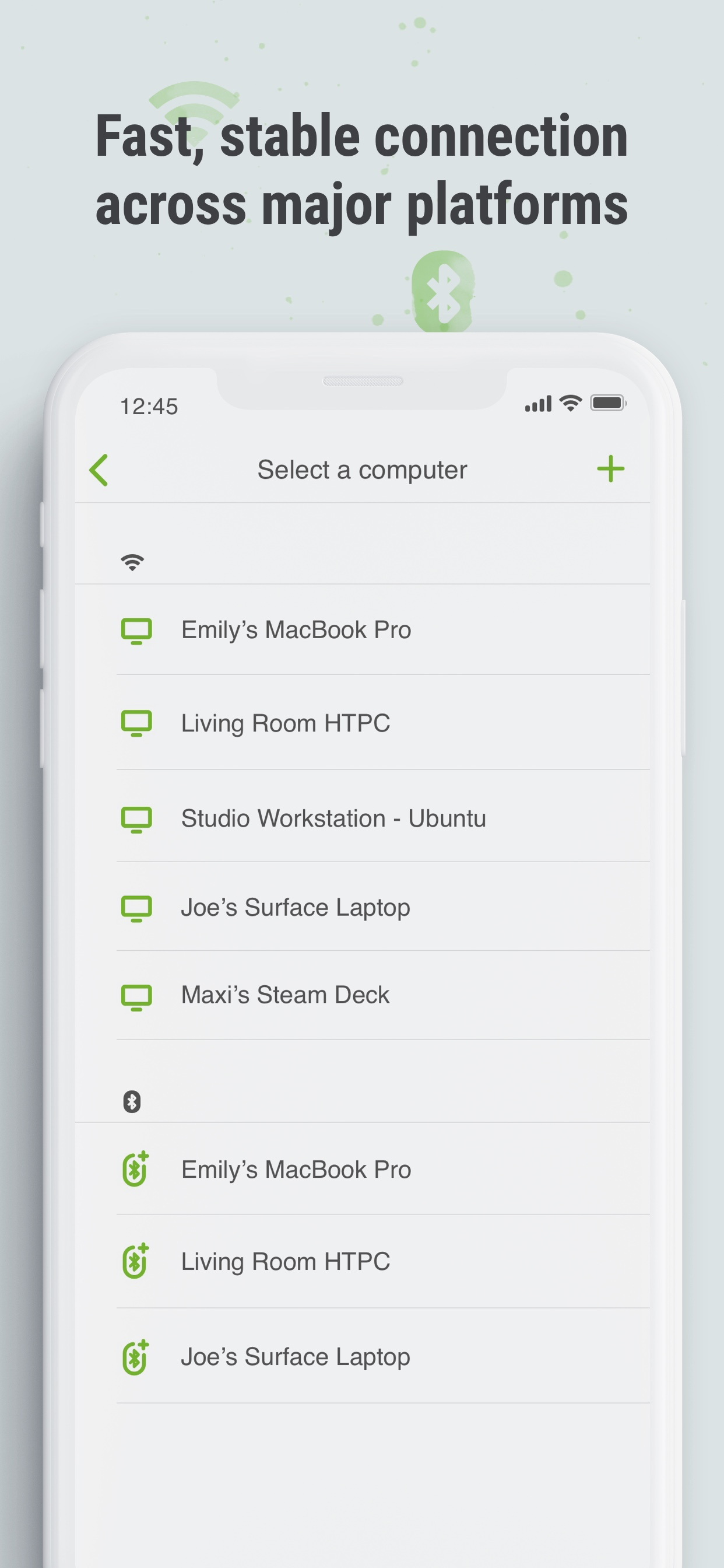
• Works under Wi-Fi or Bluetooth
To Get Started
1. Visit https://www.remotemouse.net on your computer and download the Remote Mouse computer server software.
2. Install and run the computer server software.
3. Connect your mobile device to the same Wi-Fi network or use Bluetooth to pair with your computer.
If you're a macOS user, you may need to grant access to Remote Mouse. You can refer to this video (https://youtu.be/8LJbtv42i44) for guidance.
Ausblenden Mehr anzeigen...

In-App-Käufe

Unlock Web Remote
2.98 S$
Media Remote Panel
2.98 S$
Unlock Spotify Pad
2.98 S$
Customize Wallpaper
2.98 S$
Remote Image Viewer
2.98 S$

Screenshots

Remote Mouse Pro Häufige Fragen

  • Ist Remote Mouse Pro kostenlos?

    Ja, Remote Mouse Pro ist kostenlos herunterzuladen, enthält jedoch In-App-Käufe oder Abonnements.

  • Ist Remote Mouse Pro seriös?

    🤔 Die Qualität der Remote Mouse Pro-App ist gemischt. Einige Nutzer sind zufrieden, während andere Probleme melden. Ziehen Sie in Betracht, einzelne Bewertungen für mehr Kontext zu lesen.

    Danke für die Stimme

  • Wie viel kostet Remote Mouse Pro?

    Remote Mouse Pro bietet mehrere In-App-Käufe/Abonnements, der durchschnittliche In-App-Preis beträgt 2.98 S$.

  • Wie hoch ist der Umsatz von Remote Mouse Pro?

    Um geschätzte Einnahmen der Remote Mouse Pro-App und weitere AppStore-Einblicke zu erhalten, können Sie sich bei der AppTail Mobile Analytics Platform anmelden.

Benutzerbewertung

4.61 von 5

64 Bewertungen in Singapur

5 star
50
4 star
9
3 star
2
2 star
0
1 star
3
Bewertungsverlauf

Remote Mouse Pro Bewertungen

Not working

Nasdaq2030 on

Singapur

It was working but not for recent. Now totally not working. Developer, get the bug fixed that is not working at all!

User1

bhone pyae on

Singapur

Just nice. But media control only works for itune, not on browser movies. Sometimes, signal interferences to connect with Mac

Computer crashed

Louis2place on

Singapur

I have a old windows and the app keeps making my computer crash. Can you fix the problem please !

Great app

Jusdash on

Singapur

Works well on both mac and pc

5 stars

w.Eric on

Singapur

Thank you for fixing the bug. It's working flawlessly now.

crashing!

Nazo14 on

Singapur

updated both sides and the phone keeps crashing, please fix

Keeps crashing.

CptAwesomeAng on

Singapur

I can't even connect to my com anymore with the new update.

Zoom for windows

Jpradpn on

Singapur

Awesome. Please add zoom in , zoom out option for windows PCs. Thanks

😃

Yaya kk on

Singapur

AMAZING THING EVER just hope there would be fewer in app purchases but it's still awesome

For fun

Jocelyn2211 on

Singapur

For fun

Store-Rankings

Ranking-Verlauf
App-Ranking-Verlauf noch nicht verfügbar
Kategorien-Rankings
Diagramm
Kategorie
Rang
Top Bezahlt
8
Top Bezahlt
9
Top Bezahlt
11
Top Bezahlt
13
Top Bezahlt
13

Schlüsselwörter

Remote Mouse Pro Konkurrenten

Remote Mouse Pro Installationen

Letzte 30 Tage

Remote Mouse Pro Umsatz

Letzte 30 Tage

Remote Mouse Pro Einnahmen und Downloads

Gewinnen Sie wertvolle Einblicke in die Leistung von Remote Mouse Pro mit unserer Analytik.
Melden Sie sich jetzt an, um Zugriff auf Downloads, Einnahmen und mehr zu erhalten.
This page includes copyrighted content from third parties, shared solely for commentary and research in accordance with fair use under applicable copyright laws. All trademarks, including product, service, and company names or logos, remain the property of their respective owners. Their use here falls under nominative fair use as outlined by trademark laws and does not suggest any affiliation with or endorsement by the trademark holders.