SatFinder

Adjust your dish in seconds

Veröffentlicht von: Ralf Andrae

Beschreibung

With the SatFinder you can adjust your satellite antenna in just a few seconds and in 4 simple steps:
STEP 1 - CHOOSE YOUR ANTENNA
Choose one of the four different antenna designs:
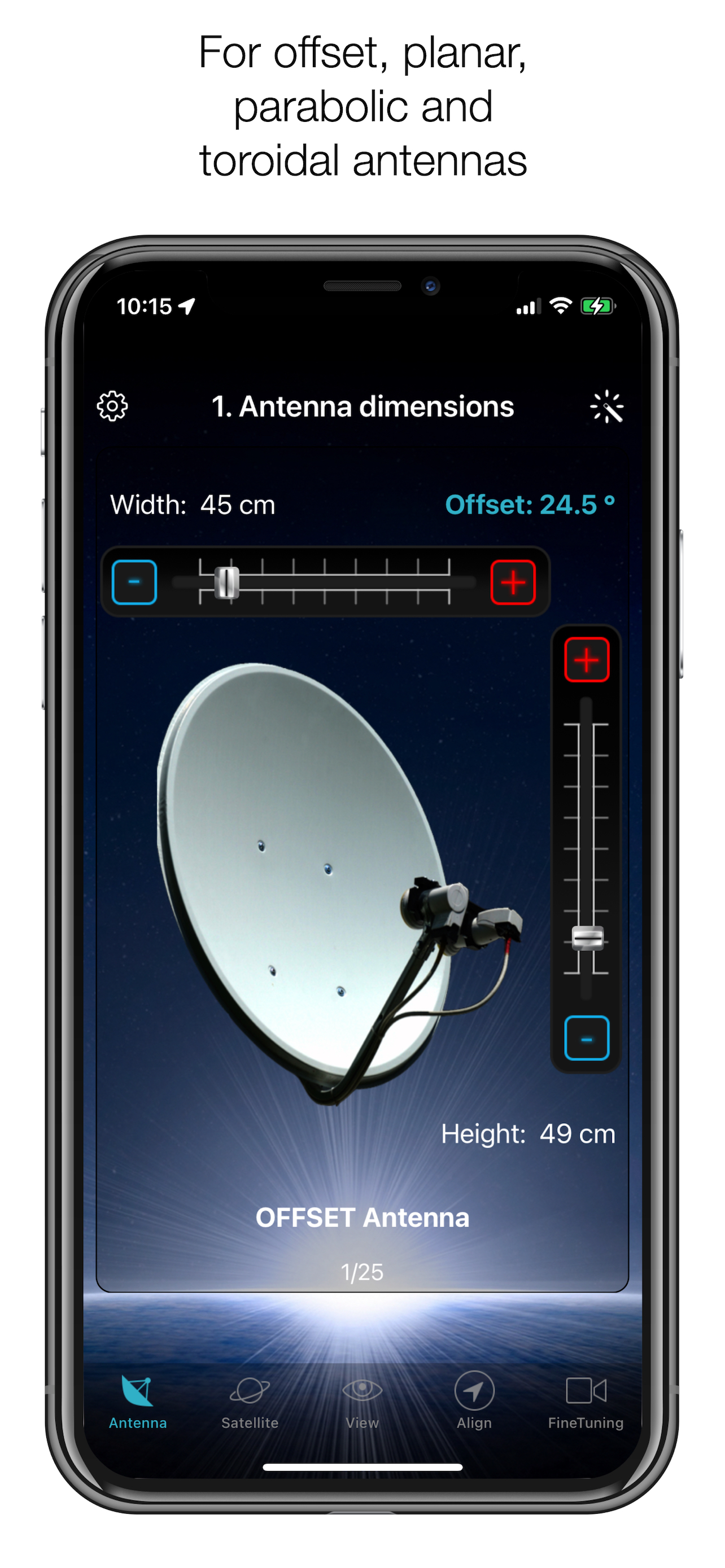
- Offset antennas (the most common, is slightly oval, the LNB is not in the middle).
- Special design (e.g. Oblong shaped Offset antenna, Multifeed antenna)
- Parabolic antenna (LNB is in the middle of the reflector, usually larger than 100cm)
- Flat or planar antenna (small, camping antennas)
If you have an offset antenna, enter the height and width of the antenna. If your antenna has a special design, enter the offset angle and the size of the satellite antenna. You will find the offset angle in the operating instructions for your satellite antenna. For parabolic antennas, it is sufficient to enter the antenna diameter. With a flat antenna, you do not have to set anything. If you know the exact antenna designation, check whether your antenna is already in the database.
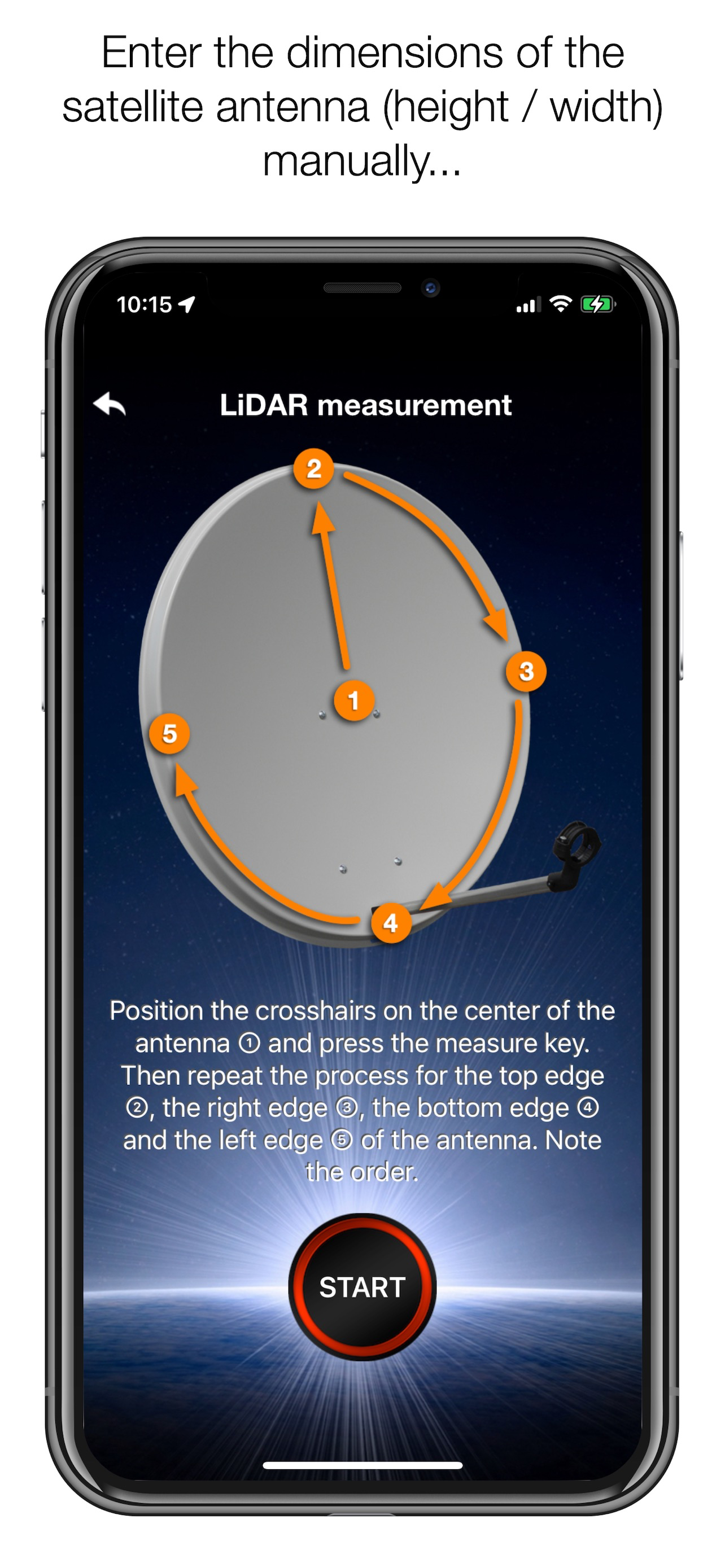
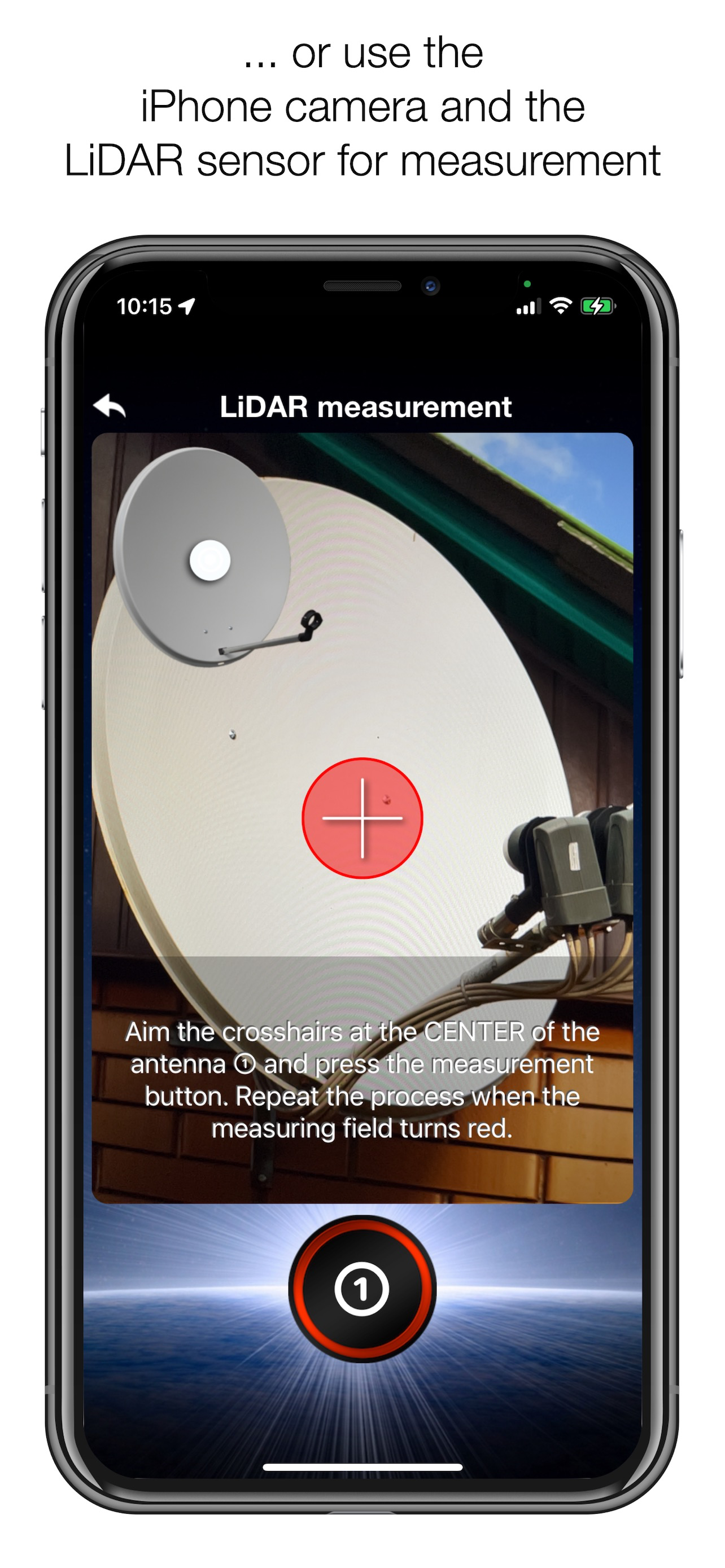
Tip: Press the wizard button to measure the size of the satellite antenna using the iPhone camera and LiDAR scanner.
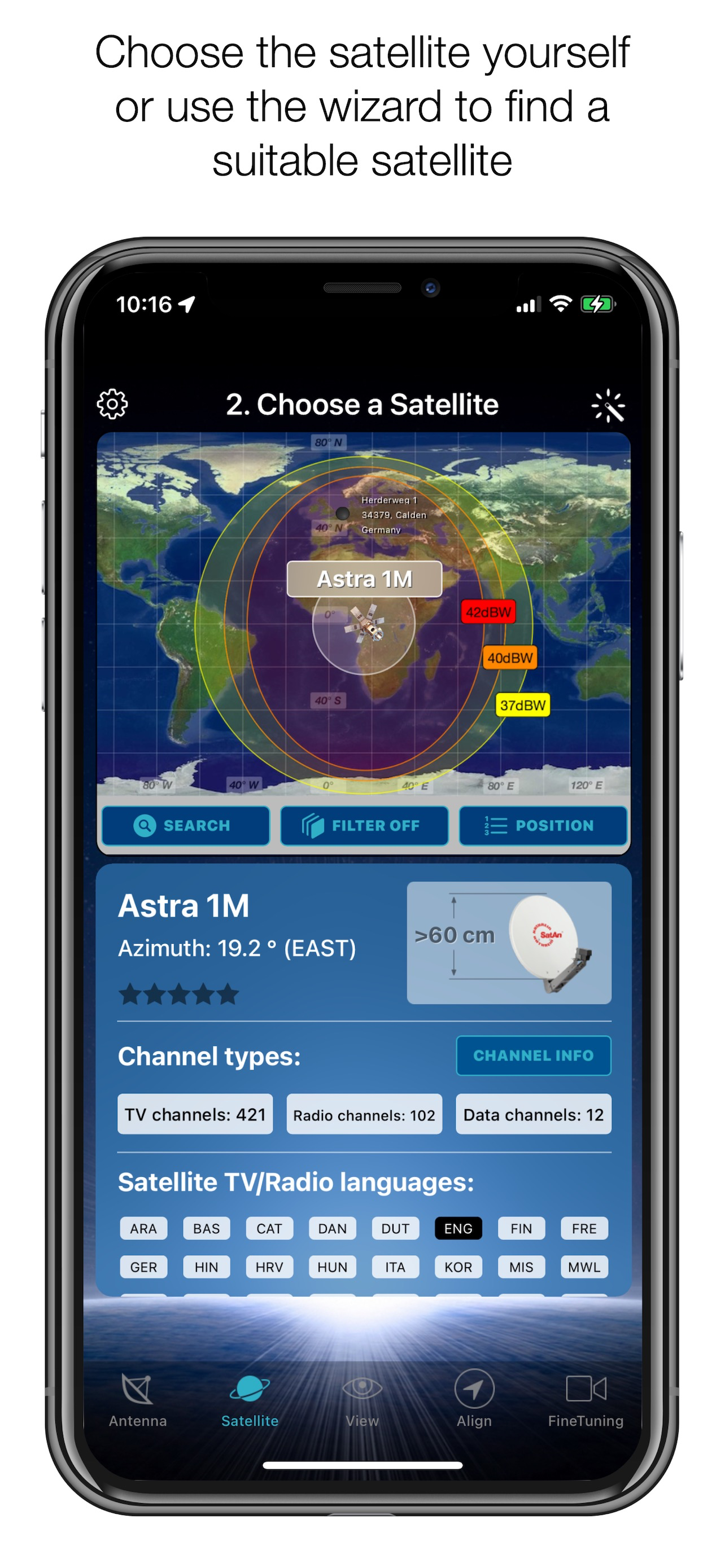
STEP 2 - CHOOSE YOUR SATELLITE
To quickly and easily select a suitable satellite, simply press the "AUTO" button. The SatFinder will now automatically search for satellites that are within your reception range and that offer TV or radio stations in your language (the language setting of your iPhone will be selected). The stars (1-10) shown in the table result from the number of radio and TV programmes offered and the reception strength at your location.
If you want to receive a specific satellite, switch off "AUTO": Now you can simply scroll through the table and select the satellite. The search function is quicker - just enter the name of the satellite, the channel or the orbit position. You can also reduce the number of table entries by hiding satellites that cannot be received at your location or that do not broadcast in your language. With the button "Channel Info" you can check which channels the selected satellite is currently broadcasting - including all channel parameters for your satellite receiver.
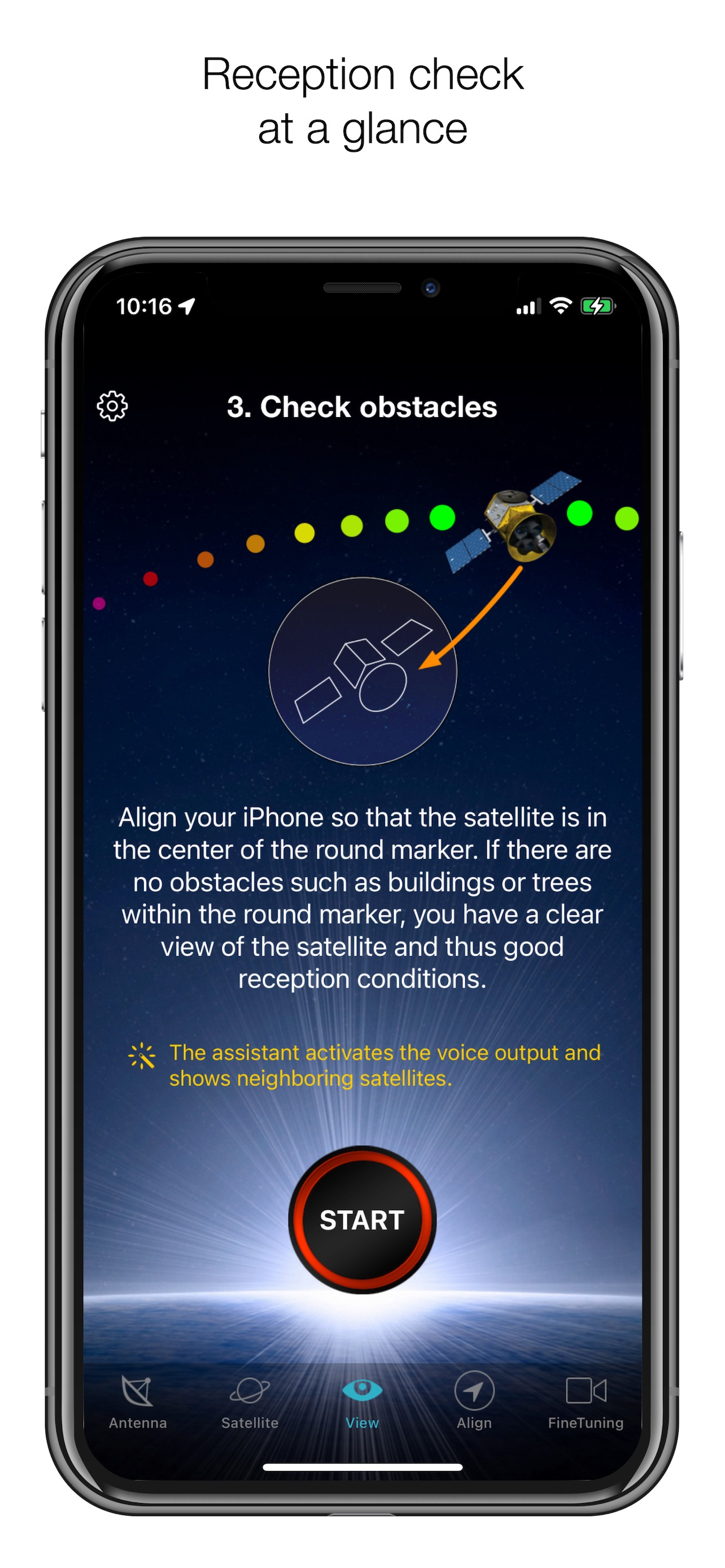
STEP 3 - CHECK FOR OBSTACLES
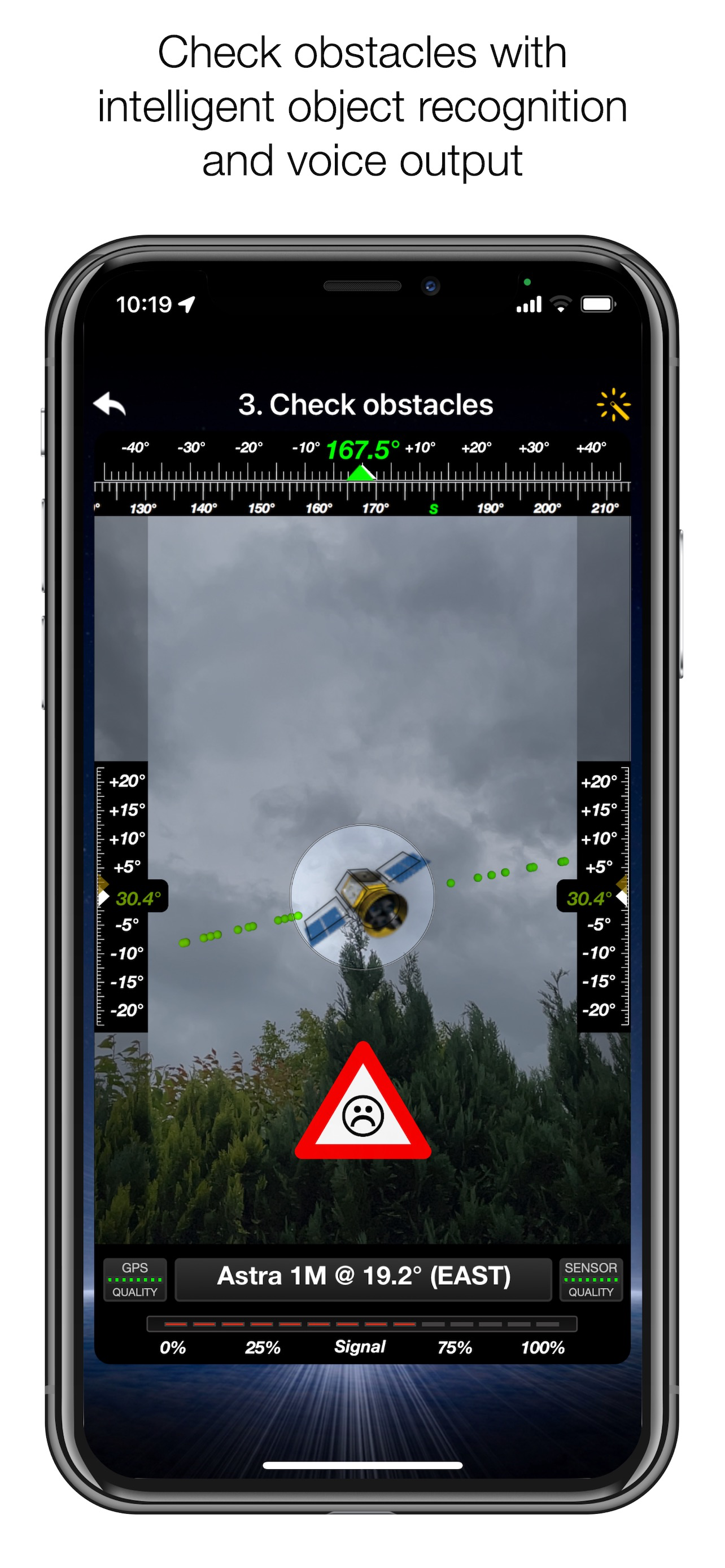
For smooth satellite reception, there must be no obstacles between the satellite and your satellite antenna. You can check this with the "View" function. Simply aim at the satellite and observe the signs (GREEN - no obstacle, RED - caution, view may not be clear).
Tip: Press the button for the assistant to activate the voice output.
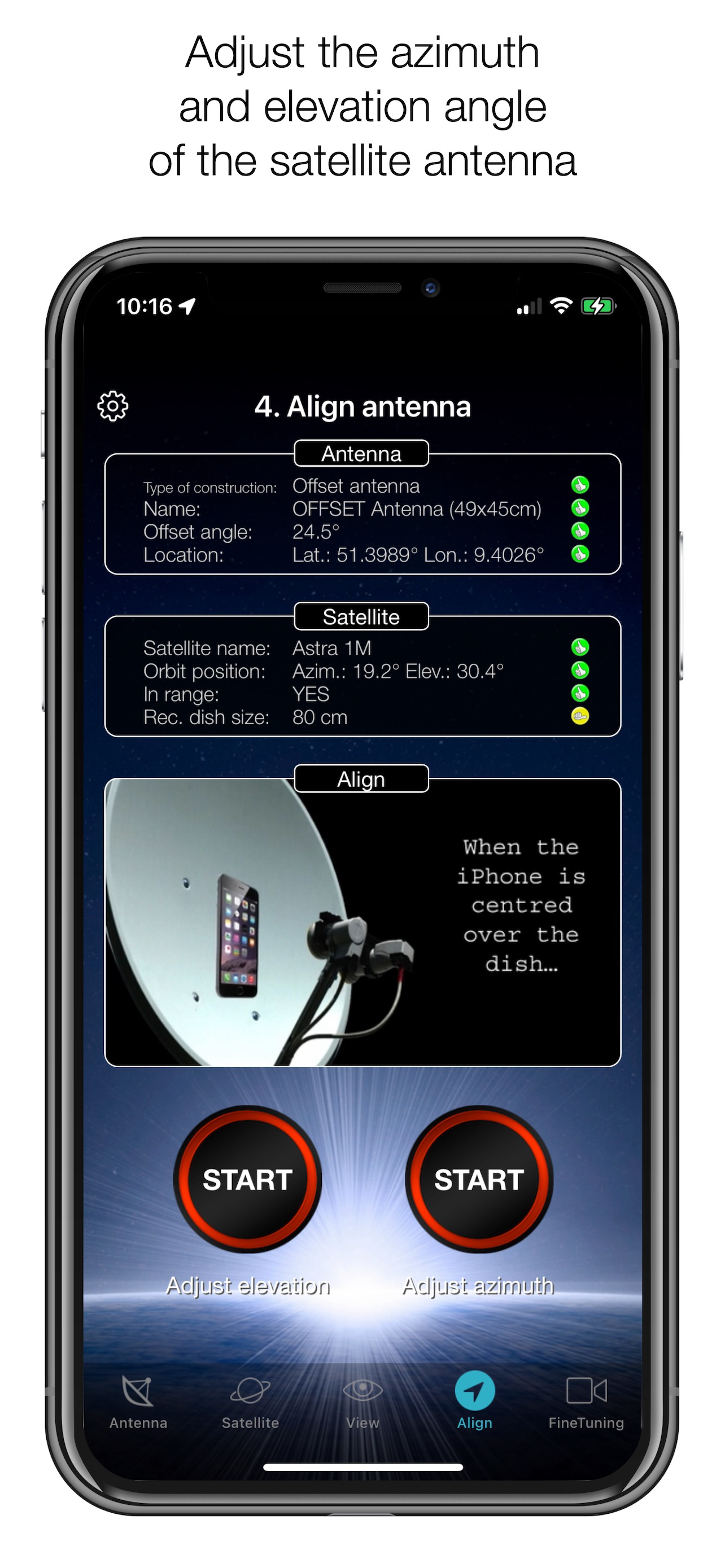
STEP 4 - ADJUST THE ANTENNA
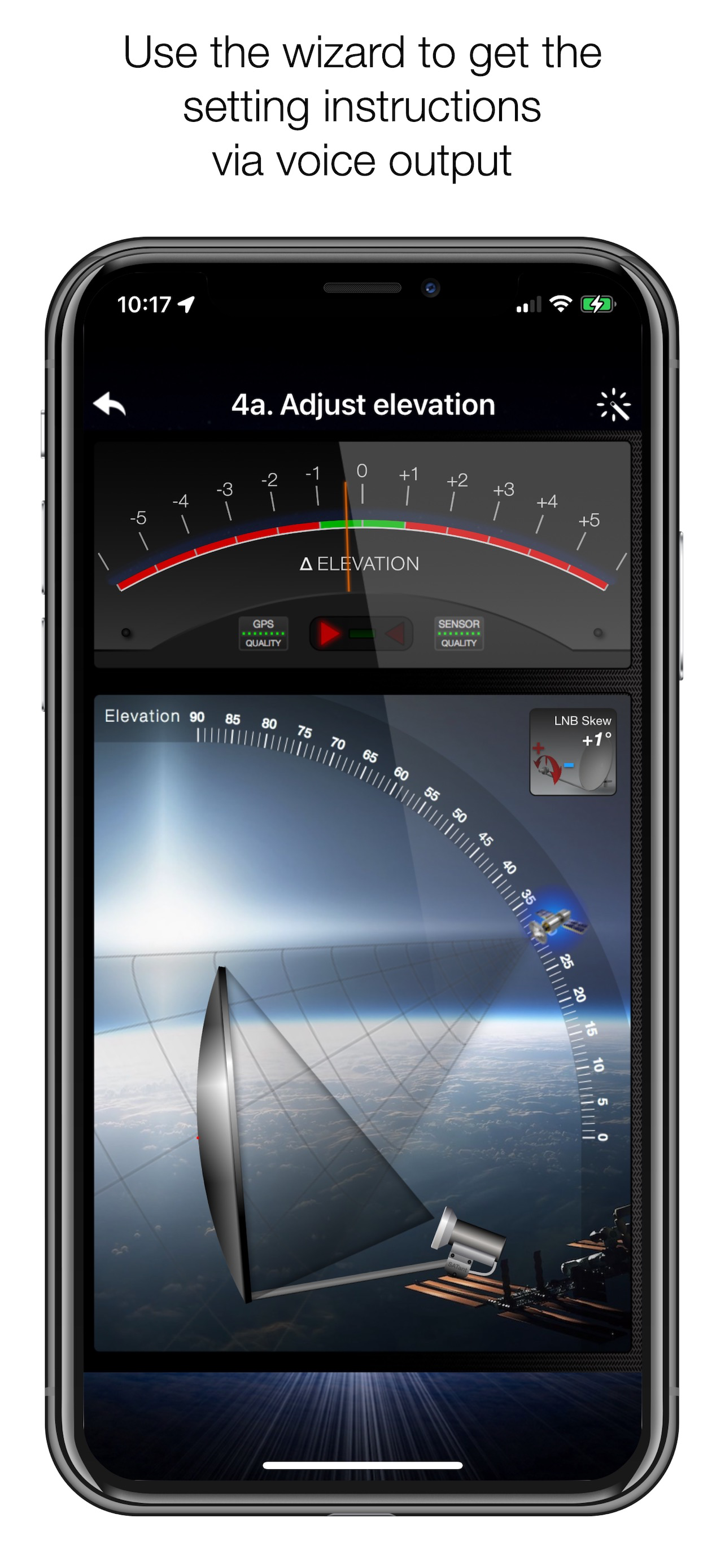
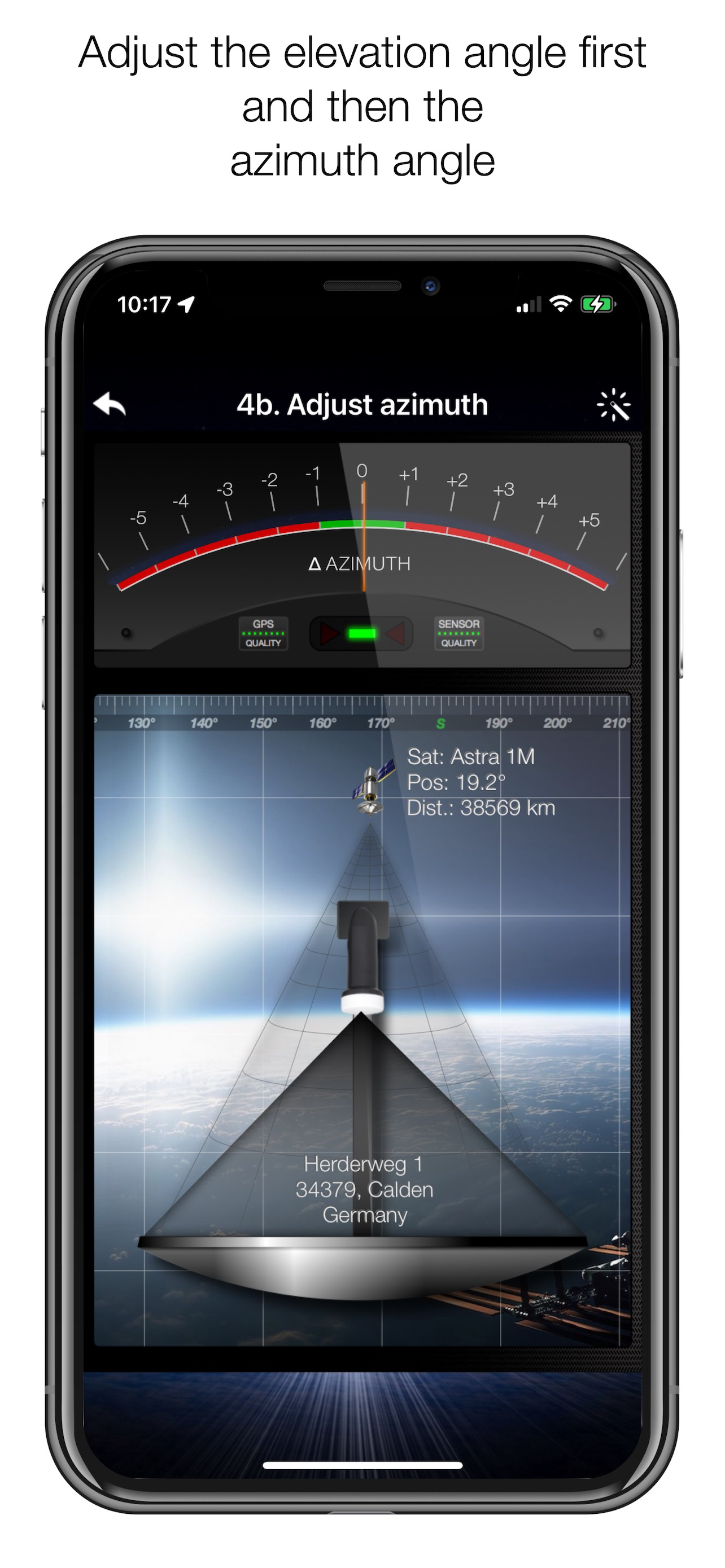
In the menu item "Align", different graphics appear depending on the selected antenna type. If you are using an offset antenna, you must adjust the azimuth and elevation separately. With planar or parabolic antennas, the angles are set together. Before you press the "Start" button, a video clip shows you how to position your iPhone on the antenna.
Tip: Press the button for the assistant to activate the voice output.
STEP 5 - FINE TUNING
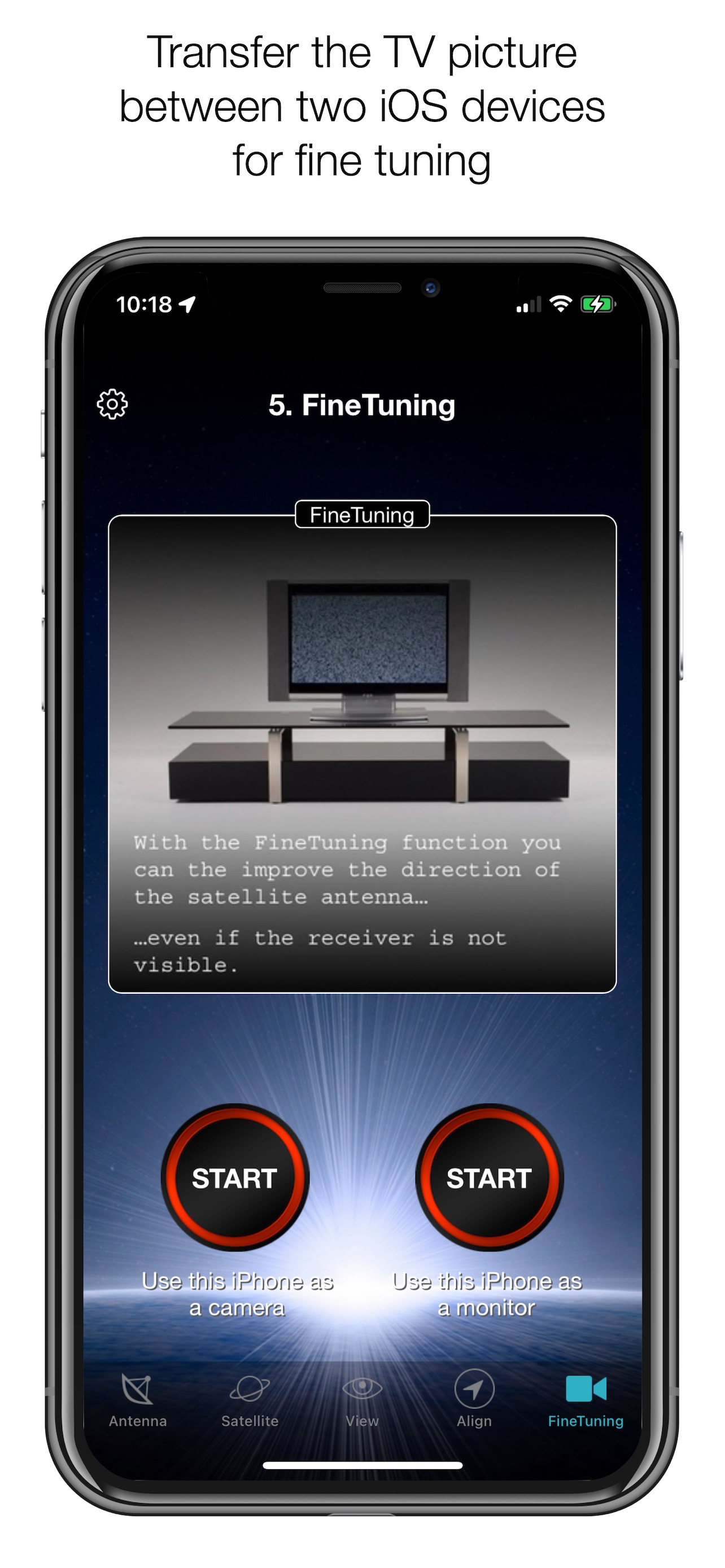
If necessary, you can optimise the reception of your satellite system. The SatFinder provides you with the "FineTuning" function for this purpose. To use this function, you need a second iOS device. One device serves as a camera; the second device serves as a monitor. Simply place an iPhone in front of your reception screen and observe changes in the picture quality while you slightly turn or tilt your satellite antenna. With the FineTuning function, you have visual contact with your TV set even when you are not in sight.
THAT'S IT. YOU SHOULD NOW BE ABLE TO ENJOY INTERFERENCE-FREE SATELLITE RECEPTION...
Note: Satellite antenna tuning is only available on iOS devices with LiDAR sensor (e.g. iPhone 12 Pro).
Ausblenden Mehr anzeigen...

Screenshots

SatFinder Häufige Fragen

  • Ist SatFinder kostenlos?

    Ja, SatFinder ist komplett kostenlos und enthält keine In-App-Käufe oder Abonnements.

  • Ist SatFinder seriös?

    ⚠️ Die SatFinder-App hat schlechte Bewertungen und negatives Feedback. Die Nutzer scheinen mit der Leistung oder den Funktionen unzufrieden zu sein.

    Danke für die Stimme

  • Wie viel kostet SatFinder?

    SatFinder ist kostenlos.

  • Wie hoch ist der Umsatz von SatFinder?

    Um geschätzte Einnahmen der SatFinder-App und weitere AppStore-Einblicke zu erhalten, können Sie sich bei der AppTail Mobile Analytics Platform anmelden.

Benutzerbewertung

4.52 von 5

122 Bewertungen in Dänemark

5 star
83
4 star
25
3 star
10
2 star
3
1 star
1
Bewertungsverlauf

SatFinder Bewertungen

Very easy to use

Uffemio on

Dänemark

I bought the app in spite of the differing reviews and found the app easy to use. Within 15 minutes I could use my satelitite tv again :). I use iphone 5 for satfindet and have hd tv-signal. Just check for obstacles and adjust the parabol. I can definately recommend the app.

iPhone 5

Thomas Priis on

Dänemark

Efter flere målinger via app'en må jeg dømme app'en stortset ubrugelig. Beklageligvis.

Didnt work.

vituz.dk on

Dänemark

The app has to start again everytime you leave it to go into sleepmode or to another app. It is verry unstable with the directional readings and I didnt succed to indtall the sat dish.

Ideen er god nok, MEN....

Kaptajnenlazz on

Dänemark

- bare ærgeligt at app'en er lidt ubrugeligt. De magnetiske påvirkninger fra parabolen dræber funktionerne. Så når iphonen kommer tæt på skærmen går kompas i selvsving! Har kun brugt den med tændt receiver, muligvis bedre med slukket parabol...

Missing multi LNB

Missing multi LNB on

Dänemark

Program works fine on single lnb but can not, although shown on the intro pictuere work with multiple lnb What a pitty since most installations in Denmark have at least 2 lnb if not 4 Maybe an idea for next release!!

Kan ikke få det til at virke

Lovendahl01 on

Dänemark

Lyder lovende. Men da jeg skulle indstille parabolen reagerede min iPhone 4 ikke præcist nok.

Fantastisk

abcaster on

Dänemark

Brug din iPhones kamera til at justere din parabol.

Auf iPhone 13 mini, ständig wechselnde Positionen kein Erfolg

arne732943 on

Deutschland

Trotz Neukkalibrieren und unzähligen Versuchen ist es mir nicht gelungen, mit einer 35 cm Camping Schüssel einen Sender zu finden. Hab den guten alten SatFinder rausgeholt und es hat auf Anhieb funktioniert. Habe versucht, 19.2 Astra zu empfangen. Schade, in der App sieht es so einfach aus

Fantastische App

1kilroi on

Deutschland

Die beste App um Satelliten zu finden bzw. eine Schüssel genau auszurichten !!!!!!! Einfach mega !!!! Fünf andere Apps, die ich parallel dazu ausprobiert haben, waren alle Schrott. Meines Erachtens die einzige App, die wirklich funktioniert.

Müll!

Waggel7 on

Deutschland

Funktioniert überhaupt nicht, Iphone Position und das Video…

Store-Rankings

Ranking-Verlauf
App-Ranking-Verlauf noch nicht verfügbar
Kategorien-Rankings
Diagramm
Kategorie
Rang
Top Bezahlt
7
Top Bezahlt
11
Top Bezahlt
22
Top Bezahlt
23
Top Bezahlt
25

Schlüsselwörter

SatFinder Konkurrenten

SatFinder Installationen

Letzte 30 Tage

SatFinder Umsatz

Letzte 30 Tage

SatFinder Einnahmen und Downloads

Gewinnen Sie wertvolle Einblicke in die Leistung von SatFinder mit unserer Analytik.
Melden Sie sich jetzt an, um Zugriff auf Downloads, Einnahmen und mehr zu erhalten.

App-Informationen

Kategorie
Utilities
Herausgeber
Ralf Andrae
Sprachen
Russian, Croatian, Hindi, Turkish, Greek (modern), German, Japanese, French, Polish, Ukrainian, Swedish, Chinese, Italian, English, Dutch, Portuguese, Spanish, Malay
Letzte Veröffentlichung
5.0.4 (vor 1 Jahr )
Veröffentlicht am
Oct 21, 2010 (vor 15 Jahren )
Zuletzt aktualisiert
vor 2 Tagen
This page includes copyrighted content from third parties, shared solely for commentary and research in accordance with fair use under applicable copyright laws. All trademarks, including product, service, and company names or logos, remain the property of their respective owners. Their use here falls under nominative fair use as outlined by trademark laws and does not suggest any affiliation with or endorsement by the trademark holders.