SatFinder

Adjust your dish in seconds

Veröffentlicht von: Ralf Andrae

Beschreibung

With the SatFinder you can adjust your satellite antenna in just a few seconds and in 4 simple steps:
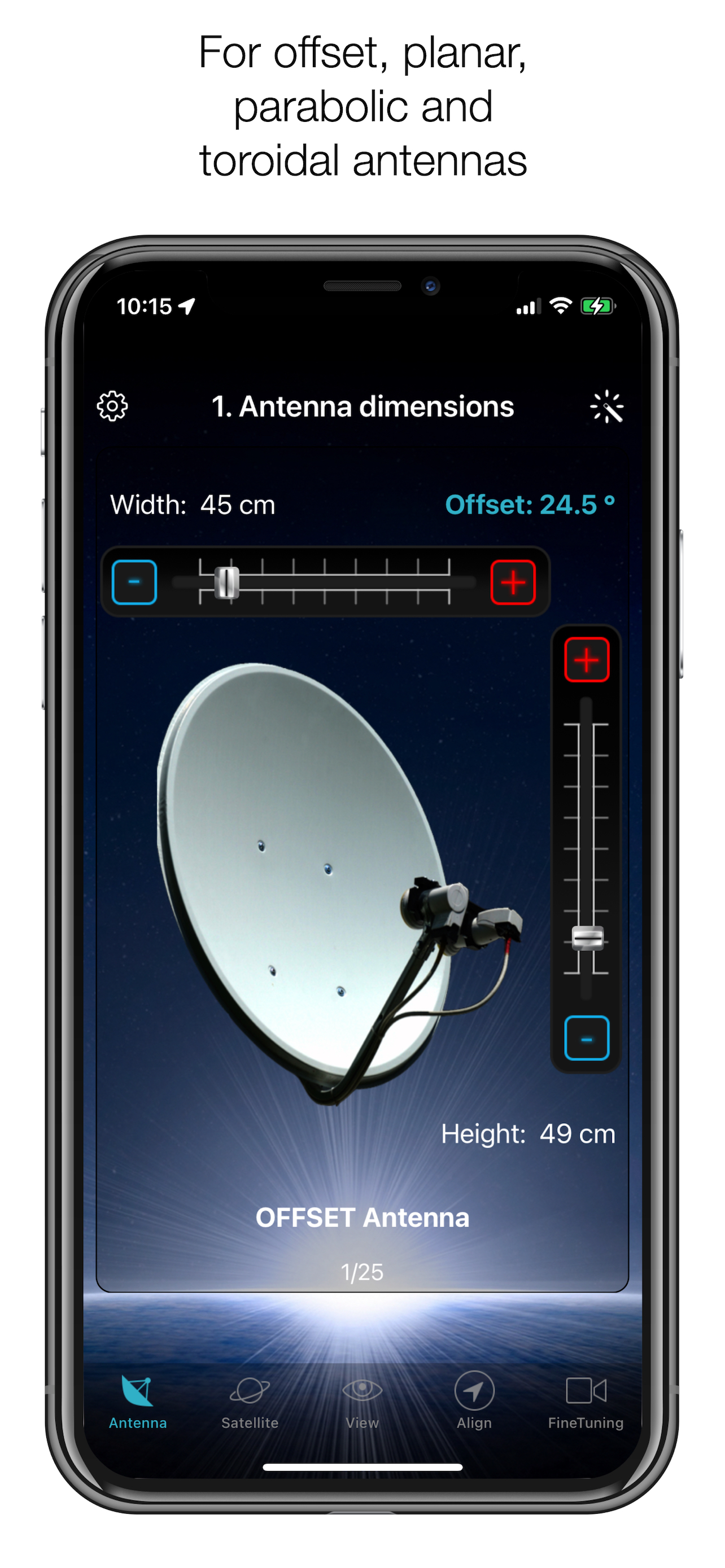
STEP 1 - CHOOSE YOUR ANTENNA
Choose one of the four different antenna designs:
- Offset antennas (the most common, is slightly oval, the LNB is not in the middle).
- Special design (e.g. Oblong shaped Offset antenna, Multifeed antenna)
- Parabolic antenna (LNB is in the middle of the reflector, usually larger than 100cm)
- Flat or planar antenna (small, camping antennas)
If you have an offset antenna, enter the height and width of the antenna. If your antenna has a special design, enter the offset angle and the size of the satellite antenna. You will find the offset angle in the operating instructions for your satellite antenna. For parabolic antennas, it is sufficient to enter the antenna diameter. With a flat antenna, you do not have to set anything. If you know the exact antenna designation, check whether your antenna is already in the database.
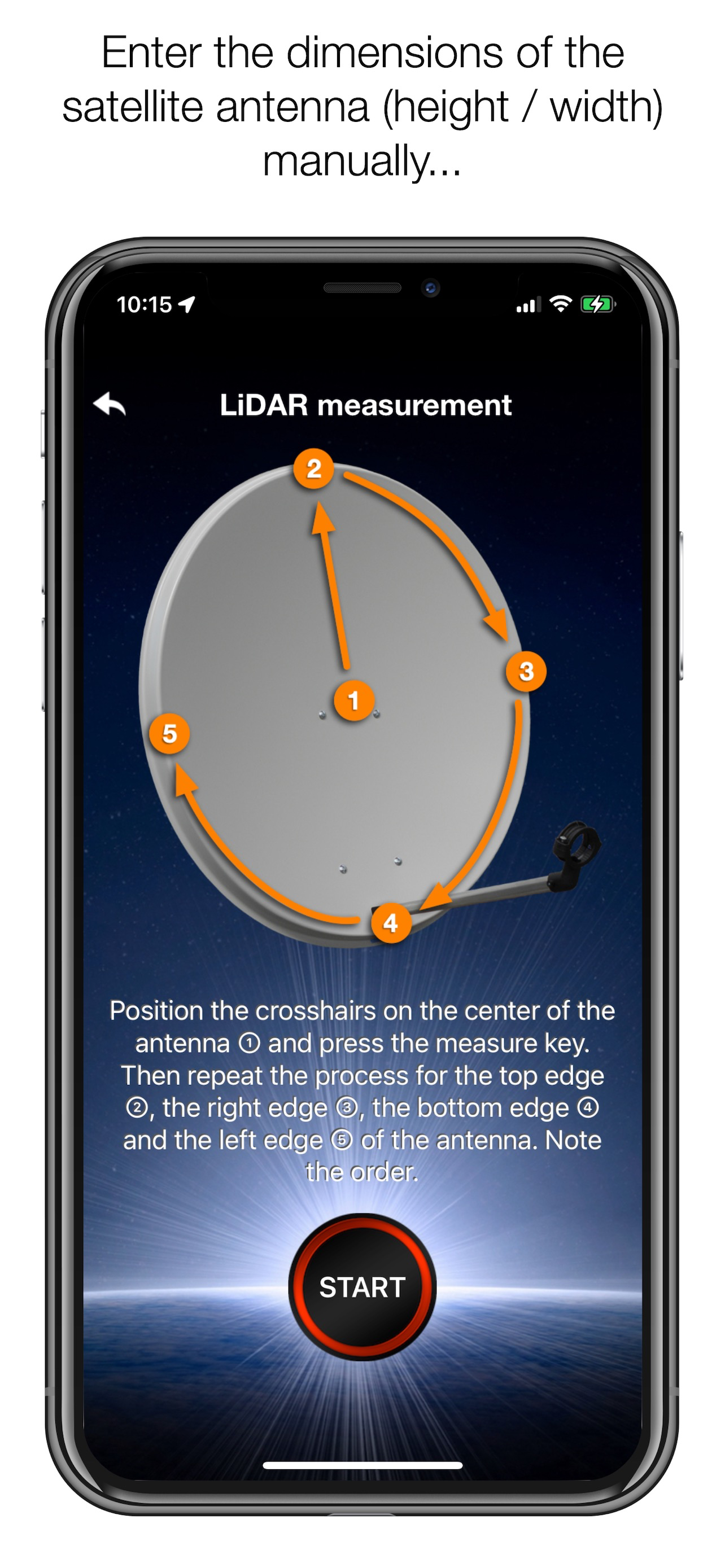
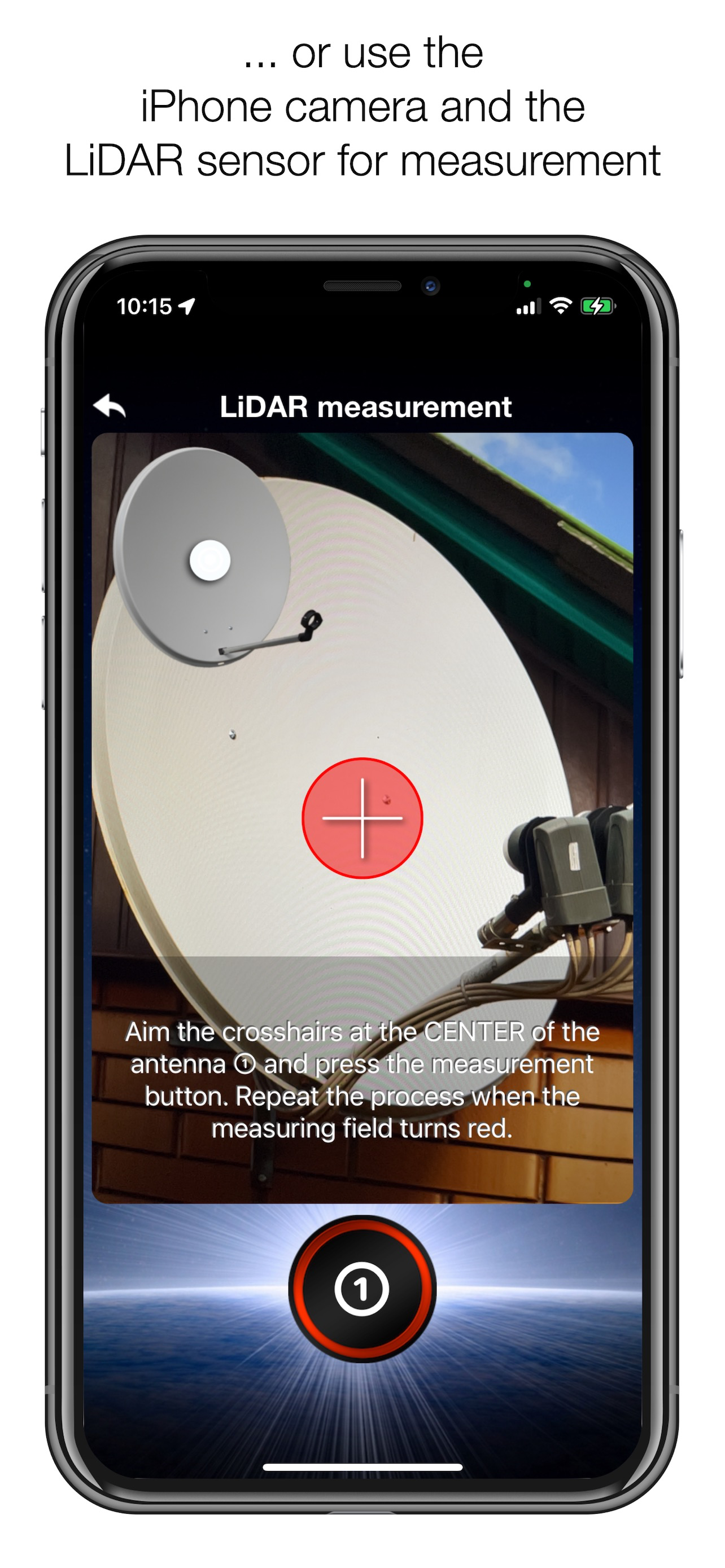
Tip: Press the wizard button to measure the size of the satellite antenna using the iPhone camera and LiDAR scanner.
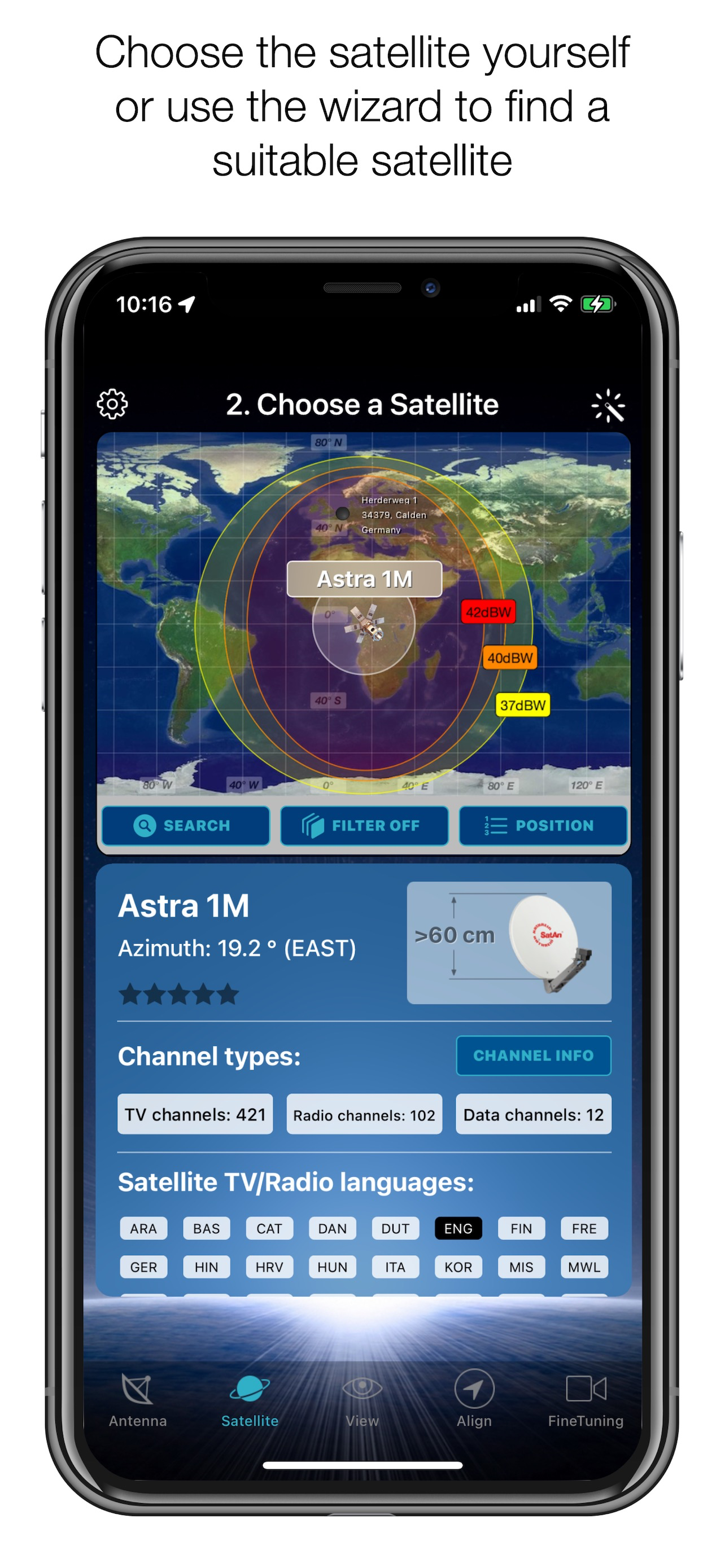
STEP 2 - CHOOSE YOUR SATELLITE
To quickly and easily select a suitable satellite, simply press the "AUTO" button. The SatFinder will now automatically search for satellites that are within your reception range and that offer TV or radio stations in your language (the language setting of your iPhone will be selected). The stars (1-10) shown in the table result from the number of radio and TV programmes offered and the reception strength at your location.
If you want to receive a specific satellite, switch off "AUTO": Now you can simply scroll through the table and select the satellite. The search function is quicker - just enter the name of the satellite, the channel or the orbit position. You can also reduce the number of table entries by hiding satellites that cannot be received at your location or that do not broadcast in your language. With the button "Channel Info" you can check which channels the selected satellite is currently broadcasting - including all channel parameters for your satellite receiver.
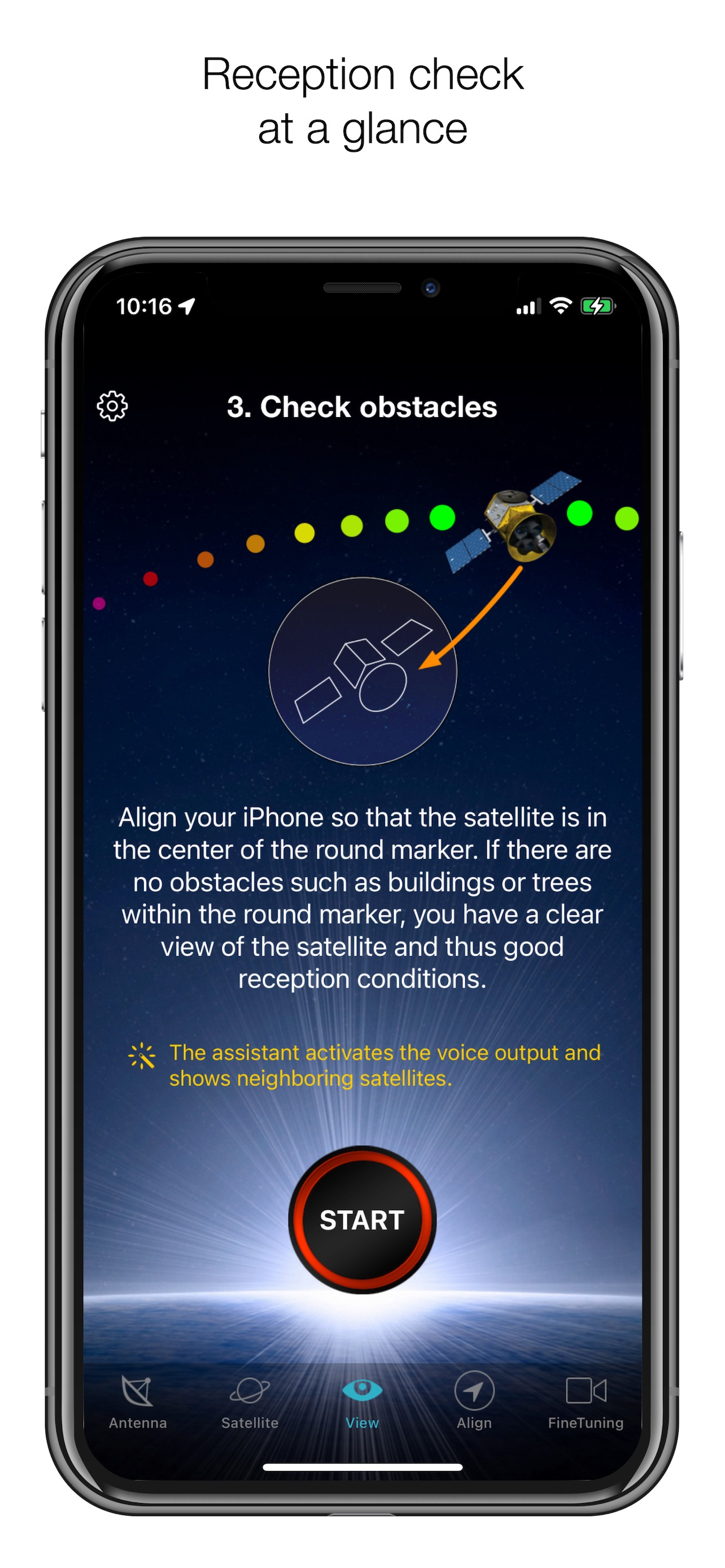
STEP 3 - CHECK FOR OBSTACLES
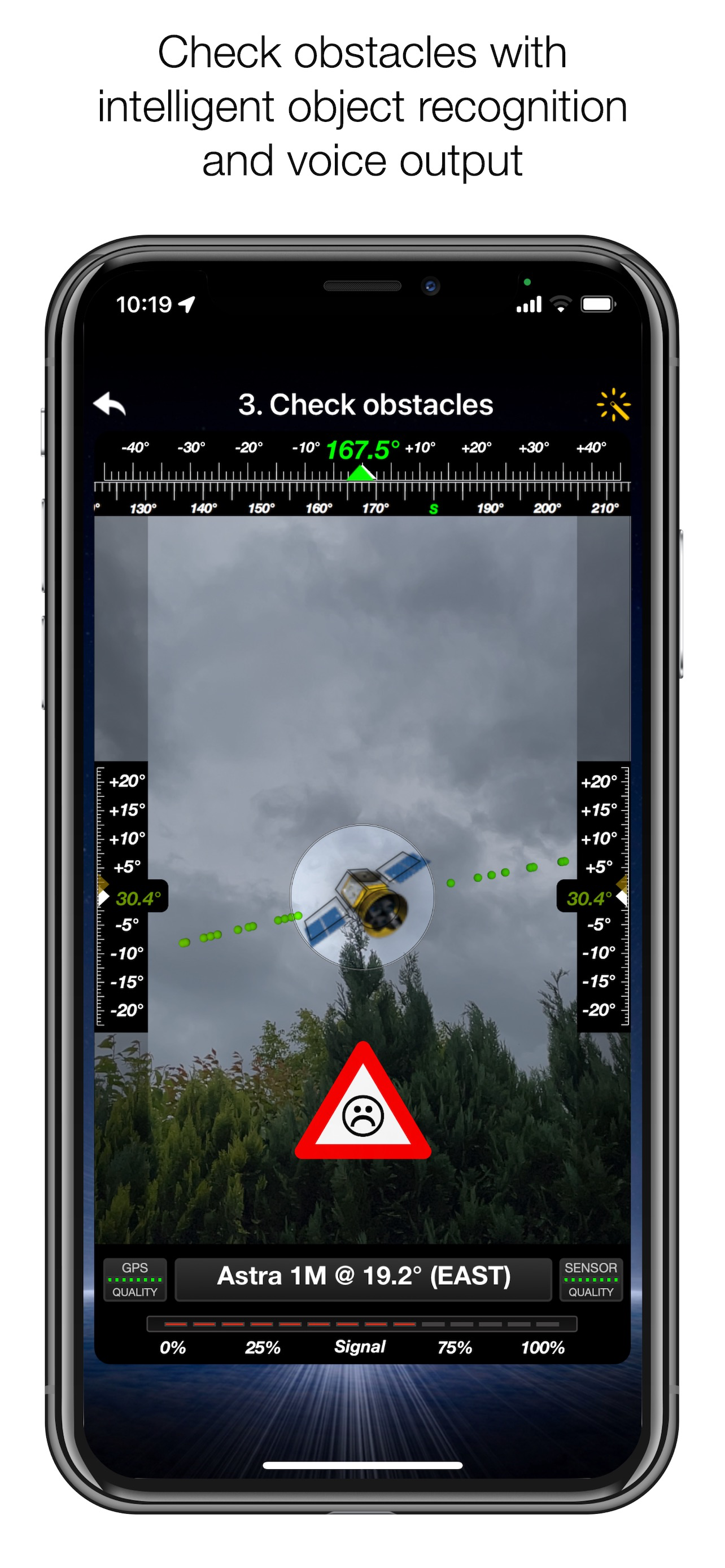
For smooth satellite reception, there must be no obstacles between the satellite and your satellite antenna. You can check this with the "View" function. Simply aim at the satellite and observe the signs (GREEN - no obstacle, RED - caution, view may not be clear).
Tip: Press the button for the assistant to activate the voice output.
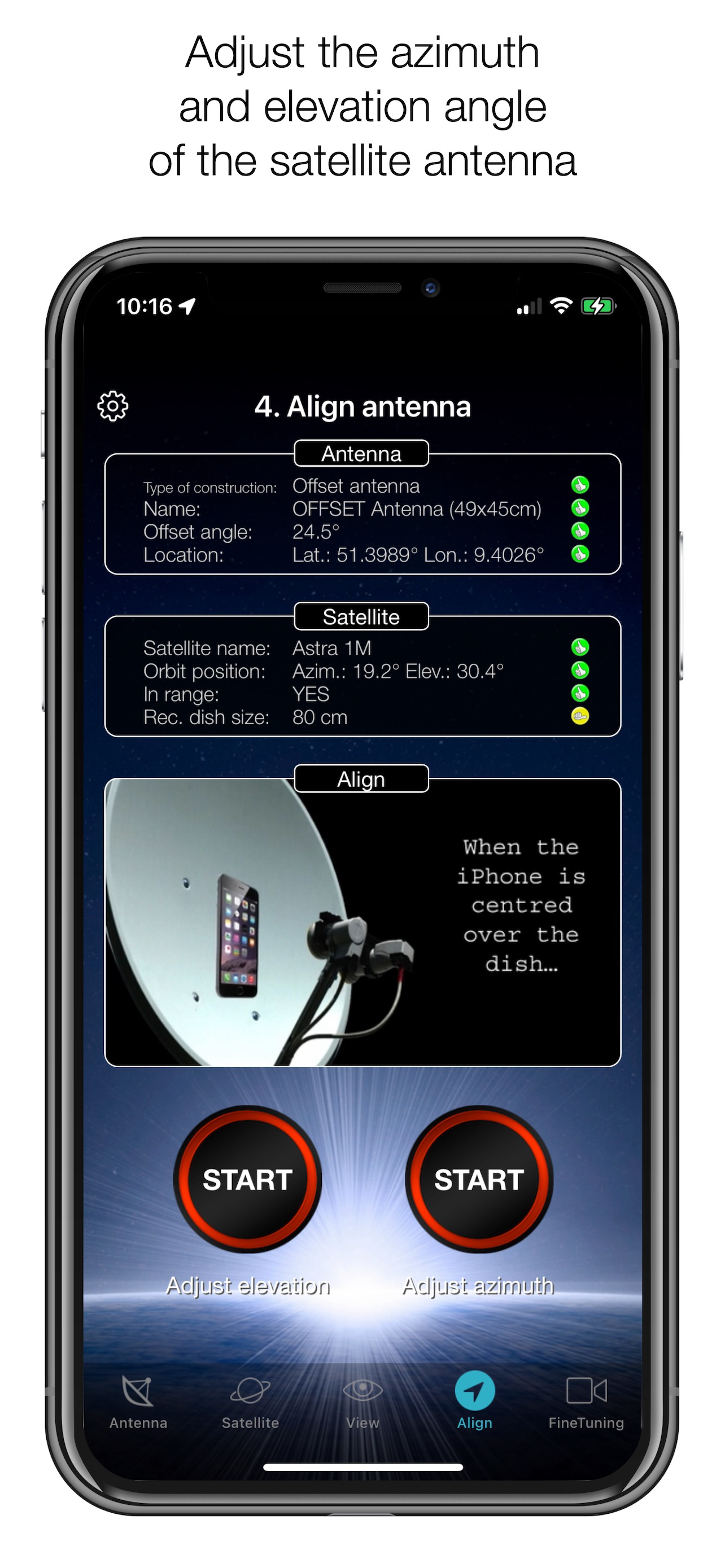
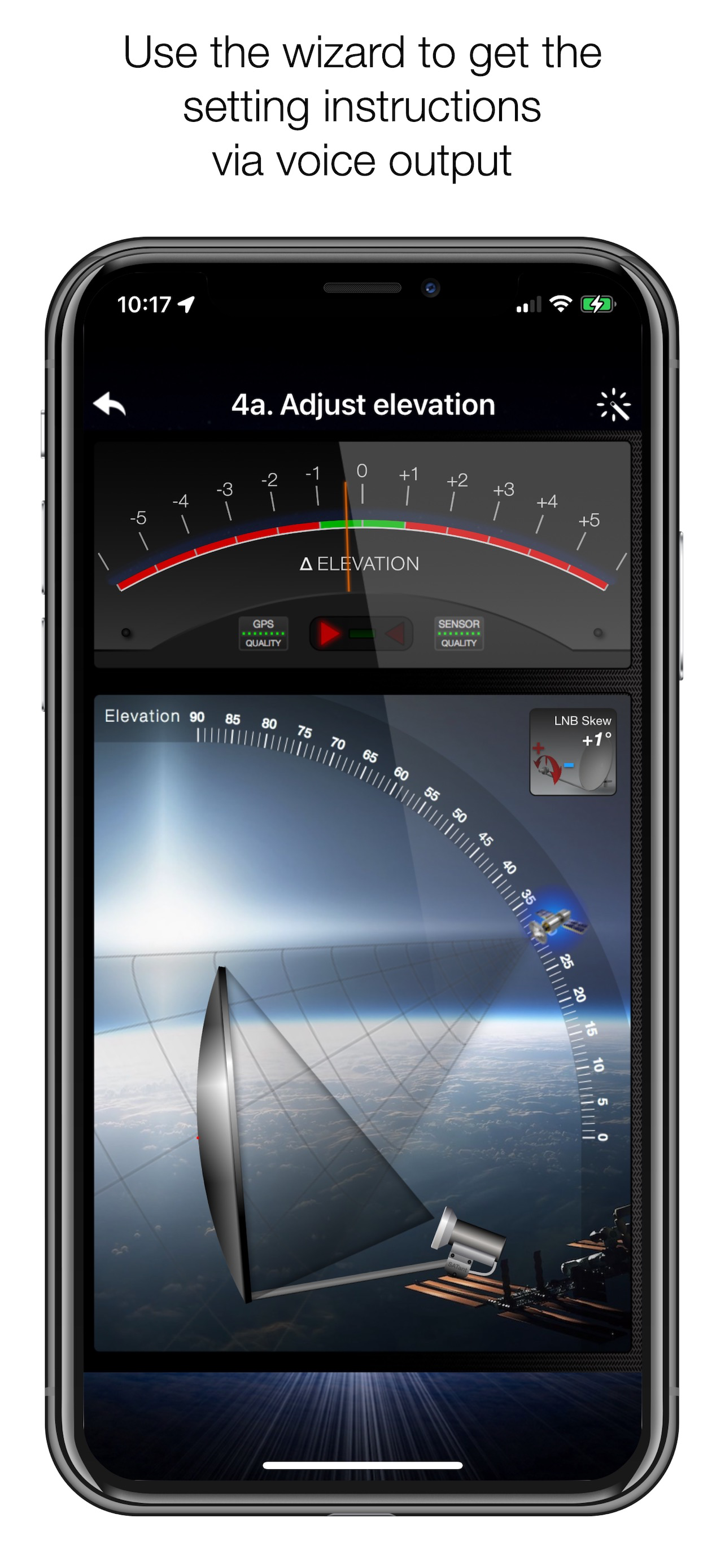
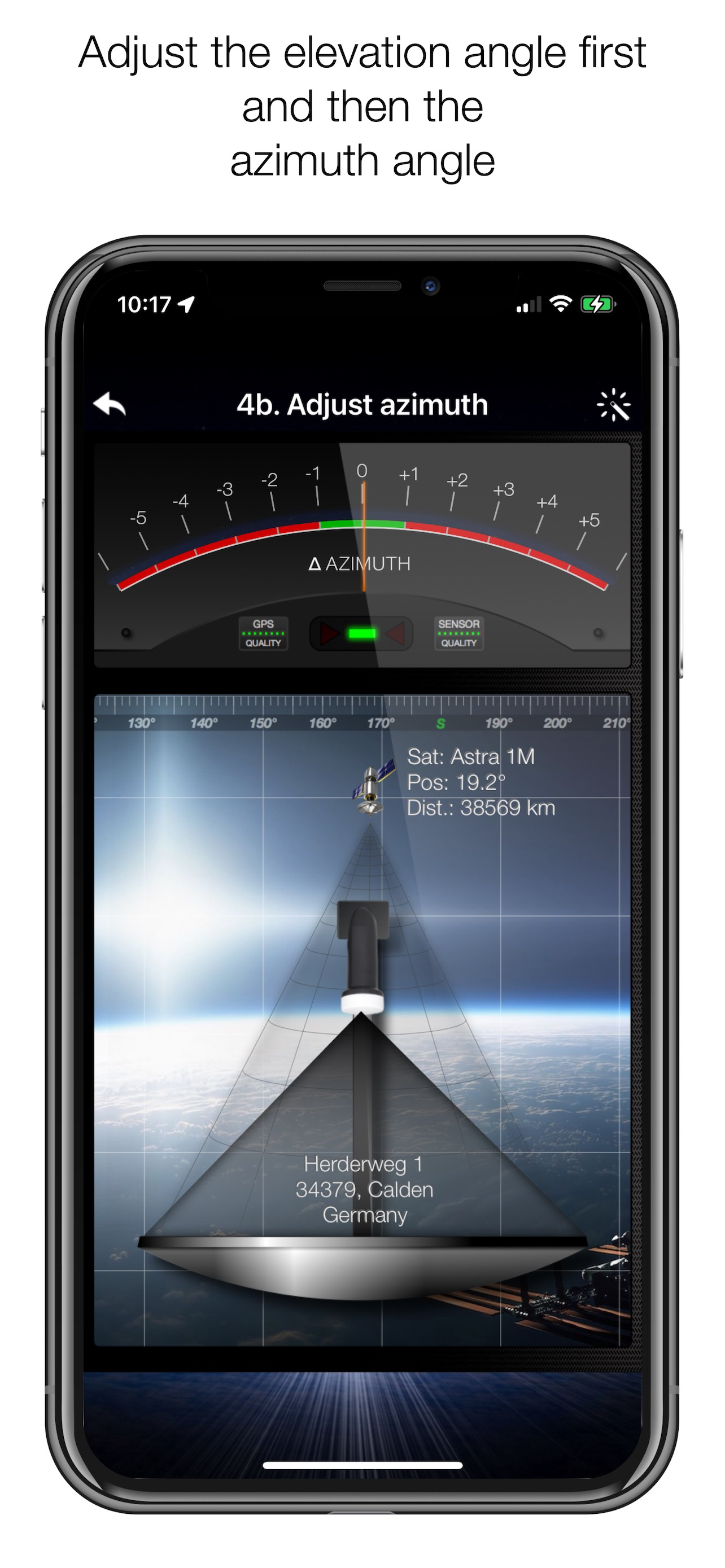
STEP 4 - ADJUST THE ANTENNA
In the menu item "Align", different graphics appear depending on the selected antenna type. If you are using an offset antenna, you must adjust the azimuth and elevation separately. With planar or parabolic antennas, the angles are set together. Before you press the "Start" button, a video clip shows you how to position your iPhone on the antenna.
Tip: Press the button for the assistant to activate the voice output.
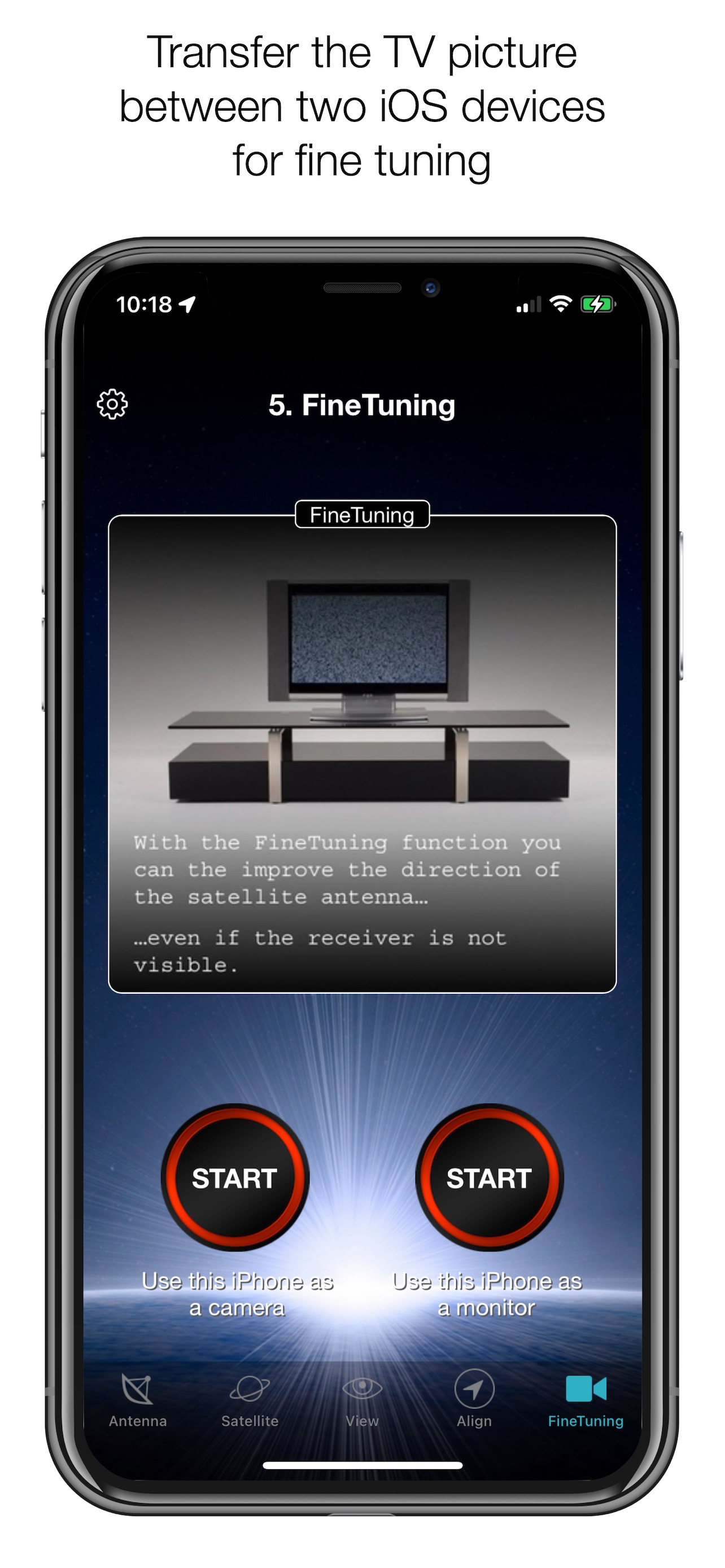
STEP 5 - FINE TUNING
If necessary, you can optimise the reception of your satellite system. The SatFinder provides you with the "FineTuning" function for this purpose. To use this function, you need a second iOS device. One device serves as a camera; the second device serves as a monitor. Simply place an iPhone in front of your reception screen and observe changes in the picture quality while you slightly turn or tilt your satellite antenna. With the FineTuning function, you have visual contact with your TV set even when you are not in sight.
THAT'S IT. YOU SHOULD NOW BE ABLE TO ENJOY INTERFERENCE-FREE SATELLITE RECEPTION...
Note: Satellite antenna tuning is only available on iOS devices with LiDAR sensor (e.g. iPhone 12 Pro).
Ausblenden Mehr anzeigen...

Screenshots

SatFinder Häufige Fragen

  • Ist SatFinder kostenlos?

    Ja, SatFinder ist komplett kostenlos und enthält keine In-App-Käufe oder Abonnements.

  • Ist SatFinder seriös?

    🤔 Die Qualität der SatFinder-App ist gemischt. Einige Nutzer sind zufrieden, während andere Probleme melden. Ziehen Sie in Betracht, einzelne Bewertungen für mehr Kontext zu lesen.

    Danke für die Stimme

  • Wie viel kostet SatFinder?

    SatFinder ist kostenlos.

  • Wie hoch ist der Umsatz von SatFinder?

    Um geschätzte Einnahmen der SatFinder-App und weitere AppStore-Einblicke zu erhalten, können Sie sich bei der AppTail Mobile Analytics Platform anmelden.

Benutzerbewertung

4.9 von 5

49 Bewertungen in Griechenland

5 star
45
4 star
3
3 star
1
2 star
0
1 star
0
Bewertungsverlauf

SatFinder Bewertungen

Πολύ καλό

Xazrs on

Griechenland

Πολύ καλό. Απλά δουλεύει. Ίσως θέλει βελτίωση το σημείο που επιλέγεις τον δορυφόρο.

Not working refund me now

matrixboy1980 on

Griechenland

Every time is sawing deferent position is crap waist me time on that money back now

!

Spiparos on

Griechenland

Δεν!!!! Nope!!!!

Απλά τέλειο!

Whiteyez on

Griechenland

Κάνει ακριβώς αυτά που λέει.

Πολυ καλη

Tasosstr on

Griechenland

Είναι φοβερή εφαρμογή μπράβο

Satfinder

Georgekn on

Griechenland

Με την καινούργια έκδοση μπορώ να πω πως βελτιώθηκε πάρα πολύ και πλέων είναι ένα πολύ καλό εργαλείο , δεν μπορείς να σετάρεις ακριβώς αλλα βοηθά σημαντικά , μπράβο που ασχολούνται και το βελτιώνουν συχνά .

Sat finder

Giorgos zotos on

Griechenland

Den axizei. Efaga mia mera na prospathw na setarw 80' piato gia ote tv alla tpt.

ΜΕΤΡΙΟ

loupasmi on

Griechenland

Σου δειχνει ακριβως τη θεση του πιατου αλλα το lnb δε ρυθμιζεται με τιποτα μαγνητιζεται η βελωνα της πιξιδας και δειχνει οτι να ναι

καλοοοοοο

dreambοx800 on

Griechenland

εγω παντως εγκατεστησα δυο πιατα....

Πολύ σωστή !!!

x9kostas on

Griechenland

Σου δείχνει ακριβώς τη φορά που πρέπει να έχει το πιάτο με μοίρες και μόλις ευθυγραμμίσει πρασινίζει και "lockάρει !! Πολύ σωστά φτιαγμένη εφαρμογή. Ότι πρέπει για να γλυτώσουμε απο τους εγκαταστάτες..(βλέπε κάτω κάτω)χαχα.

Store-Rankings

Ranking-Verlauf
App-Ranking-Verlauf noch nicht verfügbar
Kategorien-Rankings
Diagramm
Kategorie
Rang
Top Bezahlt
7
Top Bezahlt
11
Top Bezahlt
22
Top Bezahlt
23
Top Bezahlt
25

Schlüsselwörter

SatFinder Konkurrenten

SatFinder Installationen

Letzte 30 Tage

SatFinder Umsatz

Letzte 30 Tage

SatFinder Einnahmen und Downloads

Gewinnen Sie wertvolle Einblicke in die Leistung von SatFinder mit unserer Analytik.
Melden Sie sich jetzt an, um Zugriff auf Downloads, Einnahmen und mehr zu erhalten.

App-Informationen

Kategorie
Utilities
Herausgeber
Ralf Andrae
Sprachen
Russian, Croatian, Hindi, Turkish, Greek (modern), German, Japanese, French, Polish, Ukrainian, Swedish, Chinese, Italian, English, Dutch, Portuguese, Spanish, Malay
Letzte Veröffentlichung
5.0.4 (vor 1 Jahr )
Veröffentlicht am
Oct 21, 2010 (vor 15 Jahren )
Zuletzt aktualisiert
vor 2 Tagen
This page includes copyrighted content from third parties, shared solely for commentary and research in accordance with fair use under applicable copyright laws. All trademarks, including product, service, and company names or logos, remain the property of their respective owners. Their use here falls under nominative fair use as outlined by trademark laws and does not suggest any affiliation with or endorsement by the trademark holders.