Sketch 3D

Design 3D Model and Animations

Veröffentlicht von: Victor Ng

Beschreibung

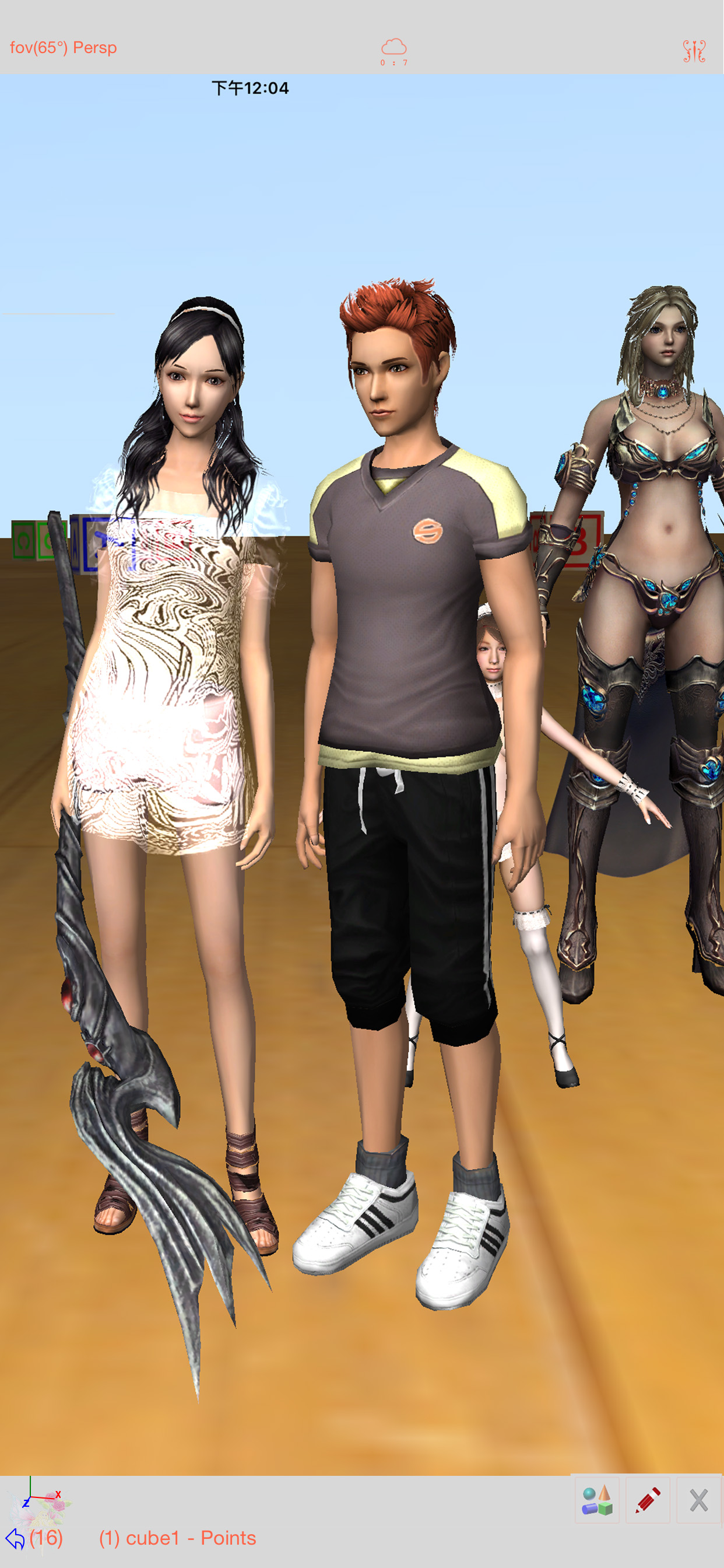
Sketch 3D is a tool for designing 3D models from your fingertips. You could download models from others, and could also share your great designs with other users by saving models in Public space.
New Feature: Integrated MaterialX library into the app.  
Mesh object can be applied with materialx documents. When Saving and Loading with material, the document relative path is stored as a diffuse map entry, similar to the way of handling movie textures. Other features like material adjustment and graph editing are not supported yet. User could download free material documents from public websites and import those zip files with this app, using ShareTo or AirDrop.
Feature: Use True Depth Camera to capture face model.
Feature: Support using video as model texture.
You could use video clips from Photo Album, or from Internet URL (YouTube URL not supported), and then apply it onto a model as texture map.
Feature: Capture movie from the 3D scene.
Note! If your device could not capture movie, then, could try out a smaller output resolution (by tapping the control pane). However, arbitrary output size may stop capturing prematurely.
Feature: Design 3D model animation with skeleton structure.
You could design a skeleton structure by placing bones in hierarchical relation. Attach model to the skeleton, and then moving the bones to define different poses. Each pose represented as a keyframe in the timeline view. And animation sequence is produced by playing interpolation between the keyframes.

Features:
- Import 3D content directly from browser or email, either in .zip, .rar, .7z.
- Support formats: Collada DAE, OBJ, 3DS, STL(for 3D printing), and others.
- Import/export to iCloud drive, via iTune File Sharing, or to Public area via Apple CloudKit Service.
- Supports AirDrop.
- Support Quad faces.
- Smooth surfaces using Subdivision.
- Mirroring editing.
- 2-fingers vertex movement, 3 or 4-fingers planar shape creation.
- Versatile multi-touches drag-through-space gestures to support editing and changing viewing angle at the same time.
- Flexible face strip drawing.
- Stitching boundary faces. Stitch triangle soap into connected faces. Stitch over edge or vertex to form a larger face.
- Stitching Triangles to Quads.
- Loop Cut faces.
- Bevel edges.
- Extrude faces or edges.
- Revolve (Spin).
- Vertex Smoothing.
- Vertex Slide along edges.
- Crease Editing after mesh subdivision.
- Split mesh from, or Join mesh to the editing one.
- Support hierarchical mesh node structure.
- Direct vertex color editing when texture map is not used.
- Edit texture map UV coordinates, include atlas generation.
- 3D Text generation.
- Scene interaction with your created shape.
- Design Animation with skeleton structure.
- Capture movie from the 3D scene.
- Support using video as model texture map.
Ausblenden Mehr anzeigen...

In-App-Käufe

Unlimited Video Capturing
29.00 Rp
Unlimited Keyframe Editing
29.00 Rp

Screenshots

Sketch 3D Häufige Fragen

  • Ist Sketch 3D kostenlos?

    Ja, Sketch 3D ist kostenlos herunterzuladen, enthält jedoch In-App-Käufe oder Abonnements.

  • Ist Sketch 3D seriös?

    🤔 Die Qualität der Sketch 3D-App ist gemischt. Einige Nutzer sind zufrieden, während andere Probleme melden. Ziehen Sie in Betracht, einzelne Bewertungen für mehr Kontext zu lesen.

    Danke für die Stimme

  • Wie viel kostet Sketch 3D?

    Sketch 3D bietet mehrere In-App-Käufe/Abonnements, der durchschnittliche In-App-Preis beträgt 29.00 Rp.

  • Wie hoch ist der Umsatz von Sketch 3D?

    Um geschätzte Einnahmen der Sketch 3D-App und weitere AppStore-Einblicke zu erhalten, können Sie sich bei der AppTail Mobile Analytics Platform anmelden.

Benutzerbewertung

3.25 von 5

4 Bewertungen in Indonesien

5 star
1
4 star
1
3 star
1
2 star
0
1 star
1
Bewertungsverlauf

Sketch 3D Bewertungen

Please add normal map texture

nsidikin on

Indonesien

This is great!

More tools

realst0rm on

Indonesien

Paint,Lighting and Motion camera tools unavaliable

It’s pretty potential but need improvement

Wen.s88 on

Indonesien

This pretty good actually and can be potential to use. But there’s couple problem. The menu that pop up at upper left the text is being block by the background menu. And the interaction after close the screen doesn’t return like before it’s will like split in half screen. As for keyframe after tap it the menu is just simply gone. So for deleted keyframe or anything is not very please. The user guide is kinda not very clear. It’s more like a hint. Not friendly for new user who just touch 3D modeling. Need a lot to work so the guide can be clear for each tools. Or simple image what to do. As for select multiple vertex, perhaps simply drag on screen with rectangle as place for vertex to be select. Like when drag in windows to select multiple file would be great. Overall it’s potential but need to rework the ui, the guide. So I will give 3 star. 3.5 if I could. Will wait for more improvement.

Jr

Juniorkkkmember on

Vereinigte Staaten

Ts ahh onb

Needs a tutorial channel

Panther2e5 on

Vereinigte Staaten

This app has good stuff with modeling and animation, but it needs a tutorial! It’s really confusing and I have no idea how to make a simple rig on a simple shape! And I can’t find anything on YouTube except for one video, and I can’t even understand what the person is saying, and he doesn’t give a tutorial on rigging! So if the developers are reading this, please make a tutorial channel on YouTube, or make a tutorial button in the app. I don’t think it’ll bother you much to add one more button! 😁

Wasted

not_a_bot. on

Vereinigte Staaten

Money.

What Even-

PancakeSquirrel on

Vereinigte Staaten

This app feels better than it should be for free. Even with the learning curve I still know what’s happening. I am speechless. Rigging without blowing my phone up?! How do you do it?!! AND THIS APP IS FREE

Literally can’t figure this out 😑

Puppy love🐶🦄 on

Vereinigte Staaten

This app is extremely confusing. Btw I’ve owned it for 2 months, and I still confused. Yeh, that’s basically my entire review. Btw I’m deleting this app 🫤😐😪

Interesting and challenging

PhotoPostCards on

Vereinigte Staaten

The app was downloaded and examined, there appears to be no support, cannot find a PDF to explain the interface which is interesting and fun if you like challenges, I assume the author doesn’t care, or is not really interested except for the exceptionally intuitive who can sort out his subtle interpretation of how a 3-D interface should function. As of August 1, 2022 there was one video on YouTube.

Just no…

l0venot3 on

Vereinigte Staaten

I’ve been trying to find something to make splatoon sfm but for mobile but you can’t import models? Also it’s just so hard to work with

Store-Rankings

Ranking-Verlauf
App-Ranking-Verlauf noch nicht verfügbar
Kategorien-Rankings
Diagramm
Kategorie
Rang
Top Bezahlt
33
Top Bezahlt
45
Top Bezahlt
49
Top Bezahlt
50
Top Bezahlt
51

Schlüsselwörter

Sketch 3D Konkurrenten

Sketch 3D Installationen

Letzte 30 Tage

Sketch 3D Umsatz

Letzte 30 Tage

Sketch 3D Einnahmen und Downloads

Gewinnen Sie wertvolle Einblicke in die Leistung von Sketch 3D mit unserer Analytik.
Melden Sie sich jetzt an, um Zugriff auf Downloads, Einnahmen und mehr zu erhalten.
This page includes copyrighted content from third parties, shared solely for commentary and research in accordance with fair use under applicable copyright laws. All trademarks, including product, service, and company names or logos, remain the property of their respective owners. Their use here falls under nominative fair use as outlined by trademark laws and does not suggest any affiliation with or endorsement by the trademark holders.