
Indian maiden
Great app!!! Love it!!!



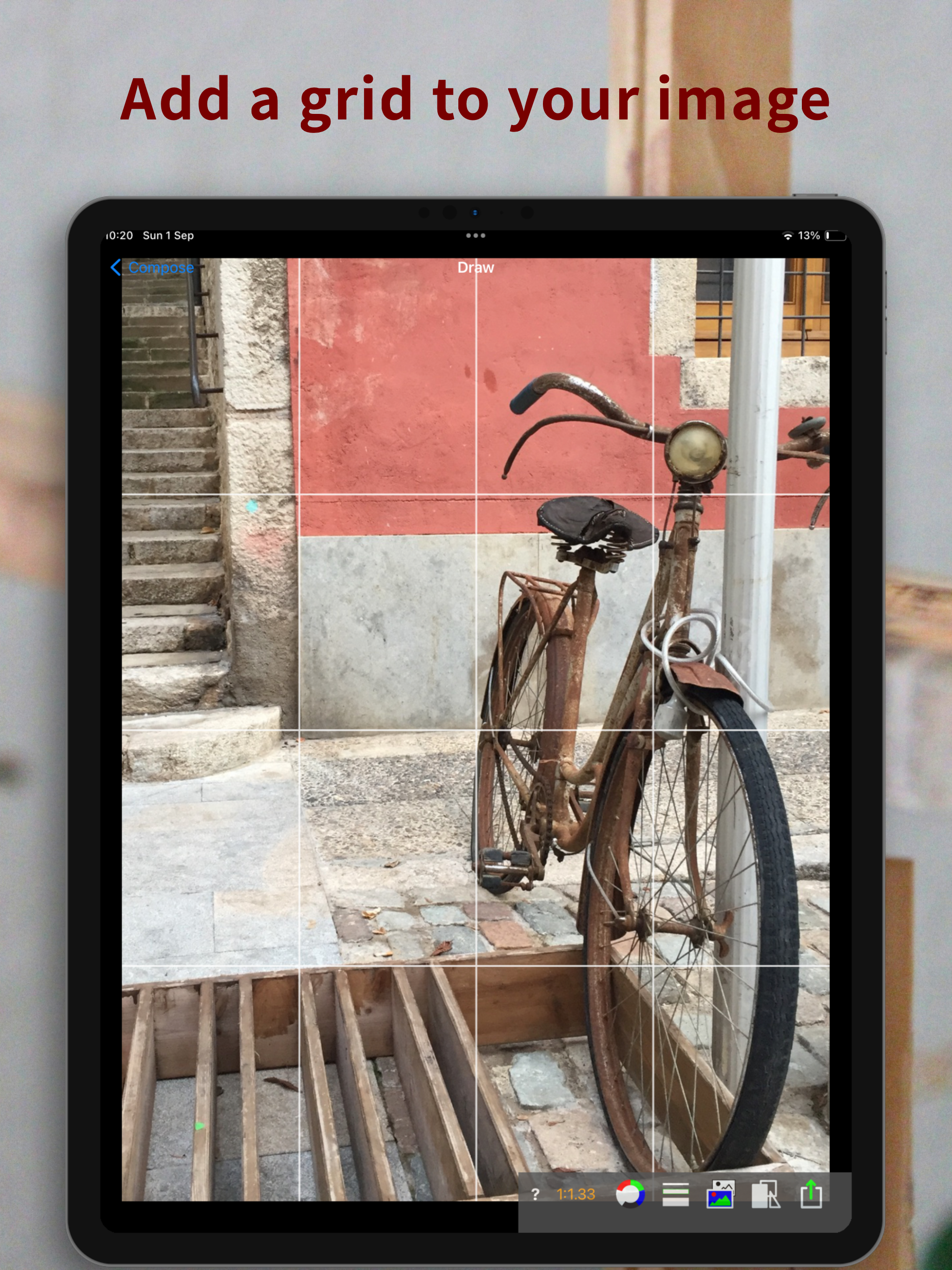

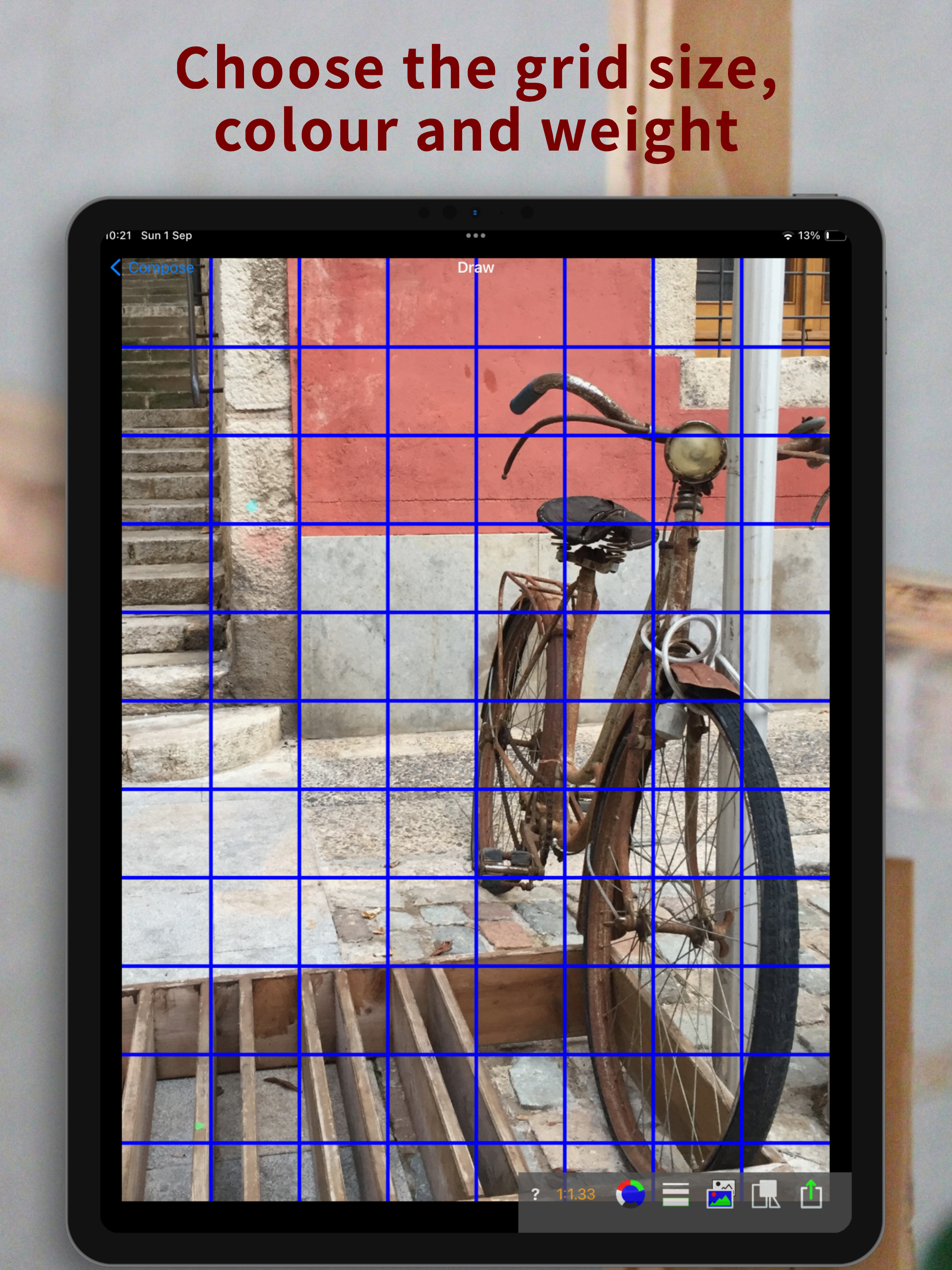


Ja, Sketch Grid ist komplett kostenlos und enthält keine In-App-Käufe oder Abonnements.
🤔 Die Qualität der Sketch Grid-App ist gemischt. Einige Nutzer sind zufrieden, während andere Probleme melden. Ziehen Sie in Betracht, einzelne Bewertungen für mehr Kontext zu lesen.
Sketch Grid ist kostenlos.
Um geschätzte Einnahmen der Sketch Grid-App und weitere AppStore-Einblicke zu erhalten, können Sie sich bei der AppTail Mobile Analytics Platform anmelden.

4.38 von 5
32 Bewertungen in Vereinigte Staaten
Great app!!! Love it!!!
Cropping tool is too zoomed in, won’t work for my picture. Definitely not worth paying for, will be getting my money back for this terrible app.
I just purchased this and found that I cannot contact developer. Link is broken. Plus it shows multiple line grid and I can only get a two or three line grid. What the heck? Please explain or refund my purchase. !!
I’m a professional watercolor artist and use the grid as an easy guide for drawing my underpaintings. Love that it gives the user an aspect ratio so the grid is easily replicated on paper. Can be glitchy sometimes, but nothing an app reset hasn’t ever fixed. This app is a must for my workflow.
I've noticed that some people reviewing grid drawing apps don't realize that an iPad or iPhone can take a screenshot of the current screen... with your grid over your image! Then you just print it out and you're good to go. This is very much worth the money.
It's okay, but two major issues for me. First, it's difficult to select the entire image for your grid. I composed it already, so that's problematic. Second, it doesn't match the rotation of my image in the photo app.
This is the perfect grid system for artists. Defining the area over which the grid will be imposed is easily done by a drag button. Pinching the grid increases the number of demarcations. Except for the 3x3 grid, the app applies a centerline grid vertically and horizontally. It's great, but see below. Update: the shape of the picture to grid can be custom sized to any proportion of width to height. However, there is no indication of what the ratio of width to height is in the grid window that is being defined, making it a little difficult to match the cropped picture in the device with the canvas you are using. It would be great if there is a 1.0 number shown on, say, the height axis, and the app shows what the ratio on the width (e.g., 1.3,) and this changes as the grid window is adjusted. Once the shapes of the grid window and the canvas are matched, the grids not being perfectly square would be less of an issue.
I do not like this app. I'm pretty irritated. When you grid something out to draw it on canvas...etc... You want the grid square so that it will match the grid on what will be your final product. This app doesn't give you squares... Depending on how you resize your pic you will end up with anything from a vertical rectangle to a square to a horizontal version of a rectangle. It's very irritating. There are only 3 buttons so I don't believe I can fix it on my end. Please fix this ASAP or refund me! I'd rather you just fix it though!
The grid is only even if divided into 4 - am I missing something here? And ? Option invisible so I’ve no idea how to alter. Currently a waste of money
The grid is heavy and can’t be lightened. The picture with grid cannot be saved or exported. Until the functionality of this app is updated I’ll be looking elsewhere.
|
Diagramm
|
Kategorie
|
Rang
|
|---|---|---|
|
Top Bezahlt
|
|
5
|
|
Top Bezahlt
|

|
20
|
|
Top Bezahlt
|

|
22
|
|
Top Bezahlt
|

|
24
|
|
Top Bezahlt
|

|
24
|
