


Secure Authenticator 2FA
Описание
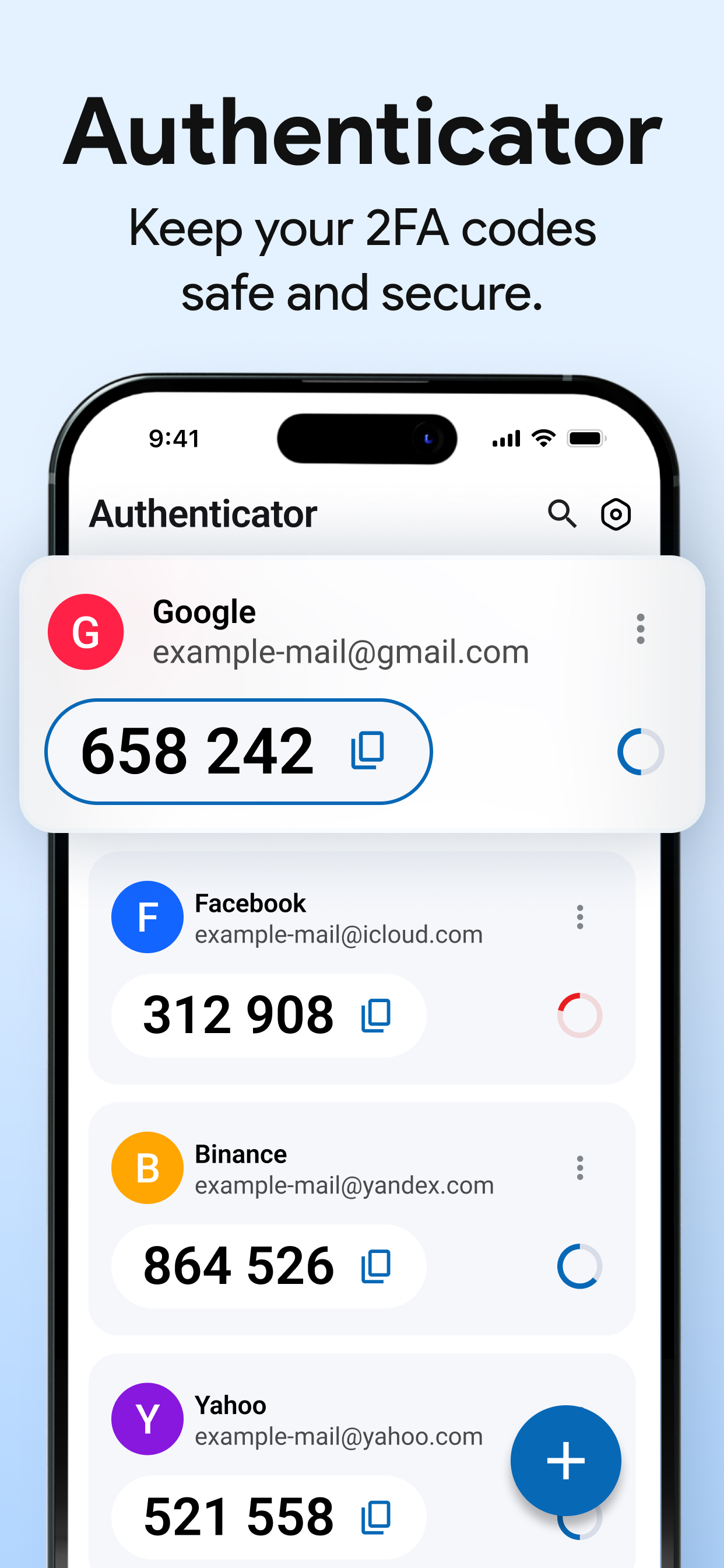
Built for iPhone and iPad, Secure Authenticator 2FA app helps you stay safe online with quick setup, instant code generation, and a clean, modern interface.
Authenticator app is your trusted security companion for verifying logins, managing multiple accounts, and strengthening password protection. Whether for your personal, work, or social accounts, Code generator app keeps you protected with industry-standard TOTP algorithms — all stored safely on your device.
Use 2 Factor Authentication For:
• Verifying your identity if you forget your password.
• Signing in securely with one-time passwords (OTP).
• Enabling two-step verification for supported sites and apps.
• Protecting accounts like Google, Microsoft, Facebook, Instagram, Dropbox, Amazon, GitHub, Twitter (X), and more.
Why Use Authenticator?
• Enable 2-step verification to protect your accounts.
• Add an extra layer of security to your online accounts.
• Keep your accounts safe even if your password is compromised.
Key Features:
• Easy Setup – Add accounts instantly by scanning a QR code or entering a setup key manually.
• Face ID / PIN Protection – Keep your OTP codes private with biometric or PIN lock.
• Fast Access – View all your verification codes in one simple, organised list.
• Offline & Secure – Works completely offline; your data never leaves your device.
• Automatic Code Refresh – Time-based codes (TOTP) update every 30 or 60 seconds automatically.
• Hide Code – Hide your six-digit codes for extra privacy; toggle visibility anytime in settings.
• Next Code Preview – See what your next verification code will be before it updates, helping you log in seamlessly.
• Dark / Light Theme – Personalise your Authenticator experience with your preferred theme.
• Privacy First – No tracking, no cloud data. Everything stays on your device.
How to Use the Authenticator App (2FA)
1) Install the App – Download and install Authenticator on your iPhone or iPad.
2) Set Up Accounts – When you enable two factor Secure Authenticator 2FA for a website or service, scan the QR code or enter the secret key manually in the app.
3) Secure Your Codes – Protect your Authenticator with Face ID or a PIN to keep your verification codes safe.
4) Log In with 2FA – When signing in to a supported account, enter your username and password as usual.
5) Enter the Verification Code – Open 2FA Authenticator to view your 6-digit one-time password (OTP), then copy or type it into the website or app to complete your login.
Take control of your online security today with Authentication app – the simplest, safest way to protect your digital life.
Subscription Options:
Payment & Renewal:
• Payment will be charged to your Apple ID account at the time of purchase.
• Subscriptions automatically renew unless auto-renew is turned off at least 24 hours before the end of the current period.
• Your account will be charged for renewal within 24 hours before the end of the current period.
• Manage or cancel your subscription anytime from your App Store account settings after purchase.
Disclaimer :
• Authenticator is a third-party 2FA app and is not affiliated with Google, Microsoft, or any other company mentioned.
• All trademarks belong to their respective owners. The app does not store or share your data without consent — all information remains securely on your device.
Legal & Privacy:
• View our Privacy Policy: https://www.privacypolicycenter.com/view_custom.php?v=MFdkTkp3N2pMemNjQlNITWdTVENrZz09&n=Privacy-Policy
• Read our Terms of Use: https://www.privacypolicycenter.com/view_custom.php?v=VnVaSThDYjZjRVJRN2hRTEV0UjNlZz09&n=Terms-Of-Use
Встроенные покупки
- Yearly Premium Access
- 799.99 R
- Monthly Premium Access
- 149.99 R
Скриншоты


Secure Authenticator 2FA Частые Вопросы
-
Приложение Secure Authenticator 2FA бесплатное?
Да, Secure Authenticator 2FA можно скачать бесплатно, однако в приложении есть встроенные покупки или подписки.
-
Является ли Secure Authenticator 2FA фейковым или мошенническим?
Недостаточно отзывов для надежной оценки. Приложению нужно больше отзывов пользователей.
Спасибо за ваш голос -
Сколько стоит Secure Authenticator 2FA?
Secure Authenticator 2FA имеет несколько покупок/подписок внутри приложения, средняя цена покупки составляет 474.99 R.
-
Сколько зарабатывает Secure Authenticator 2FA?
Чтобы получить оценку дохода приложения Secure Authenticator 2FA и другие данные AppStore, вы можете зарегистрироваться на платформе мобильной аналитики AppTail.

Secure Authenticator 2FA Отзывы Пользователей
Оценки
Secure Authenticator 2FA Конкуренты
Authenticator App (2FA) Установки
30дн.
Authenticator App (2FA) Доход
30дн.Secure Authenticator 2FA Доходы и Загрузки
Зарегистрируйтесь сейчас, чтобы получить доступ к статистика загрузок и доходов и многому другому.
Информация о приложении
- Категория
- Utilities
- Разработчик
- KRUTAGNA INFOTECH
- Языки
- English, Arabic, Danish, Finnish, French, Hindi, Indonesian, Italian, Japanese, Korean, Malay, Portuguese, Russian, Chinese, Spanish, Vietnamese
- Последнее обновление
- 1.0.1 (1 месяц назад )
- Выпущено
- Oct 15, 2025 (1 месяц назад )
- Также доступно в
- Кипр, Кувейт, Южно-Африканская Республика
- Обновлено
- 4 недели назад