Apple App Store Parental Control App- KidsLink icon

Parental Control App- KidsLink

Screen time,Screen mirroring

Published by: Yqjc Technology Co

Description

KidsLink Parental Control helps parents track their child’s location, monitor screen time, view the device screen, record video and audio, check app downloads, and block websites. It helps ensure children’s safety and encourages healthy device usage habits.
Why Choose KidsLink Parental Control:
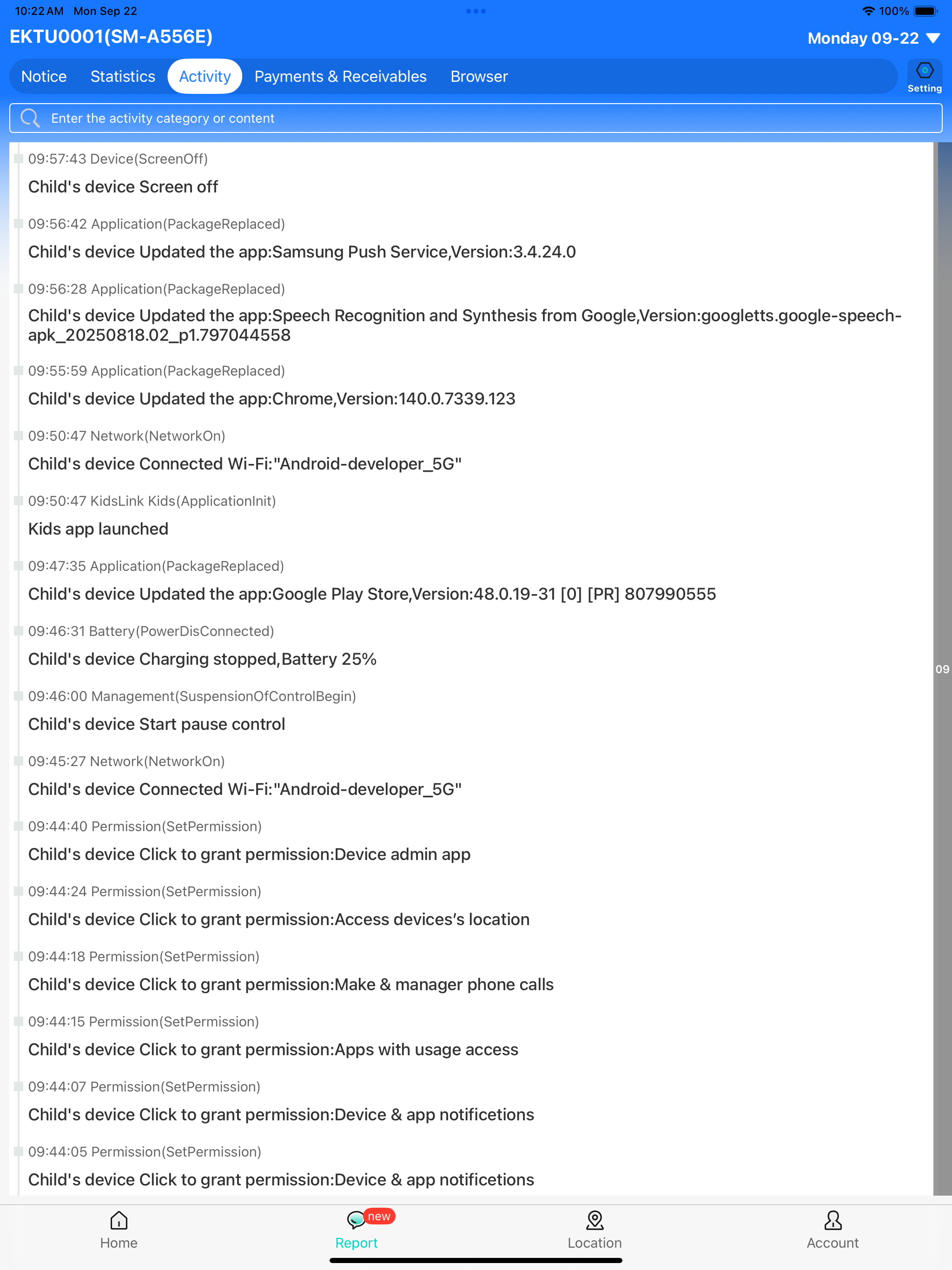
◆ Real-Time Monitoring & Remote Control – Mirror your child’s device screen to your phone in real time. See which apps they use at school and how often, helping prevent phone addiction. You can also remotely control the child’s device from your own phone, guiding them toward responsible device usage.
◆ App Notification Sync – Real-time sync allows you to monitor your child’s social media messages on platforms like Facebook, Instagram, and Messenger, helping protect them from cyberbullying and online scams.
◆ Screen Time Management – Set screen time schedules to ensure your child uses their device at appropriate times.
◆ Website & App Blocker – Filter inappropriate websites and block adult apps (such as pornography, dating apps, and certain gaming apps) to help guide children toward age-appropriate content.
◆ GPS Location Tracker – Monitor your child’s location on the map and view their daily route history. This helps ensure their safety and prevents them from entering high-risk areas.
◆ Screenshot Capture – Capture your child’s screen remotely to monitor and enforce proper device usage.
◆ One-Way Recording & Video – Record audio and camera video from your child’s device to ensure their safety when they are out.
◆ Mode Switching – Switch between Normal Mode and Study Mode. In Study Mode, only parent-approved apps can be viewed or used, reducing distractions and improving study focus.
Start Protecting Your Child
1.Download the parental control app KidsLink on your phone.
2.Download KidsLink Kids on your child’s device.
3.Link your child’s device by scanning the QR code or entering the pairing code to complete setup.
KidsLink Parental Control offers a 3-day free trial with full features. A subscription is required after the trial period. No ads included.
A parent account can connect up to 3 child devices and invite additional parents for shared monitoring.
---POLICIES & TERMS OF USE---
Privacy Policy: https://ossfiles.kidslink.info/mp-configs/SXB/htmls/privacy.html
Terms of Use: https://ossfiles.kidslink.info/mp-configs/SXB/htmls/user.html
Website: https://www.kidslink.info/
Contact US: [email protected]

Hide Show More...

Screenshots

Parental Control App FAQ

  • Is Parental Control App free?

    Yes, Parental Control App is completely free and it doesn't have any in-app purchases or subscriptions.

  • Is Parental Control App legit?

    🤔 The Parental Control App app's quality is mixed. Some users are satisfied, while others report issues. Consider reading individual reviews for more context.

    Thanks for the vote

  • How much does Parental Control App cost?

    Parental Control App is free.

  • What is Parental Control App revenue?

    To get estimated revenue of Parental Control App app and other AppStore insights you can sign up to AppTail Mobile Analytics Platform.

Lithuania
User Rating
App is not rated in Lithuania yet.
Ratings History

Parental Control App Reviews

不好用

开心是最好 on

China

不好用,要钱的

孩子

肯德基堵车 on

China

这个软件非常好用,随时随地都能看到孩子在干吗,有没有偷偷玩手机。非常好

会员坑人

Ttt123000zmla on

China

这个平台一点也不好用,广告又多,充会员也还有广告,系统经常自动跳出,都返回不了,还得关机

1

常富俊 on

China

软件无法卸载,客服无人搭理

好用

嗷嗷叫的小奶猫 on

China

能不能更新啊,真的好用

垃圾软件

我觉得你很容易。 on

China

建议永久删除 伤害孩子心里 抑郁症

hsdvfuhidfkhj

太太太太太太太太太太太太太太太太太太差了!!! on

China

sjhichsdjedicdfuhirw

垃圾平台

1112222.333.000888。 on

China

垃圾平台,根本没用,客服态度也不行,千万别花钱用

无语

Tsang1978 on

China

孩子端苹果手机用不了

使用后非常好

我意思速度 on

China

软件非常好 客服也很耐心帮忙

Store Rankings

Ranking History
App Ranking History not available yet
Category Rankings
App is not ranked yet

皆成家长守护助手家长端 Installs

Last 30 days

皆成家长守护助手家长端 Revenue

Last 30 days

Parental Control App Revenue and Downloads

Gain valuable insights into 皆成家长守护助手家长端 performance with our analytics.
Sign up now to access downloads, revenue, and more.

App Info

Category
Utilities
Publisher
Yqjc Technology Co
Languages
Russian, English, Arabic, Bengali, Burmese, Vietnamese, Spanish, Italian, Korean, Malay, German, Portuguese, Thai, Chinese, Finnish, French, Hindi, Javanese, Japanese
Recent release
3.29 (3 weeks ago )
Released on
Nov 7, 2023 (2 years ago )
Last Updated
1 month ago
This page includes copyrighted content from third parties, shared solely for commentary and research in accordance with fair use under applicable copyright laws. All trademarks, including product, service, and company names or logos, remain the property of their respective owners. Their use here falls under nominative fair use as outlined by trademark laws and does not suggest any affiliation with or endorsement by the trademark holders.