


Table Memo

Memo of spread sheet form

Published by: RYOICHI KAWAHARA

Description

表メモは、表形式の簡易メモ帳です。
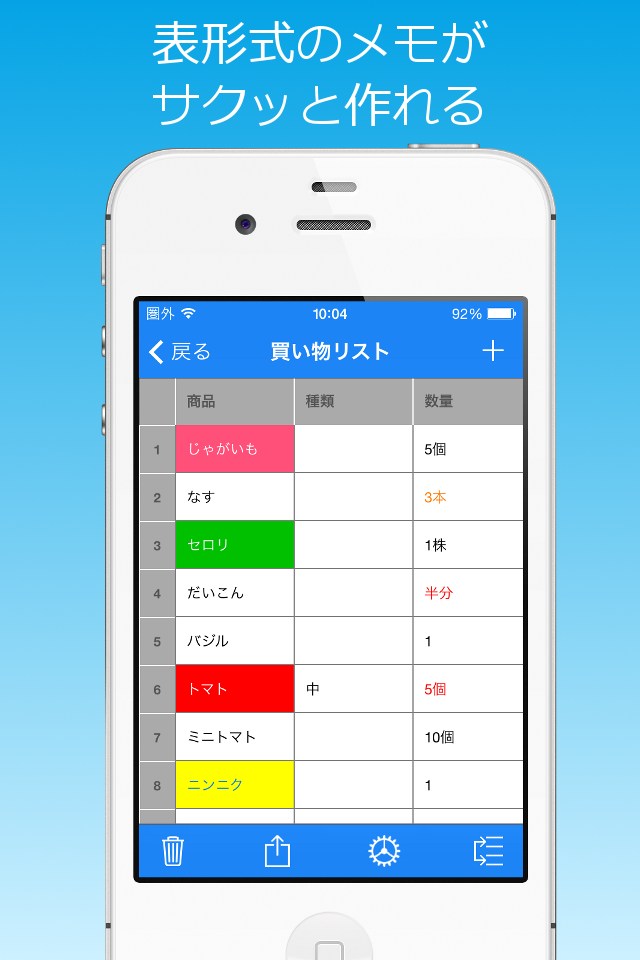
例えば、氏名、住所、電話番号などの項目をつくって、行単位に入力することで、簡単な住所録を作ることができます。
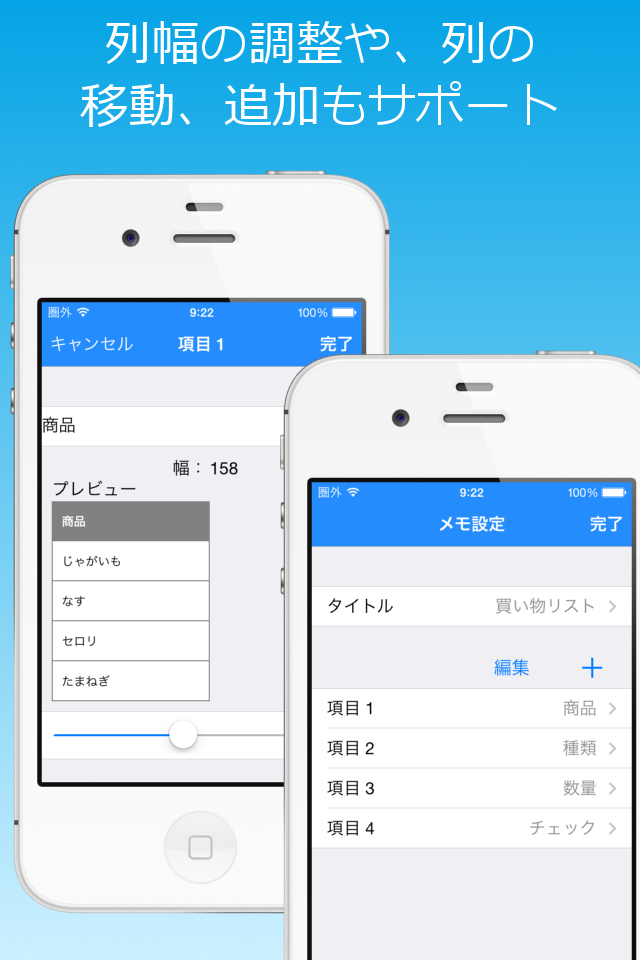
各項目の列は、追加/削除ができます。また、列の順序変更や、幅の調整もできます。
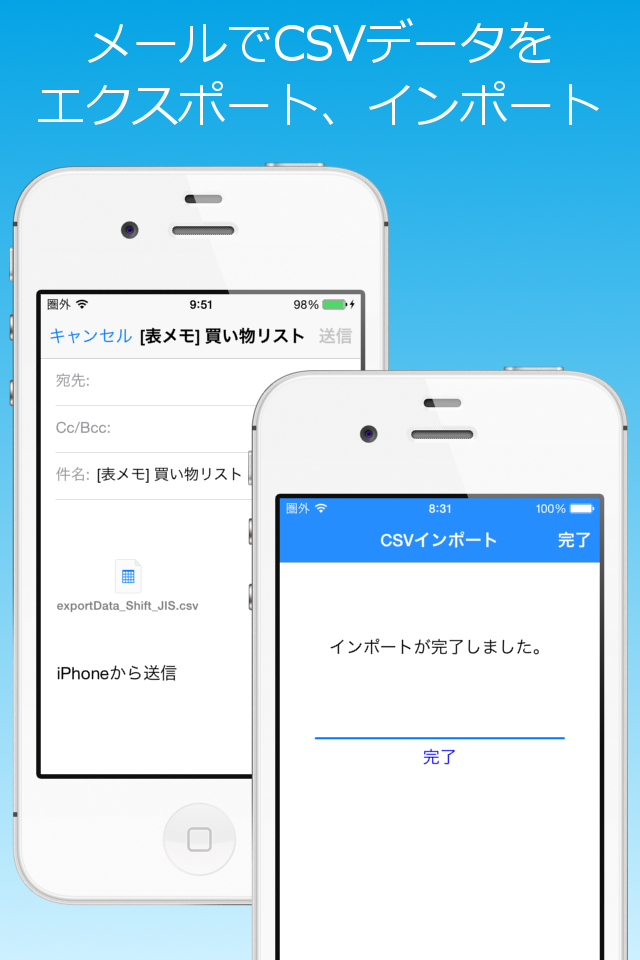
作成したメモは、CSV形式(ダブルクォーテーションで囲む形式のカンマ区切り)のファイルとしてメールで送信できます(エンコードはShift_JISとUTF-8に対応)。
また、メールに添付されたCSV形式(ダブルクォーテーションで囲む形式のカンマ区切り)のファイルを取り込むことができるので、簡易のCSVビューアとしても利用できます(エンコードはShift_JISとUTF-8に対応)。
※CSVを取り込む場合は、iOS標準のメーラーで受信し、添付ファイルを長押しして、表メモアイコンを選択します。
使い方:
1. メモの作成
 メモリスト画面(起動時の最初の画面)で追加ボタン('+')をタップし、メモのタイトルを入力します。
 メモリスト画面では、タイトルの変更や、メモの削除、リストの並べ替えができます('Edit'ボタンをタップ)。
2. メモの入力
 作成したメモを選択して、メモ画面を開きます。
 入力したいセルをタップして、メモを入力します。
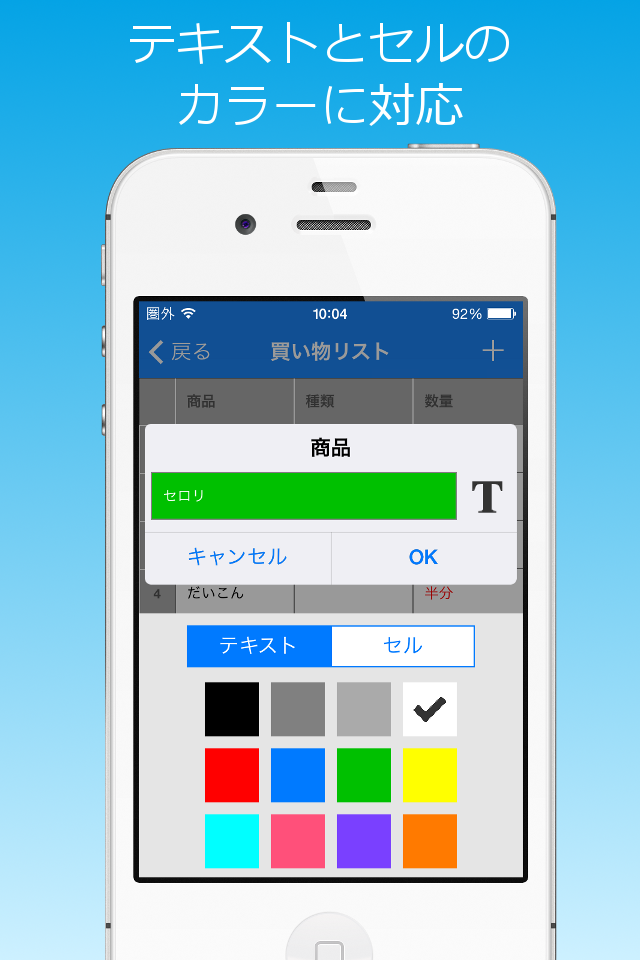
 カラーモードがONの場合、テキストとセルの色を変更できます。
 新しい行を追加したい場合は追加ボタン('+')をタップします。
 画面左側の行番号をタップすると、行の複製または削除ができます。
 セルをダブルタップすると、セルの内容全体が表示されるので、内容の確認やコピーができます。
画面下部には、左から右に、1)ごみ箱、2)アクション、3)表設定、4)並べ替えの4つのボタンがあります。
1) ごみ箱ボタン
 開いているメモを削除します。
2) アクションボタン
 開いているメモの複製、または、CSV形式(ダブルクォーテーションで囲む形式のカンマ区切り)のファイルとしてメールに添付することができます。
3) 表設定ボタン
 表設定画面が開きます(3.表設定 参照)。
4) 並べ替えボタン
 並べ替えモードになり(ボタンアイコンが編集ボタンに変わります)行の並べ替えができます。
 編集モードに戻るには、編集ボタンをタップします。
3. 表設定
 表設定画面では、メモタイトルの編集や列の編集ができます。
1) カラーモードスイッチ
 ONにすると、テキストとセルの色が変更できるようになります。
 【注意】カラーモード利用中にOFFにすると、すべての色データがクリアされます。
2) タイトルセクション
 タイトルを選択すると編集できます。
3) インセット設定
 セルの左側スペースを調節できます。
4) 表示サイズ設定
 表の文字サイズを調節できます。
5) 列セクション
 列を追加する場合は、追加ボタン('+')をタップします。
 列を削除したり、列の順序を変更する場合は、'Edit'ボタンをタップします。
 列の項目を選択すると、列設定画面が開きます(4.列設定 参照)。
4. 列設定
 列設定画面では、項目名の編集と列の幅の調整ができます。
1) 項目名セクション
項目名を選択すると編集できます。
2) 列幅セクション
 スライダーで列幅を変更できます。
 調節ボタンをタップすると入力済のデータに合わせて幅が設定されます。
※この画面は、メモ画面の項目名を長押しすることでも表示できます。
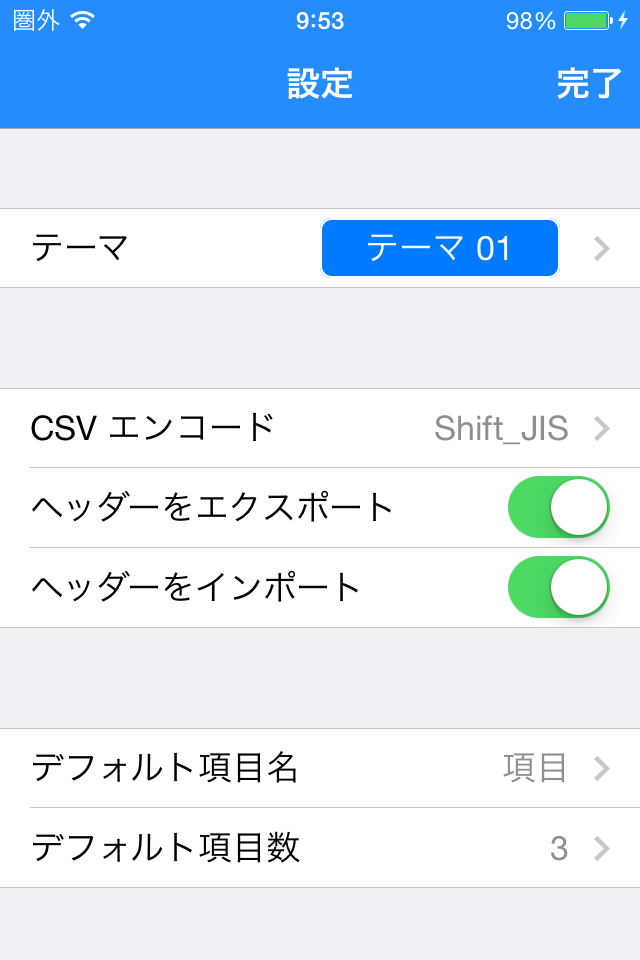
5. 設定
 メモリスト画面の設定ボタンをタップすると設定画面が開きます。
 設定画面では以下の設定ができます。
1) テーマの設定
2) CSVのインポート/エクスポートの設定
 - エンコーディング(UTF-8またはShift_JIS)
 - 項目名をエクスポート
 - 1行目を項目名としてインスポート
3) デフォルトの項目名と列数
Hide Show More...

In-Apps

Remove ads.
$0.99

Screenshots

Table Memo FAQ

  • Is Table Memo free?

    Yes, Table Memo is free to download, however it contains in-app purchases or subscription offerings.

  • Is Table Memo legit?

    ✅ The Table Memo app appears to be high-quality and legitimate. Users are very satisfied.

    Thanks for the vote

  • How much does Table Memo cost?

    Table Memo has several in-app purchases/subscriptions, the average in-app price is $0.99.

  • What is Table Memo revenue?

    To get estimated revenue of Table Memo app and other AppStore insights you can sign up to AppTail Mobile Analytics Platform.

User Rating

4.74 out of 5

488 ratings in United States

5 star
415
4 star
43
3 star
17
2 star
3
1 star
10
Ratings History

Table Memo Reviews

Needs to sync between devices

Charlie Sasser on

United States

Simple and Easy to use once I realized you had to hold finger in field to modify. Just a touch/click will not work. Also have been unable to sync between iPhone and iPad even with both apps are connected to iCloud. There may be a way to make this work but so far I haven’t found a way. For free and for now I will continue to use the app because it is simple and easy and I basically use on iPhone only.


Perfect

michael96:6::7";"6 on

United States

When it comes to making tables this is exactly what I need I tried using google docs for a table too but this was just so much better

No longer works with iOS 13.6

deKKed.com on

United States

Just updated to iOS 13.6 a few hours ago. This app no longer works. Please fix it.

Very useful

James pk on

United States

I love this app because it is easy to use. Nice you can put so much information in it. I am using it to list movies cd and games. Works very well. Thanks

Very Useful to Organize Things

Meyers-3 on

United States

Got this for my iPhone because it's much easier and simpler to use than Excel. Excel may be good for computers, but not phones. This one works really good on phones. Highly recommend it.

No sirve no deja compartir las tablas

Bndjlsnhhus on

United States

👎🏻 no sirve

easy useable

Mohsendco on

United States

perfect

PERFECT

Neko_Kazoku on

United States

It helps me with everything I needed. I was trying to do this on the iPhone Notes app, couldn't, so I looked around for a table maker and I found this wonderful app! Absolutely perfect for making a table with however much data you need.

Dope

Crash Benzie on

United States

Very hopefuls you keep track of my sales reports so that I can easily organize the things needed for taxes.

Peace of mind

Vero6833 on

United States

Writing lists and checking off completed tasks is a wonderful way to meet goals. It is also a way to be able to sleep at night. This little app has helped me organize my life and my daughter's life. It allows you to email a " to do" list. The column creator allows ask questions that help in goal attainment such as when, who, where? Feel great knowing my thoughts are secure on a list in an app so I can sleep in peace.

Store Rankings

Ranking History
App Ranking History not available yet
Category Rankings
Chart
Category
Rank
Top Free
171
Top Free
331
Top Free
347

Keywords

Table Memo Competitors

表メモ Installs

Last 30 days

表メモ Revenue

Last 30 days

Table Memo Revenue and Downloads

Gain valuable insights into 表メモ performance with our analytics.
Sign up now to access downloads, revenue, and more.

App Info

Category
Business
Publisher
RYOICHI KAWAHARA
Languages
English, Japanese
Recent release
1.3.6 (6 months ago )
Released on
Jan 14, 2014 (11 years ago )
Last Updated
2 months ago
This page includes copyrighted content from third parties, shared solely for commentary and research in accordance with fair use under applicable copyright laws. All trademarks, including product, service, and company names or logos, remain the property of their respective owners. Their use here falls under nominative fair use as outlined by trademark laws and does not suggest any affiliation with or endorsement by the trademark holders.

