


Apple App Store Camera for OBS Studio icon

Camera for OBS Studio

Turn your device into a webcam

Published by: Loft Labs Interactive
New Zealand

Description

If you've ever wanted to use your iPhone camera as a video & audio input to stream using OBS Studio, we've got you covered. We've tried all the apps that let you do it over WiFi, but they're not fast enough, so we also allow you to use a wired USB connection.
QUALITY VIDEO
Your iPhone/iPad camera's are good, really good. In fact, there’s no comparison between the highly recommended streaming webcam, the Logitech C922 HD Pro and the iPhone 6 Camera. Stream Landscape or Portrait video.
AUDIO
If you don't have a separate mic for your streaming setup, you can now use the microphone on your iOS device to stream audio & video.
FRONT CAMERA
Stream a selfie with the front camera support. Switch anytime during the stream with the familiar camera switch button.
TAP TO FOCUS, PINCH TO ZOOM
Controls just like you're used to from the Camera app.
MANUAL CONTROLS
Take control of the focus, exposure, white balance as you would on a manual DSLR camera.
LOW LATENCY
Stream video over a wired USB connection. This avoids the issue of delay over wifi, as many other solutions suffer from. This is just as fast as a USB webcam!
USB & WIFI
Choose the connection type. If you want low latency, use USB, if you'd like portability then use WiFi. WiFi is done using the NewTek™ NDI® protocol, so you can use Camera for OBS Studio with any NewTek™ NDI® compatible receiver.
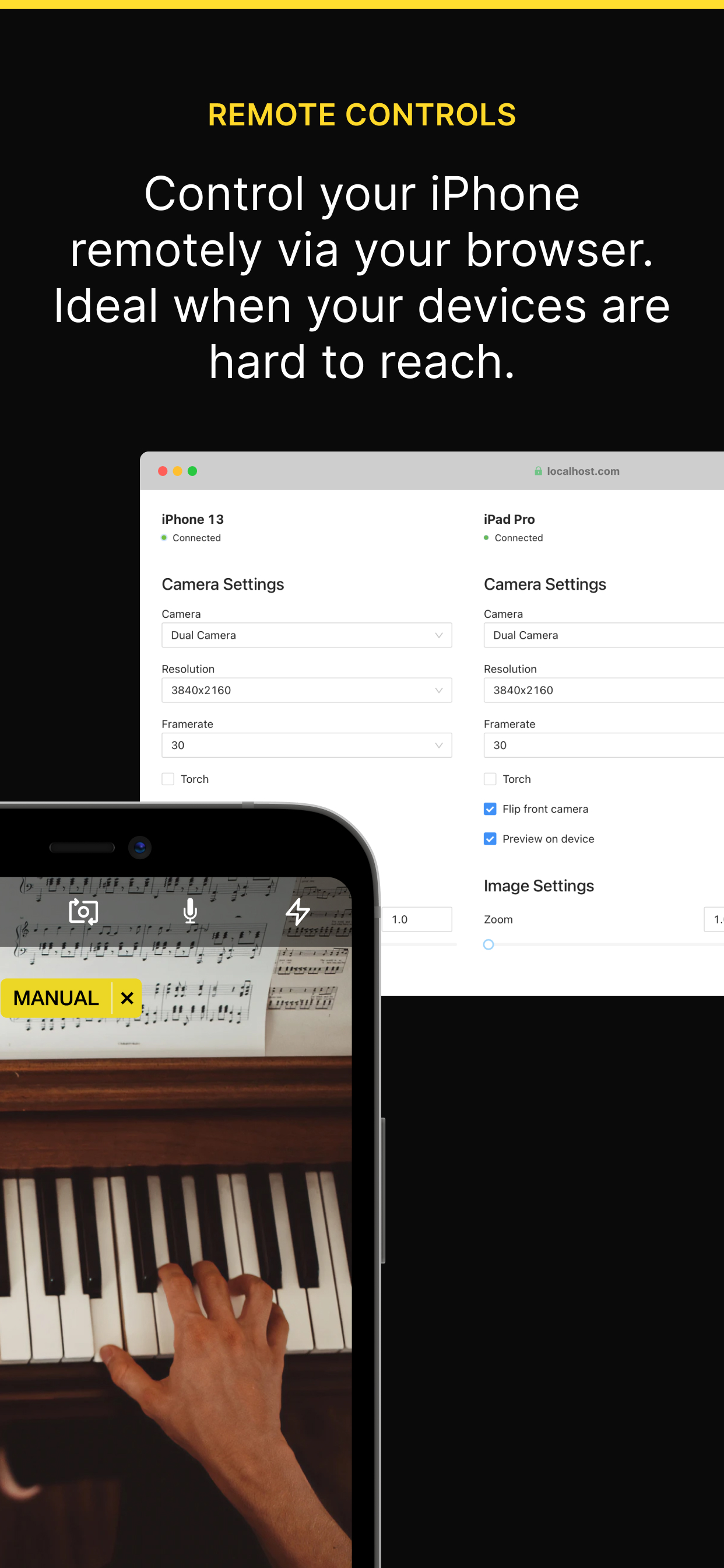
REMOTE CONTROL
Control the app from your web browser on your computer. No need to have access to the device anymore to line up that shot perfectly.
MULTIPLE DEVICES
If you're lucky enough to own multiple iOS devices, use them together and produce a multi-camera stream.
MAC AND PC
Supports OBS Studio running on macOS and Windows.
You will need to install the OBS Studio iOS Camera Plugin from our website, or use an NDI compatible receiver to use this app.
For the best possible experience make sure your device is listed on our website https://obs.camera/docs/faqs/#what-ios-hardware-do-i-need

MORE
Subscriptions will be charged to your iTunes account at confirmation of purchase. Your subscription will automatically renew unless automatic renewal is turned off at least 24 hours before the end of the current period. Your account will be charged for renewal within 24 hours prior to the end of the current period. You can manage your subscriptions and automatic renewal status in Account Settings after purchase. Any unused portion of the free trial period will be forfeited when you purchase a subscription. Price may vary by location.
Terms & Conditions/EULA: https://obs.camera/docs/terms-and-conditions/
Privacy Policy: https://obs.camera/docs/privacy-policy/
Hide Show More...

Screenshots

Camera for OBS Studio FAQ

  • Is Camera for OBS Studio free?

    Yes, Camera for OBS Studio is completely free and it doesn't have any in-app purchases or subscriptions.

  • Is Camera for OBS Studio legit?

    ⚠️ The Camera for OBS Studio app has poor ratings and negative feedback. Users seem unsatisfied with its performance or features.

    Thanks for the vote

  • How much does Camera for OBS Studio cost?

    Camera for OBS Studio is free.

  • What is Camera for OBS Studio revenue?

    To get estimated revenue of Camera for OBS Studio app and other AppStore insights you can sign up to AppTail Mobile Analytics Platform.

Cyprus
User Rating
App is not rated in Cyprus yet.
Ratings History

Camera for OBS Studio Reviews

Infuriating

KingChesher on

United States

No matter how many times I’ve tried using this app to stream or record it just doesn’t work. I’ve tried all the trouble shooting possible and it still doesn’t work. Wish I never tried this out for years I put off content creation because of this. Hope the devs do better like a real trouble shooting guide that works and a checklist of things to make sure are done to actually work with this… as it is right now it’s not working. I acknowledge that it could also be obs but don’t know how to confirm


Annoying Watermark

mikesisnnn on

United States

Unlike some people, I can’t really afford the premium versions of things, so I like to use the stock free versions and I haven’t had a bad experience with anything up until this. The app actually functions exactly how I thought it would, which ordinarily would be great, but the part that really kills it is the watermark. It blinks in and out and appears in a different place every-time which is awful, and then on top of that it takes up so much real estate. Why couldn’t you have just put it in the corner of the screen and kept it there without it blinking like crazy? It’s a solid app but that really just kills my experience with it. At this point you might as well get a webcam off facebook marketplace that has the same quality and cheaper than the lifetime price in this app.

don’t ask

Itstantrum-VIIXC on

United States

paid for your app, so piss off with the prompt to review already. thanks

It’s functional

scottie_p on

United States

Just downloaded and paid for a year. Kinda wish I didn’t. This app works fine, but the Elgato app (unfortunately no longer available) is way better and I’ll continue using it.

Please fix it!

LosStgo on

United States

This was such a great app when it first came out and now it’s just been abandoned. I’ve reinstalled the driver needed and I’ve tried time and time again and nothing ever works. This feels like a colossal waste of money for an app I paid a “lifetime” license for. PLEASE FIX IT!

Doesn’t work and watermark blocks view

Slimwhoisdirtay on

United States

Doesn’t work and they put a watermark in the video feed if you don’t pay for premium. Absolutely garbage program

DONT TRUST THIS

GlassVault Jared on

United States

Downloaded app, paid for pro, went to the plugin on my windows computer, non stop warnings about the plug in. After ignoring the warning, like an idiot, the computer had another message about attackers trying to steal information. Refund please

It’s not working

Nana kojo boateng on

United States

I want a refund of the subscription

Broken

KopeListener on

United States

App is irrecoverably broken with the latest iOS and Windows. Do not buy

Waiting on refund

Uncle Dime on

United States

I downloaded and paid the $19.99 for year. This app didn’t work with my iphone, MacBook and OBS studio. I canceled the order with hours of download. I’m still waiting on my refund and all the app says is canceled and I expire in 2026. please help

Store Rankings

Ranking History
App Ranking History not available yet
Category Rankings
Chart
Category
Rank
Top Free
170
Top Free
184
Top Free
222
Top Free
232
Top Free
244

Camera for OBS Studio Installs

Last 30 days

Camera for OBS Studio Revenue

Last 30 days

Camera for OBS Studio Revenue and Downloads

Gain valuable insights into Camera for OBS Studio performance with our analytics.
Sign up now to access downloads, revenue, and more.
This page includes copyrighted content from third parties, shared solely for commentary and research in accordance with fair use under applicable copyright laws. All trademarks, including product, service, and company names or logos, remain the property of their respective owners. Their use here falls under nominative fair use as outlined by trademark laws and does not suggest any affiliation with or endorsement by the trademark holders.



