


Description
Chart Maker is your all-in-one solution for creating professional charts and graphs on your iPhone and iPad. Whether you need a simple pie chart for a school project or detailed data visualizations for business presentations, this app makes it easy to transform your data into stunning visuals.
POWERFUL CHART TYPES
Create 14 different chart styles to match any data visualization need:
Pie Chart - Perfect for showing proportions and percentages
Donut Chart - Modern alternative to traditional pie charts
Bar Chart - Compare values across different categories
Column Chart - Vertical bars for trend analysis
Line Chart - Track changes and patterns over time
Area Chart - Visualize cumulative totals and trends
Scatter Plot - Show relationships between variables
Radar Chart - Compare multiple variables simultaneously
Stacked Bar Chart - Show composition within categories
Stacked Column Chart - Vertical stacked comparisons
Bubble Chart - Add a third dimension to your data
Waterfall Chart - Understand cumulative effects
Funnel Chart - Visualize stages in a process
Heat Map - Identify patterns in large datasets
EASY DATA ENTRY
The built-in spreadsheet editor makes data entry simple and intuitive:
- Enter data directly with familiar spreadsheet controls
- Add and remove rows and columns with a single tap
- Edit any cell inline for quick updates
- Your data automatically saves as you work
IMPORT YOUR DATA
Already have your data in a spreadsheet? Import it directly:
- Open CSV files from your device or cloud storage
- Import TSV tab-separated files
- Automatic parsing creates charts instantly
- Save hours of manual data entry
BEAUTIFUL CUSTOMIZATION
Make every chart uniquely yours:
- Choose from 12 professionally designed color themes
- Select from multiple font styles and sizes
- Toggle legends, labels, and axes visibility
- Add custom titles and styling
- Preview changes in real-time
EXPORT AND SHARE
Get your charts where they need to go:
- Save as high-resolution PNG images
- Export data as CSV or TSV files
- Share directly to email, messages, or social media
- Perfect quality for printing and presentations
WHO USES CHART MAKER
Students and Educators
Create graphs for homework, research papers, science projects, and classroom presentations. Visualize statistical data, survey results, and experimental findings with professional quality.
Business Professionals
Build charts for quarterly reports, sales presentations, marketing analysis, and stakeholder meetings. Import data from existing spreadsheets and create polished visualizations in minutes.
Researchers and Analysts
Transform complex datasets into clear visual representations. Compare trends, identify patterns, and communicate findings effectively to any audience.
Personal Projects
Track fitness goals, manage household budgets, plan events, or visualize any personal data. Make better decisions with clear visual insights.
WHY CHOOSE CHART MAKER
- Works completely offline with no internet required
- No account creation or sign-up needed
- Clean, intuitive interface optimized for touch
- Fast performance with datasets of any size
- Regular updates add new features and improvements
- Privacy focused with all data stored locally on your device
- No data collection or tracking of your information
PREMIUM FEATURES
Upgrade to unlock the full power of Chart Maker:
- Access all 14 chart types
- Unlimited dataset storage
- 9 additional premium color themes
- Ad-free experience
Download Chart Maker today and start transforming your data into professional visualizations. Join thousands of users who trust this app for all their charting needs.
Terms of Service: https://www.apple.com/legal/internet-services/itunes/dev/stdeula/
Hide
Show More...
POWERFUL CHART TYPES
Create 14 different chart styles to match any data visualization need:
Pie Chart - Perfect for showing proportions and percentages
Donut Chart - Modern alternative to traditional pie charts
Bar Chart - Compare values across different categories
Column Chart - Vertical bars for trend analysis
Line Chart - Track changes and patterns over time
Area Chart - Visualize cumulative totals and trends
Scatter Plot - Show relationships between variables
Radar Chart - Compare multiple variables simultaneously
Stacked Bar Chart - Show composition within categories
Stacked Column Chart - Vertical stacked comparisons
Bubble Chart - Add a third dimension to your data
Waterfall Chart - Understand cumulative effects
Funnel Chart - Visualize stages in a process
Heat Map - Identify patterns in large datasets
EASY DATA ENTRY
The built-in spreadsheet editor makes data entry simple and intuitive:
- Enter data directly with familiar spreadsheet controls
- Add and remove rows and columns with a single tap
- Edit any cell inline for quick updates
- Your data automatically saves as you work
IMPORT YOUR DATA
Already have your data in a spreadsheet? Import it directly:
- Open CSV files from your device or cloud storage
- Import TSV tab-separated files
- Automatic parsing creates charts instantly
- Save hours of manual data entry
BEAUTIFUL CUSTOMIZATION
Make every chart uniquely yours:
- Choose from 12 professionally designed color themes
- Select from multiple font styles and sizes
- Toggle legends, labels, and axes visibility
- Add custom titles and styling
- Preview changes in real-time
EXPORT AND SHARE
Get your charts where they need to go:
- Save as high-resolution PNG images
- Export data as CSV or TSV files
- Share directly to email, messages, or social media
- Perfect quality for printing and presentations
WHO USES CHART MAKER
Students and Educators
Create graphs for homework, research papers, science projects, and classroom presentations. Visualize statistical data, survey results, and experimental findings with professional quality.
Business Professionals
Build charts for quarterly reports, sales presentations, marketing analysis, and stakeholder meetings. Import data from existing spreadsheets and create polished visualizations in minutes.
Researchers and Analysts
Transform complex datasets into clear visual representations. Compare trends, identify patterns, and communicate findings effectively to any audience.
Personal Projects
Track fitness goals, manage household budgets, plan events, or visualize any personal data. Make better decisions with clear visual insights.
WHY CHOOSE CHART MAKER
- Works completely offline with no internet required
- No account creation or sign-up needed
- Clean, intuitive interface optimized for touch
- Fast performance with datasets of any size
- Regular updates add new features and improvements
- Privacy focused with all data stored locally on your device
- No data collection or tracking of your information
PREMIUM FEATURES
Upgrade to unlock the full power of Chart Maker:
- Access all 14 chart types
- Unlimited dataset storage
- 9 additional premium color themes
- Ad-free experience
Download Chart Maker today and start transforming your data into professional visualizations. Join thousands of users who trust this app for all their charting needs.
Terms of Service: https://www.apple.com/legal/internet-services/itunes/dev/stdeula/
In-Apps
- Premium Yearly
- USD 29.99
- Premium Monthly
- USD 5.99
- Premium Weekly
- USD 1.99
Screenshots


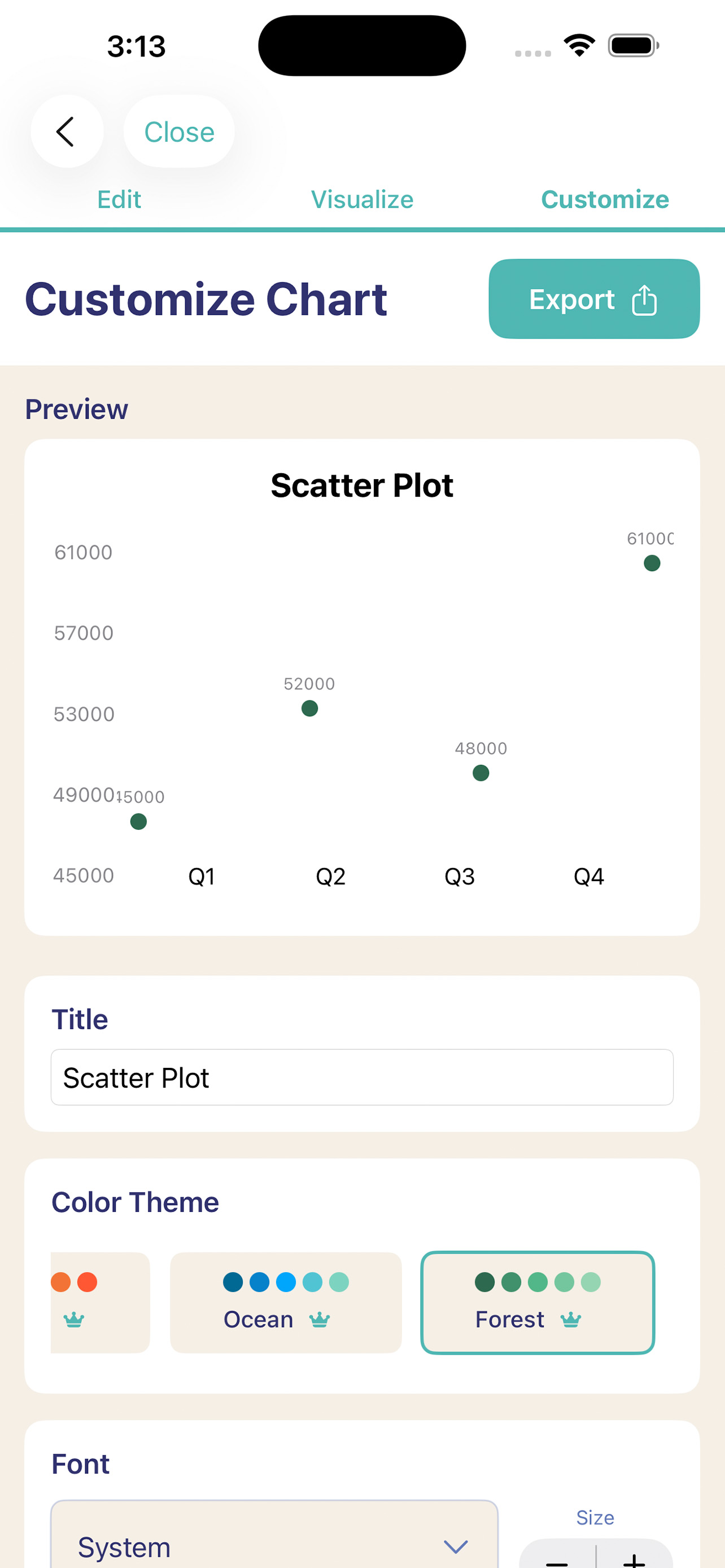

Chart Maker FAQ
-
Is Chart Maker free?
Yes, Chart Maker is free to download, however it contains in-app purchases or subscription offerings.
-
Is Chart Maker legit?
Not enough reviews to make a reliable assessment. The app needs more user feedback.
Thanks for the vote -
How much does Chart Maker cost?
Chart Maker has several in-app purchases/subscriptions, the average in-app price is USD 12.66.
-
What is Chart Maker revenue?
To get estimated revenue of Chart Maker app and other AppStore insights you can sign up to AppTail Mobile Analytics Platform.

User Rating
App is not rated in Sri Lanka yet.
Ratings History
Chart Maker Reviews
Store Rankings
Ranking History
App Ranking History not available yet
Category Rankings
App is not ranked yet
Chart Maker Installs
Last 30 days
Chart Maker Revenue
Last 30 daysChart Maker Revenue and Downloads
Gain valuable insights into Chart Maker performance with our analytics.
Sign up now to access downloads, revenue, and more.
Sign up now to access downloads, revenue, and more.
App Info
- Category
- Utilities
- Publisher
- Sebastin Michael
- Languages
- English
- Recent release
- 1.0.0 (2 weeks ago )
- Released on
- Nov 28, 2025 (2 weeks ago )
- Last Updated
- 3 days ago
This page includes copyrighted content from third parties, shared solely for commentary and research in accordance with fair use under applicable copyright laws. All trademarks, including product, service, and company names or logos, remain the property of their respective owners. Their use here falls under nominative fair use as outlined by trademark laws and does not suggest any affiliation with or endorsement by the trademark holders.