Control Panel for YouTube

The missing options for YT

Description

Ads:
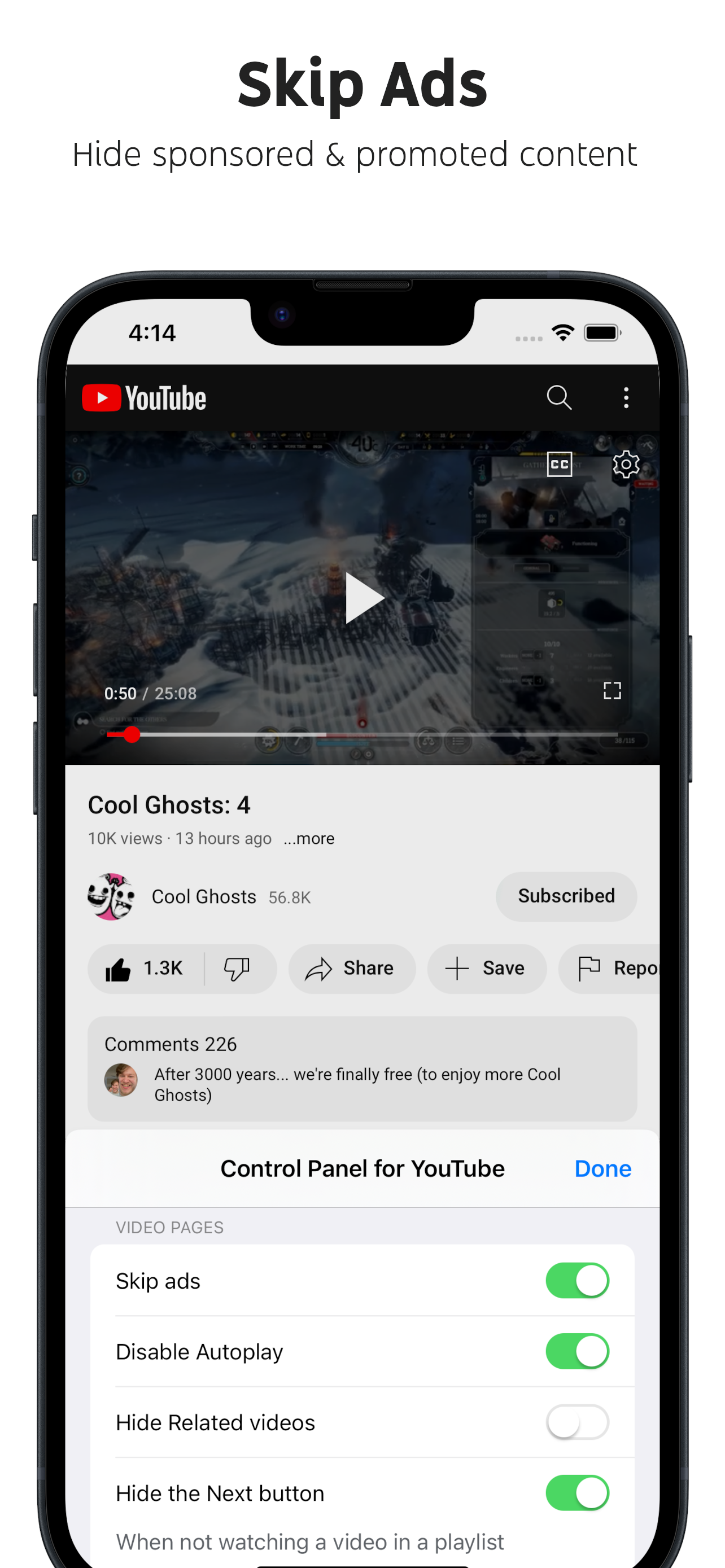
• Block ads
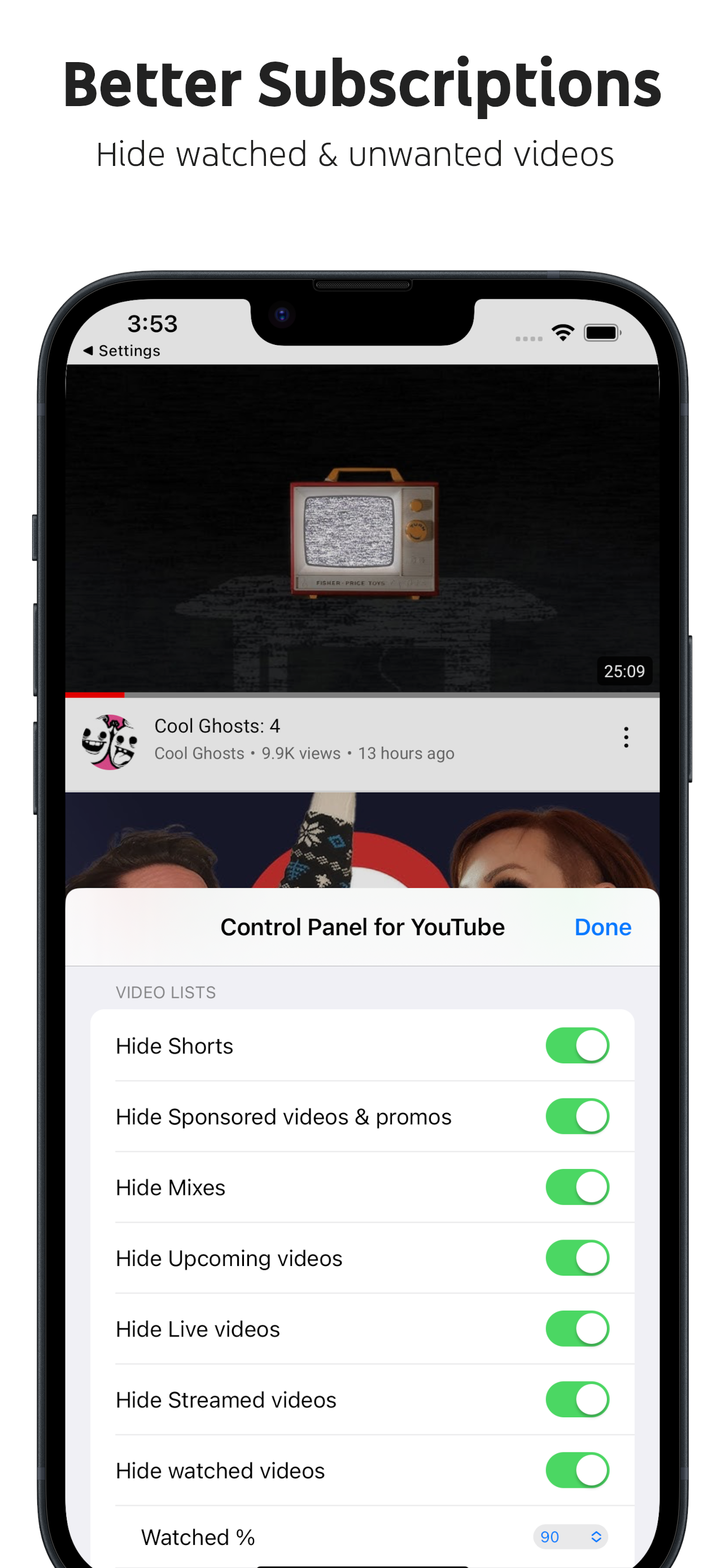
• Hide Sponsored videos & promos
• Hide Merch, Offers etc. (desktop version)
Annoyances:
• Hide AI summaries
• Remove pink gradient from progress bars
• Hide information panels
• Hide Premium upsells
• Automatically pause channel trailers (desktop version)
• Allow background playback (mobile version)
• Hide Open App links (mobile version)
Video lists:
• Hide suggested sections
• Hide Live videos
• Hide Streamed videos
• Hide Mixes
• Hide Playlists
• Hide Movies and TV
• Hide Upcoming videos
• Hide Members only videos
• Hide watched videos
• Hide hidden videos - Hides the "Undo" button after 5 seconds
• Hide channels - Adds "Hide channel" to video menus
• Disable Home feed
• Search thumbnail size (desktop version)
• Minimum grid items per row (desktop version)
Video pages:
• Disable Autoplay
• Disable Ambient mode
• Hide Related videos
• Hide the Next button
• Hide Share/Thanks/Clip etc.
• Hide video metadata
• Hide Comments
• Always use theater mode (desktop version)
• Full size theater mode (desktop version) - Hide header / Hide scrollbar
• Always use original audio (desktop version)
• Hide Miniplayer button (desktop version)
• Hide video end cards (desktop version)
• Hide video endscreen content (desktop version)
• Hide Chat (desktop version)
• Add Take snapshot to video menu (JPEG / PNG) (desktop version)
• Make Transcript downloadable (desktop version)
Shorts:
• Hide Shorts
• Redirect Shorts to the normal player
• Hide suggested actions
• Always show progress bar
• Stop Shorts looping
• Hide Remix button (desktop version)
• Hide Shorts metadata until hover (desktop version)
• Minimum Shorts per row (desktop version)
UI tweaks:
• Hide categories in Home
• Hide channel banner images
• Hide Search with your voice
• Link YouTube logo to Subscriptions (desktop version)
• Tidy Guide sidebar (desktop version)
• Hide "Latest" bar in Subscriptions (desktop version)
• Use grid view for Subscriptions & Search (portrait only) (mobile version)
• Hide Explore button in Home (mobile version)
• Hide channel list in Subscriptions (mobile version)
Embedded videos:
• Hide Share button
• Hide pause overlay
Hide Show More...

Screenshots

Control Panel for YouTube FAQ

  • Is Control Panel for YouTube free?

    Yes, Control Panel for YouTube is completely free and it doesn't have any in-app purchases or subscriptions.

  • Is Control Panel for YouTube legit?

    Not enough reviews to make a reliable assessment. The app needs more user feedback.

    Thanks for the vote

  • How much does Control Panel for YouTube cost?

    Control Panel for YouTube is free.

  • What is Control Panel for YouTube revenue?

    To get estimated revenue of Control Panel for YouTube app and other AppStore insights you can sign up to AppTail Mobile Analytics Platform.

User Rating
App is not rated in Denmark yet.
Ratings History

Control Panel for YouTube Reviews

Hiding comments not working

Henry O.W. on

United States

Otherwise would be really good. I’m trying to see less comments from online people.

Doesn’t hide comments, works otherwise

Linguine_Manini on

United States

I saw that the developer of the google AI overview blocker app made this, so decided to try it out. I mainly got this app to see if I could hide comment sections, since I spend too much time interacting with those. There is an option to hide them. I’ve toggled it on and off, made sure the extension is enabled in settings and safari, and checked my wifi. Sadly, this feature does not work. However, I tried out several of the other features, like hiding recommendations and ads, and they all work perfectly. I would like it more if hiding comments worked, but I would still recommend this app as the dozens of other features definitely provide your money’s worth.

Store Rankings

Ranking History
App Ranking History not available yet
Category Rankings
Chart
Category
Rank
Top Paid
390
Top Paid
415
Top Paid
448
Top Paid
453

Control Panel for YouTube Installs

Last 30 days

Control Panel for YouTube Revenue

Last 30 days

Control Panel for YouTube Revenue and Downloads

Gain valuable insights into Control Panel for YouTube performance with our analytics.
Sign up now to access downloads, revenue, and more.
This page includes copyrighted content from third parties, shared solely for commentary and research in accordance with fair use under applicable copyright laws. All trademarks, including product, service, and company names or logos, remain the property of their respective owners. Their use here falls under nominative fair use as outlined by trademark laws and does not suggest any affiliation with or endorsement by the trademark holders.