

Doc : Image to Excel Converter

Convert photos to spreadsheets

Published by: Muhammad Shahid

Description

Document Scanner - OCR Image to Text and Spreadsheet Converter
Optical Character Recognition (OCR) enables accurate detection and extraction of text from images, with built-in support for automatic language identification. The Doc: Image to Excel Converter app goes beyond traditional OCR by offering advanced features like handwriting recognition and intelligent table extraction from scanned documents, forms, and images.
Effortlessly convert images into editable text, spreadsheets (CSV or Excel), or PDFs. Perfect for digitizing books, notes, financial statements, receipts, and more.
Key Features:
• Convert Image to Text
Tired of manually typing notes from books or printed pages? Just snap a photo or choose an image, and the app will accurately convert it to text without typing.
• Convert Image to Excel, Spreadsheet, and PDF
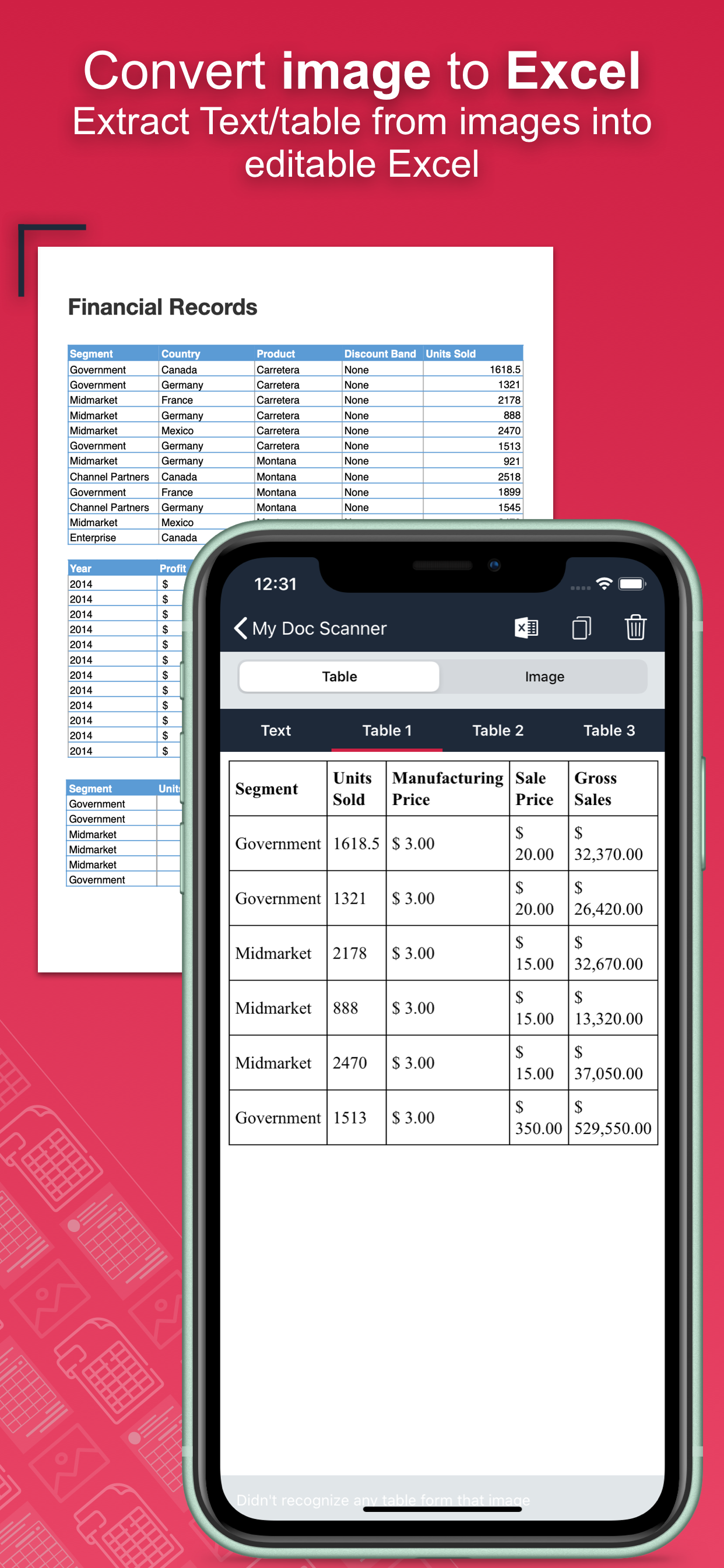
Extract both text and structured table data from documents. Ideal for financial reports, medical forms, invoices, and more. Convert scanned images into .xlsx, .csv, or .pdf formats instantly.
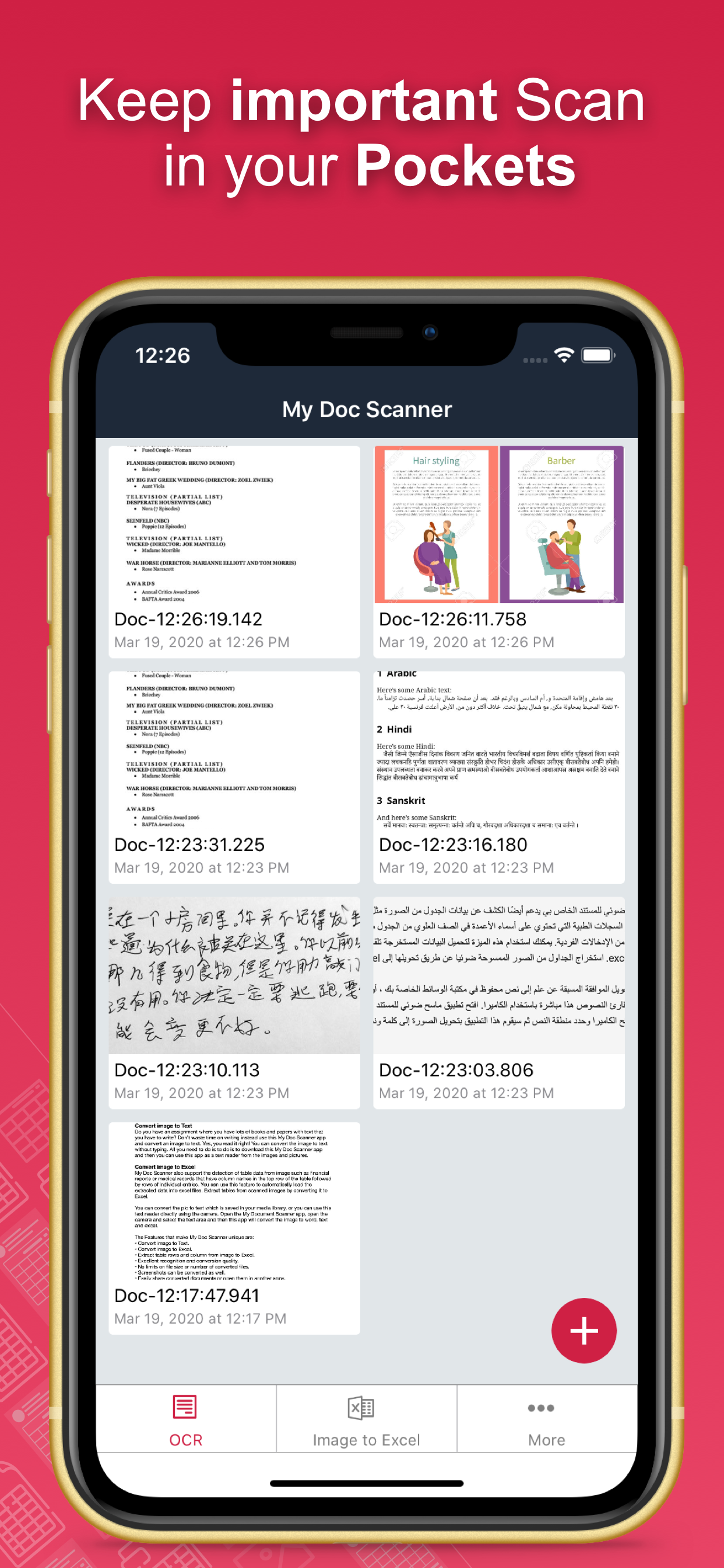
• Batch Scan Support
Scan and convert multiple images at once for handling large volumes of documents efficiently.
• Tabular Data Extraction
Extract rows and columns from images and load them directly into Excel. Supports intelligent table detection for accurate conversion.
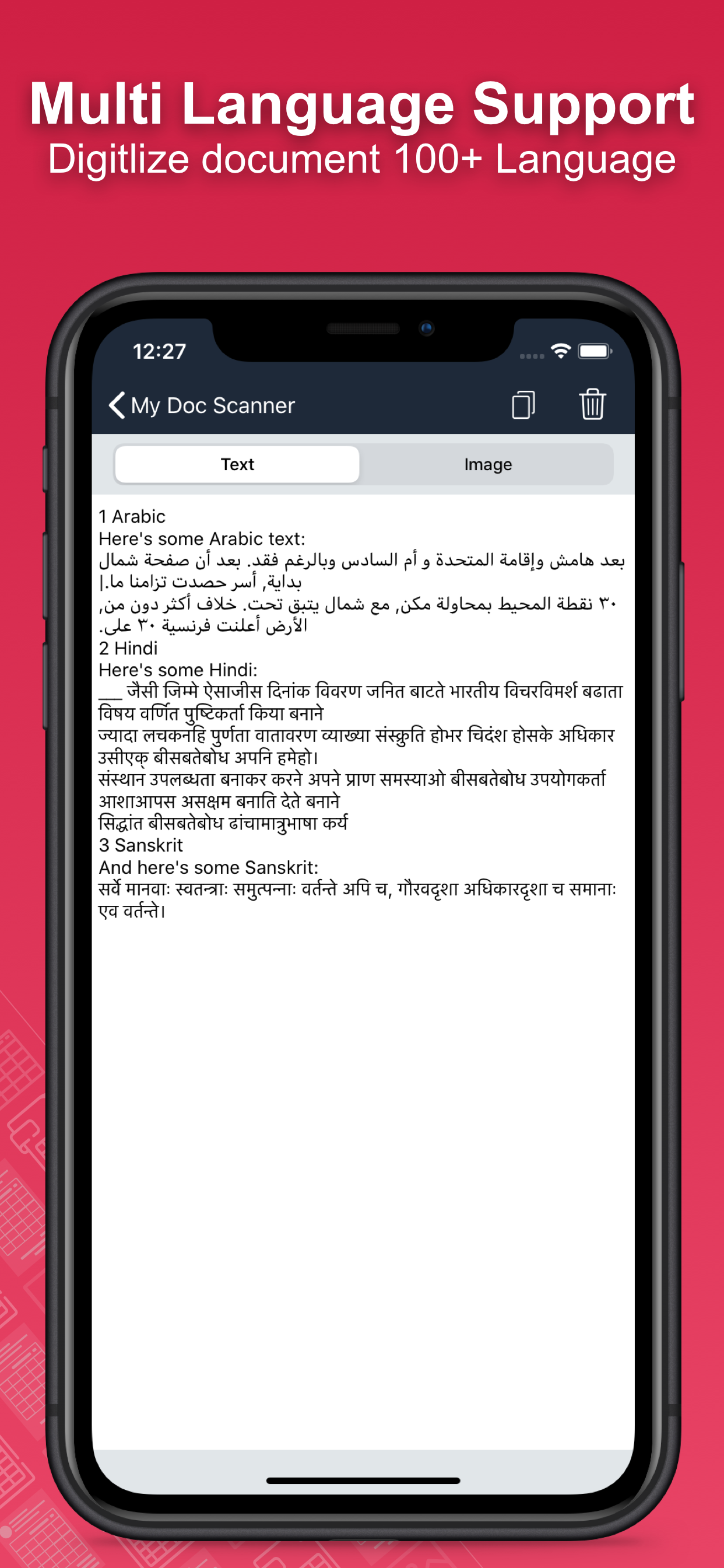
• Multi-language OCR (60+ languages)
Supports text recognition in English, Spanish, French, German, Italian, and many more.
• Translate Extracted Data
Translate extracted tables or text into 50+ languages for seamless international use.
• Secure Your Documents
Protect your scans using a passcode or biometric authentication.
• Smart Area Selection
Focus only on the part of the image containing text, even if it includes graphics.
• Scan History and Clipboard Actions
Keep track of all scanned documents. Easily copy text, open URLs, make calls, send emails, or paste content anywhere.
• Handwriting Recognition
Convert handwritten notes and scanned paper documents into digital, editable text.
• Capture or Import Images
Use your camera to scan in real-time or import from your gallery. Supports text extraction from screenshots as well.
Why Choose Document Scanner OCR++?
• Highly accurate text and table recognition
• No limits on file size or number of conversions
• Instant conversion of bank e-statements, receipts, and more
• Output files ready to use in Word, Excel, or PDF
• Clean and user-friendly interface
• Fast, lightweight, and powerful
Stop wasting time typing manually. Download the Doc: Image to Excel Converter app today and instantly convert your images into editable, shareable, and searchable content.
Hide Show More...

In-Apps

Tier 1, Credit + No Ads
$2.99
Tier 2, Credit + No Ads
$4.99
Tier 3, Credit + No Ads
$6.99

Screenshots

Doc FAQ

  • Is Doc free?

    Yes, Doc is free to download, however it contains in-app purchases or subscription offerings.

  • Is Doc legit?

    ⚠️ Warning: Multiple users of Doc have mentioned scam or fraud. Investigate thoroughly before using this app.

    Thanks for the vote

  • How much does Doc cost?

    Doc has several in-app purchases/subscriptions, the average in-app price is $4.99.

  • What is Doc revenue?

    To get estimated revenue of Doc app and other AppStore insights you can sign up to AppTail Mobile Analytics Platform.

User Rating

3.05 out of 5

21 ratings in United States

5 star
8
4 star
2
3 star
2
2 star
1
1 star
8
Ratings History

Doc Reviews

pesimo

bamyuiuhhuih on

United States

malware

Great app!

Chazho on

United States

I tried this app on a printed table, and it converted correctly into an Excel file, with the columns placed as they should be. It works great! I hope it continues to work this well.

I’d like a refund

RC1 on

United States

Downloaded, tried on one document. It seemed fine. Bought the mid tier package. It stopped working. I deleted it, and downloaded again. Had to buy a package again. It didn’t recognize that j had already bought. Then it stopped working again. Do not get this app.

Please refund me

Country Over Party 🇺🇸 on

United States

This is too unstable to even be useful. The app won't recognize that I paid.

Scam!!

Telowill29 on

United States

Took my money and my uploaded docs and stopped working all of a sudden

Paid for tier 3 and it won’t restore in app purchase

jennsy-55 on

United States

I ran out of free conversions so I pod for tier 3. The app started glitching so I had to uninstall and reinstall. When I click on restore purchase it says I haven’t purchased anything yet on the App Store it says I purchased it. Very frustrating.

So far so good…

Idle Expat on

United States

I tried it on two screenshot pix and it worked fine, so I decided to pay for the first Tier, I’m just holding back a star pending further use and will update if experience continues to be positive. Thanks to Muhammad for developing this useful app!

Inconsistent

kolt2021 on

United States

The accuracy of converting images with handwritten tables is good; however, the app is not stable and I have had to delete and reinstall after paying for various tiers. Recently, the app will hang up on a document and will not allow for the conversion to stop.

The excel file can’t be opened

mao mao 9615 on

United States

I paid for the tier 2 plan, but the excel file that I sent to myself can’t be opened, it says corrupted. What’s the point of paying to export to excel if you can’t open it? Pls fix it, thank you!

No doubt… 5 start.. easy yo use and highly useful app

Hashir V on

India

Suprrrrr

Store Rankings

Ranking History
App Ranking History not available yet
Category Rankings
App is not ranked yet

Keywords

Doc Competitors

Doc Installs

Last 30 days

Doc Revenue

Last 30 days

Doc Revenue and Downloads

Gain valuable insights into Doc performance with our analytics.
Sign up now to access downloads, revenue, and more.

App Info

Publisher
Muhammad Shahid
Languages
English, French, German, Hindi, Indonesian, Italian, Japanese, Korean, Malay, Portuguese, Chinese, Thai, Vietnamese
Recent release
1.59 (3 months ago )
Released on
Mar 20, 2020 (5 years ago )
Last Updated
3 weeks ago
This page includes copyrighted content from third parties, shared solely for commentary and research in accordance with fair use under applicable copyright laws. All trademarks, including product, service, and company names or logos, remain the property of their respective owners. Their use here falls under nominative fair use as outlined by trademark laws and does not suggest any affiliation with or endorsement by the trademark holders.
