Expense Tracker - Accountit

Budgeting, track spending

Published by: DesignTech SIA

Description

Welcome to Accountit, a simple, but powerful daily transactions tracker that will definitely help you get a full picture of your finances. With Accountit, tracking and organizing all of your transactions becomes as effortless as possible, all thanks to the useful features that the app has on offer.
Accountit lets you add an unlimited number of transactions that can be organized into different categories that you can create and customize yourself. With Accountit, you can also filter and organize all of your transactions even more efficiently using tags that you can create and assign to any of your transactions in the app.
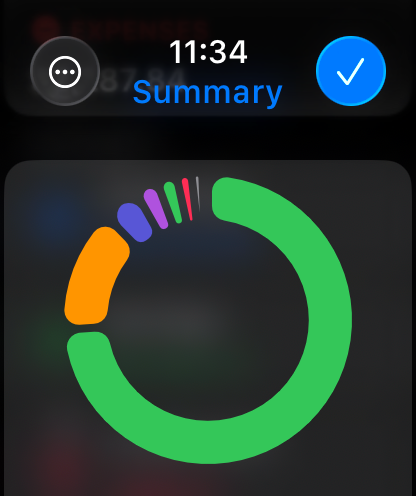
Don’t worry if you have any recurring transactions because we have got you covered too! Just mark a transaction as recurring and set the frequency when adding it, Accountit will handle the rest for you and you won’t need to manually add the same exact transactions every single time. With Accountit, you can also add various attachments, such as receipts, to your transactions in no time at all because you can scan receipts and take photos directly in the app. One of the main goals of the app is to help you quickly analyze all of your transactions and this is why Accountit offers a dedicated Summary screen that displays an extensive variety of information based on your transactions.
Accountit is built with privacy and security in mind and it just doesn’t collect any personal data that can be linked to you. All of your data in the app is stored locally on your device and synced via iCloud if you have enabled this functionality in the settings of the app. We have designed Accountit to be as intuitive and easy to use as possible and it will definitely feel right at home on any of your Apple devices, all thanks to its native design.
Accountit offers an extensive variety of features that you can use completely for free, but if you feel that the free functionality isn’t enough for your needs, you can always upgrade to Accountit Plus for even better experience. With Accountit Plus, you get an access to an unlimited number of accounts, categories, and tags, as well as various app customization options, and more.
KEY FEATURES:
- Unlimited number of transactions
- iCloud sync
- Ability to add notes to your transactions
- Ability to add links to your transactions
- Income, expense, and transfer transactions
- 1 account
- Budgets
- Recurring transactions
- Multiple sorting and filtering options to help you better organize your transactions
- Transactions summary
- CSV import and export
- Beautiful and useful widgets
- Available on iOS, iPadOS, macOS and watchOS
PLUS FEATURES:
- Unlimited number of accounts
- Access to categories and tags
- iCloud sharing
- Ability to add attachments to transactions
- 10 different app icons for you to pick the one that fits your home screen the most
- 15 different tint colors that you can choose from to make the app feel more unique to you
- Custom appearance (System, light, and dark)
- More than 150 different currencies
- Bulk editing
If you have any questions about Accountit, you can just get in touch with us via email at [email protected]. We are always happy to help!
Terms of service: https://www.designtech.so/accountit-terms-of-service.
Privacy policy: https://www.designtech.so/accountit-privacy-policy.
Hide Show More...

In-Apps

Accountit Plus Lifetime
$24.99
Yearly
$12.99
Monthly
$3.99

Screenshots

Expense Tracker FAQ

  • Is Expense Tracker free?

    Yes, Expense Tracker is free to download, however it contains in-app purchases or subscription offerings.

  • Is Expense Tracker legit?

    🤔 The Expense Tracker app's quality is mixed. Some users are satisfied, while others report issues. Consider reading individual reviews for more context.

    Thanks for the vote

  • How much does Expense Tracker cost?

    Expense Tracker has several in-app purchases/subscriptions, the average in-app price is $13.99.

  • What is Expense Tracker revenue?

    To get estimated revenue of Expense Tracker app and other AppStore insights you can sign up to AppTail Mobile Analytics Platform.

User Rating

4.63 out of 5

8 ratings in Canada

5 star
7
4 star
0
3 star
0
2 star
1
1 star
0
Ratings History

Expense Tracker Reviews

Functions well, looks clean

k-7983 on

Canada

I actually love this app so much that I feel kind of bad I got it for free because it’s so perfect I’m actively waiting to spend money so I can log things.

Simple enough extra depth to get journaling

nobodieshero on

Canada

I have tried a few other apps and nothing quite fit the bill. This one is simple enough to add multiple accounts and track across all of them. I wanted an app since I have accounts with different banks and sometimes it’s hard to understand the sum total of all of them. This allows for that, and lets me tag and categorize everything. This helps me compare the spending on necessities versus junk food or liquor. Thats pretty much what I need. I also love that it’s iCloud and iOS Universal. With my phone and my MacBook I have the ability to keep tabs with my phone while out and about. But the efficiency to type using a keyboard when I want to journal and log my purchases. Thanks Accountit!

Accountit

Ols Newbie on

Canada

Still learning how to us it

Monthly Balance

PRhoa on

United States

Unable to get it to work correctly. My income show to be -negative number. The total expenses cleared are not all there.

Amazing!

ZackW1993 on

United States

but please add the ability to manually sort accounts.

Good start

RhinoJC on

United States

This is a nice, basic budgeting app with potential. It would be helpful to see a forecast of upcoming bills, total remaining in account monthly (after deductions), list of Payees so we do not need to type them each time.

Amount Field Bug

Abdul-Wahab Marafie on

United States

Can not fill the transaction amount in the (amount field) for some currencies Please fix

CSV import still doesn’t work

tgi420 on

United States

I saw the response to the previous rating advising to format the CSV file similarly to the way it is formatted when exporting from Accountit. This still causes the app to crash when I make my CSV files the same format. Really want to buy the lifetime of this app since it is on sale for Black Friday but this is a serious hole since I already have a pretty substantial receipt system I need to move over and don’t plan on adding them in individually. Also, I have a PC desktop. Where is the online browser accessibility to this system? The UI for the Mac desktop app shouldn’t be hard to code to be formatted to a browser.

My new budgeting app

Joshua-Hare01 on

United States

I have had a hard time settling on an app to help keep track of my budget. I have found that Accountit gives me just what I need with enough flexibility to track my money in a way that makes sense to me, and without the over the miscellaneous extra features so many other apps in this category come with. Despite a bit of a short learning curve to understand how to setup each category, I now find it really simple to use, and helpful to see where I am spending money.

Almost Perfect

927Lu027 on

United States

The app and UI is phenomenal, the app itself is great, the only thing I’d have to argue is the widgets, by the time we wanna see the end of day/week/month/year process it can be tideous, I personally found an app that shows whether I gained or lost money, my “balance” if you will. The app “budget” has this and with their widgets so it’s easier to see and access and transactions from all of my accounts rather than one, I would 100% switch over to this app if it had this feature or something similar, and the import doesn’t seem to work

Store Rankings

Ranking History
App Ranking History not available yet
Category Rankings
Chart
Category
Rank
Top Grossing
50
Top Grossing
89
Top Grossing
97

Keywords

Expense Tracker Competitors

Expense Tracker Installs

Last 30 days

Expense Tracker Revenue

Last 30 days

Expense Tracker Revenue and Downloads

Gain valuable insights into Expense Tracker performance with our analytics.
Sign up now to access downloads, revenue, and more.
This page includes copyrighted content from third parties, shared solely for commentary and research in accordance with fair use under applicable copyright laws. All trademarks, including product, service, and company names or logos, remain the property of their respective owners. Their use here falls under nominative fair use as outlined by trademark laws and does not suggest any affiliation with or endorsement by the trademark holders.