


InBrowser - Private Browsing

Description

InBrowser - An Incognito Browsing App
“True incognito mode, all the time”

InBrowser is an incognito/private browser for iOS. Each time you exit InBrowser, everything you’ve done in the app will be erased, including history, cookies, and sessions. InBrowser is a feature-rich browser, with privacy baked in.
With InBrowser, you can privately check Facebook on a friend’s device, complete sensitive gift shopping, plan a surprise party, search for a medical condition, watch a video, or simply avoid adding to search history. Using InBrowser, you can do all this and more without leaving a single trace.
Key features:
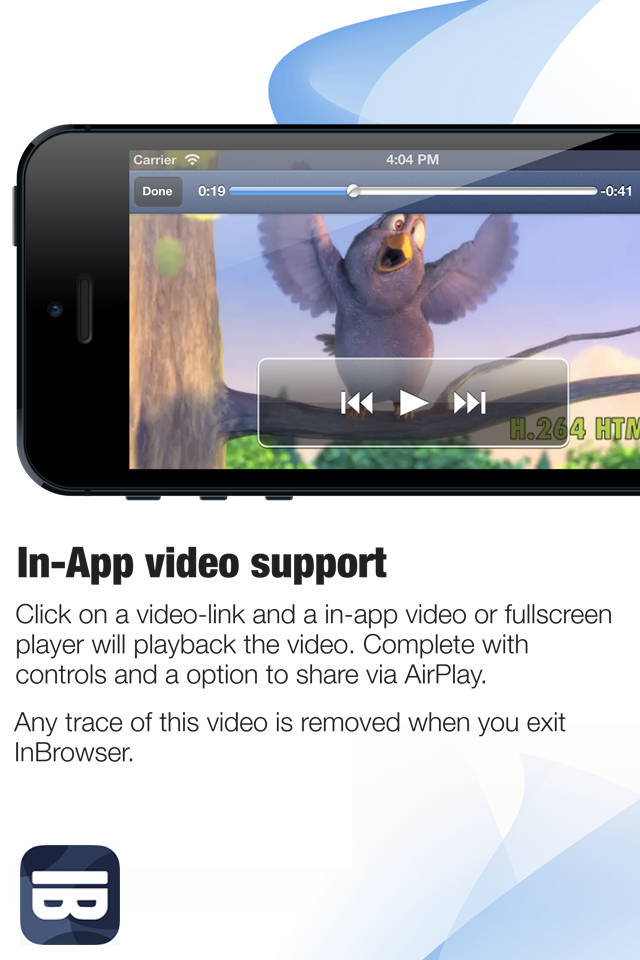
• Absolutely no data is saved.
When you exit InBrowser (or press the “Clear Current History & Cache” tornado button in the InBrowser app), all internet history and browsing data are removed.
• Built with 100% SwiftUI
InBrowser has been updated and optimized for iOS13+ and is the first privacy browser in the iOS app store to use Apple’s latest framework.

• Built for both iPhone and iPad
InBrowser is designed from the ground up to work on all iPhones and iPads, regardless of model or screen size.
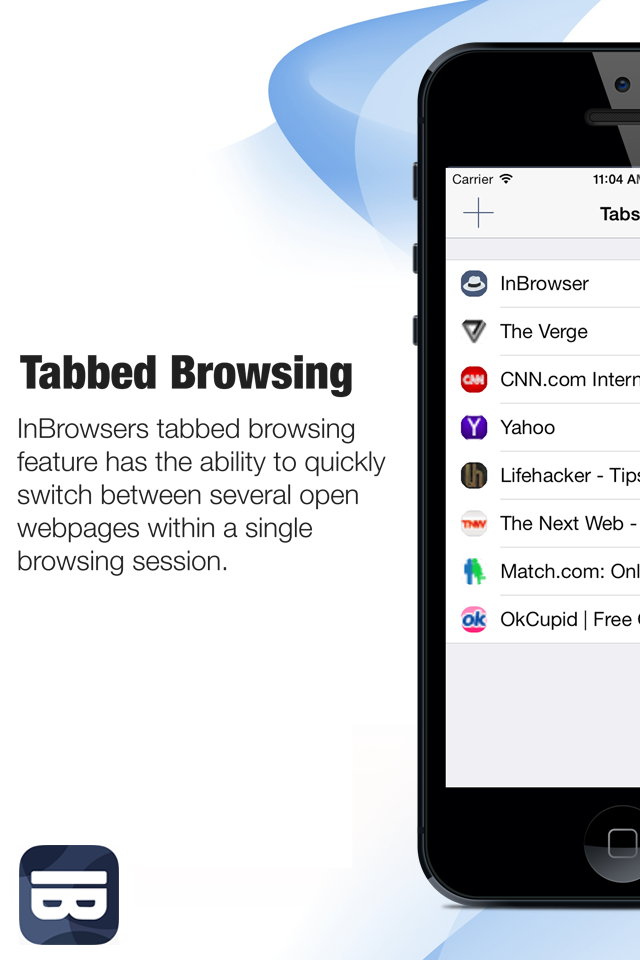
• Tabbed Browsing
InBrowser’s tabbed browsing feature gives users the ability to quickly switch between several open web pages within a single browsing session.

• You’re in control of your privacy settings
Choose your privacy level. InBrowser can remember active tabs, even if you close down the app, and the browser can be manually cleared at any time by pressing the "Clear Current History & Cache" tornado button. Run in the background is enabled by default and can be disabled in the settings. You have the power to choose between automatically deleting data when sending the app to the background or storing it so you can multitask.

• Biometrics protection for your Favorite Sites
InBrowser allows you to lock your Favorite Sites list using TouchID or FaceID.

• Delete InBrowser app data whenever you receive a call
InBrowser can automatically clear your cache and browsing data every time you receive a call

• Notifications to remind you to clear your internet history
InBrowser will notify you if you didn’t clear your cache and browsing data before sending the app to the background.

• Change your browser agent with agent cloaking
Using agent cloaking, you can make websites think that you're visiting from Safari Desktop, Chrome, Internet Explorer, Firefox, or iOS, giving you richer and more complete browsing experience. Please note that this won’t work on pages that are responsive.
• Designed for the optimal private browsing experience
InBrowser features a minimalistic design meant to enhance your browsing experience. We add no injected or targeted ads, no junk, and no extra toolbars - just maximum space for your private browsing experience.
• Free forever!
InBrowser will always be free of charge: there are no hidden fees associated with the app and we do not collect or sell your browsing data.

Important: Please note that InBrowser isn't an anonymous proxy such as The Onion Router (Tor) or a VPN; we're an incognito and private browser app only.
Quick FAQ
Who makes InBrowser?
InBrowser is brought to you by Private Internet Access, a paid subscription VPN service. We offer a free private browser as a way to educate the world about privacy and raise awareness about our VPN brand.
How does InBrowser make money?
We offer a free private browser as a way to educate the world about privacy and raise awareness about our VPN brand. If you like InBrowser, please consider signing up for Private Internet Access.
Does InBrowser keep a copy of my internet activity?
No, as part of our longstanding commitment to privacy and security, InBrowser respects the privacy of its users. We do not collect, store, or sell any personal information from InBrowser users.
Hide Show More...

Screenshots

InBrowser FAQ

  • Is InBrowser free?

    Yes, InBrowser is completely free and it doesn't have any in-app purchases or subscriptions.

  • Is InBrowser legit?

    🤔 The InBrowser app's quality is mixed. Some users are satisfied, while others report issues. Consider reading individual reviews for more context.

    Thanks for the vote

  • How much does InBrowser cost?

    InBrowser is free.

  • What is InBrowser revenue?

    To get estimated revenue of InBrowser app and other AppStore insights you can sign up to AppTail Mobile Analytics Platform.

User Rating

5 out of 5

1 ratings in North Macedonia

5 star
1
4 star
0
3 star
0
2 star
0
1 star
0
Ratings History

InBrowser Reviews

Great 😊🙈

Boi Play on

United States

👌🏿😜

BEST PRIVACY BROWSER I HAVE EVER SEEN

Molesnla on

United States

This is the best privacy browser I have ever seen I won't have given it a 50 star if I had to great job private internet access vpn

Private access

Idris B A on

United States

My carrier service

Vicotee01

Vicotee01 on

United States

5

Exclusive private

JerryFundz$ on

United States

Keep up the good work

Abducted

ABDULBASIT SALIHU on

United States

Good

Pretty much the best

Pound4pound! on

United States

Their are many browsers and their are many great browsers that help keep you safe. But, there are none like that can compare to this one. I’ve only had this app for about a week and I enjoy the Tornado BUTTON!. Just use it one time and will see what i see. Enjoy friends!

Good site

sliver money on

United States

Good and secure browser I love this

Aight

Unused996 on

United States

Bet

Awesome

Celestine2527 on

United States

I like the app; and do not know what to do with it.

Store Rankings

Ranking History
App Ranking History not available yet
Category Rankings
Chart
Category
Rank
Top Free
273

InBrowser Installs

Last 30 days

InBrowser Revenue

Last 30 days

InBrowser Revenue and Downloads

Gain valuable insights into InBrowser performance with our analytics.
Sign up now to access downloads, revenue, and more.
This page includes copyrighted content from third parties, shared solely for commentary and research in accordance with fair use under applicable copyright laws. All trademarks, including product, service, and company names or logos, remain the property of their respective owners. Their use here falls under nominative fair use as outlined by trademark laws and does not suggest any affiliation with or endorsement by the trademark holders.

