Juno Connect: Jupyter Client

Cloud Coding/Programming IDE

Published by: Rational Matter

Description

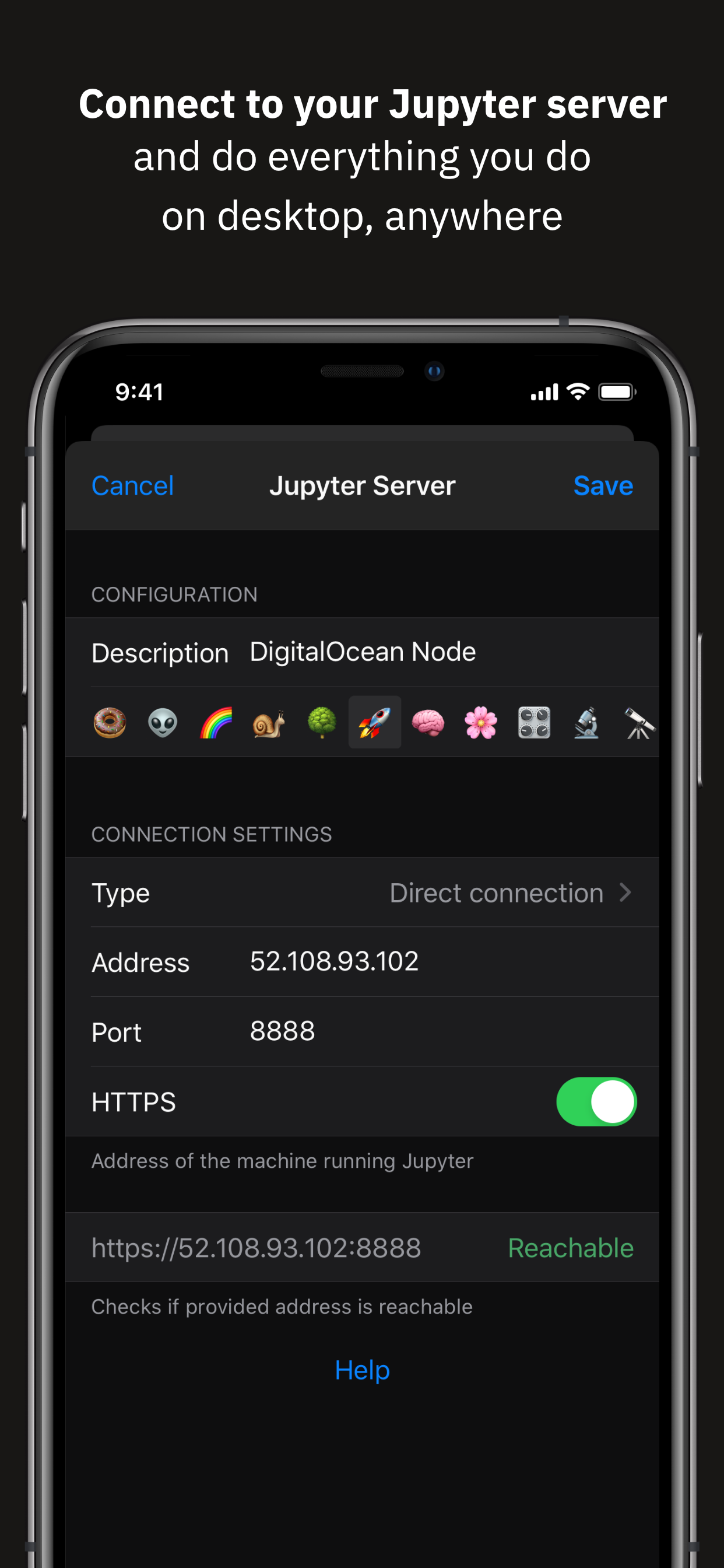
Juno Connect is a client app for Jupyter, a cloud-based computational environment. Juno Connect lets you leverage the computing power of a remote Jupyter server right from your iPhone or iPad.
With Juno Connect you can:
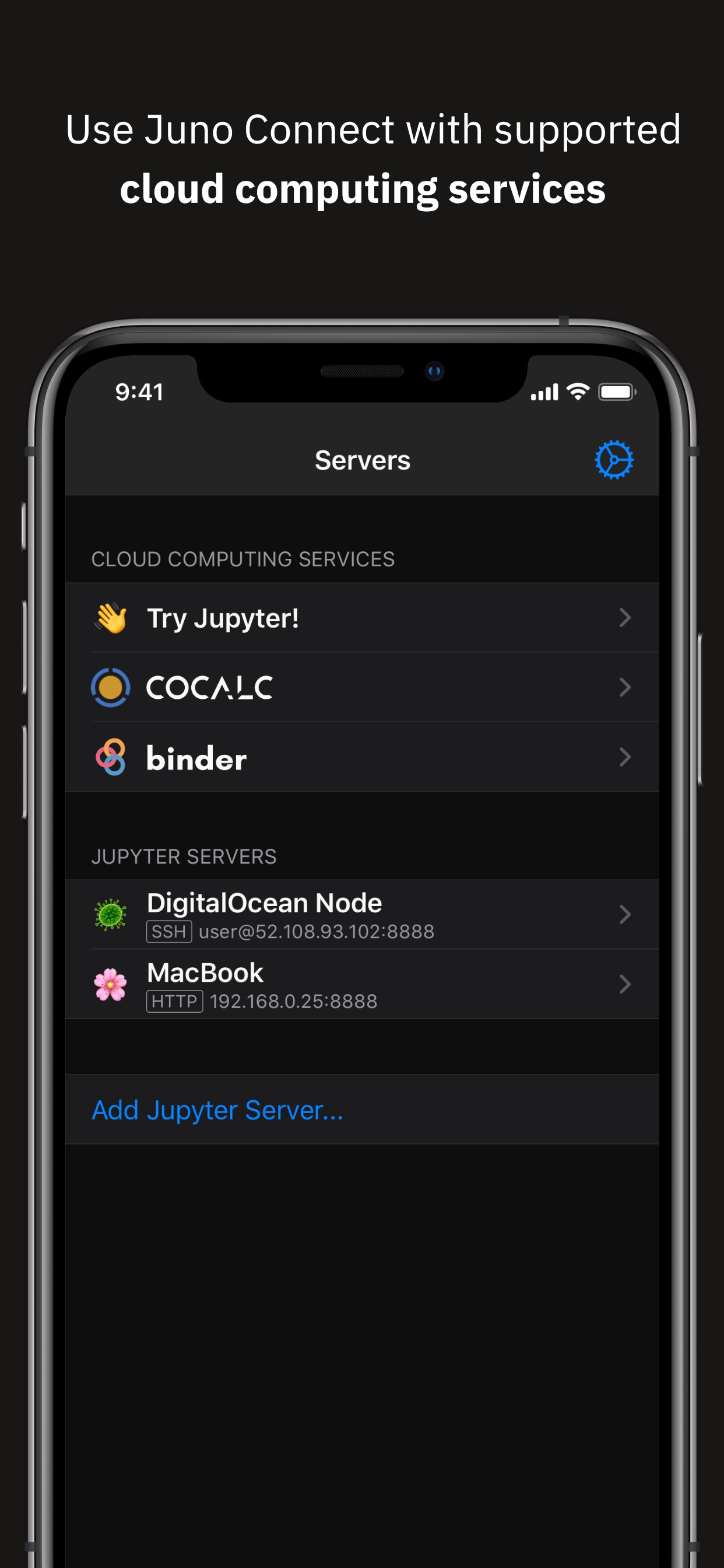
• Connect to cloud-computing services, such as CoCalc, Binder, SageMaker, Gradient or NAAS
• Add and configure your own remote Jupyter servers
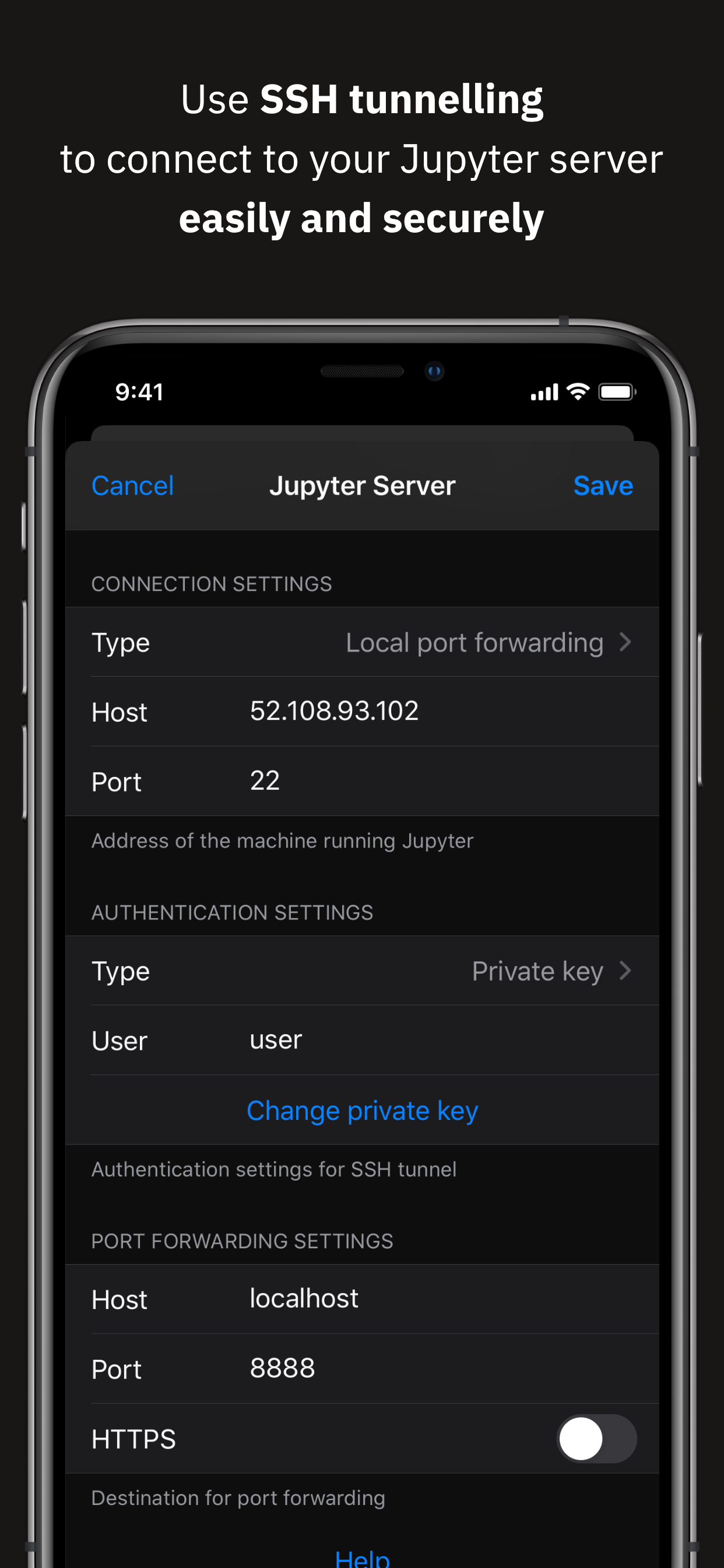
• Leverage SSH tunneling with local port forwarding for secure connections
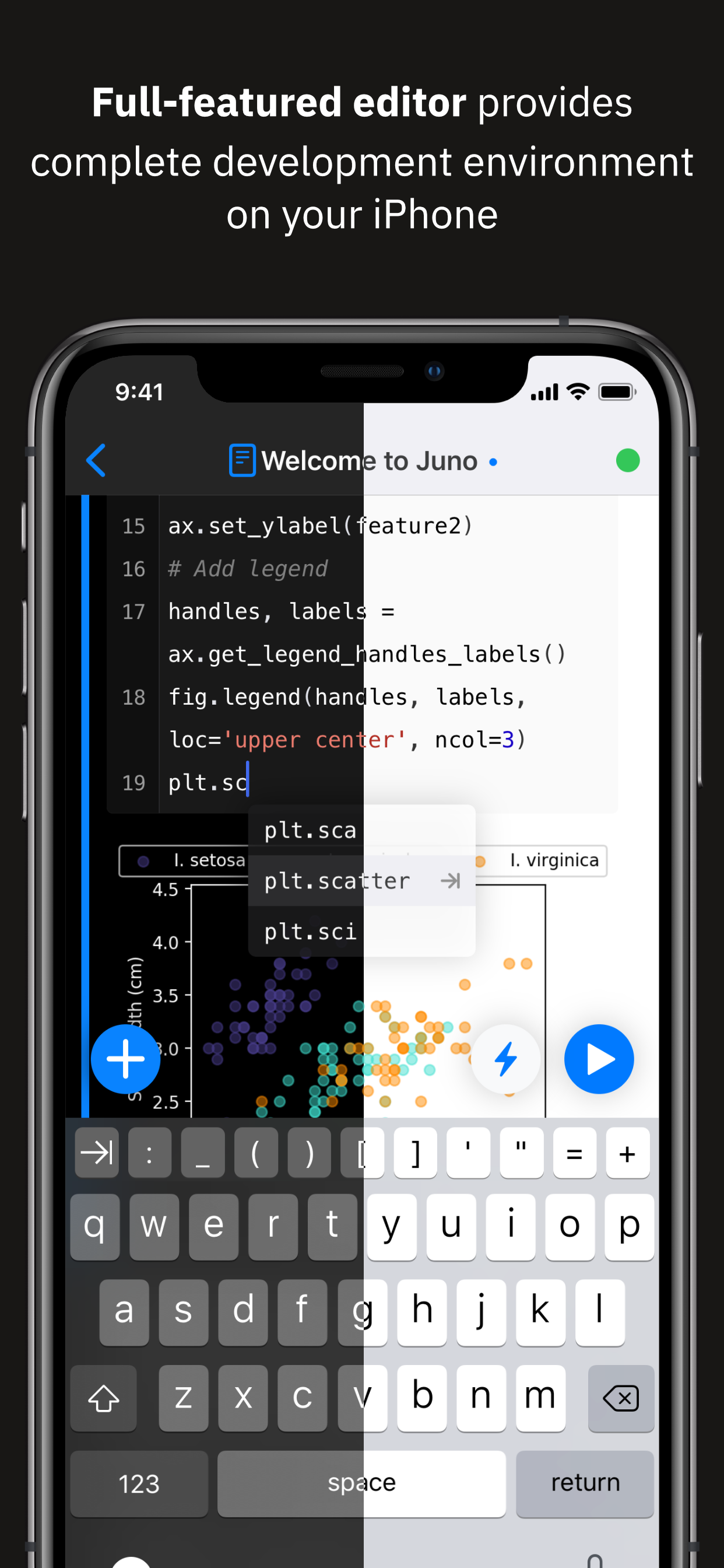
• Take full advantage of your keyboard and trackpad in our full-featured code editor
• Utilise full multitasking capabilities on iPad
When you run code in Juno Connect, the actual computing is happening on a remote Jupyter server, giving you access to virtually unlimited computational resources from your iPhone or iPad. You can either connect to your own Jupyter server — directly via HTTP/HTTPS, or by establishing an SSH tunnel with local port forwarding — or use cloud computing services, such as CoCalc, Binder, SageMaker, Gradient or NAAS. And if you would rather execute code on device instead, check out our other app Juno, it lets you work with Jupyter notebooks autonomously on your iPhone or iPad.
Juno Connect offers a full-featured notebook and code editor, providing a complete development environment on your iPad or iPhone. it supports Dark Mode and Dynamic Type, offers extended on-screen keyboard and works beautifully with all hardware keyboards and trackpads. Juno Connect lets you reach your Jupyter server easily and securely with SSH tunnel using local port forwarding. You can launch Juno Connect in Split-screen mode alongside other apps on iPad — run notebooks with documentation, terminal, or other code editor in front of you.
WHAT IS JUPYTER?
Jupyter is an interactive cloud-based computational environment, where you can combine code execution, rich text, mathematics, plots and rich media. It works with Jupyter notebooks, a computational document format that allows storing live code, markdown text, plots, images and equations in LaTeX — all wrapped into a single notebook file.
Notebook documents keep record of all inputs and outputs of the interactive programming session, and the rich output generated by running R, Python or Julia scripts (including HTML, images, video, and plots) is embedded into the Jupyter notebook document. They are especially convenient if you are coding in Python for data analysis, machine learning, or computational science in general.
A notebook consists of a sequence of cells, each representing either a narrative text in a form of markdown text or HTML, or a coding script with a text or media output. This makes notebooks both human-readable documents with the analysis description and the results (figures, tables, etc), as well as executable scripts for data analysis or plain programming. You can use Jupyter notebook as a document with optional executable code in it, or simply as a programming playground for data manipulation and experiments.
Jupyter supports countless programming languages, including Python, R, Julia, and Scala. Jupyter lets you leverage big data tools, such as Apache Spark, from Python, R, and Scala — or explore that same data with pandas, scikit-learn, ggplot2, PyTorch and TensorFlow. And, of course, Juno Connect lets you use whichever language kernels and libraries are installed on your Jupyter server right on your iPhone or iPad.
Hide Show More...

Screenshots

Juno Connect FAQ

  • Is Juno Connect free?

    Yes, Juno Connect is completely free and it doesn't have any in-app purchases or subscriptions.

  • Is Juno Connect legit?

    🤔 The Juno Connect app's quality is mixed. Some users are satisfied, while others report issues. Consider reading individual reviews for more context.

    Thanks for the vote

  • How much does Juno Connect cost?

    Juno Connect is free.

  • What is Juno Connect revenue?

    To get estimated revenue of Juno Connect app and other AppStore insights you can sign up to AppTail Mobile Analytics Platform.

User Rating

4.77 out of 5

65 ratings in Canada

5 star
57
4 star
4
3 star
2
2 star
1
1 star
1
Ratings History

Juno Connect Reviews

Do Not Buy

aryabhk on

Canada

This app hasn't been updated in 2yrs and doesn't support Jupyter Lab. There are ways to connect to your jupyter server using the deprecated nbclassic, but even in that situation, the app works buggy and does not show the outputs.

Great addition to Juno

pyrosquare on

Canada

I use it all the time to connect to a centralized home server where I host my notebooks. Great for testing an idea on the move. Last update was 2 yrs ago but I am hopeful for a quality of life improvements update!

Major bugs

Vorgop on

Canada

Any plotting inline (%matplotlib inline or %load_ext Cython) basically breaks the notebook and all future cells just don’t run. This makes the app essentially unusable....

No offline usage

Dannyiell on

Canada

I was hoping for something I could use to go through my Jupyter notes from Udemy and IDE. Unfortunately, this has to be connected to a server to work, there’s no offline usability, which is really unfortunate. Otherwise, this works exactly as Jupyter Notebook would on my computer.

Not working with Coursera notebooks

zsolteszku on

Canada

I bought this application so I can do my Coursera homeworks on my iPad. It fails to load these notebooks, but I already paid for this application. How can I ask for a refund?

Amazing

Poppinsmokes on

Canada

DS on the go. Love it.

Responsive Developer

BaysideAyjan on

Canada

I had an issue with Azure notebooks being removed from the app. Turns out it was due to a change on Azure's side and the developer of this app needed to complete a fix. The developer did so in a very timely manner and full functionality has been restored. Just learning to use Jupyter Notebooks and this app is great!

This works well

Paulnahal on

Canada

Must have for getting meaningful work done on the road

Very useful

ztaran on

United States

Very useful especially when I get eye strain from computer screen

App is outdated and no longer seems to be maintained

JO-412 on

United States

Connecting to a instance of a Jupyter lab fails as it attempts to connect to “<server>:<server-port>/tree?” rather than /lab/tree

Store Rankings

Ranking History
App Ranking History not available yet
Category Rankings

Juno Connect Competitors

Juno Connect Installs

Last 30 days

Juno Connect Revenue

Last 30 days

Juno Connect Revenue and Downloads

Gain valuable insights into Juno Connect performance with our analytics.
Sign up now to access downloads, revenue, and more.
This page includes copyrighted content from third parties, shared solely for commentary and research in accordance with fair use under applicable copyright laws. All trademarks, including product, service, and company names or logos, remain the property of their respective owners. Their use here falls under nominative fair use as outlined by trademark laws and does not suggest any affiliation with or endorsement by the trademark holders.