



NFC21 Tools

Read, write & manage NFC-Tags

Published by: NFC21

Description

We love NFC, therefore we decided to develop our NFC21 tools. Our app offers you an advanced yet easy to use toolset to explore NFC with your iPhone. Reading as well as writing of NFC-tags is supported and wrapped in an attractive user interface.
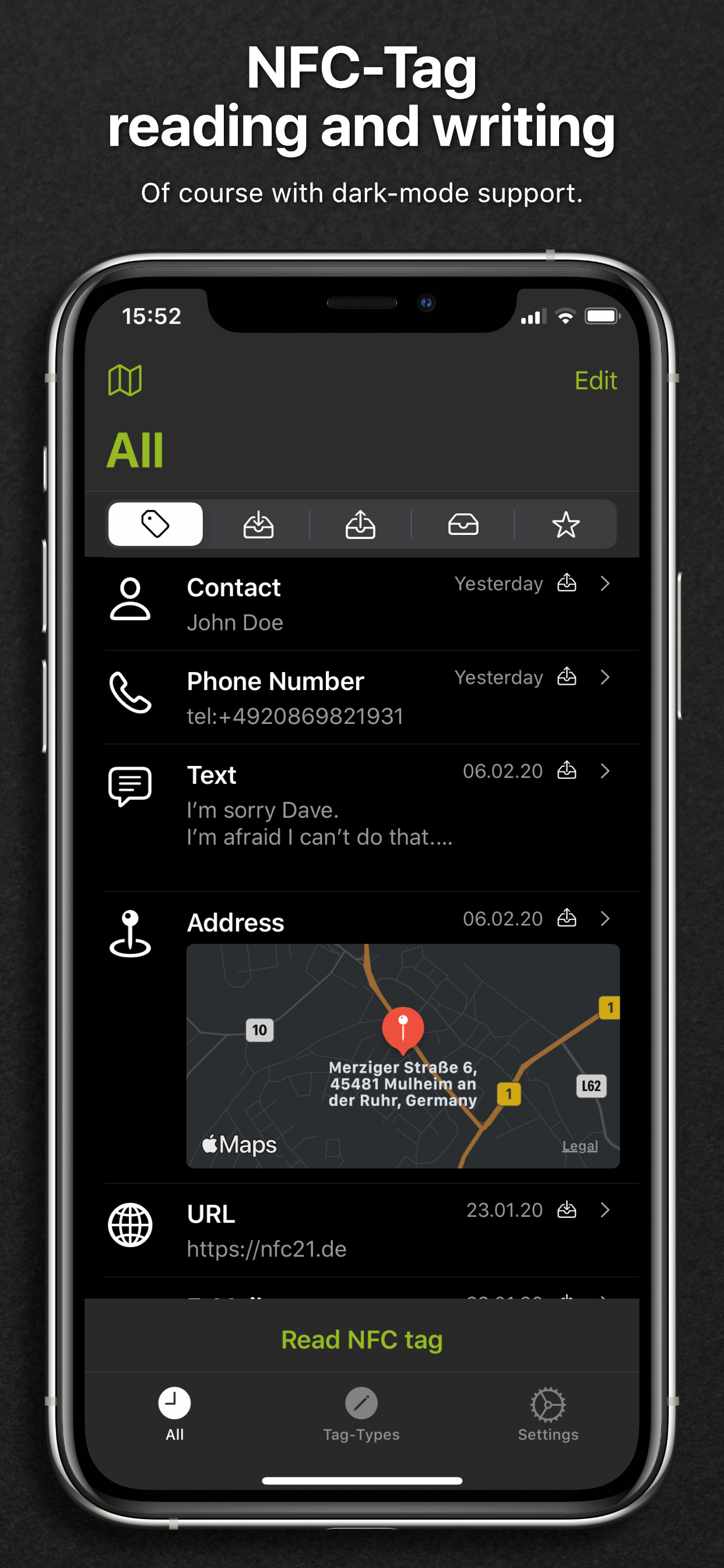
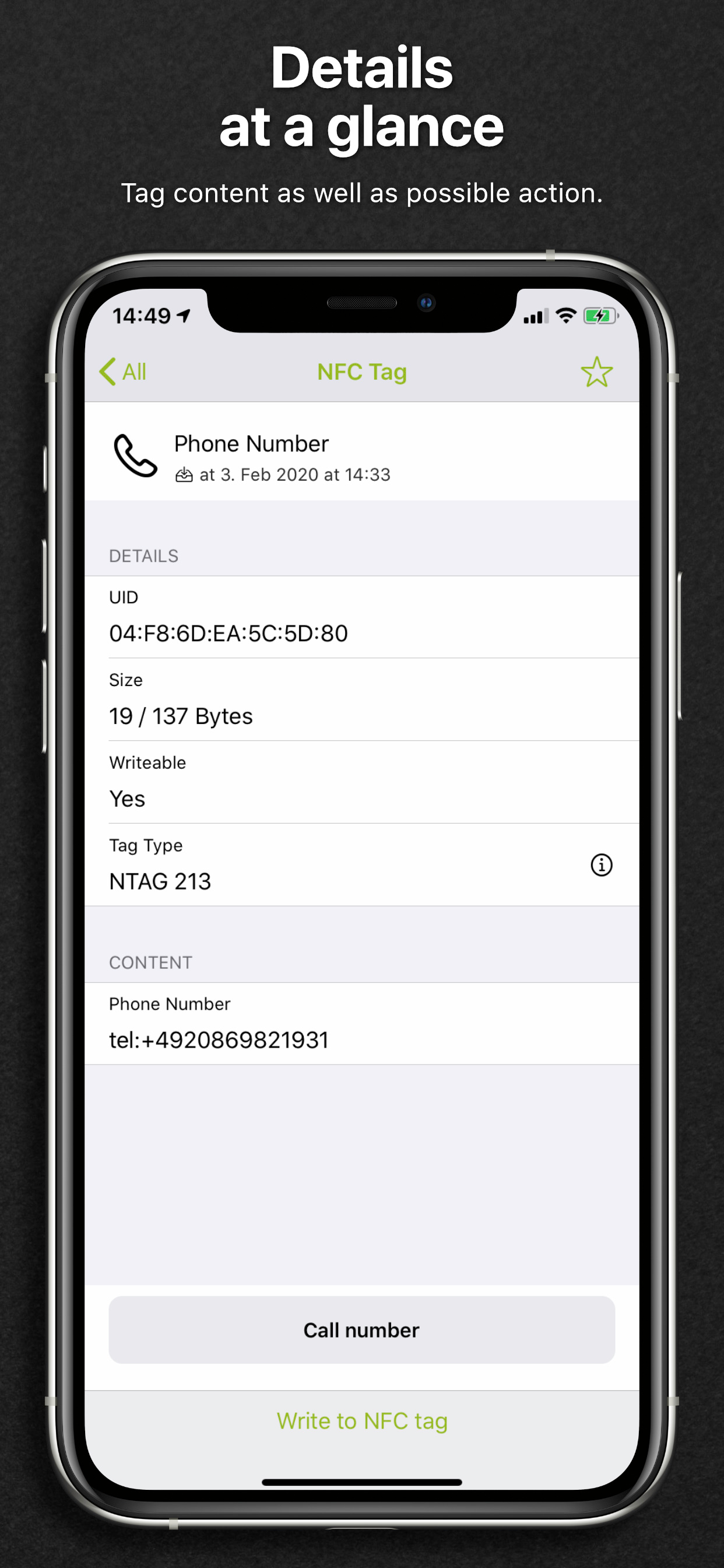
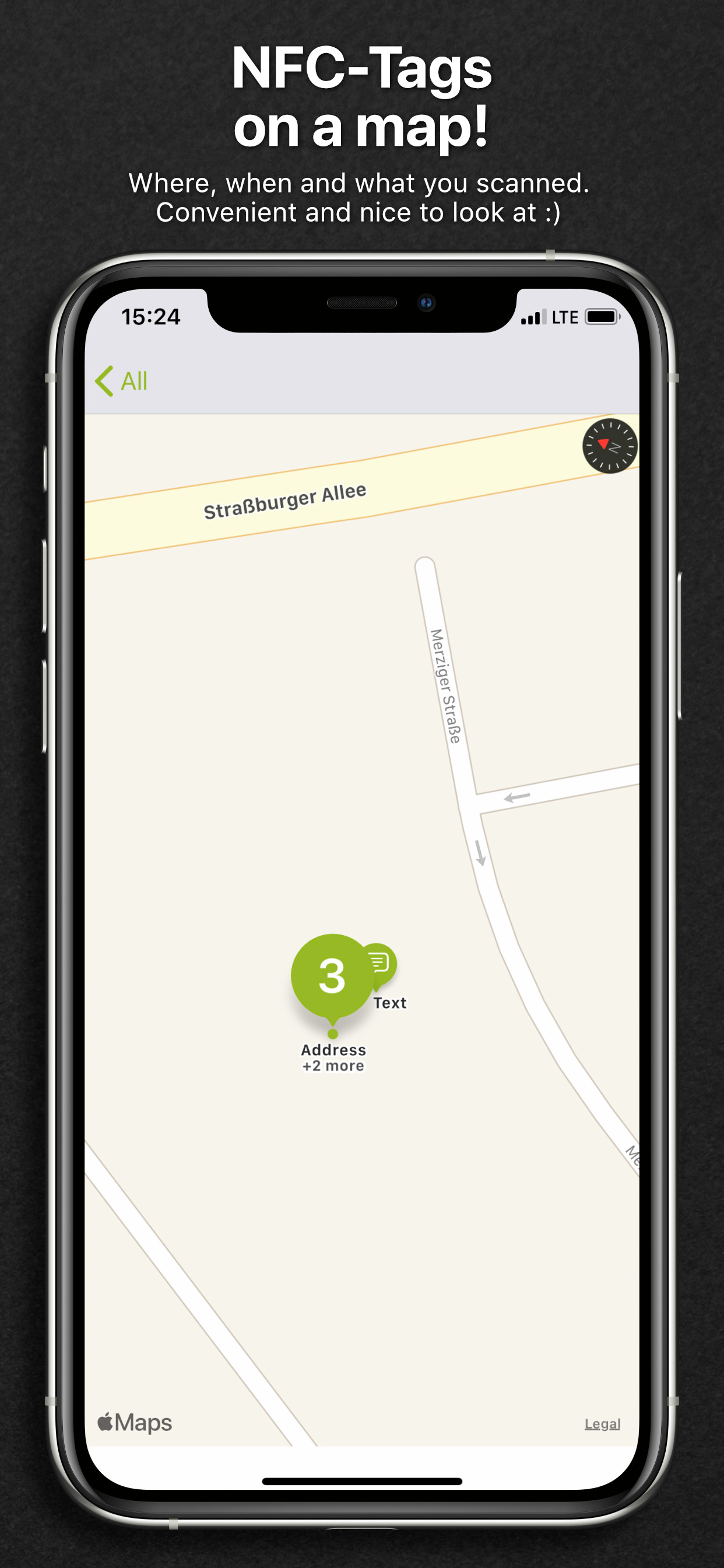
NFC21 tools greets you with a history view, which contains all NFC-Tags you have read or written. Additional filters enable you to narrow down the list to ‘Read’, ‘Written’, ‘Drafts’ or ‘Favorites’ only. Tap on an entry for more details like the serial number (uid), memory size, write lock as well as the stored content. Based on the latter, an available action is offered like opening a link in Safari or the import of v-cards into the Contacts app.
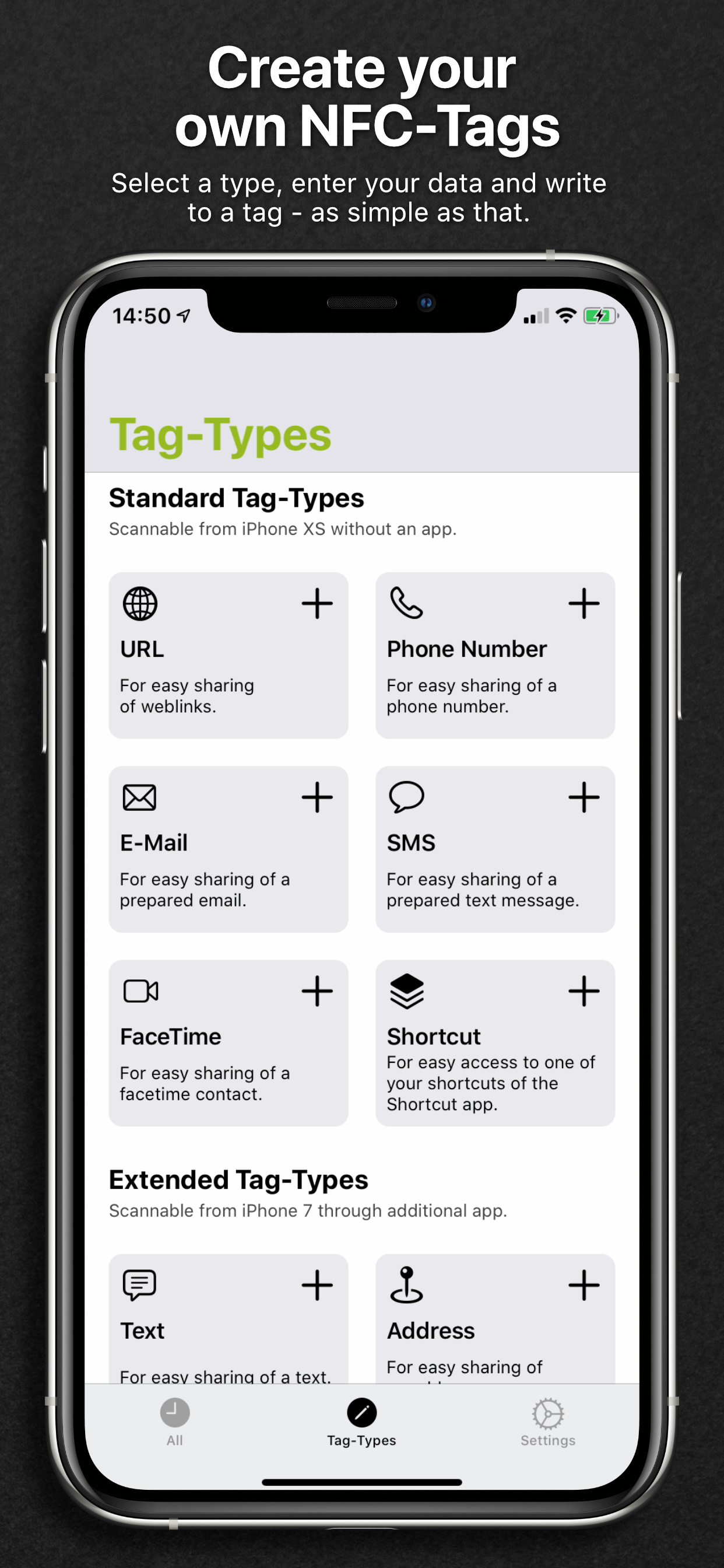
Creation of own NFC-tags starts with the selection of a type. We differentiate three different types. First, the standard-type creates NFC-tags which are readable by newer iPhones (iPhone XS, XR or newer) without an additional app. Second, extended types which offer more advanced scenarios like sharing of locations, contacts or WIFI-credentials. These types require a suitable app (like NFC21 Tools or NFC21 Reader) to read and process the stored content. Lastly, the expert type allows the definition of own datatypes, which require suitable / custom apps to use them.
In summary, NFC21 Tools support the following tag-types:
Standard (usable without an app with iPhone XS, XR or newer):
• URL: Share a link to a website with an NFC-tag. Long / complicated addresses are a problem of the past.
• Phone number: Share a number with NFC – always right and directly dialable.
• E-Mail: Prepare a message for a recipient, ready to send with a tap.
• SMS: Create a short message for a predefined number, an optional text and ready to send in an instant.
• FaceTime: Start a FaceTime conversation with a scan.
• Shortcut: Execute a shortcut from the apple shortcuts app with a simple scan.
Advanced (with App):
• Text: Hide a text within an NFC-tag, waiting to be read by a scanning fellow.
• Address: Prepare a location for maps to ease getting direction – complicated street names are not a problem anymore.
• Position: Locate an exact position (treasure)? Store longitude and longitude for use in the maps app.
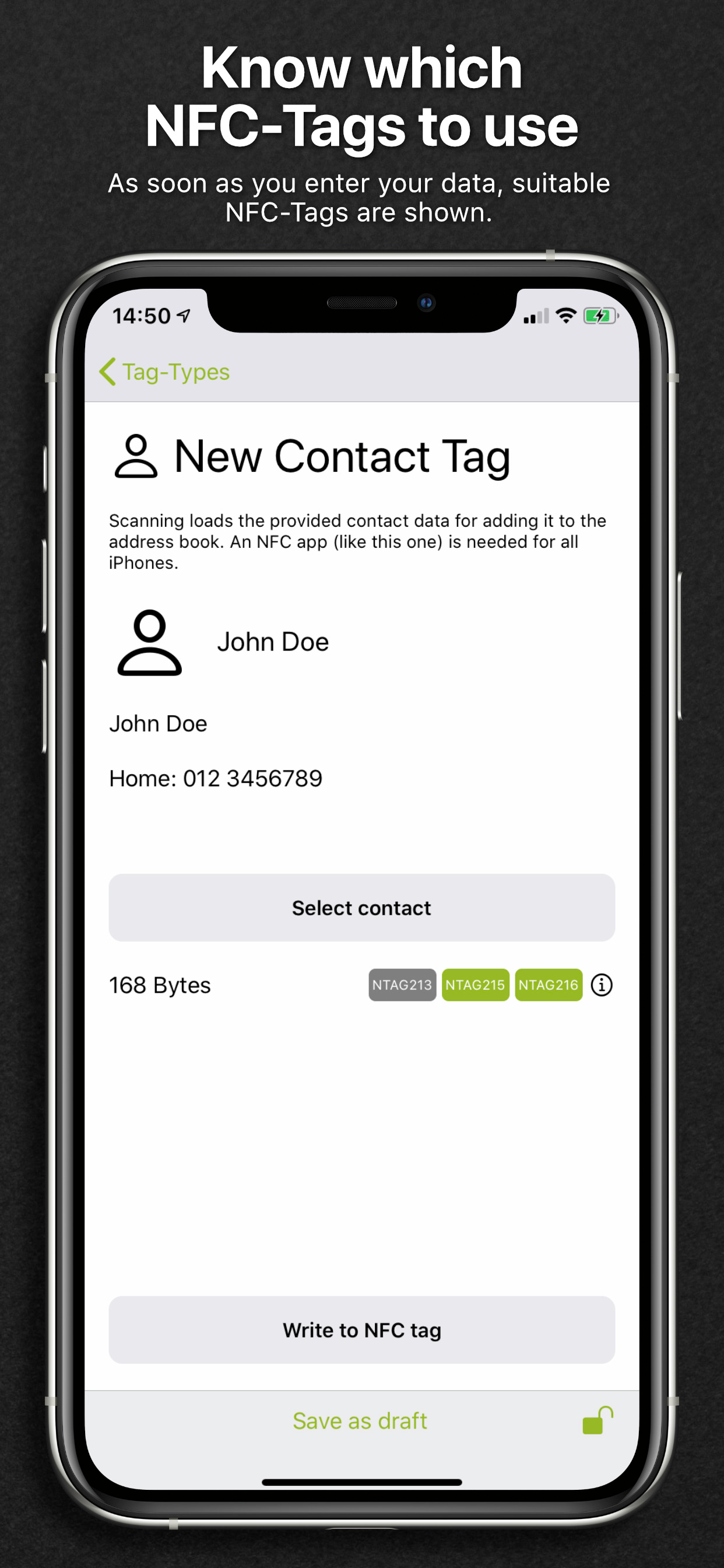
• Contact: Make your business card smart and let others scan your data like magic.
• WiFi: Share credentials and ease login with a tag scan.
Expert:
• Data: Allows to define custom data types (MIME-Type).
• Bluetooth: Share Bluetooth device IDs for easier coupling.
Recommended NFC-Tag types:
• NXP NTAG 203, 213, 215, 216
Support and NFC-Tags
The NFC21 Tools app is developed by the NFC21 GmbH. Do not hesitate to send feedback and feature requests to our support.
We recommend NFC-Tags based on the NXP NTAG-Series. In our online-shop we offer you a broad selection of NFC-products in various shapes and colors. Furthermore, we produce custom NFC-products based on your individual requirements.
Hide Show More...

Screenshots

NFC21 Tools FAQ

  • Is NFC21 Tools free?

    Yes, NFC21 Tools is completely free and it doesn't have any in-app purchases or subscriptions.

  • Is NFC21 Tools legit?

    🤔 The NFC21 Tools app's quality is mixed. Some users are satisfied, while others report issues. Consider reading individual reviews for more context.

    Thanks for the vote

  • How much does NFC21 Tools cost?

    NFC21 Tools is free.

  • What is NFC21 Tools revenue?

    To get estimated revenue of NFC21 Tools app and other AppStore insights you can sign up to AppTail Mobile Analytics Platform.

User Rating

4.79 out of 5

33 ratings in United States

5 star
29
4 star
3
3 star
0
2 star
0
1 star
1
Ratings History

NFC21 Tools Reviews

My first impression

i-Phone-4 on

United States

Nice presentation and user interface. Pleasantly clean, organized, no useless decorations and not over simplified. All is intuitive to new user except the write operation. It is hidden from view until we (1) invoke an icon “tag type” to open up a list of use cases. (2) Touch select a use case to open a box to and enter text to be written on tag. (3) invoke the button that has “Write to NFC tag” (4) position the tag around the phone. I find the most r/w responsive location is in front of iPhone by the camera and least where the wireless charging module is.

GREAT APP

Revox651 on

United States

This is a FREE APP which you can use for writing and reading nfc. It’s basically NFC Tools but FREE

Look No Further!

Boricuadude on

United States

Absolutely love this app. I too don't understand why it doesn't have more reviews but this is absolutely the best NFC app available today. Kudos to the development team.

Better than nfc tools

Tyson_07 on

United States

This app it basically the same as nfc tools except everything is FREE! You can read write copy and save all for free and its easy to use!

Type 4 unsupported?

fecal-matter on

United States

Data format NFC forum type 4 NFC card can’t be recognized at all with this app.

FREE writing. Great app

dps098 on

United States

This app is a great resource. I don’t know why it doesn’t have more reviews. Almost all apps charge for writing. This one also helps you to figure out which tags are appropriate for the use case and offers them for sale. Give it a try.

I usually don’t write review but this app is worth 5 star

brandon.kim on

United States

Usually free app don’t support write to NFC tag but this app does support write. Very convenient to write url, apple shortcut app, contact info etc

Everything else but

id33ps on

United States

Everything is great but it does not support US phone number.

Schon eine sehr gute App, aber ...

fniggemann on

Germany

Die App gefällt mir insgesamt schon sehr gut, vor allem, weil sie auch mit VoiceOver gut zugänglich ist. VoiceOver liest zwar die Taste "Entwürfe" auch als "Eingang" vor, was mich zuerst etwas irritiert hat, aber nach Auswahl dieser Taste lautet die Seitenüberschrift korrekt "Entwürfe". Mir fehlt aber im Moment noch die Funktion zum setzen eines Passworts. Dafür muss ich aktuell noch auf die NFC Tools von Wakdev ausweichen. Wäre wirklich super, wenn dass noch nachgerüstet werden könnte. Man möchte ja manchmal vielleicht den Inhalt vor unbefugtem Überschreiben schützen, ohne dafür gleich den Tag endgültig zu sperren. Wenn die App die Passwort-Funktion bekommen hat, kann ich auch den 5. Stern noch rausrücken 😀

IOs 18

DerTechnikTyp on

Germany

Leider nach IOs 18 nicht mehr Lesbar der Tag.

Store Rankings

Ranking History
App Ranking History not available yet
Category Rankings
App is not ranked yet

Keywords

NFC21 Tools Competitors

NFC21 Tools Installs

Last 30 days

NFC21 Tools Revenue

Last 30 days

NFC21 Tools Revenue and Downloads

Gain valuable insights into NFC21 Tools performance with our analytics.
Sign up now to access downloads, revenue, and more.

App Info

This page includes copyrighted content from third parties, shared solely for commentary and research in accordance with fair use under applicable copyright laws. All trademarks, including product, service, and company names or logos, remain the property of their respective owners. Their use here falls under nominative fair use as outlined by trademark laws and does not suggest any affiliation with or endorsement by the trademark holders.