Apple App Store Onefunc Plan icon

Onefunc Plan

Know oneself

Published by: Masaru Kondo

Description

Onefunc Plan is an app that makes schedule and task management easier and more efficient with AI support.
Its simple design and intuitive interface help you manage your life smarter.
Free Basic Features
No email registration is required—you can start using it right away.
[Key Features]
- Quick Entry
Capture your ideas and plans in under 10 seconds.
Minimal steps keep your workflow fast and smooth.
- AI Assistance
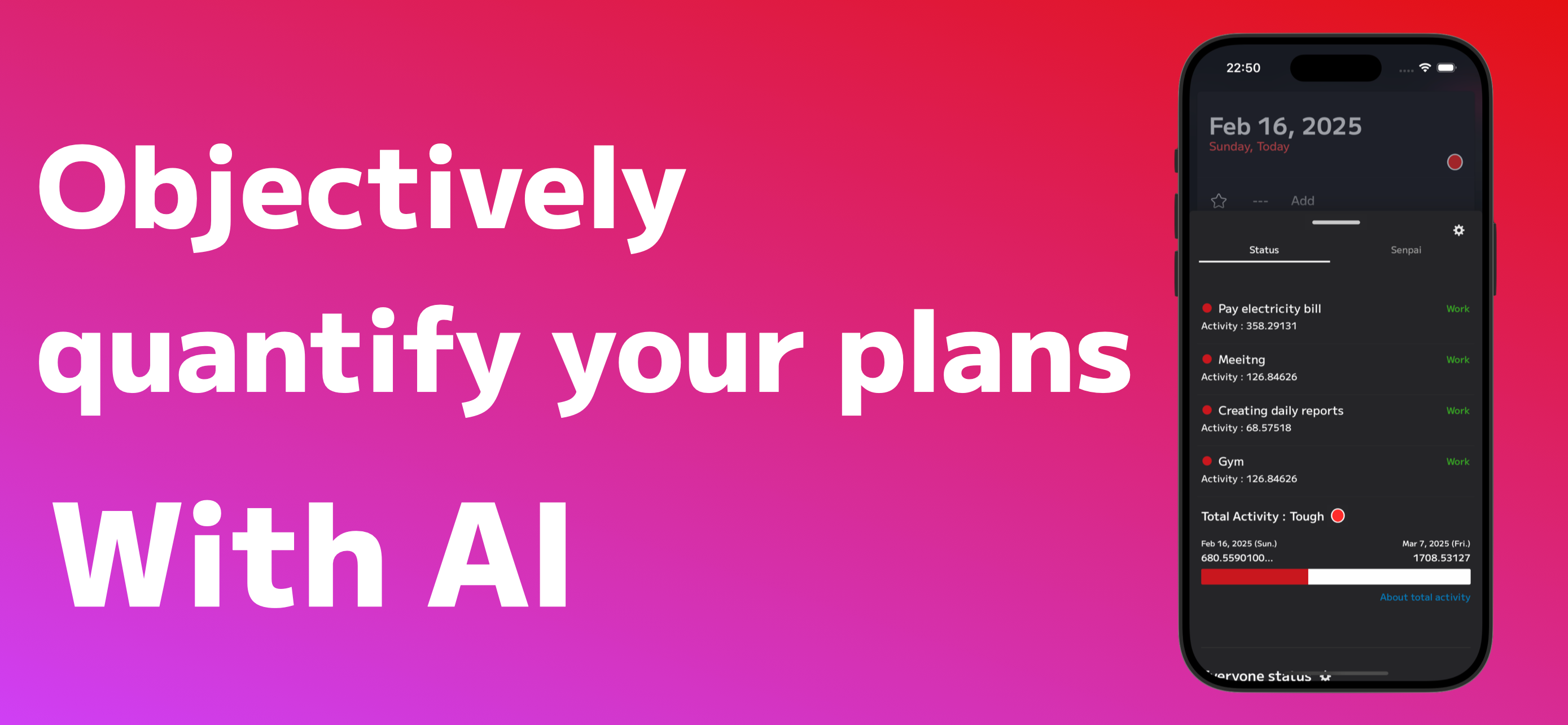
AI learns your schedule to objectively evaluate your busyness and help you manage tasks more efficiently.
All learning data is processed locally on your device.
- Share Your Plans
Share schedules with family, friends, or colleagues, and collaborate via comments and chat.
You can also use it just for yourself—sharing is optional.
- Save Unscheduled Tasks
Keep track of tasks you plan to do “someday” in a simple list, like a to-do.
You can easily add them to your schedule later.
- Use on Your Computer Too
Available on macOS, Windows, and the Web.
Data syncs automatically so you can access it on any device.

[Notes on Permissions]
This app temporarily uses location to provide weather information. Location is not required; by default, the app determines your general area from your IP address.
The app can add birthdays from your contacts to your schedule. This is optional. Only birthday data is used; no email addresses or other contact information is accessed.

Paid Features==============================
The app offers two types of subscription plans that provide additional convenience and functionality.
[Pro Plan]
1, Full-text search of past schedules
2, Unlimited unscheduled task notes and favorite schedules
3, Ability to rearrange the main menu
4, Remove limits on automatic color assignment for schedules
5, Unlimited shared spaces (previously limited to 2)
6, Increase monthly memo character limit to 6,000
7, Ability to copy Masterpiece data
8, Edit schedule menus
Pro Plan is an auto-renewing subscription.
[Premium Plan]
1, Access all Pro Plan features
2, Increase member limit for schedule coordination from 3 to 33
3, Increase maximum members in shared spaces from 4 to 33
4, Increase maximum follows in shared spaces from 2 to 20
5, Up to 20 users can be displayed simultaneously in status
6, Attach up to 3 images to Masterpiece tasks (previously 1)
Premium Plan is an auto-renewing subscription.

[Subscription Information]
Paid plans are auto-renewing subscriptions (monthly or yearly).
Payment will be charged to your iTunes account.
You can manage auto-renewal in your iTunes account settings and turn it off after purchase.
Subscriptions automatically renew unless auto-renew is turned off at least 24 hours before the end of the current period.
Your account will be charged for renewal within 24 hours prior to the end of the current period.
According to the iTunes Store’s In-App Subscription Terms and Onefunc’s Terms of Service, paid subscriptions are non-refundable, except where required by law.
If you purchase a subscription during a free trial, any unused portion of the free trial will be forfeited.

Privacy Policy: https://onefunc.com/privacypolicy/
Terms of Service: https://onefunc.com/termsofservice/
Hide Show More...

In-Apps

Pro (1 year)
249.00 r
Pro (1 month)
29.00 r
OnetimePremium
9.00 r
Premium (1 year)
999.00 r
Premium (1 month)
99.00 r
Premium (3 months)
119.00 r
Premium (6 months)
225.00 r
Onefunc Plan Advance
129.00 r
Premium (1 year) + α
399.00 r
3 mons. & special free trial
69.00 r

Screenshots

Onefunc Plan FAQ

  • Is Onefunc Plan free?

    Yes, Onefunc Plan is free to download, however it contains in-app purchases or subscription offerings.

  • Is Onefunc Plan legit?

    🤔 The Onefunc Plan app seems decent. It has room for improvement but generally satisfies users.

    Thanks for the vote

  • How much does Onefunc Plan cost?

    Onefunc Plan has several in-app purchases/subscriptions, the average in-app price is 232.60 r.

  • What is Onefunc Plan revenue?

    To get estimated revenue of Onefunc Plan app and other AppStore insights you can sign up to AppTail Mobile Analytics Platform.

Denmark
User Rating
App is not rated in Denmark yet.
Ratings History

Onefunc Plan Reviews

アプリが開かないです!

黒沼爽子 on

Japan

iOSバージョン18 1 1のiPhone14が急に使えなくなりました。 iPhone7 iOSバージョン15 8 3では問題なく利用できます。

予定が複製されます。

たか1485 on

Japan

googleカレンダーで入力した予定が、別の日に複製されます。 何か設定がありますか? デザインなどは大変気に入っているので、 なんとかなりませんか。 ------------------------------------- 追記 バージョン2.65のアップデートで、前述した症状は改善されているようです。ありがとうございました。 これからも、良いアプリを作ってください。

同期条件の説明がなく、予定が消滅した。

London ttt on

Japan

Googleカレンダーを多用しているものです。 本アプリで、iOSカレンダーを通してGoogleカレンダーを同期したところ、予定に対して以下の事象が発生しました。 ・繰り返し予定が削除され、同じ内容の単発の予定が生成された。なお3週間は削除され生成、それ以降から3ヶ月は削除されずに生成されたので重複。 ・Googleカレンダー上で行なっていた色分けがリセットされた。 ・空き時間を読み取って予定調整していたプログラムがリセットされ将来のすべての予定がキャンセルされた。 ハッキングされた気分です。。。 コンセプトはとても良いアプリだと思いますので、カレンダー同期時のリスク説明が欲しかったです。 またどうやっても基本設定画面に辿り着けなかったのも不安が煽られた点です。

予定の入力について

@bababa on

Japan

突然予定の入力ができなくなって 1週間が立ちました。 流石に不便すぎるので改善して欲しいです、、 よろしくお願いいたします。

不具合

棚浅間らたさアサナや浜崎あゆみ on

Japan

3年使ってますお世話になっております。 開いてもカレンダーに移動できない不具合でずっとアプリが開けない状況です。対応お願いします。

4日前のバージョンアップ

さん丸キー on

Japan

アプリを開くとエラーを検知しました と、出ます。 いつも使い勝手良く利用させて頂いてます。 早急に使えるようにしていただきたいです。 どうかお願いします。 追記 一度アンインストールしたら直近3年分のデータがなくなってしまいました。何か復元方法はありますか?

アドバンスを購入

c amg on

Japan

アドバンスを購入したのに機能が使えないのは何故?

アラームアプリではない

x苺飴x on

Japan

通知音は変えられないのか? もっと大きい音で鳴らせるようにしたい。 アラーム 習慣 で検索して出てきたけれど、私が求めてるアプリではなかった。

アイコン

tgatt5288'lmwwt884558 on

Japan

数年愛用しておりますがこれ以上のスケジュールアプリはありません。ただ、アップデートをしたところアイコンがキラキラしてしまいました。アプリをインストールする時はアイコンのデザインが最重要なので正直衝撃を受けています。 元に戻す方法もしくはアイコンを変更することは出来るのでしょうか。よろしくお願いいたします。

アプリが落ちる・通知が来ない

Ashley.K11 on

Japan

予定を入れているとホーム画面に戻ってアプリが落ちます。また通知設定していても通知がきません。対処法を教えて頂きたいです。 iPhoneのバージョンはiOS13.5.1です。

Store Rankings

Ranking History
App Ranking History not available yet
Category Rankings
App is not ranked yet

Onefunc Plan Competitors

Onefunc Plan Installs

Last 30 days

Onefunc Plan Revenue

Last 30 days

Onefunc Plan Revenue and Downloads

Gain valuable insights into Onefunc Plan performance with our analytics.
Sign up now to access downloads, revenue, and more.
This page includes copyrighted content from third parties, shared solely for commentary and research in accordance with fair use under applicable copyright laws. All trademarks, including product, service, and company names or logos, remain the property of their respective owners. Their use here falls under nominative fair use as outlined by trademark laws and does not suggest any affiliation with or endorsement by the trademark holders.