Panasonic Image App

Published by: Panasonic Holdings

Description

“Panasonic Image App” is een programma waarmee u via uw smartphone de opname- en afspeelfuncties van een met Wi-Fi compatibele digitale camera/digitale videocamera op afstand kunt bedienen en beelden kunt uploaden naar SNS-sites (Social Networking Service).
Dit programma beschikt over de volgende hoofdfuncties.
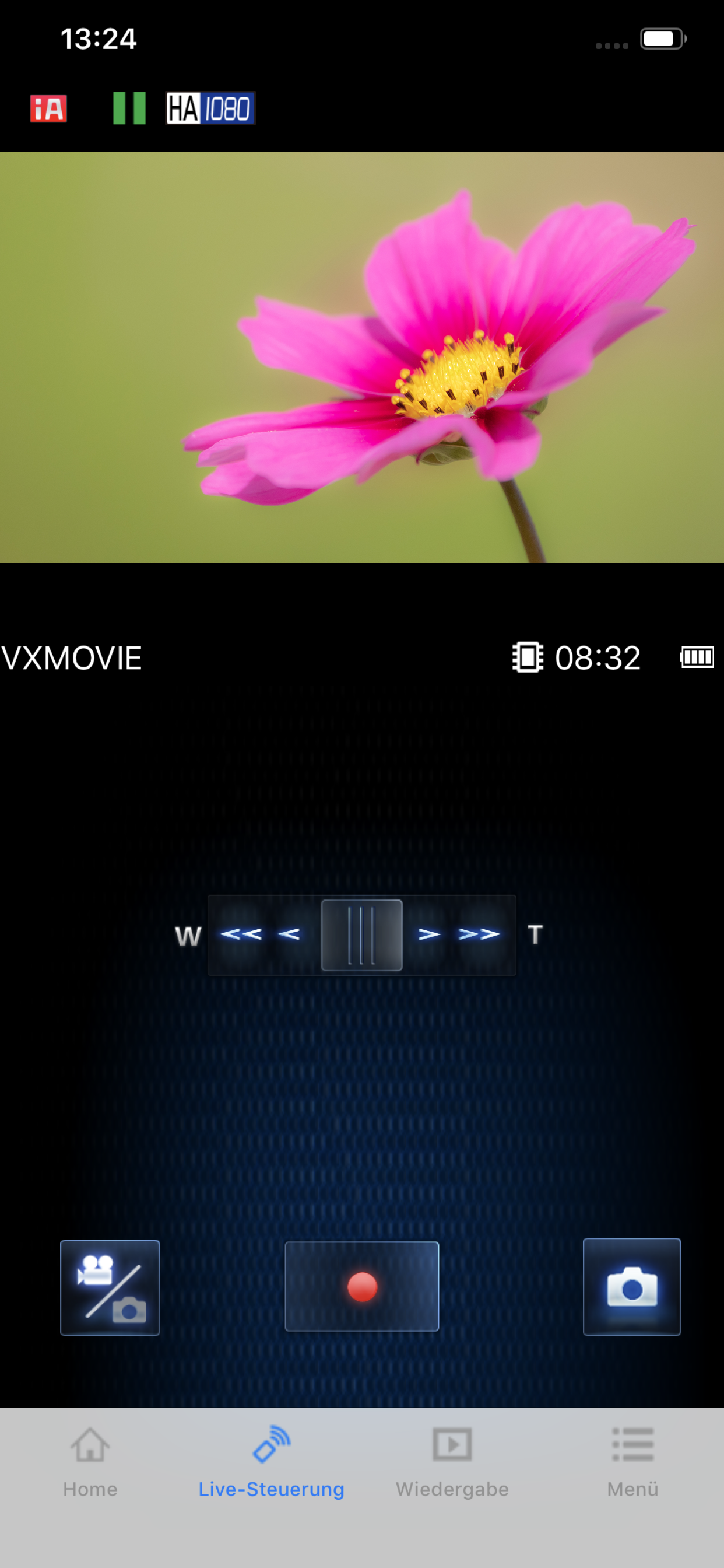
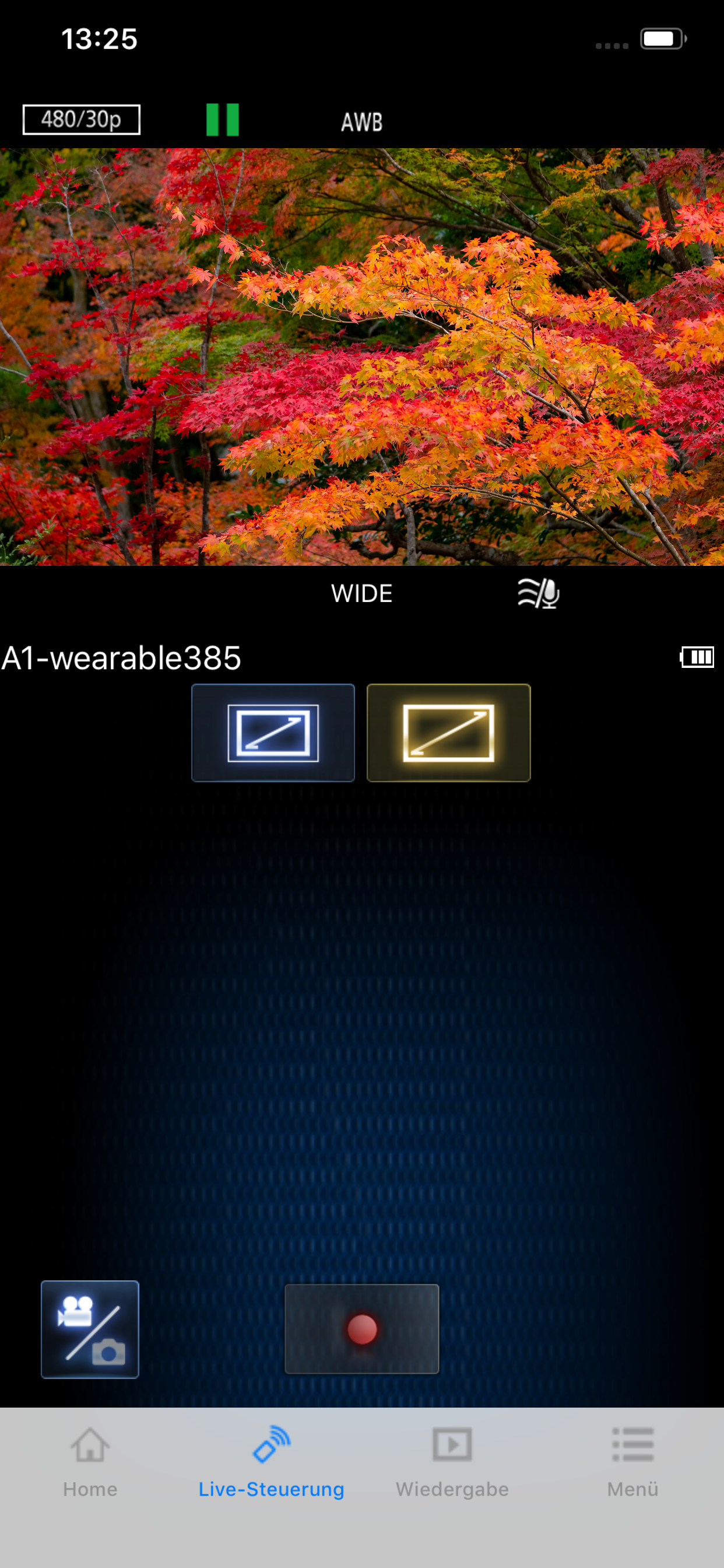
・U kunt hetzelfde beeld als op het Live View-scherm van uw digitale camera/digitale videocamera op uw smartphone bekijken, en opnemen en andere camerabewerkingen bedienen zoals met een draadloze afstandsbediening. (*1)
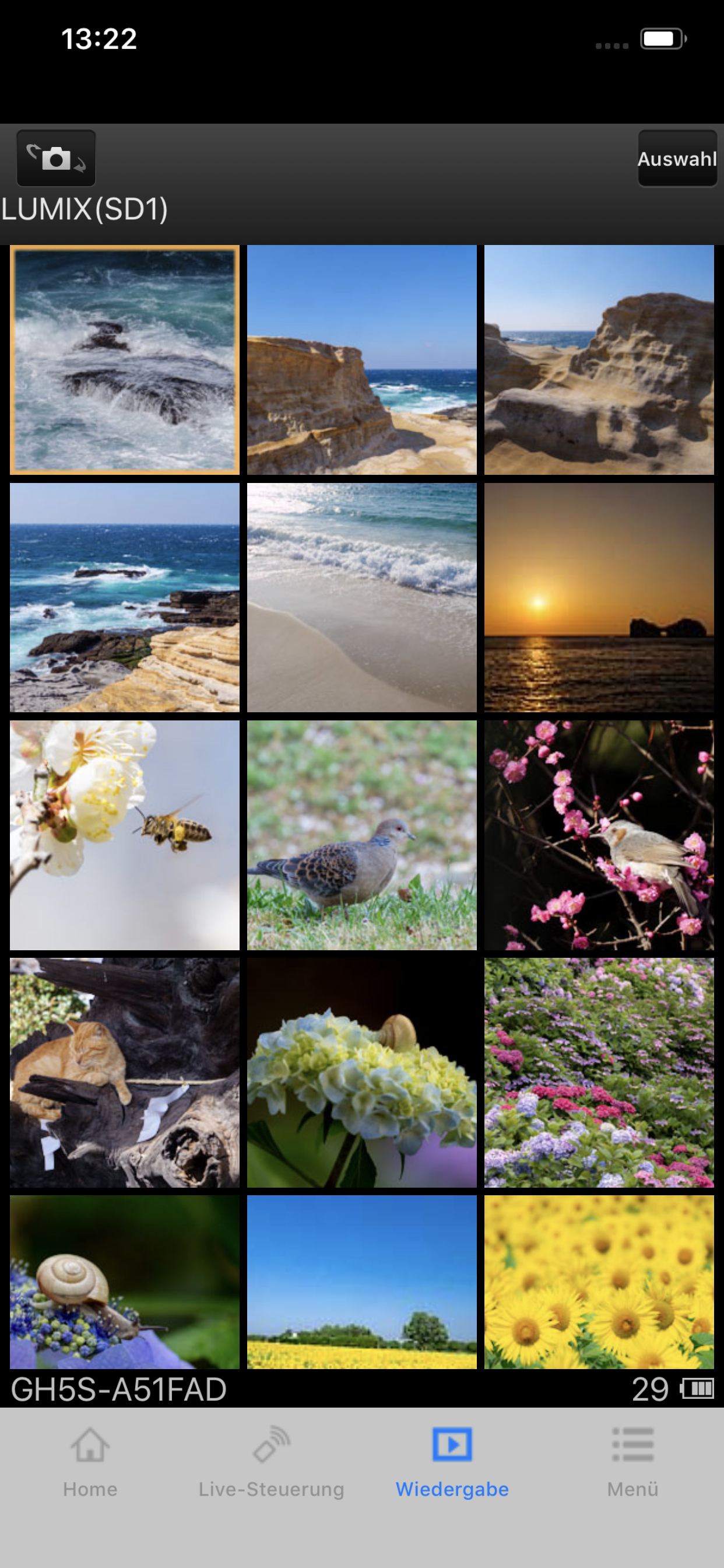
・Sie können die mit Ihrer Digitalkamera/Digital-Videokamera aufgenommene Standbilder und Videos an Ihrem Smartphone wiedergeben. (*2) (*3) U kunt ze ook naar uw smartphone kopiëren en naar SNS-sites uploaden. (*3)
Extra functies voor digitale camera’s
・Met deze app kunt u een doorlopende verbinding implementeren met een digitale camera die een Bluetooth-functie heeft, Wi-Fi-verbindingen tot stand brengen en bediening op afstand uitvoeren, allen met uw smartphone. Hiermee kunt u ook locatiegegevens toepassen op opgenomen beelden en beelden gemakkelijk automatisch overdragen.(*4)
・U kunt instellingen verrichten om foto’s die met uw digitale camera zijn opgenomen, automatisch naar uw smartphone over te brengen.
・U kunt locatiegegevens die met uw smartphone zijn opgehaald, toevoegen aan foto’s die met uw digitale camera zijn opgenomen.
(*1) Op de DMC-SZ8/SZ9/SZ10/TZ55/TZ56/TZ57/TZ58/ZS35/ZS45 is het niet mogelijk video’s op afstand vanaf een smartphone op te nemen.
(*2) Op de DMC-FT5/GF6/LF1/SZ8/SZ9/SZ10/TS5/TZ37/TZ40/TZ41/TZ55/TZ56/TZ57/TZ58/ZS27/ZS30/ZS35/ZS45 is het alleen mogelijk om foto’s af te spelen.
(*3) Niet ondersteund op HC-X1000.
(*4) Deze functie kan alleen worden gebruikt met apparaten die Bluetooth 4.0 of hoger ondersteunen (Bluetooth lage energietechnologie).
[Compatibele besturingssystemen]
  iOS 15 – 18
[Opmerkingen]
・Bluetooth-functie kan alleen worden gebruikt met smartphones die zijn uitgerust met Bluetooth 4.0 en hoger (Bluetooth lage energietechnologie).
・Wanneer u de informatie-opnamefunctie gebruikt, kunnen geen zeer nauwkeurige locatiegegevens worden opgehaald met de iPod touch of de Wi-Fi-versie van de iPad die niet uitgerust is met een GPS-sensor.
・Wanneer u een iPhone of iPad gebruikt die met een GPS-sensor uitgerust is, dient u er rekening mee te houden dat het batterijvermogen ernstig kan teruglopen wanneer u de GPS-functie blijft gebruiken.
・Voor het gebruik van de SNS-uploadfuncties of de Cloud-synchr. service moet u eerst een servicegebruikers-id aanvragen voor de LUMIX CLUB van Panasonic (gratis).
・Het voortdurend gebruik van de GPS/Bluetooth in de achtergrond kan je batterijduur drastisch verlagen.
・De functie om beelden naar een AV-toestel over te zetten is niet langer beschikbaar. (Versie 1.10.7 en later)
・Die Funktion zum Löschen von Bildern kann nicht mehr verwendet werden. (Version 1.10.15 und höher)
・Die Funktion "Überwa-Fkt." kann nicht mehr verwendet werden.(Version 1.10.19 und höher)
・Die Funktion "Babymonitor" kann nicht mehr verwendet werden.(Version 1.10.19 und höher)
Hide Show More...

Screenshots

Panasonic Image App FAQ

  • Is Panasonic Image App free?

    Yes, Panasonic Image App is completely free and it doesn't have any in-app purchases or subscriptions.

  • Is Panasonic Image App legit?

    ⚠️ The Panasonic Image App app has poor ratings and negative feedback. Users seem unsatisfied with its performance or features.

    Thanks for the vote

  • How much does Panasonic Image App cost?

    Panasonic Image App is free.

  • What is Panasonic Image App revenue?

    To get estimated revenue of Panasonic Image App app and other AppStore insights you can sign up to AppTail Mobile Analytics Platform.

User Rating

4.08 out of 5

183 ratings in Austria

5 star
122
4 star
19
3 star
7
2 star
5
1 star
30
Ratings History

Panasonic Image App Reviews

No longer works

RandalJankens on

United States

Used to be a good app but is no longer supported.

Don’t buy anything from Panasonic

Apple sauce12345678900000 on

United States

App broken. Never fixed. Can’t transfer picture from gx9 to iphone so I can easily share. Might as well throw camera out. I wouldn’t expect them to fix lumix lab once they sell enough cameras

Doesn’t work with LX100ll. Panasonic has the worst software developers and testers.

Ultra HD subscriber on

United States

This app was a torture from the start. It took multiple attempts to connect the phone and download images. But several years ago it stopped connecting no matter what. The only reason I bought this camera because was the perceived ability to take excellent pictures (this part works) and quickly download them on the phone (doesn’t work anymore) and share to social networking. Now I’m stuck with the expensive camera and a broken workflow. Shame on you, Panasonic.

Please update to work with ios17

don.hi on

United States

Doesn’t work anymore. Really disappointed.

App

Extreme Hurricane on

United States

This app need update

Too difficult to connect to iPad or iPhone

Taraly1 on

United States

Should be much easier to download photos to iPad , should be automatic without passwords etc especially when traveling . Starting to regret buying the camera and not just using my iPhone .

junk

sch4708 on

United States

i still cry trying to transfer photos with this app its not worth the hassel

Still doesn’t work. So no remote function.

RobinRider on

United States

Second update: Panasonic seems to have totally abandoned this of us with older cameras. The same failure to connect still happens. I’ve given up transferring photos-the Apple card reader does that in an instant. But I would like a remote! Nope. Still no connection-despite an alleged update from two months ago that “fixed problems.” I love my camera but I’d have to think again before buying another. But I’m getting the clear impression I as an amateur dont matter at all. Whats new!?! Update: I mostly used the app to transfer photos to my phone. I bought a card attachment from Apple to enable me to import from the SD card to the phone. I’m able to download almost instantaneously. So I’m glad for all the problems-the card gizmo saved me a ton of time on my vacation! I got a new iPhone 14 pro. Now when I try to connect the camera (DC-ZS70) to the phone, the phone looks like the Wi-Fi is connected and then says in red “no internet connection. ” the Image app won’t give me control or transfer picture options and the camera says I am connected!!! Weird thing-my old iPad works ok-it goes to no internet connection but then the image app connects! Weird! And a big hassle. I don’t want to travel with my iPad. Update: I contacted Apple support. They escalated my issue to Engineering. Engineering investigated and said that it is an issue with the app. I emailed Panasonic support earlier this week. Despite an email saying I’d hear back in 2 days, I have heard nothing. I have 2 LUMIX cameras connecting this way. Neither works on the 14 Pro-both work on the iPad . PLEASE FIX THIS ISSUE!!!!!!

Can’t connect to iPhone anymore

Disgruntledxyz on

United States

Up until the most recent iPhone software update I had no issue connecting through the camera wifi and using the app to transfer photos to my phone. Now when I try to connect, I’ll get a “no connection” on the wifi signal and as a result the app won’t connect. Disappointed that they can’t update the app to be compatible with the latest iOS. This now limits my ability to do remote shooting or long exposure shooting effectively.

Worthless app

Cbltr5 on

United States

Does not connect iphone with LX100II. Worthless

Store Rankings

Ranking History
Category Rankings
Chart
Category
Rank
Top Free
166
Top Free
195
Top Free
223
Top Free
227
Top Free
245

Keywords

Panasonic Image App Competitors

Panasonic Image App Installs

Last 30 days

Panasonic Image App Revenue

Last 30 days

Panasonic Image App Revenue and Downloads

Gain valuable insights into Panasonic Image App performance with our analytics.
Sign up now to access downloads, revenue, and more.
This page includes copyrighted content from third parties, shared solely for commentary and research in accordance with fair use under applicable copyright laws. All trademarks, including product, service, and company names or logos, remain the property of their respective owners. Their use here falls under nominative fair use as outlined by trademark laws and does not suggest any affiliation with or endorsement by the trademark holders.