PDF Export - PDF Editor & Scan

Tools, Merge & Compress PDFs

Description

Meet PDF Export, your all-in-one PDF app for creating, editing, converting, and organizing PDF files right on your iPhone or iPad. Whether you’re a student, professional, or entrepreneur, PDF Export offers every tool you need for working with PDF—no internet required and just a one-time payment for lifetime use.

All-in-One PDF App
Creation & Conversion
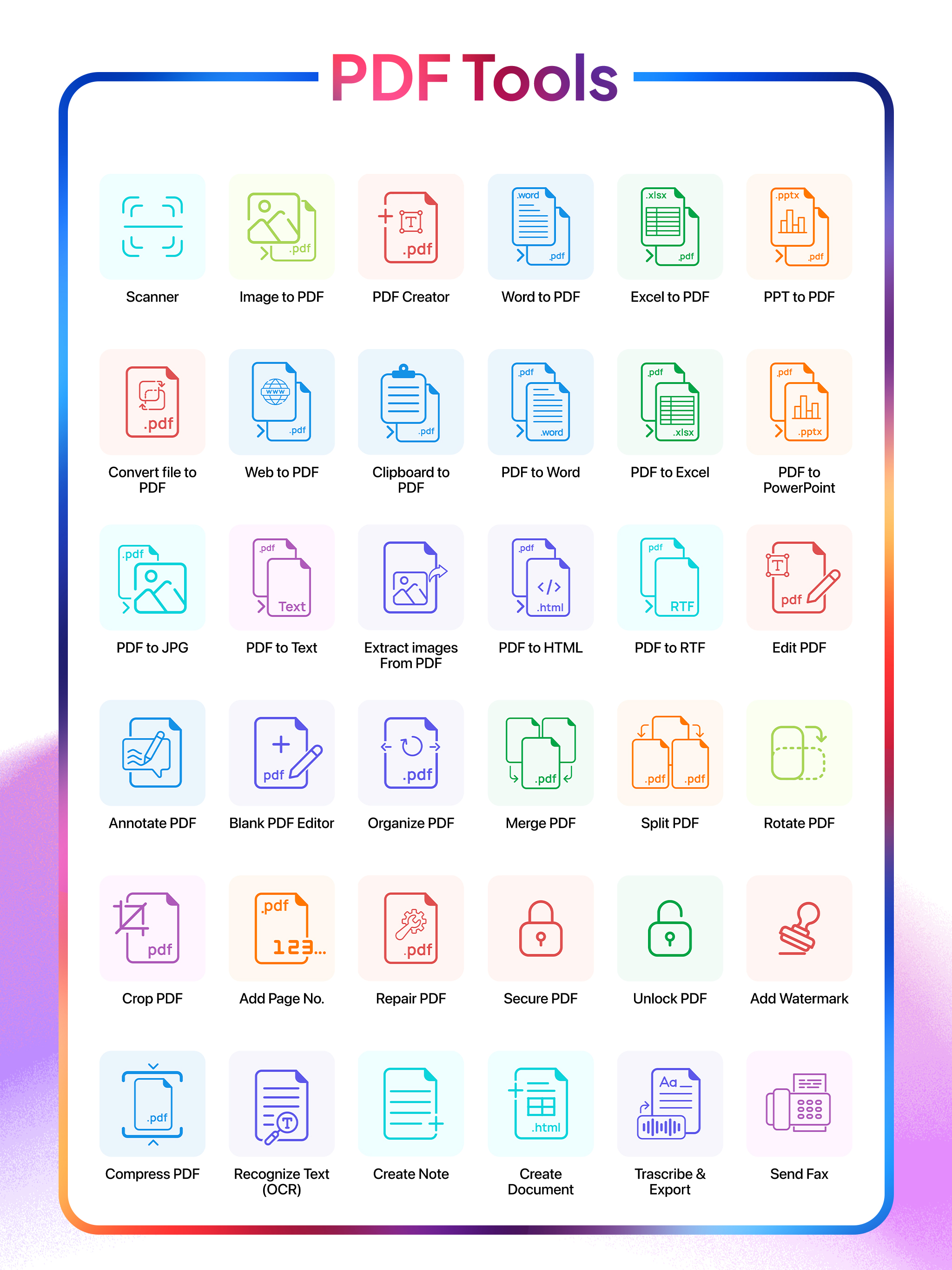
- Convert to PDF: Turn Word, Excel, PowerPoint, HTML, Text, or JPG files into high-quality PDF documents.
- Convert PDF to Word/Excel/PPT: Transform your PDF files into editable Microsoft Office formats.
- Web to PDF: Convert web pages into high-quality PDF documents with ease.
- PDF to Text/RTF: Extract text or rich text formats from your PDF files for easy editing.
Editing & Annotation
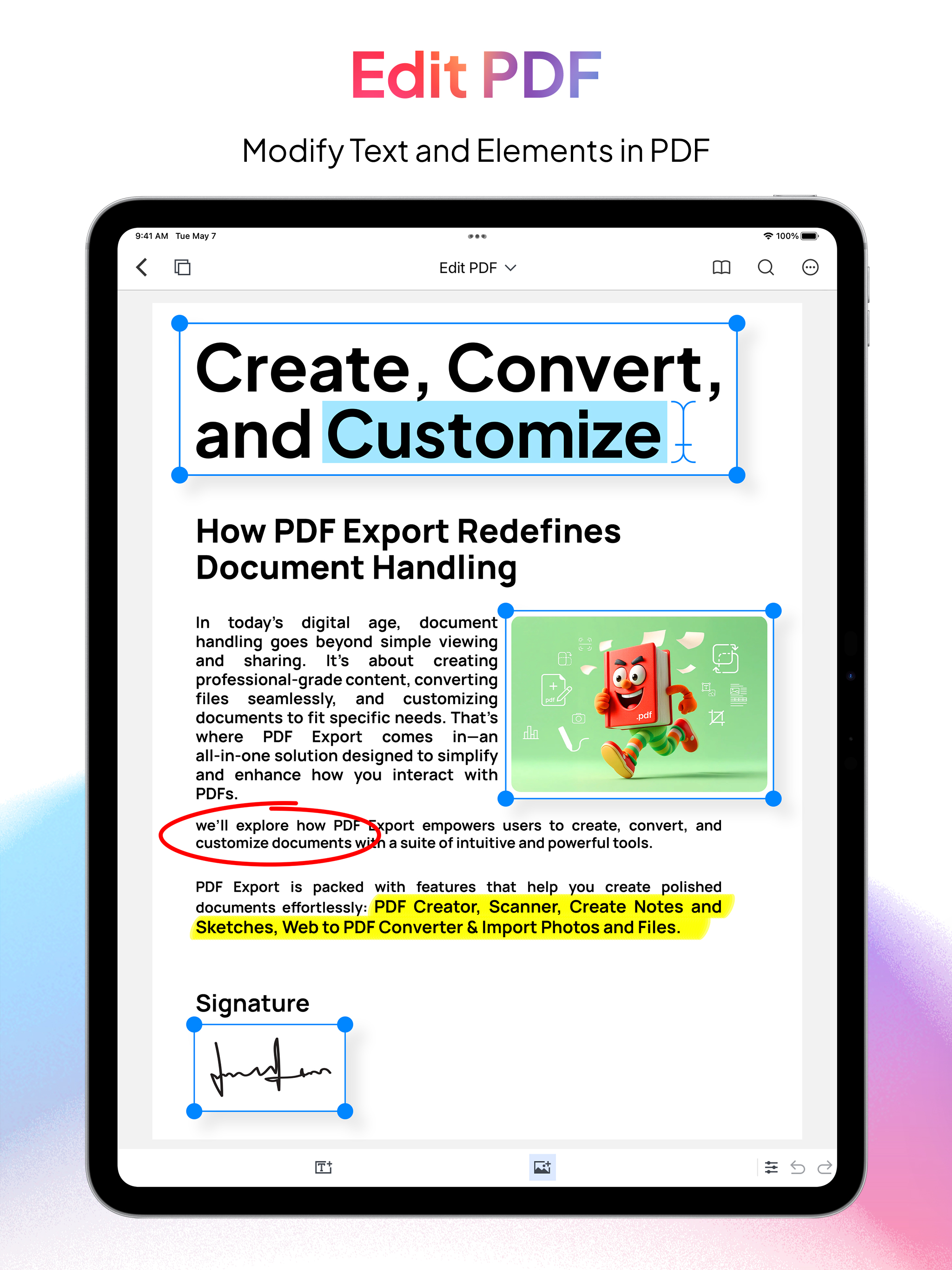
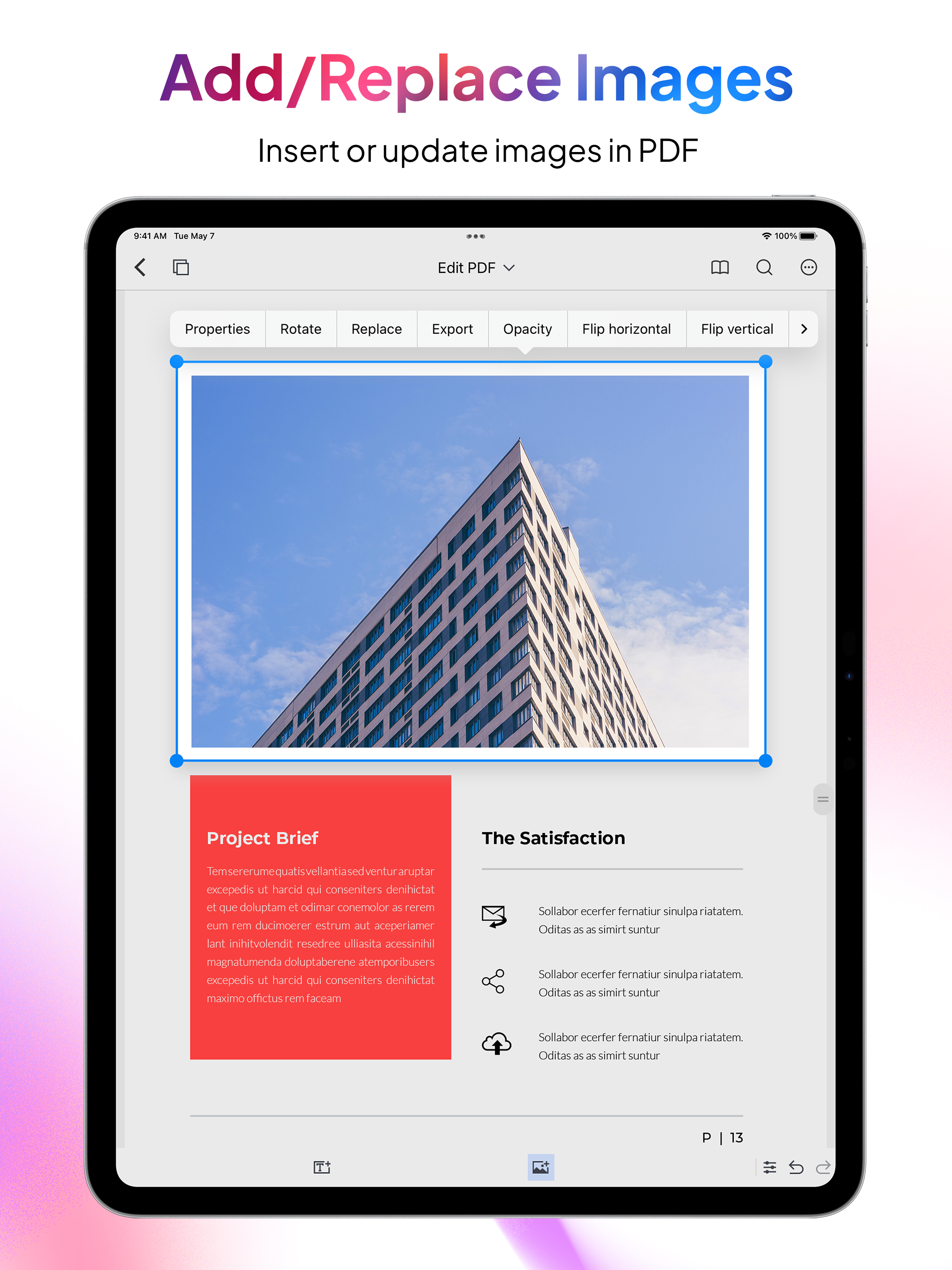
- Edit PDF: Modify text and images directly in your PDF document
Extract Images: Easily extract embedded images from your PDFs.
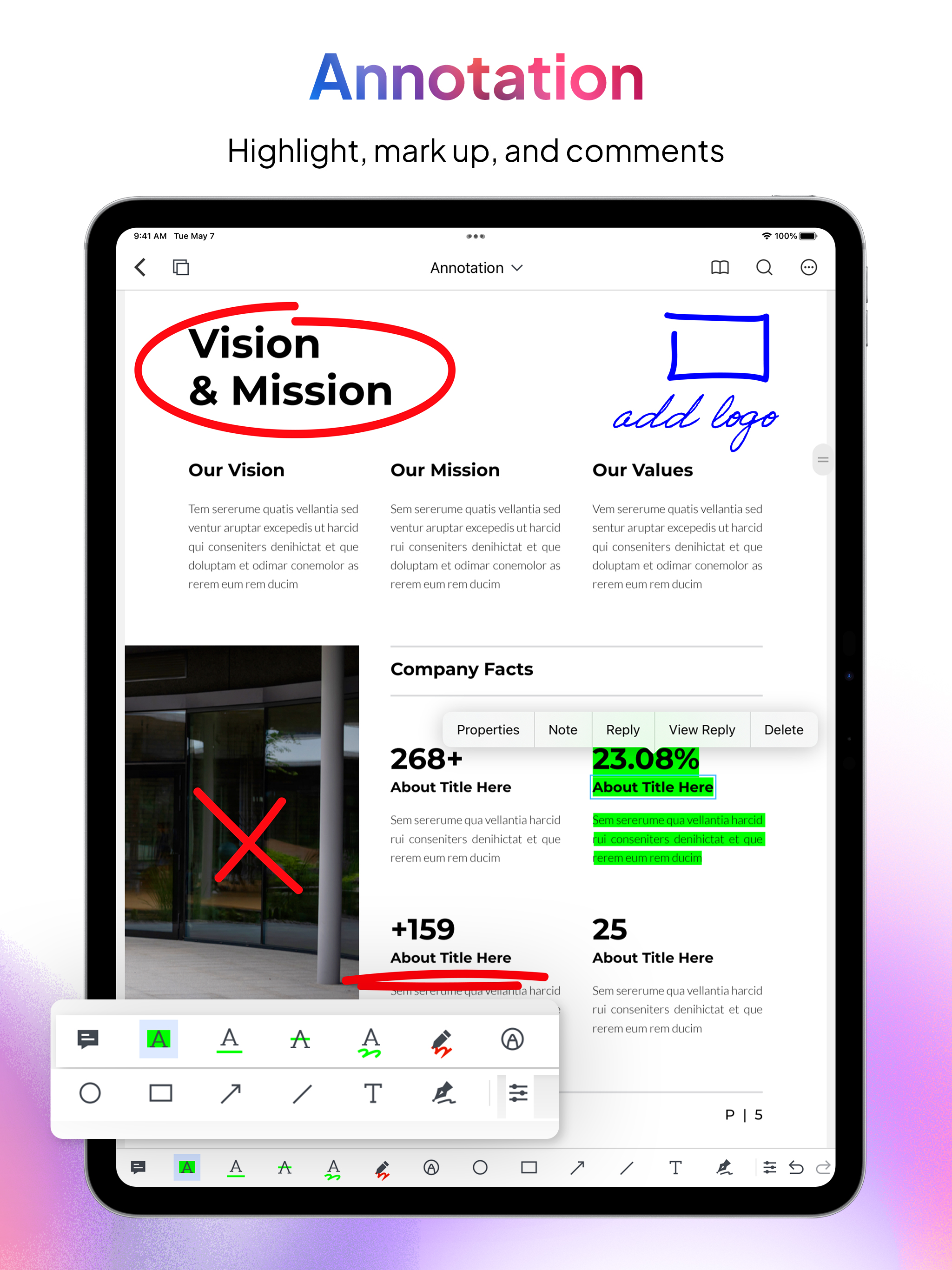
- Annotate & Sign: Highlight text, add comments, draw, or sign documents directly on your device.
Organization & Management
- Merge & Split: Combine multiple PDFs into one file or split large PDF documents into smaller chunks.
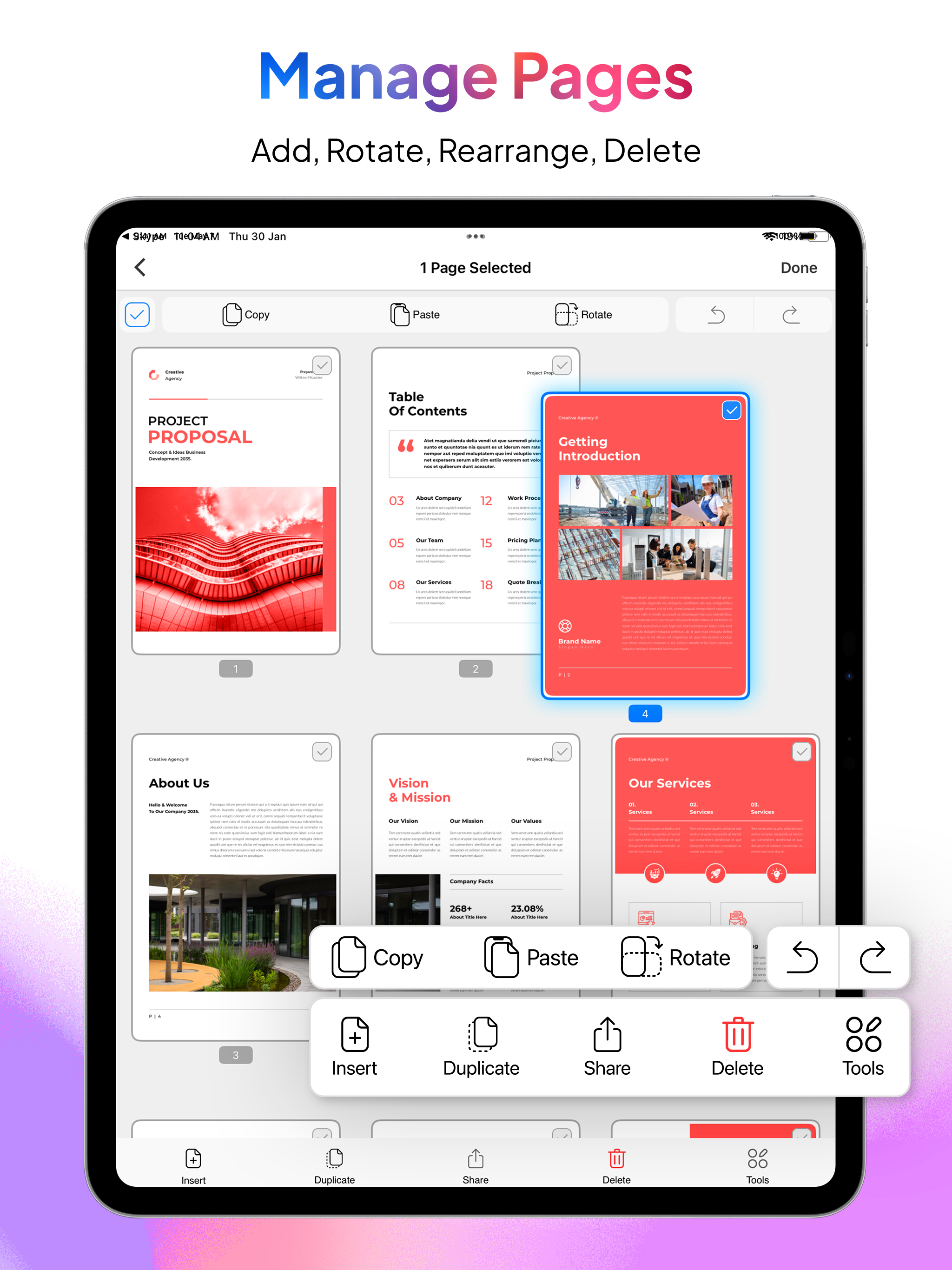
- Organize PDF: Rearrange pages, insert new ones (from PDFs or images), copy/paste, duplicate, and delete unwanted pages.
- Add Page Numbers: Add customize page numbers on your PDF files for a polished, professional finish.
Productivity Enhancements (Pro Features)
- Clipboard to PDF: Instantly convert copied content into a professionally formatted PDF.
- Snip & Export: Select any area on a PDF and instantly share it as a high-quality PDF or JPG.
Security & Compression
- Add Watermark: Secure documents with custom text and image watermarks.
- Compress PDF: Reduce PDF file size without sacrificing quality.
- Lock & Unlock PDF: Add or remove password protection to your PDF files.
Fax & Sharing
- Send FAX: Fax your PDFs directly from the app.
Maintenance & Repair
- Repair PDF: Fix corrupted or damaged PDF files to restore readability and functionality.
Transcribe & Export
- Transcribe & Export: Convert audio to text offline and export it as PDF or plain text. Multiple language support ensures a smooth transcription experience.
Scan & OCR
- Portable Scanner: Use your camera to scan multiple documents with auto or manual scan mode and instantly save them as PDF.
- OCR (Text Recognition): Extract editable text from multiple images or convert handwritten text into editable text—perfect for digitizing paper documents.
Why PDF Export?
- Offline Functionality: Stay productive anywhere—core features work without an internet connection.
- One-Time Payment: Upgrade to Pro once and enjoy premium features for life—no subscriptions or hidden fees.
- User-Friendly Design: A simple, intuitive interface makes advanced PDF tasks easy for everyone.
- Fast & Reliable: Quick conversions and instant editing—no waiting for slow online tools.
Get Started Today
- Experience the power of a complete PDF app at your fingertips on your iPhone or iPad. Whether you’re scanning receipts, signing contracts, editing PDFs, organizing PDFs, or collaborating on projects, PDF Export puts every essential PDF tool in one convenient app. Download now and transform the way you handle PDFs!
Hide Show More...

In-Apps

1 Fax Credit
$0.99
5 Fax Credit
$3.99
10 Fax Credit
$5.99
20 Fax Credit
$9.99
50 Fax Credit
$19.99
PDF Export Pro
$3.99
Convert 5 Documents Online
$0.99
Convert 30 Documents Online
$4.99
Convert 70 Documents Online
$9.99
Convert 150 Documents Online
$19.99
PDF Export Full Access
$12.99
PDF Export Pro Plus
$3.99

Screenshots

PDF Export FAQ

  • Is PDF Export free?

    Yes, PDF Export is free to download, however it contains in-app purchases or subscription offerings.

  • Is PDF Export legit?

    🤔 The PDF Export app's quality is mixed. Some users are satisfied, while others report issues. Consider reading individual reviews for more context.

    Thanks for the vote

  • How much does PDF Export cost?

    PDF Export has several in-app purchases/subscriptions, the average in-app price is $8.16.

  • What is PDF Export revenue?

    To get estimated revenue of PDF Export app and other AppStore insights you can sign up to AppTail Mobile Analytics Platform.

User Rating

4.67 out of 5

1,580 ratings in United States

5 star
1,339
4 star
105
3 star
54
2 star
16
1 star
66
Ratings History

PDF Export Reviews

Excellent app, Developers working on confusion

Joseph_Joseph on

United States

There are more DPDF tools here than any other app I’ve used, or read about. Excellent PDF conversion options to keep me efficient in my PDF needs. There are some issues that are being worked on by the Devs, I’ve had excellent and prompt multiple replies on my issues. 1. I paid for the lower plan a long time ago now, I recently paid the one time $12.xx Pro plan for life. It may seem pricey, but I tell you, there are many capabilities in this one app that after using several others and those with subscriptions etc, this is a great investment. Please know that Apple delayed my processing of my payment, such that I thought something was wrong. That’s where I informed the team. They quickly replied. After reading their suggestions, it occurred to me to check my purchases. It said PENDING! I assumed that it may take a day or two for Apple to process. That became true. As soon as it accepted payment, I got the full features of Pro. 2. A major confusion is that when you pay for pro, they use another downloaded app for that level, but, it has the same icon, so it took me lots of frustrating steps and review to realize that two apps exist with identical icons. One needs to delete the “old” lower plan app. It will continue to show that you can pay for a Pro feature. And keep the newer one. The Dev are now evaluating what to do, given my explanation of confusion etc. If they make one app become the one and only app as one pays hope different plans, then I would rate it 5 stars. Aug. 2025 California

Nice

gnologic on

United States

The only reasonably priced full- featured PDF editor on the store. Not a big fan of the icons but that is preference and doesn’t detract from the features at all

Awful Scanner

Nayan_041 on

United States

UPDATED: Image captured (already existed in Photo library or in Files) in non aligned (i.e. 45 degree) angle is not possible to strengthen while using “Image to PDF” tool. Also available image Filters in this tool (“Image to PDF”) are not usable as document scanner. This APP’s document scanner is working fine, but like Apple built in free scanner, it cannot process images already existed in Photo library or in Files.

Excellent and Affordable PDF Editor

Gangparka on

United States

Unlike Adobe, the creators of this app actually take care of their customers and provide an app at a reasonable price and one-time payment to unlock the PRO features. If you’re reading this, devs, thank you!

Nice App!!

Dhruvpatel1992 on

United States

Very useful and easy interface…!!!

Restore not working

Havallllll on

United States

I can’t restore my lifetime purchase, change the ugly “tools” ui to the app (PDF Expert - Editor and Reader) and add new future: make anew empty pdf like the mentioning app and add new pdf with collage, make the images in one pdf and print on printer like the app (Image to PDF: JPG to PDF)

Works!

DanielDawn on

United States

Edited: Support is great!

识别文本不好用

ARTOFWARUS on

United States

希望改进!

Download after paying one-time lifetime fee

susanmcb4 on

United States

Didn’t work

Useless

Ravenhawke2 on

United States

It won’t let me upload a document to my complex.

Store Rankings

Ranking History
App Ranking History not available yet
Category Rankings
Chart
Category
Rank
Top Grossing
65
Top Grossing
67
Top Free
112
Top Free
397

Keywords

PDF Export Competitors

PDF Export Installs

Last 30 days

PDF Export Revenue

Last 30 days

PDF Export Revenue and Downloads

Gain valuable insights into PDF Export performance with our analytics.
Sign up now to access downloads, revenue, and more.
This page includes copyrighted content from third parties, shared solely for commentary and research in accordance with fair use under applicable copyright laws. All trademarks, including product, service, and company names or logos, remain the property of their respective owners. Their use here falls under nominative fair use as outlined by trademark laws and does not suggest any affiliation with or endorsement by the trademark holders.