PDF Reader Pro – Lite Edition

Published by: PDF Technologies

Description

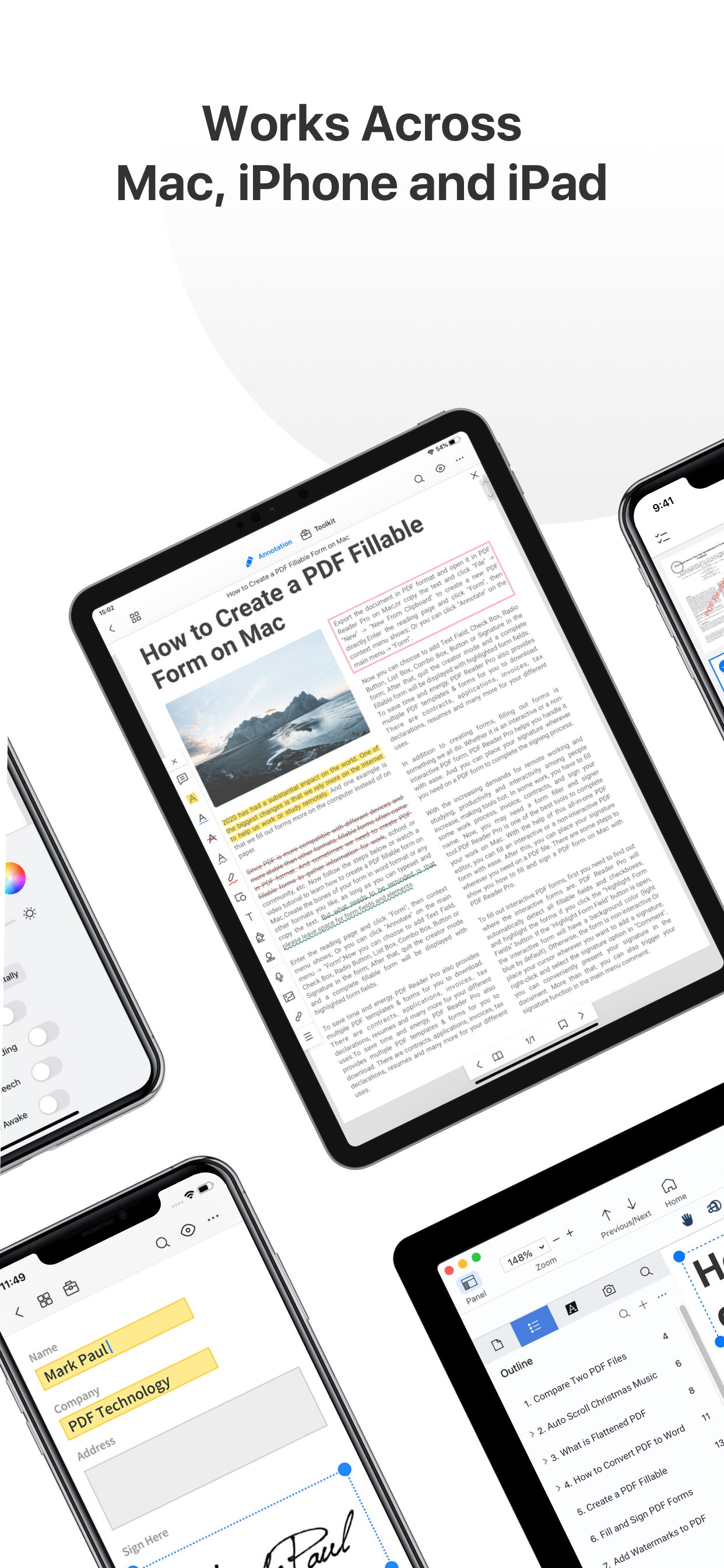
PDF Reader Pro helps much for anyone who reads, edit, highlights, OCR, signs, converts, creates, protects, compresses and fills out PDFs on their iPhone and iPad. It also makes it easy to organize, annotate and edit your PDFs. Import files from your computer or the cloud, then complete forms, add freehand drawings and audio notes and more.
PDF Reader Pro offers even more - merge and combine multiple documents, split your PDFs, insert pages from another PDF, insert photos or hyperlinks to your PDFs, Convert PDF to Word and other Microsoft Office® formats. With support for reading files from popular productivity suites, it’s a convenient way to take the office anywhere you go.
PDF Reader Pro Edition for Professional is your last choice of PDF application.
READ
・ View PDFs with various themes like night mode to comfort your eyes.
・ Choose vertically/horizontally scroll pages or single pages/two pages/book mode.
・ Support crop mode, tabbed PDF reading, continuous page view, auto scroll and more.
・ Use text-to-speech feature to read selected text with no time limits.
・ Easy content navigation with bookmarks/outlines.
・ Fast files Printing to directly print PDFs from your device.
・ DRM, supports Vitrium* protected PDF files.
ANNOTATE
・ Annotate PDFs with highlight, underline, strikethrough, note, freehand, text box, anchored note, rectangle, circle, line etc.
・ Create multiple signatures with trackpad, keyboard or images.
・ Insert pre-designed stamps such as Approved, Confidential and more.
・ Support to link any part of the text to a different page, email or website.
・ Share your annotated PDFs with others via PDF documents/Flattened copy/ Summary/ Original PDF.
EDIT PDF
・Edit PDF text. Easily fix typos or other inaccurate content. Fast change the font color, size and style.
・Modify PDF images such as cropping, rotating, deleting, replacing, etc. Easily resize or move images for a better layout.
・Add and edit watermarks to keep your PDFs safe and professional. Watermark tiling is supported.
・Extract images from PDFs.
・Create a Flattened copy to flatten PDF to make the contents static.
PAGE EDITOR
・ Merge & Split PDFs available, split documents into multiple documents or combine multiple pages into a new one.
・ Extract the desired pages to create a new PDF.
・ Insert blank pages / another PDF to import specified content.
・ Rotate, rearrange, add, and delete PDF pages.
Fill FORMS
・ Work with static PDF forms created in Adobe Acrobat.
・ Fill out any PDF forms with interactive fields such as text fields, checkboxes, radio buttons, combo boxes, list boxes, etc.
CONVERT PDF
· Export from PDF to Microsoft Word (.docx), PowerPoint (.pptx), Excel (.xlsx), RTF, Text, Image, HTML, CSV, and more Offline.
・ Convert MS Office documents, iWorks, web content, and images to PDFs.
・ Create a new PDF as a blank PDF / from your clipboard content.
COMPRESS PDFs
・ Compress large PDFs to reduce file size. PDF size-reduction for easily sharing.
OCR
· OCR pdfs to convert scanned PDF files or pictures into editable and searchable PDFs or TXT files. 50+ languages supported!
PROTECT CONTENT WITH PASSWORD AND ENCRYPTION
・ Passcode to prevent unauthorized use of PDF Reader Pro.
・ Encrypt to protect your PDF files from unauthorized reading with a password.
SCANNER
・Make continuous scans and automatically detect edges of scanned objects.
Text-to-Speech
・ Support a total of 36 voices for 26 languages.
WORK IN THE CLOUD
・ Store and secure files on iCloud Drive, Dropbox, OneDrive, Google Drive, Evernote, Box, FTP, WebDav, etc.
Backup Files between iOS Devices, Mac and PC
・ Connect your iPhone/iPad with a desktop for transferring files using USB or WiFi connection.
Support Various File Types
・ MS Office, iWork, image files
・ Compressed files (zip, rar)
・ audio and video files
・ Other file formats
Have any feedback? Please contact us directly at [email protected]
Terms of Use: https://www.apple.com/legal/internet-services/itunes/dev/stdeula/

Hide Show More...

In-Apps

Permanent License
188.00 H$
Add 2-Device · Advanced Annual
288.00 H$
Add Devices · Advanced Annual
388.00 H$
PDF Pro · AI Annual
588.00 H$
PDF Pro · Advanced Annual
588.00 H$
PDF Pro · Advanced Permanent
288.00 H$

Screenshots

PDF Reader Pro FAQ

  • Is PDF Reader Pro free?

    Yes, PDF Reader Pro is free to download, however it contains in-app purchases or subscription offerings.

  • Is PDF Reader Pro legit?

    🤔 The PDF Reader Pro app's quality is mixed. Some users are satisfied, while others report issues. Consider reading individual reviews for more context.

    Thanks for the vote

  • How much does PDF Reader Pro cost?

    PDF Reader Pro has several in-app purchases/subscriptions, the average in-app price is 388.00 H$.

  • What is PDF Reader Pro revenue?

    To get estimated revenue of PDF Reader Pro app and other AppStore insights you can sign up to AppTail Mobile Analytics Platform.

User Rating

3.94 out of 5

17 ratings in Hong Kong SAR China

5 star
7
4 star
6
3 star
2
2 star
0
1 star
2
Ratings History

PDF Reader Pro Reviews

Lots of issues and they never solve it

yitaky on

Hong Kong SAR China

I trial the pdf reader pro lite edition, and they have the same pdf pro version, which is label cheaper than my purchased pro lite version. Don’t know why this company has 2 version has different pricing. I also bought the Mac OS version and pretty expansive, but with same problems, never got solved. Gonna report to Apple. They have also lots of problem that I report to them and it is not solved since a year. (Character typed in auto-fill form becomes so large you just can’t change it; filled field also has same color as the yellow field itself you can see any typed character; filled fields shows you in the vertical mode) So much crazy things.

不是太理想

yunawong on

Hong Kong SAR China

不是太理想,使用過程中常會跳出來,顏色與製作的時候較深,與製作時的顏色不同,另外,最重要的是寫了字卻不能歸位,常常製作好時,分享發送后,寫上去的字卻偏了,有些標號顯示不到,常常不整齊,希望改善,讓更多的人來用,期待⋯怎樣聯絡有關方?

Great

Pannananda-Gil on

Hong Kong SAR China

Easy and comprehensive application!

Good

02AC on

Hong Kong SAR China

Great~~~!

Gooooood

482262 on

Hong Kong SAR China

Gooooood

The great pdf reader

Tony Wong 1214 on

Hong Kong SAR China

It can fit me to allocate the page of pdf, like delete some pages. It is great !

SCAM/FRAUD

Mariam B on

United States

Auto enrolls you into a ridiculous subscription without consent after ‘free period’

awesome

Turtlesharky971 on

United States

perfect! i love downloading PDFs of books then importing them into this easy to use app! super useful, not hard to use!

Not the same as before

Zahily2002 on

United States

I used to love this app so much for reading purposes. One of the thing that I really appreciated was the “lock horizontal” option but I don’t have that anymore. The option is on the settings but it doesn’t work.

App

رياض أبوقيلة on

United States

Very good app with strong features

Store Rankings

Ranking History
Category Rankings
App is not ranked yet

Keywords

PDF Reader Pro Competitors

PDF Reader Pro Installs

Last 30 days

PDF Reader Pro Revenue

Last 30 days

PDF Reader Pro Revenue and Downloads

Gain valuable insights into PDF Reader Pro performance with our analytics.
Sign up now to access downloads, revenue, and more.

App Info

Category
Business
Publisher
PDF Technologies
Languages
English, Czech, French, German, Italian, Japanese, Korean, Portuguese, Russian, Chinese, Spanish, Thai
Recent release
3.0.2 (5 months ago )
Released on
Oct 8, 2014 (11 years ago )
Last Updated
2 days ago
This page includes copyrighted content from third parties, shared solely for commentary and research in accordance with fair use under applicable copyright laws. All trademarks, including product, service, and company names or logos, remain the property of their respective owners. Their use here falls under nominative fair use as outlined by trademark laws and does not suggest any affiliation with or endorsement by the trademark holders.