Remote Mouse Pro

Handy Computer Remote

Published by: 耀 阮

Description

Remote Mouse™ transforms your mobile phone or tablet into an easy-to-use remote control for your computer, complete with a cross-device clipboard that enables seamless text and image transfer across platforms. It mimics the functions of a wireless mouse, keyboard, and touchpad, and also offers various specialized control panels that enhance your control over specific operations. The small features, designed for one-handed use or intuitive operations, will delight you.
Featured on CNET, Mashable, and Product Hunt, Remote Mouse is recognized as one of the most sophisticated and user-friendly computer remote apps. With over 20 million users worldwide, it's a trusted choice for effortless computer control.
Whether you're watching a movie online, giving a presentation, or shutting down your computer with one click, nothing can be more convenient than having a mobile phone remote at your fingertips.
Mouse
• Fully simulated mouse function
• Gyro mouse is a feature that allows you to move the mouse cursor with a gyro sensor
• Left-handed mode
Keyboard
• Integrated with system and third-party keyboards, supports typing in various languages
• Remotely typing by voice if the soft keyboard supports speech recognition
• Supports sending various shortcuts
• Displays different keypads for Mac or PC
Touchpad
• Simulates the Apple Magic Trackpad and supports multi-touch gestures
Specialty Control Panels
• Media Remote: Supports iTunes, VLC, Windows Media Player, Keynote, PowerPoint, and Windows Photo Viewer, and will support more
• Web Remote: Supports Chrome, Firefox, and Opera
• Application Switcher: quickly launch and switch between programs
• Power Options: Supports remotely shutting down, sleeping, restarting, and logging off
• Cross-device Clipboard: Allows for the transfer of text and images between your computer and mobile device
Other Features
• Use the physical volume buttons on the mobile device for remote control
• Set a password for the connection
• Customizable wallpaper
Connection Method
• Connect via IP address or QR code
• Connect via history
Operating Environment
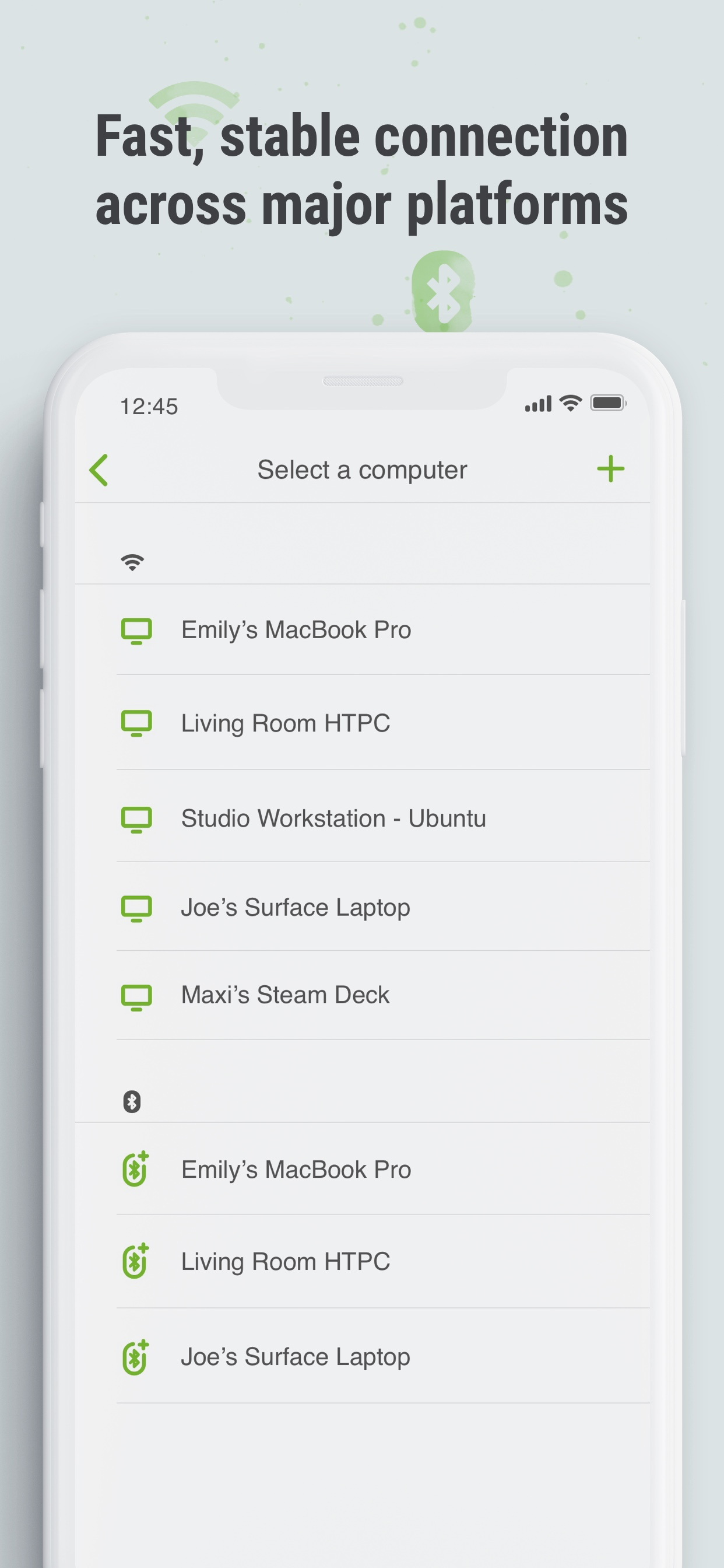
• Compatible with Windows, Mac OSX, and Linux
• Works under Wi-Fi or Bluetooth
To Get Started
1. Visit https://www.remotemouse.net on your computer and download the Remote Mouse computer server software.
2. Install and run the computer server software.
3. Connect your mobile device to the same Wi-Fi network or use Bluetooth to pair with your computer.
If you're a macOS user, you may need to grant access to Remote Mouse. You can refer to this video (https://youtu.be/8LJbtv42i44) for guidance.
Hide Show More...

In-Apps

Media Remote Panel
€1.99
Unlock Web Remote
€1.99
Remote Image Viewer
€1.99
Unlock Spotify Pad
€1.99
Customize Wallpaper
€1.99

Screenshots

Remote Mouse Pro FAQ

  • Is Remote Mouse Pro free?

    Yes, Remote Mouse Pro is free to download, however it contains in-app purchases or subscription offerings.

  • Is Remote Mouse Pro legit?

    🤔 The Remote Mouse Pro app's quality is mixed. Some users are satisfied, while others report issues. Consider reading individual reviews for more context.

    Thanks for the vote

  • How much does Remote Mouse Pro cost?

    Remote Mouse Pro has several in-app purchases/subscriptions, the average in-app price is €1.99.

  • What is Remote Mouse Pro revenue?

    To get estimated revenue of Remote Mouse Pro app and other AppStore insights you can sign up to AppTail Mobile Analytics Platform.

User Rating

4.83 out of 5

18 ratings in Cyprus

5 star
17
4 star
0
3 star
0
2 star
1
1 star
0
Ratings History

Remote Mouse Pro Reviews

Best control app

AlexStyli on

Cyprus

Best money i have ever spent

Very good

christos99999 on

Cyprus

Excellent app

AAAAAAAA+++++++

C. Christou on

Cyprus

very useful app :)

Best

Marshall1989 on

Cyprus

Th greatest app ever! Just saved about 50 dolars for not buying wireless keyboard and mouse

Thanks

Georginos84 on

Cyprus

Super

Whats wrong with pro feature

Mitchellw5 on

United States

Great app Pro features are broken currently and for the last 6 weeks ive been using this app, after showing a 91 year old how he can still use his thumbs and words to control a computer

Non updated

thisjayg on

United States

Bought this like 3 years ago and my new pc won't take it, think my computer is better but it does not work in a 64bit. I needed this so I can change when I'm watching a movie and I'm far away. It came in handy at one point.

التطبيق لايدعم العربية

محمد فهد ابو فهد on

United States

الكلك يمين ويسار مايشتغل باللغة العربية مع اني شاري التطبيق وارسلت لهم ومافيه استجابة

Amazing when it connects bad when it doesn’t

rohinhoodisbyndtrash on

United States

Idk why but it just stopped working and refuses to connect

The only app i Pay for

greggturkin on

United States

I've used this app for multiple years now, it stays up to date, works really seamlessly on mac and windows, and doesnt charge you a subscription. Very worth the price

Store Rankings

Ranking History
App Ranking History not available yet
Category Rankings
Chart
Category
Rank
Top Paid
5
Top Paid
6
Top Paid
12
Top Paid
12
Top Paid
12

Remote Mouse Pro Competitors

Remote Mouse Pro Installs

Last 30 days

Remote Mouse Pro Revenue

Last 30 days

Remote Mouse Pro Revenue and Downloads

Gain valuable insights into Remote Mouse Pro performance with our analytics.
Sign up now to access downloads, revenue, and more.

App Info

Category
Utilities
Publisher
耀 阮
Languages
English, Arabic, Dutch, French, German, Indonesian, Italian, Japanese, Korean, Norwegian Bokmål, Polish, Portuguese, Romanian, Russian, Chinese, Spanish, Swedish, Turkish
Recent release
5.310 (5 months ago )
Released on
Jul 23, 2011 (14 years ago )
Last Updated
1 month ago
This page includes copyrighted content from third parties, shared solely for commentary and research in accordance with fair use under applicable copyright laws. All trademarks, including product, service, and company names or logos, remain the property of their respective owners. Their use here falls under nominative fair use as outlined by trademark laws and does not suggest any affiliation with or endorsement by the trademark holders.