

스캐너 - PDF 문서 스캔 과 사진을 PDF로 변환

Published by: Zafar Ullah

Description

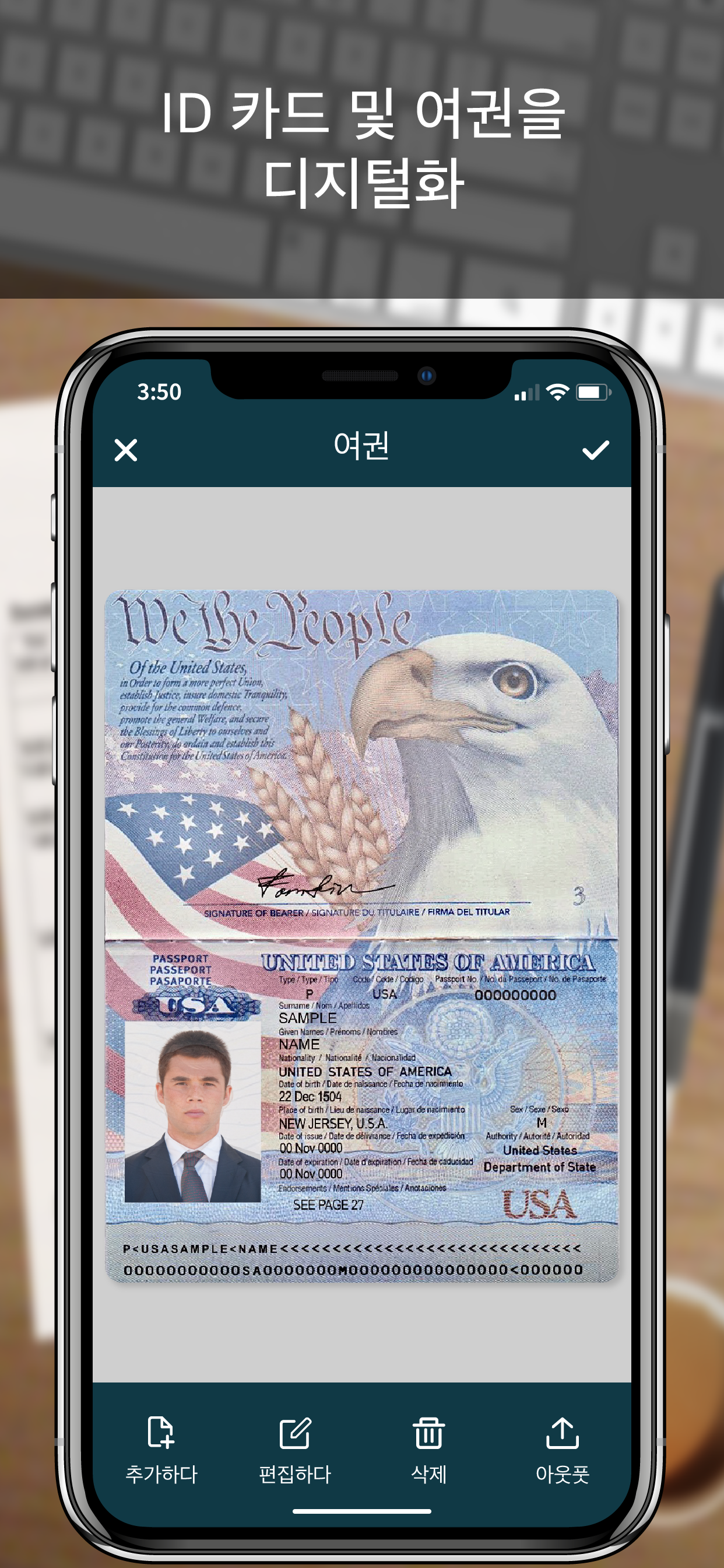
스캐너 사용하기 가장 쉽고 간단한 앱으로, iPhone을 휴대용 모바일 스캐너로 바꿔줍니다. 스캐너를 사용하여 영수증, 메모, 청구서, 화이트보드 토론, 명함, 인증서, 사진 및 원하는 모든 것을 스캔하세요. PDF, DOC, EXCEL, TEXT, ZIP 및 JPEG 형식의 문서를 쉽게 스캔, 저장 및 공유할 수 있습니다.
** 주요 기능 **
==============
고급 및 고도로 최적화된 스캐너:
- 스캔하여 고품질 PDF, DOC, EXCEL, TEXT, ZIP 및 JPEG 파일을 생성합니다.
- 쉽고 빠르고 정확한 스캔을 위한 자동 가장자리 감지.
- 여러 문서를 동시에 스캔하는 일괄 스캔 기능.
- 플래시 및 캡처 모드를 매우 쉽게 제어할 수 있습니다.
- 필요에 따라 카메라 그리드를 켜거나 끕니다.
- 자동 보정으로 그래픽과 텍스트가 더 선명하고 선명해집니다.
- 자동 노이즈 제거, 색상 보정 및 원근 보정.
이미지에서 텍스트 추출(OCR):
- 이미지에서 텍스트를 추출하고 이미지를 텍스트 파일로 변환합니다.
- 이미지에서 가장 정확한 텍스트 출력을 얻기 위한 최고의 OCR 성능.
- OCR에서 특정 텍스트 또는 구문을 검색 및 교체합니다.
백업 및 동기화:
- 문서 백업을 생성하고 필요할 때 복원합니다.
- iCloud와 데이터를 동기화하여 최신 상태로 유지합니다.
- 여러 장치에서 데이터를 동기화합니다.
디지털 서명 추가:
- 앱에서 바로 문서에 로그인하세요.
- 그리기 및 입력으로 서명을 추가합니다.
- 스캔하여 이미지에서 서명을 추출합니다.
- 서명의 크기, 색상 및 회전을 쉽게 조정합니다.
변환기:
- 파일을 PDF, DOC, EXCEL, TEXT, ZIP 및 JPEG 형식으로 변환합니다.
- 파일 크기를 매우 쉽게 압축하고 제어합니다.
폴더 잠금:
- 폴더 잠금으로 문서를 안전하게 보관하세요.
- 핀 코드 사용, 얼굴 ID 그리고 터치 ID 폴더 잠금 및 잠금 해제.
파일 관리자:
- 사용자 정의 폴더 생성 기능이 있는 모든 기능을 갖춘 파일 관리자.
- 한 폴더에서 다른 폴더로 복사 및 이동하여 문서를 구성합니다.
- 폴더를 편집, 정렬, 이름 바꾸기 및 삭제합니다.
문서 편집기:
- 자동 가장자리 감지 기능으로 스마트한 다각형 자르기.
- 이미지를 문서로 변환하는 전문 필터.
- 마크업으로 문서를 그리고, 표시하고, 주석을 달 수 있습니다.
- 문서 크기를 다른 용지 크기로 변경합니다(예: A3, A4, A5, Letter, Legal).
- 카메라 및 갤러리에서 이미지를 가져와 문서에 추가합니다.
- 색상 및 흐림 효과로 문서의 원치 않는/기밀 부분을 숨깁니다.
- 스탬프와 인감을 사용하여 공식 문서를 만듭니다.
- 위조 방지 워터마크를 추가합니다.
- 파일 회전 기능.
나누는 :
- 타사 클라우드 스토리지 서비스: Dropbox, OneDrive, Google 드라이브 및 이메일.
- Airdrop 공유를 통해 원하는 모든 클라우드 또는 소셜 미디어에 파일을 공유할 수 있습니다.
- 모든 WiFi 프린터로 파일을 쉽게 인쇄할 수 있습니다.
- 카메라 롤에 스캔을 저장합니다.
Premium Subscription:
- With premium subscription, you have access to all features.
- Premium subscription is billed monthly or annually at the rate corresponding to the selected plan.
- Payment will be charged to iTunes Account at confirmation of purchase.
- Subscription automatically renews unless auto-renew is turned off at least 24-hours before the end of the current period.
Privacy Policy
https://zalgotech.com/privacy-policy/
Terms of Use
https://zalgotech.com/terms-of-use/
Hide Show More...

In-Apps

Monthly Subscription
3.30 ₩
Yearly Subscription
33.00 ₩

Screenshots

스캐너 FAQ

  • Is 스캐너 free?

    Yes, 스캐너 is free to download, however it contains in-app purchases or subscription offerings.

  • Is 스캐너 legit?

    🤔 The 스캐너 app's quality is mixed. Some users are satisfied, while others report issues. Consider reading individual reviews for more context.

    Thanks for the vote

  • How much does 스캐너 cost?

    스캐너 has several in-app purchases/subscriptions, the average in-app price is 18.15 ₩.

  • What is 스캐너 revenue?

    To get estimated revenue of 스캐너 app and other AppStore insights you can sign up to AppTail Mobile Analytics Platform.

User Rating

4.28 out of 5

297 ratings in South Korea

5 star
194
4 star
51
3 star
18
2 star
8
1 star
26
Ratings History

스캐너 Reviews

화질이 좋지않음

tete6004 on

South Korea

1234

무료아님

머이따구냐 on

South Korea

좋은것 없음 무늬만 무료

만족스럽다

whangkim on

South Korea

원하는작업을 쉽게할수있다

굿

^^!!!??? on

South Korea

good

너무 심플한데?

Rest Kay on

South Korea

기능이 있는지도 모를정도로 너무 심플하네

I like very much!

Amalia Lee on

South Korea

Thank you so much!^^.

Good app

Zzswan on

South Korea

Easy to use this app Thanks

Well... not good

미르하 on

South Korea

At least, it's doesn't want require membership.

Um,,,

Viviana_Dawon_Min on

South Korea

I couldn't use it yet.

real

hhsbafffs on

South Korea

goooooooooood!!!!

Store Rankings

Ranking History
App Ranking History not available yet
Category Rankings
Chart
Category
Rank
Top Grossing
63
Top Grossing
88
Top Grossing
89
Top Free
183
Top Free
265

Keywords

스캐너 Competitors

SCANNER Installs

Last 30 days

SCANNER Revenue

Last 30 days

스캐너 Revenue and Downloads

Gain valuable insights into SCANNER performance with our analytics.
Sign up now to access downloads, revenue, and more.

App Info

Category
Business
Publisher
Zafar Ullah
Languages
English, French, German, Italian, Japanese, Korean, Portuguese, Russian, Chinese, Spanish, Vietnamese
Recent release
2.9 (3 weeks ago )
Released on
Jan 9, 2017 (8 years ago )
Last Updated
2 weeks ago
This page includes copyrighted content from third parties, shared solely for commentary and research in accordance with fair use under applicable copyright laws. All trademarks, including product, service, and company names or logos, remain the property of their respective owners. Their use here falls under nominative fair use as outlined by trademark laws and does not suggest any affiliation with or endorsement by the trademark holders.




