Cast to TV – Screen Mirroring

Mirror View with Smart Casting

Published by: Auxilin

Description

Screen Mirroring – Cast to TV
--- Key Features:
► Screen Mirroring Made Easy — Instantly mirror your iPhone or iPad screen to most Smart TVs and displays in full HD, wirelessly and without delays. Perfect for sharing, watching, presenting, or gaming on the big screen.
► Cast Videos & Photos in HD — Stream your favorite videos, movies, and photo albums directly from your device to your TV. Relive memories and enjoy every detail on a larger display.
► Works with Most TVs — Compatible with TVs and devices that support DLNA, DIAL, Chromecast, or have a built-in web browser. No extra hardware or cables needed.
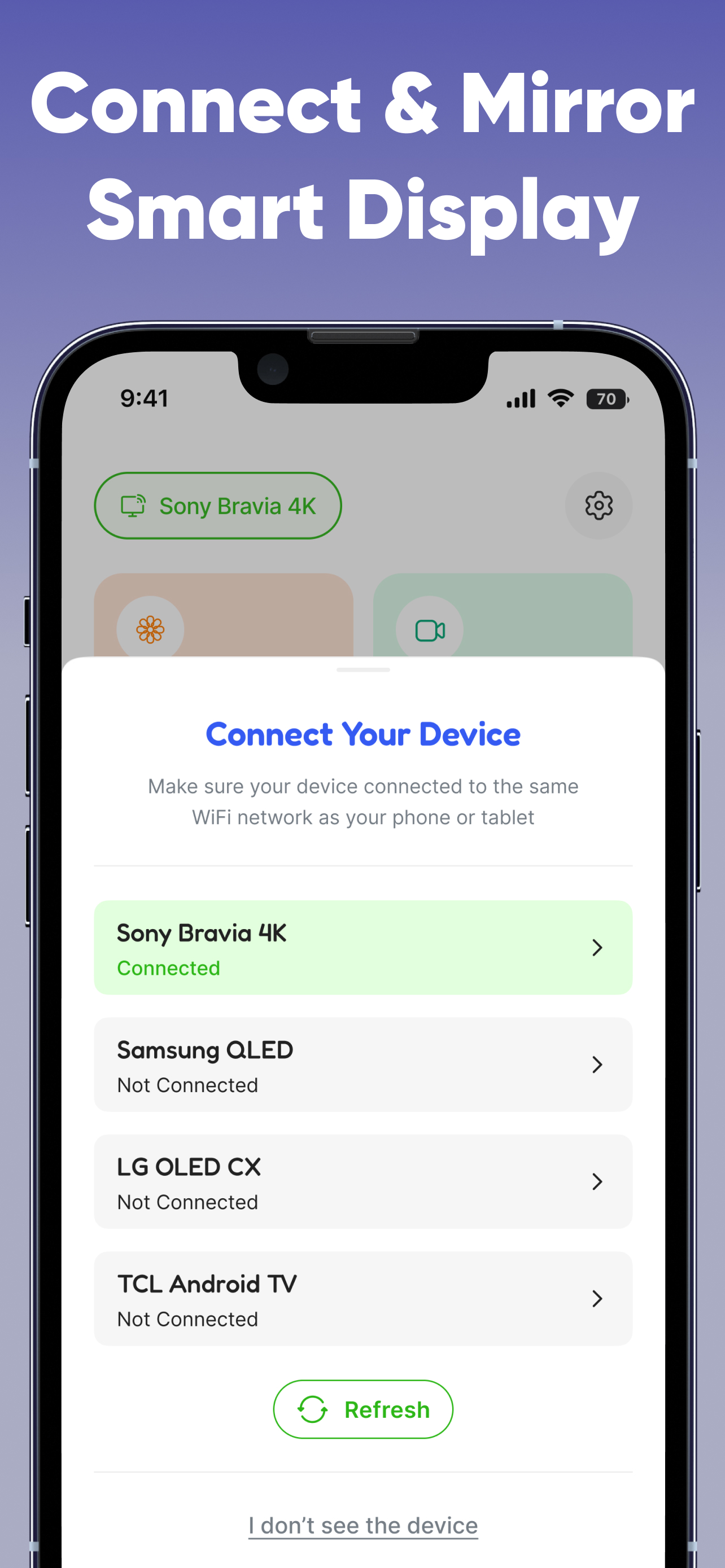
► Connect & Mirror Smart Display — Link your phone and TV to the same Wi-Fi, select your device, and start mirroring in just a few taps.
► Safe & Secure — This app is not affiliated with or endorsed by any TV brands such as Samsung, LG, Sony, Roku, and others.

--- How to Use:
1. Connect your iPhone/iPad and TV to the same Wi-Fi network.
2. Open the app and select your TV or streaming device.
3. Tap the feature you want (Screen Mirroring, Cast Video/Photo) and follow the simple instructions.

--- Why You’ll Love It:
► Real-time, high-quality mirroring without lag
► Share presentations, watch movies, or play games on a big screen
► Cast media directly from your Photos or web links
► Easy to set up and use — no cables, no fuss

--- Unlimited Access to All Features
► Subscribe for unlimited access to all app features.
► Payment is charged to your Apple ID at confirmation of purchase.
► Subscription renews automatically unless canceled at least 24 hours before the end of the current period.
► Manage or cancel your subscription anytime in your App Store account settings.
► Any unused portion of a free trial is forfeited when purchasing a subscription.

Questions? Feedback? Reach us by email at [email protected].
Privacy Policy: https://auxilin.com/privacy
Terms of Use: https://auxilin.com/terms
Hide Show More...

In-Apps

Lifetime
$49.99
Yearly Offer
$19.99
Yearly
$39.99
Weekly
$9.99

Screenshots

Cast to TV FAQ

  • Is Cast to TV free?

    Yes, Cast to TV is free to download, however it contains in-app purchases or subscription offerings.

  • Is Cast to TV legit?

    Not enough reviews to make a reliable assessment. The app needs more user feedback.

    Thanks for the vote

  • How much does Cast to TV cost?

    Cast to TV has several in-app purchases/subscriptions, the average in-app price is $29.99.

  • What is Cast to TV revenue?

    To get estimated revenue of Cast to TV app and other AppStore insights you can sign up to AppTail Mobile Analytics Platform.

User Rating
App is not rated in New Zealand yet.
Ratings History

Cast to TV Reviews

Hi

s122222222222 on

Egypt

The app is working only for videos and pictures from gallery, no media no games or movies, thanks

Store Rankings

Ranking History
Category Rankings
Chart
Category
Rank
Top Free
22
Top Free
35
Top Free
50
Top Free
131
Top Free
133

Cast to TV Competitors

Screen Mirroring Installs

Last 30 days

Screen Mirroring Revenue

Last 30 days

Cast to TV Revenue and Downloads

Gain valuable insights into Screen Mirroring performance with our analytics.
Sign up now to access downloads, revenue, and more.

App Info

Category
Utilities
Publisher
Auxilin
Languages
German, Arabic, English, French, Italian, Japanese, Korean, Dutch, Portuguese, Russian, Spanish, Chinese, Turkish, Vietnamese
Recent release
1.1 (3 weeks ago )
Released on
Nov 4, 2025 (1 month ago )
Last Updated
3 days ago
This page includes copyrighted content from third parties, shared solely for commentary and research in accordance with fair use under applicable copyright laws. All trademarks, including product, service, and company names or logos, remain the property of their respective owners. Their use here falls under nominative fair use as outlined by trademark laws and does not suggest any affiliation with or endorsement by the trademark holders.