


Smart PDF Document Scanner
Published by:
Qrayon

Description
Ditch the office scanner!
Just snap a photo of your document, and get a PDF file you can instantly send to your colleagues, all from your phone or iPad.
TACK SHARP SCANS
That processor in your phone is quite a little monster. Smart Scanner uses it fully to make the best possible scans. Even full-page articles come out tack-sharp and easy to read.
It automatically detects the page edges and corrects for perspective. Pick full-color scans, grayscale, or black-and-white for maximum legibility. FlashAssist can take perfect scans even in poor lighting conditions. You can even change the correction and enhancement settings after the fact.
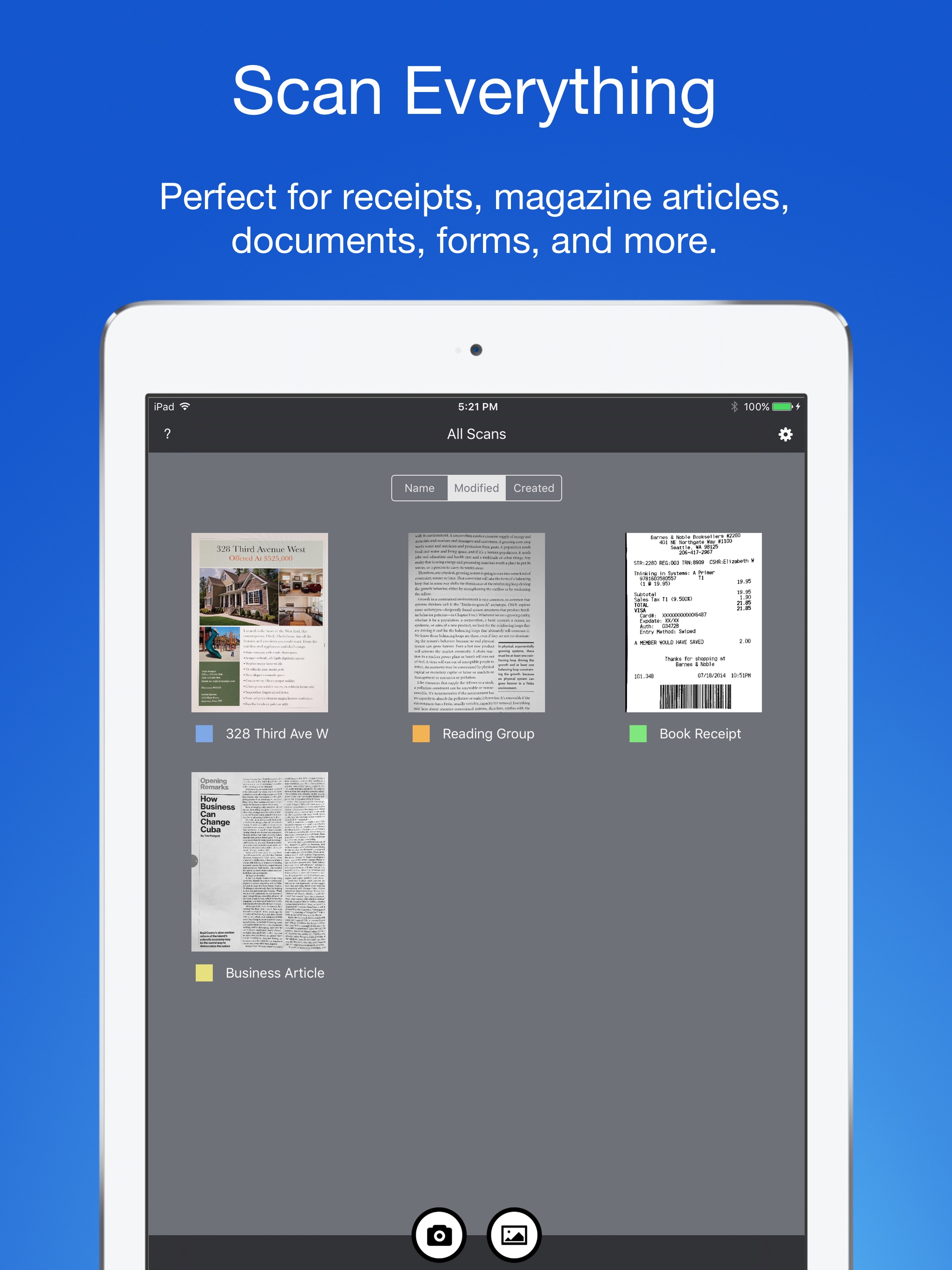
POWERFUL COLOR-CODED ORGANIZATION
Scanning is just half the problem. You need a good way to keep all your documents organized, and easy to find later. Smart Scanner uses a simple tagging system that is much easier and more powerful than the regular folder system. File documents under custom color-coded categories with just a couple taps. Browse and sort files by category with a couple more.
It's the way filing should work.
FOR ALL YOUR SCANNING NEEDS
+ Quickly scan and send contracts and forms
+ Keep scans of important documents in your pocket, separate form the Photo Library
+ Scan all your travel receipts for easy expense reports
+ Keep digital copies of your notes and sketches
+ Scan articles to read later
+ And more!
TIPS AND TRICKS
Here are a few tips to get the best scans:
+ Place your document on a darker surface to improve the edge auto-detection.
+ You can drag the corners of the blue rectangle to fine tune it after taking a photo.
+ Make sure there is adequate lighting. Use the flash in low-light conditions.
+ You can tap on a page to edit its scan settings (including edges) after the fact.
Hide
Show More...
Just snap a photo of your document, and get a PDF file you can instantly send to your colleagues, all from your phone or iPad.
TACK SHARP SCANS
That processor in your phone is quite a little monster. Smart Scanner uses it fully to make the best possible scans. Even full-page articles come out tack-sharp and easy to read.
It automatically detects the page edges and corrects for perspective. Pick full-color scans, grayscale, or black-and-white for maximum legibility. FlashAssist can take perfect scans even in poor lighting conditions. You can even change the correction and enhancement settings after the fact.
POWERFUL COLOR-CODED ORGANIZATION
Scanning is just half the problem. You need a good way to keep all your documents organized, and easy to find later. Smart Scanner uses a simple tagging system that is much easier and more powerful than the regular folder system. File documents under custom color-coded categories with just a couple taps. Browse and sort files by category with a couple more.
It's the way filing should work.
FOR ALL YOUR SCANNING NEEDS
+ Quickly scan and send contracts and forms
+ Keep scans of important documents in your pocket, separate form the Photo Library
+ Scan all your travel receipts for easy expense reports
+ Keep digital copies of your notes and sketches
+ Scan articles to read later
+ And more!
TIPS AND TRICKS
Here are a few tips to get the best scans:
+ Place your document on a darker surface to improve the edge auto-detection.
+ You can drag the corners of the blue rectangle to fine tune it after taking a photo.
+ Make sure there is adequate lighting. Use the flash in low-light conditions.
+ You can tap on a page to edit its scan settings (including edges) after the fact.
Screenshots


Smart PDF Document Scanner FAQ
-
Is Smart PDF Document Scanner free?
Yes, Smart PDF Document Scanner is completely free and it doesn't have any in-app purchases or subscriptions.
-
Is Smart PDF Document Scanner legit?
Not enough reviews to make a reliable assessment. The app needs more user feedback.
Thanks for the vote -
How much does Smart PDF Document Scanner cost?
Smart PDF Document Scanner is free.
-
What is Smart PDF Document Scanner revenue?
To get estimated revenue of Smart PDF Document Scanner app and other AppStore insights you can sign up to AppTail Mobile Analytics Platform.

User Rating
4 out of 5
1 ratings in Algeria
5 star
0
4 star
1
3 star
0
2 star
0
1 star
0
Ratings History
Smart PDF Document Scanner Reviews
Store Rankings
Ranking History
App Ranking History not available yet
Category Rankings
App is not ranked yet
Keywords
Smart PDF Document Scanner Competitors
Smart PDF Document Scanner Installs
Last 30 days
Smart PDF Document Scanner Revenue
Last 30 daysSmart PDF Document Scanner Revenue and Downloads
Gain valuable insights into Smart PDF Document Scanner performance with our analytics.
Sign up now to access downloads, revenue, and more.
Sign up now to access downloads, revenue, and more.
App Info
- Category
- Business
- Publisher
-
Qrayon
- Languages
- English
- Recent release
- 2.5 (10 months ago )
- Released on
- Dec 5, 2016 (9 years ago )
- Also available in
- United States, United Kingdom, Canada, Nigeria, Australia, Ireland, India, Pakistan, Italy, China, Algeria, Saudi Arabia, South Africa, Sweden, Belgium, Finland, Greece, Hong Kong SAR China, Croatia, Hungary, Indonesia, Iceland, Jordan, Kuwait, Kazakhstan, Lebanon, Sri Lanka, Lithuania, Luxembourg, Latvia, Madagascar, North Macedonia, Mali, Malta, Malaysia, Norway, Nepal, New Zealand, Philippines, Poland, Romania, Russia, Slovenia, Slovakia, Thailand, Tunisia, United Arab Emirates, Taiwan, Ukraine, Uganda, Uruguay, Uzbekistan, Vietnam, Türkiye, Armenia, Angola, Azerbaijan, Bahrain, Brunei, Belarus, Belize, Switzerland, Cyprus, Czechia, Denmark, Dominican Republic, Estonia, Egypt
- Last Updated
- 2 weeks ago
This page includes copyrighted content from third parties, shared solely for commentary and research in accordance with fair use under applicable copyright laws. All trademarks, including product, service, and company names or logos, remain the property of their respective owners. Their use here falls under nominative fair use as outlined by trademark laws and does not suggest any affiliation with or endorsement by the trademark holders.