Smart PDF Scanner

Published by: Qrayon

Description

Ditch the office scanner!
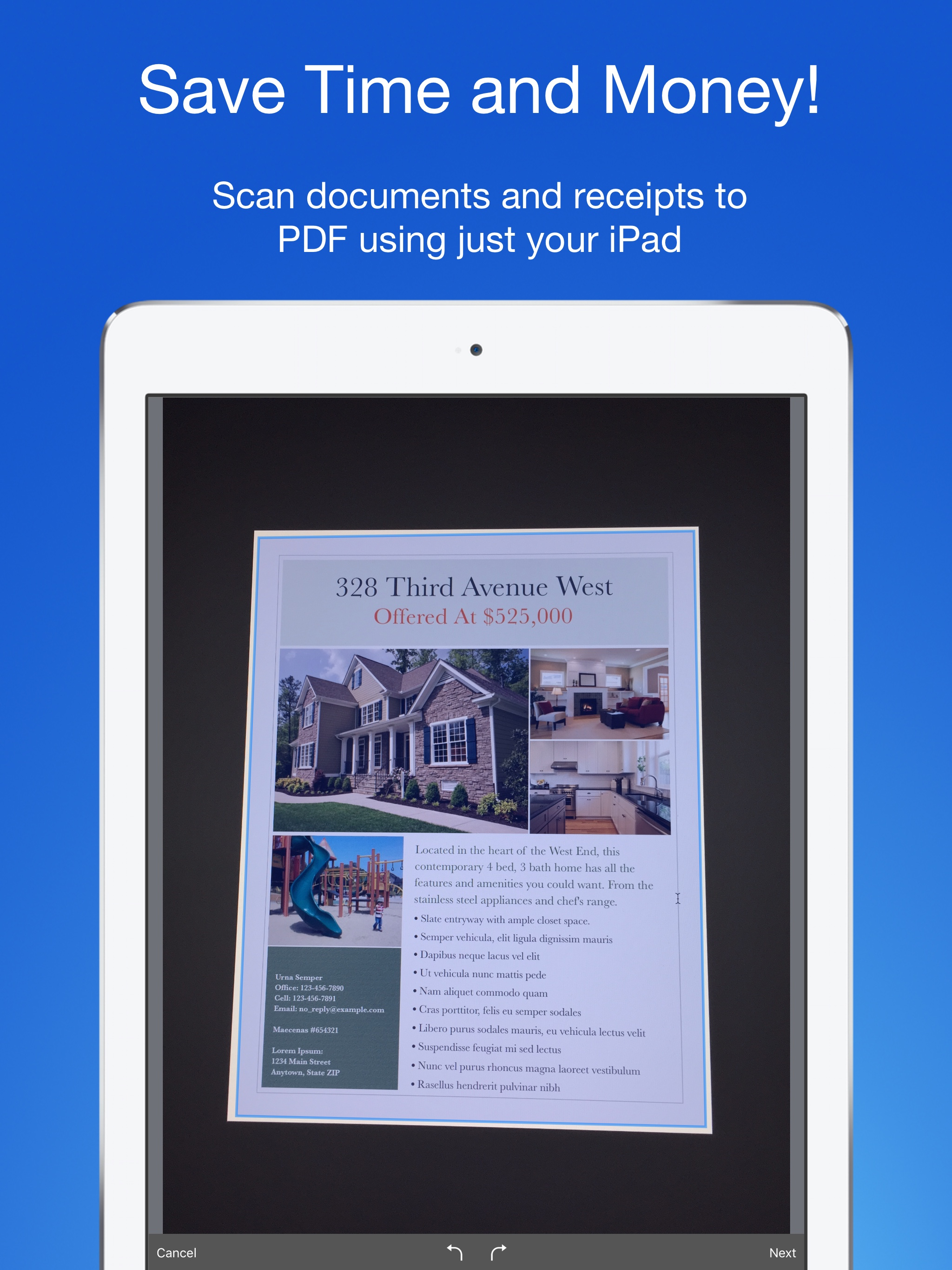
Just snap a photo of your document, and get a PDF file you can instantly send to your colleagues, all from your iPhone or iPad.
TACK SHARP SCANS
That processor in your phone is quite a little monster. Smart PDF Scanner uses it fully to make the best possible scans. Even full-page articles come out tack-sharp and easy to read.
It automatically detects the page edges and corrects for perspective. Pick full-color scans, grayscale, or black-and-white for maximum legibility. FlashAssist can take perfect scans even in poor lighting conditions. You can even change the correction and enhancement settings after the fact.
POWERFUL COLOR-CODED ORGANIZATION
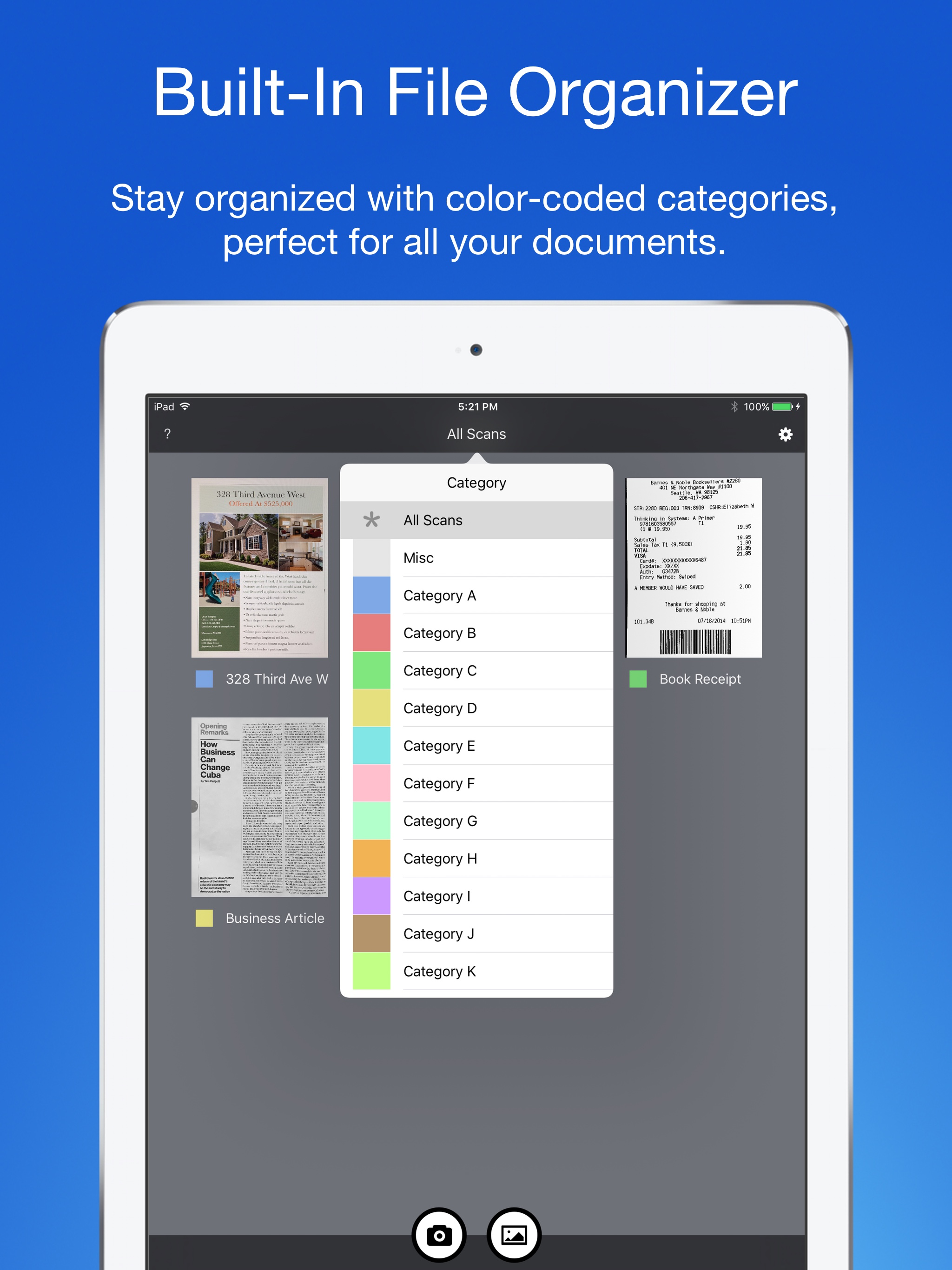
Scanning is just half the problem. You need a good way to keep all your documents organized, and easy to find later. Smart PDF Scanner uses a simple tagging system that is much easier and more powerful than the regular folder system. File documents under custom color-coded categories with just a couple taps. Browse and sort files by category with a couple more.
It's the way filing should work.
EASY TO SHARE
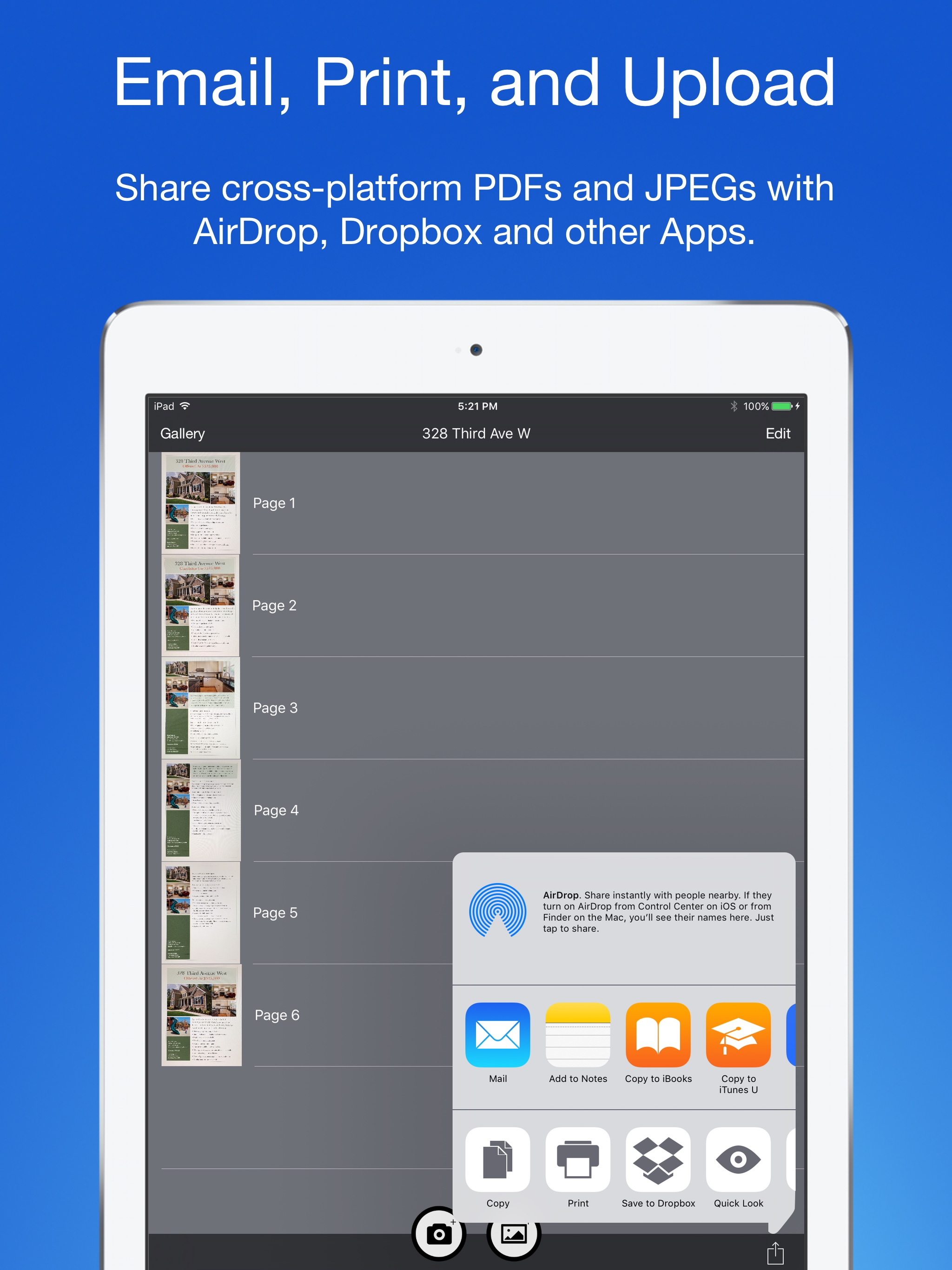
Export scans as PDFs or images, and email or print directly from the App. Files can also be shared via AirDrop, or sent to another App.
Easily upload to Dropbox, Google Drive, and other cloud services with the corresponding third party App. Send PDFs and images to services such as Evernote or OneNote to take advantage of their OCR capabilities.
FOR ALL YOUR SCANNING NEEDS
+ Quickly scan and send contracts and forms
+ Keep scans of important documents in your pocket, separate form the Photo Library
+ Scan all your travel receipts for easy expense reports
+ Keep digital copies of your notes and sketches
+ Scan articles and send them to iBooks to read on the go
+ And more!
APPS BUILT FOR PROFESSIONALS
Smart PDF Scanner uses the latest technologies packed into your iPhone and iPad, but we've worked hard to make it as easy and fast to use as possible. Intelligent image processing eliminates the need for fiddling with complicated controls. That way, you can focus on getting the job done, and doing what you do best.
TIPS AND TRICKS
Here are a few tips to get the best scans:
+ Place your document on a darker surface to improve the edge auto-detection.
+ You can drag the corners of the blue rectangle to fine tune it after taking a photo.
+ Make sure there is adequate lighting. Use the flash in low-light conditions.
+ You can tap on a page to edit its scan settings (including edges) after the fact.
MADE BY DEVELOPERS WHO CARE
We are dedicated to handcrafting the best possible Apps for your iPhone and iPad, and we hope you enjoy using Smart PDF Scanner. If you have any additional questions, please drop us a line via our feedback page.
Best regards,
-- The App Makers @ Qrayon.
Hide Show More...

Screenshots

Smart PDF Scanner FAQ

  • Is Smart PDF Scanner free?

    Yes, Smart PDF Scanner is completely free and it doesn't have any in-app purchases or subscriptions.

  • Is Smart PDF Scanner legit?

    ✅ The Smart PDF Scanner app appears to be high-quality and legitimate. Users are very satisfied.

    Thanks for the vote

  • How much does Smart PDF Scanner cost?

    Smart PDF Scanner is free.

  • What is Smart PDF Scanner revenue?

    To get estimated revenue of Smart PDF Scanner app and other AppStore insights you can sign up to AppTail Mobile Analytics Platform.

User Rating

4.81 out of 5

21 ratings in China

5 star
19
4 star
1
3 star
0
2 star
1
1 star
0
Ratings History

Smart PDF Scanner Reviews

Edited images cannot be saved directly to the album.

chenrongwei on

China

Edited images cannot be saved directly to the album.
相当好!

你爹一把年纪 on

China

非常完美!非常好用!

很好

舒伯特的摇篮曲 on

China

挺好用的

非常棒的扫描软件

施洛 on

China

自动去多余的边这点太棒了

效果拔群

刚刚妇女节的 on

China

照片转换成pdf可以去除多余的线条,纸背面的阴影也可以去掉,真不错!不错👍

有好有坏

Sunan12345778 on

China

好:PDF works 坏:auto cropping never gets right, even in highly contrasted situation

挺好用的

DenJackson on

China

支持下,软件虽然小,但是功能都有很好用

值得拥有

WeeYip7772 on

China

免费免费

非常好的软件

哈猫者 on

China

很值得拥有的软件

不错的软件

azhaoyueb on

China

体积小。建议大家先拍完照再手动框选。

Store Rankings

Ranking History
App Ranking History not available yet
Category Rankings
Chart
Category
Rank
Top Paid
49
Top Paid
50
Top Paid
65
Top Paid
79
Top Paid
81

Keywords

Smart PDF Scanner Installs

Last 30 days

Smart PDF Scanner Revenue

Last 30 days

Smart PDF Scanner Revenue and Downloads

Gain valuable insights into Smart PDF Scanner performance with our analytics.
Sign up now to access downloads, revenue, and more.
This page includes copyrighted content from third parties, shared solely for commentary and research in accordance with fair use under applicable copyright laws. All trademarks, including product, service, and company names or logos, remain the property of their respective owners. Their use here falls under nominative fair use as outlined by trademark laws and does not suggest any affiliation with or endorsement by the trademark holders.