
Excellent and Can Save A Life!
The best part is that it notifies your 3 pre-selected contacts in the event you call 911 through the APP—in addition to 911, loved ones can help too!




Yes, Stroke Awareness Foundation is completely free and it doesn't have any in-app purchases or subscriptions.
🤔 The Stroke Awareness Foundation app's quality is mixed. Some users are satisfied, while others report issues. Consider reading individual reviews for more context.
Stroke Awareness Foundation is free.
To get estimated revenue of Stroke Awareness Foundation app and other AppStore insights you can sign up to AppTail Mobile Analytics Platform.

3.22 out of 5
18 ratings in United States
The best part is that it notifies your 3 pre-selected contacts in the event you call 911 through the APP—in addition to 911, loved ones can help too!
I saw this app advertised in the NYTimes. I was looking for a stroke app that would quickly show me the symptoms and maybe help me call 911. This app requires u to go thru many screens just to get to the symptoms page, and it wants your name and tries to harvest your ER contacts too. The configuration screen says that when u dial 911, it will send a message to your family ER contacts telling them to call 911 and tell responders where u are. This makes no sense. Removed the app from my iPhone. Yikes.
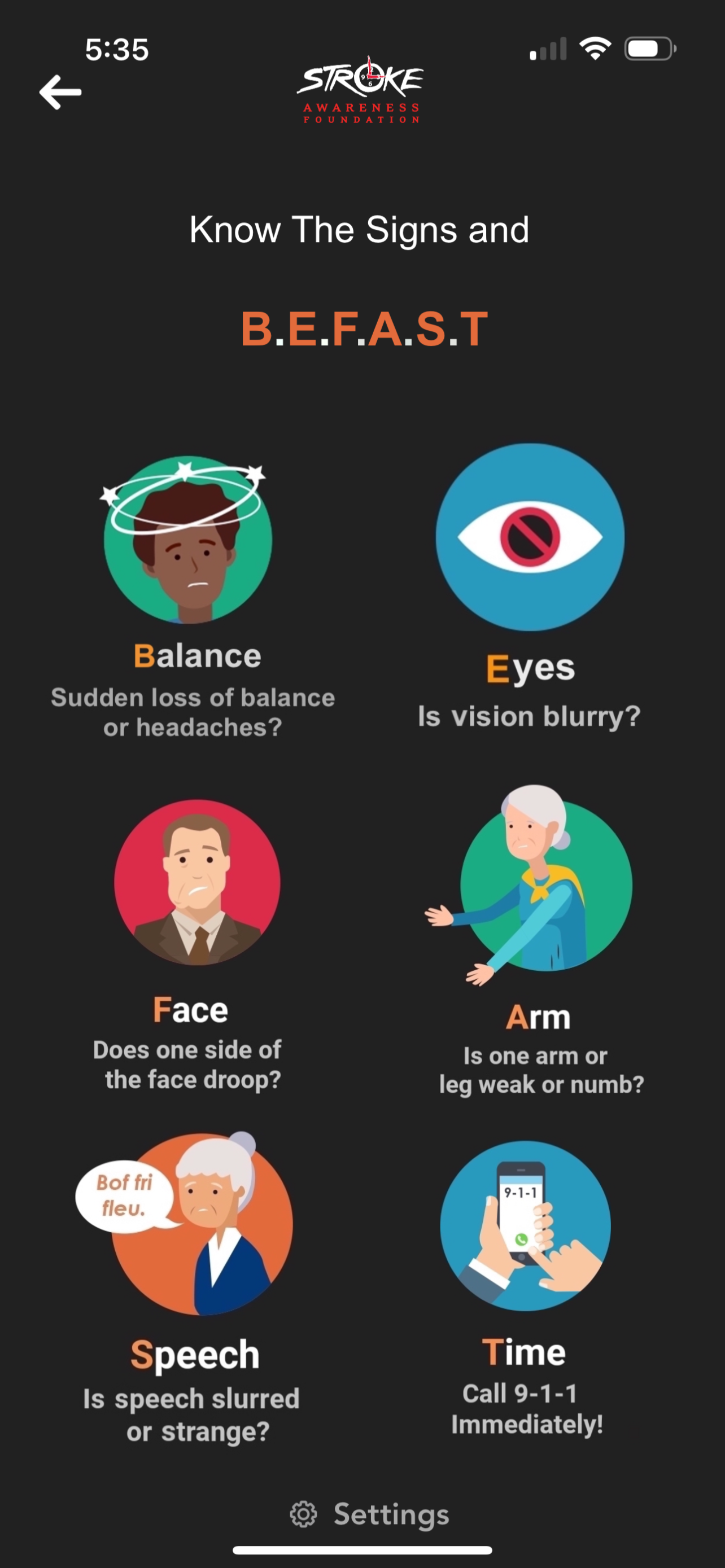
No one thinks they will have a stroke. They may think other things could happen to them like a car accident or an ankle sprain, but not a stroke. That could never happen to me or a loved one. This app is phenomenal. It notifies one’s loved ones, it calls 911. It identifies certified stroke hospitals close to you and provides maps to get there. Everyone should have this app on their phone.
Easy to use app that allows you to identify stroke signs quickly and has a 911 feature that allows you to contact emergency contacts of your location
During tutorial and setup the location could not be edited, which makes this app useless at the current version. Good use of technology when you fix the bugs.
Have this for my father who is at home alone most days.
Great idea, it can’t recommend. When you add emergency contacts it doesn’t let you change from home to cell number. It’s supposed to find your location but finds me in far away unknown location. You’re supposed to be able to adjust location but that doesn’t work. I’ll revisit this site in a month or two to see if it’s usable.
Similar to other reviewers, I cannot get past the single disclaimer screen. I am using iOS 11.x on an iPhone 5s. Hope the developer provides better technology requirements in their documentation or updates to accommodate more hardware/software versions.
I’ve installed app on iPad where it works fine. However, repeated installs on an iPhone 6s I cannot get past disclaimers page. Is this an iPhone issue. What is fix?
How about fixing latest update. All I get now is disclaimer notes. Can’t navigate in app! Tried reloading app.
