Tally: Counter & Score Tracker

Click to count number widget

Published by: Volodymyr Yahenskyi

Description

Tally: Clicker & Score Counter is simple enough to pick up and use immediately, and powerful enough to tweak it just as you want.
Key Features:
- Simple interface
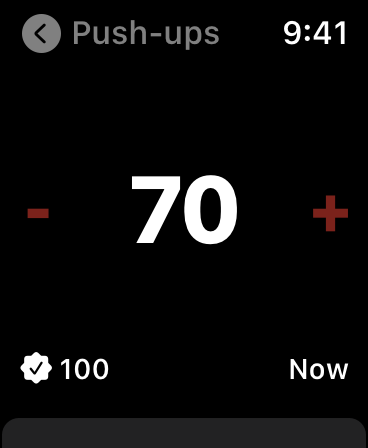
- Home Screen interactive widgets
- Lock Screen widgets
- Siri Shortcuts
- Dark mode
- Notes
- Auto-reset
- Counting history
- Context menu for counters
- Hotkeys for external keyboard
- Mouse right-click support
- Total counters value
- Last change timer
- A lot of sorting options
- Assigning different colors to counters
- Sound confirmation of counts
- Haptic feedback on supported devices
Multiple counters, as many as you need. To delete, reset, or edit the counter, swipe left on it. Swipe right or use touch and hold gestures in the middle of the counter to add/edit a note or open a quick change popup. Notes can also be added/edited in the History tab like in the Counters tab. To increase or decrease the counter value, tap at any point on the ​left or right side. Use touch and hold gestures in the middle of the counter to reveal the context menu. Long press on the sides of the counter to reorder.
Tally Premium benefits:
- Unlimited counters
- iCloud sync
- Export to CSV/Excel
- Support Indie Development
If you decide to get a Tally Premium subscription, your purchase will be charged to your iTunes account. One month costs $4.99 and 1 year costs $29.99. Active subscriptions will be auto-renewed 24 hours before the expiry date. You can manage subscriptions from an Account in iTunes after subscribing, and you’ll also be able to cancel the auto-renewing subscription from there at any time. Any unused portion of the free trial period will be forfeited if you purchase a subscription to Tally Premium before your trial expires.
Terms & Conditions: https://yahenskyi.dev/terms-conditions/
Privacy Policy: https://yahenskyi.dev/privacy-policy/
Hide Show More...

In-Apps

Annual
$47.99
Lifetime
$79.99
Small Tip
$4.99
Weekly plan
$4.99
Yearly plan
$59.99
Monthly plan
$7.99
Lifetime plan
$149.99
Tally Premium
$49.99

Screenshots

Tally FAQ

  • Is Tally free?

    Yes, Tally is free to download, however it contains in-app purchases or subscription offerings.

  • Is Tally legit?

    🤔 The Tally app's quality is mixed. Some users are satisfied, while others report issues. Consider reading individual reviews for more context.

    Thanks for the vote

  • How much does Tally cost?

    Tally has several in-app purchases/subscriptions, the average in-app price is $50.74.

  • What is Tally revenue?

    To get estimated revenue of Tally app and other AppStore insights you can sign up to AppTail Mobile Analytics Platform.

User Rating

4.41 out of 5

41 ratings in Australia

5 star
28
4 star
7
3 star
3
2 star
1
1 star
2
Ratings History

Tally Reviews

AWII

Max allen dennis on

Australia

SRSLY apple watch is insaney amazing

Subscription based

Nigeljones on

Australia

Why do you not disclose you are a subscription app

Apple watch complication list not refreshing

jayli3n on

Australia

This app is great, thank you very much! One issue i have is that in the watch OS settings (on iPhone), the Tally complication shows up, but the list of counters to choose from to use as the complication are my old counters that ive deleted. How do you refresh the list?

ICloud Sync is not there

unorder on

Australia

I bought the app specifically to get syncing. But for the life of me I couldn't work out how to set it up. I'm not sure it even exists. I emailed the Developer but no response. I would also say this is not a beautiful app. And I was surprised that I couldn't count above a goal set - exceeding a goal. I'm currently looking for a replacement.

apple watch sync

Em Constance on

Australia

I like the app but can't seem to get it to sync with my apple watch - any potential fix for this? I am on the premium version

Very useful but could do with an edit function

hiredg000n on

Australia

I love the simplicity of this tool and it has mostly met the needs of tracking my goals. TIP: swipe left to edit or reset each counter (wish this was explained somewhere or available in the main menu). Great little app.

Find another counter

saaa56 on

Australia

Ads pop up while you’re trying to tally. So if you’re clicking without looking, you could be clicking on the ad and your counting would be useless.

Very helpful for tracking behavior

Mmmmmmmhhfschhh on

United States

This is helping us track indeces of engagement to ensure client’s enjoyment and assent to treatment

inaccurate and lost data

nanaka39 on

United States

this app has literally one job and it screws up. randomly lose amounts, tallied numbers don’t show up in history. you’re better off using a pen and paper.

Undo button please

LALA.2025 on

United States

🙏

Store Rankings

Ranking History
App Ranking History not available yet
Category Rankings
App is not ranked yet

Keywords

Tally Competitors

Tally Installs

Last 30 days

Tally Revenue

Last 30 days

Tally Revenue and Downloads

Gain valuable insights into Tally performance with our analytics.
Sign up now to access downloads, revenue, and more.
This page includes copyrighted content from third parties, shared solely for commentary and research in accordance with fair use under applicable copyright laws. All trademarks, including product, service, and company names or logos, remain the property of their respective owners. Their use here falls under nominative fair use as outlined by trademark laws and does not suggest any affiliation with or endorsement by the trademark holders.