Ultimate Focus - Visual Timer

Pomodoro, Study, App Block

Published by: StonicSolution

Description

Introducing Ultimate Focus, your sophisticated and intuitive session-based timer application, designed to optimize your time management skillfully and elegantly.
It encourages you to reflect after each focus session, offering insights that guide you in refining your future focus management.
With iCloud synchronization, Ultimate Focus is accessible, manageable, and synchronizable anywhere, anytime.
Harness the power of the Pomodoro Technique, elegantly designed within the app, to strike the optimal balance between focus and relaxation periods, ensuring you sustain peak productivity.
Despite adhering to minimalism, Ultimate Focus is rich in customization with over 70 distinct themes, letting you tailor the app according to your individual tastes.
Features:
- Set your focus time effortlessly with a simple finger-drag.
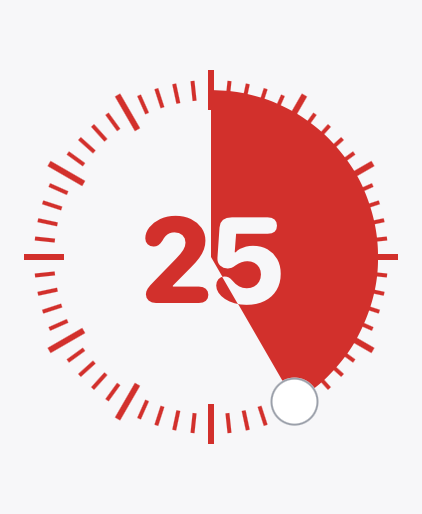
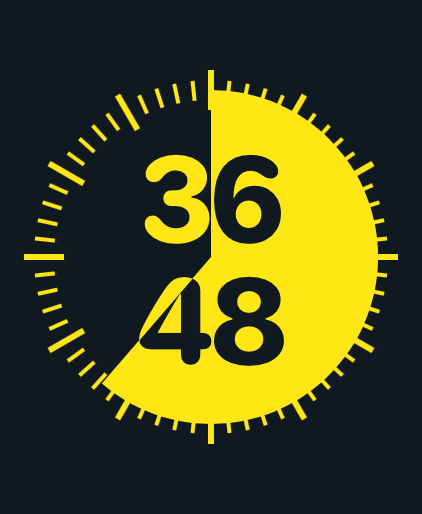
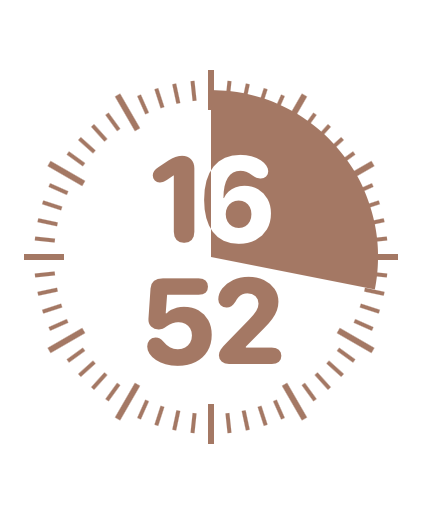
- Remain informed of remaining time with our intuitive pie-chart.
- Select from a wide array of over 70 color themes to design your preferred interface.
- Opt for your ideal alarm sound from our diverse library (premium plan).
- Choose the background music that complements your taste from our expansive collection (premium plan).
- With iCloud synchronization, you can view and modify your focus record on other devices, ensuring seamless continuity (premium plan).
- Utilize widgets to monitor your focus stats on the Home screen.
- Customize your app icon to match the color theme of your choice.
- Manage your focus efficiently by creating a new session for each task.
- The Statistics window offers an immediate overview of your recent focus.
- After each focus session, jot down your task using the retrospect function for future reference.
- Retrospects are easily accessible through the retrospect window and support modification and deletion.
- Utilize the Splitview feature for simultaneous viewing of timer and other apps (for iPad).
- With routine notifications, you can regularly manage your focus.
- Maximize productivity with Pomodoro mode, alternating between focused work and rejuvenating break.
-
- You can synchronize the focus history with calendar app
If you encounter any issues, have queries, or spot a bug during your use of the app, please feel free to reach us at [email protected]

Terms of Use : https://www.apple.com/legal/internet-services/itunes/dev/stdeula/

Hide Show More...

In-Apps

Ultimate Focus - Lifetime Plan
$29.99

Screenshots

Ultimate Focus FAQ

  • Is Ultimate Focus free?

    Yes, Ultimate Focus is free to download, however it contains in-app purchases or subscription offerings.

  • Is Ultimate Focus legit?

    ✅ The Ultimate Focus app appears to be high-quality and legitimate. Users are very satisfied.

    Thanks for the vote

  • How much does Ultimate Focus cost?

    Ultimate Focus has several in-app purchases/subscriptions, the average in-app price is $29.99.

  • What is Ultimate Focus revenue?

    To get estimated revenue of Ultimate Focus app and other AppStore insights you can sign up to AppTail Mobile Analytics Platform.

User Rating

4.72 out of 5

127 ratings in United States

5 star
109
4 star
7
3 star
6
2 star
3
1 star
2
Ratings History

Ultimate Focus Reviews

Finally chose this one, but one small suggestion

Jiayin_ on

United States

Hi, I tried several focus timer app, finally settled on this one. It has the minimalism style I like, it allows me to try out the app without subscribing first. The most amazing feature I enjoy the most it allows me to sync the session to one of my iPhone calendars. But one thing stopping me to subscribe is that the widget feature still some development maybe? I would like a real-time widget for my specific session, it is possible to see this new widget feature in the future?

Almost perfect, feature request

ZERO DR00L on

United States

I appreciate the functionality of this timer; however, I have a couple of suggestions: 1. It would be beneficial to incorporate the ability to run multiple timers simultaneously. 2. Presently, when I set a timer for 30 minutes, it occupies half of the displayed circle, while a 60-minute timer fills the entire circle. I recommend adding a feature that allows the circle to represent the full visual space, regardless of the timer duration. For instance, if I set a timer for 15 minutes, it should visually occupy the same amount of space as a 60-minute timer does currently. Thank you for considering these suggestions!

In the Flow State

Doc ManWell on

United States

Simple and effective timer that provides 25 minute focus intervals, with two 5 minutes breaks, and a third 15 minute break. More productive than ever thanks to this gem of a tool. Easily integrates on my desktop for ease of use.

Just one thing missing

Sorbus_aucuparia on

United States

When I work I'm constantly swiping from one desktop to another, and this timer would be perfect for me if I could get the hovering clock to appear on every desktop. Is that possible?

Great

BobR52 on

United States

Great little program timer with bell. Floats over other windows, so always available - Easy to see without having to focus on it.

Good timer app

char. bron. on

United States

Best designed (visual + functional) timer app I could find on App Store - it would be nice to have the option to hide the numbers on the timer and just allow the shape to represent time remaining as well

Excellent app

berkeley_philo on

United States

Thoughtfully and cleanly designed. Does what it should and is easy to use.

Thank you

타이쓴 on

United States

Thank you for this awesome tool. The minimalistic design of the app makes me use it more than any other app. Will consider purchasing it later, but for now, the free tier works fine for me. You are a great developer!

Great App

3D-209 on

United States

Helps keep track of my time - allowing me to focus well on every project/job.

Almost perfect

Curiousgeorge192741 on

United States

It would be great to have an option for the timer to also show the time digitally

Store Rankings

Ranking History
App Ranking History not available yet
Category Rankings
Chart
Category
Rank
Top Free
141

Keywords

Ultimate Focus Competitors

Ultimate Focus Installs

Last 30 days

Ultimate Focus Revenue

Last 30 days

Ultimate Focus Revenue and Downloads

Gain valuable insights into Ultimate Focus performance with our analytics.
Sign up now to access downloads, revenue, and more.
This page includes copyrighted content from third parties, shared solely for commentary and research in accordance with fair use under applicable copyright laws. All trademarks, including product, service, and company names or logos, remain the property of their respective owners. Their use here falls under nominative fair use as outlined by trademark laws and does not suggest any affiliation with or endorsement by the trademark holders.