WinZip Pro: zip, unzip & rar

Published by: WinZip Computing

Description

Get the world’s #1 zip file opener utility on iOS! Create Zip and Zipx files, extract files, encrypt, open Zip, Zipx, 7z, RAR or LHA files, send large files by email, share to Dropbox, Google Drive, OneDrive, iCloud, Twitter or Facebook.
The reviews are unanimous!
“Trying to open zip files a zip file on your mobile phone? Good luck -- unless you happen to have this handy tool installed. It launches directly from your inbox to give you a look inside those pesky file packages. “ - Mashable
CNET (download.com) gives WinZip for iOS a 5 star rating, saying ""We love apps that are simple and straightforward to use. WinZip definitely fits that description. We recommend it for all users.""
If you frequently use your iOS device to send and receive documents and large image files, you'll find a friend in the new WinZip app for iPhones and iPads. The full version costs $5, but it's worth the investment, according to CIO.com blogger James A. Martin.
From AppPicker: ""Why not sink a few dollars into this fantastic full version of WinZip for your iPhone and iPad!""
WinZip makes it easy to handle major compressed types of files on your iPhone, iPad or iPod Touch!
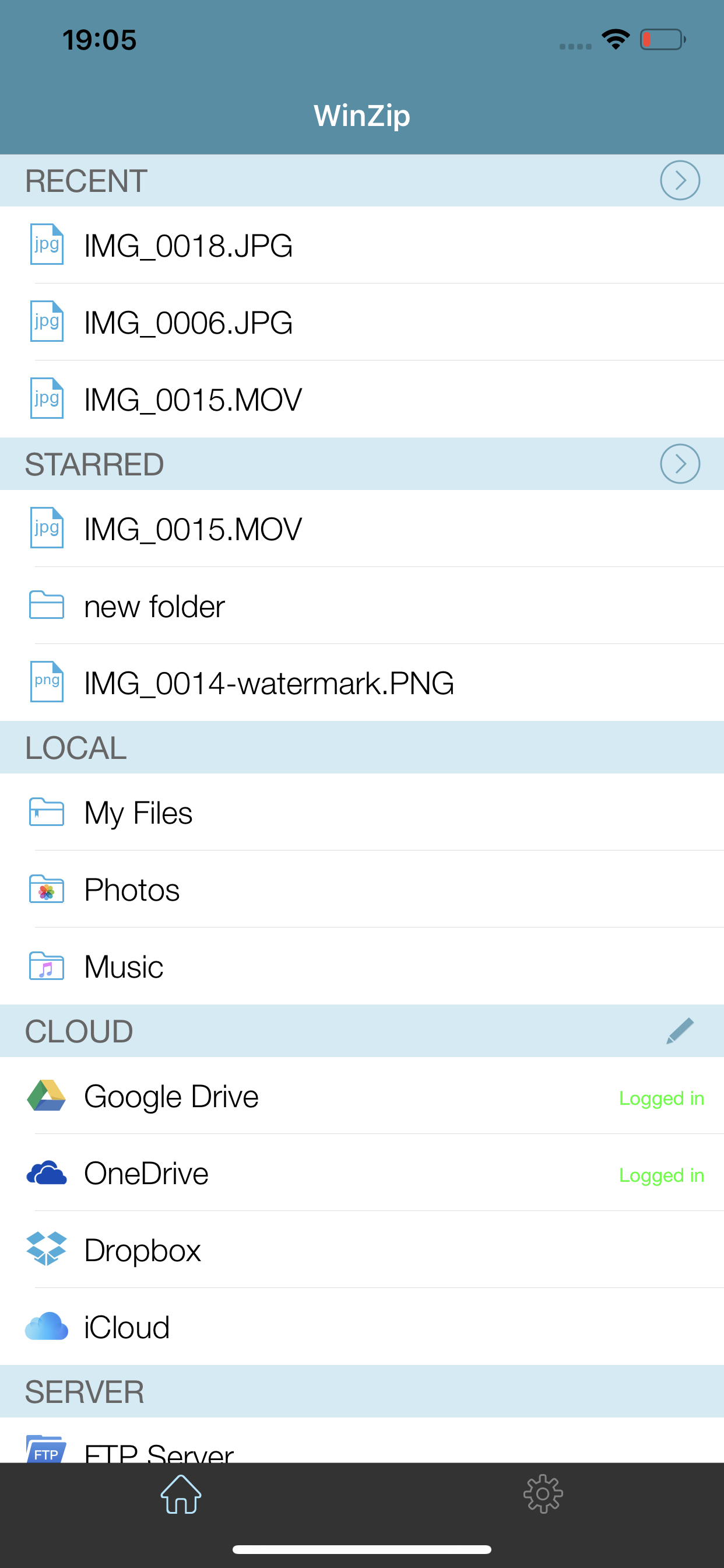
Whether you receive a Zip, Zipx, 7z, RAR or LHA file as an email attachment, or want to extract download and view the contents of a Zip, Zipx, 7z, RAR or LHA file from the web, just “Open with WinZip”. Sharing files is safe and simple too, with direct integration with Dropbox, Google Drive, OneDrive and iCloud, and support for AirDrop.
Now you can:
• Connect directly to your Dropbox, Google Drive, OneDrive and iCloud accounts to zip, unzip and share files
• Zip your cloud storage files, unzip files to your accounts, and create and save .zip and .zipx files to your accounts
• Send or copy links to your files in your cloud storage accounts
• Copy files from your cloud storage accounts and save them on your device
• Unzip major compressed file types, including .ZIP, .Zipx, .RAR, .7z and LHA with just a tap
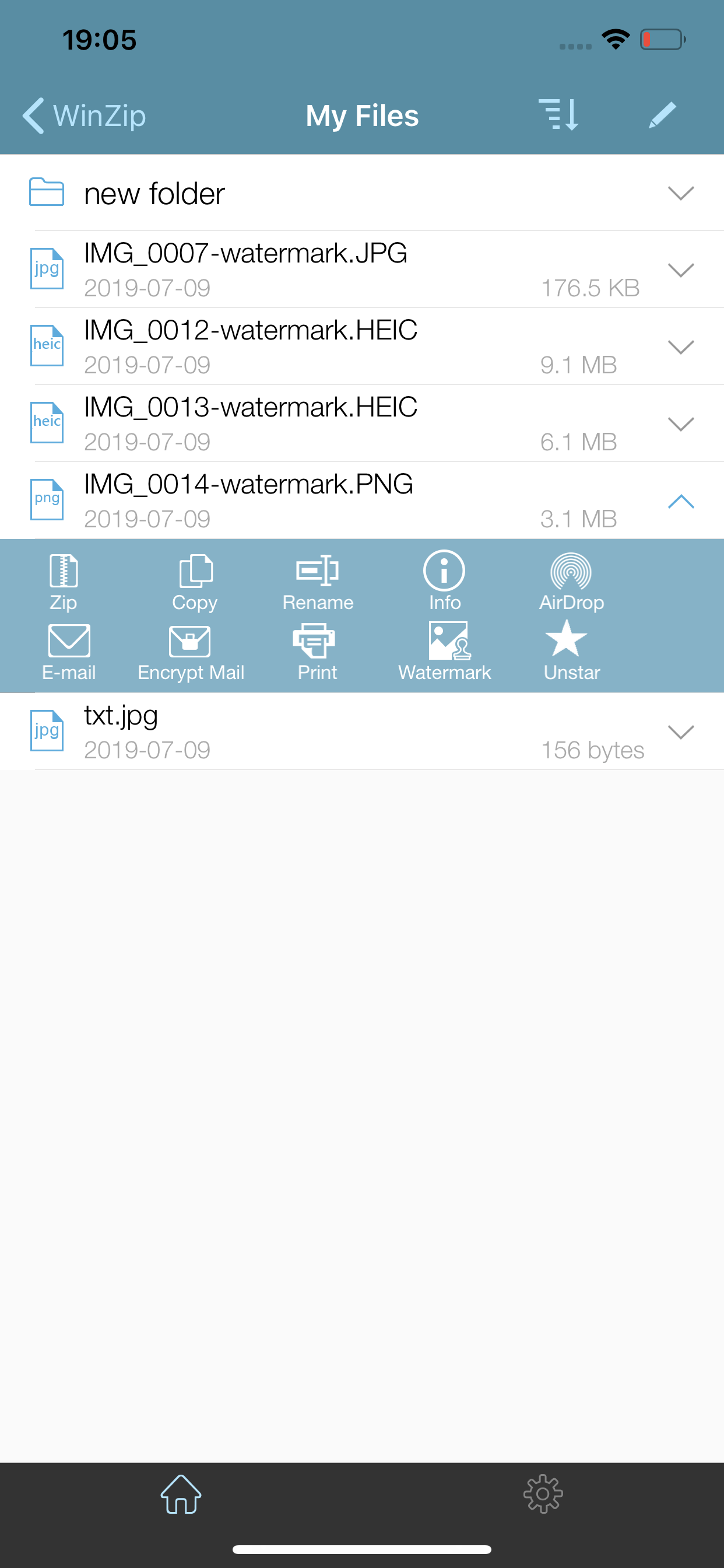
• Choose Zip or Zipx format to compress and email large files, photos and videos with ease
• Zip and share photos and videos from your Camera Roll
• Use WinZip to access music files on your device and save them to your cloud accounts
• Send files to other iOS users with integrated support for AirDrop
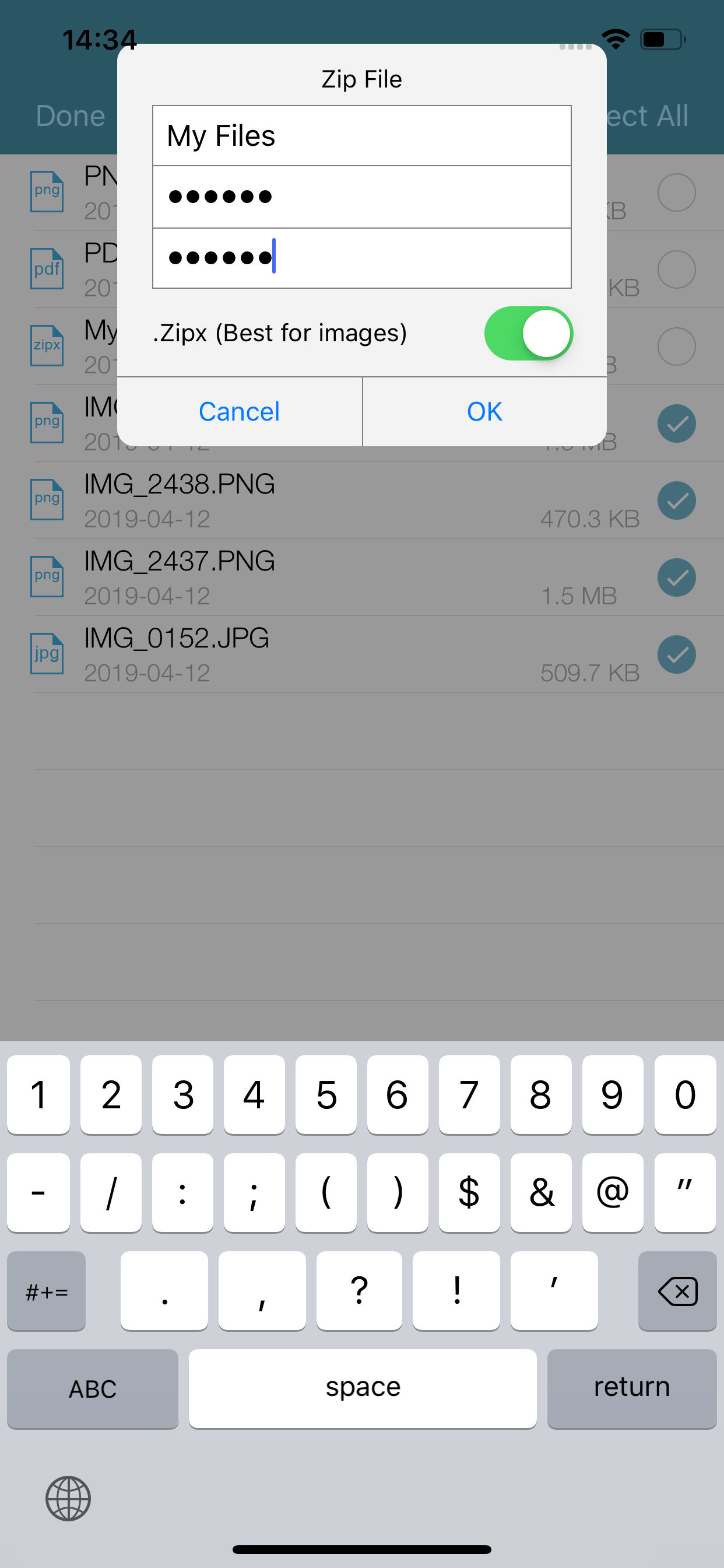
• Protect your files before you save and share with powerful 128- or 256-bit AES encryption
• Open and save email attachments to your connected cloud storage accounts or My Documents folder on your iPhone or iPad
• Easily view all images in a Zip file with the enhanced image viewer
• Browse your Photo Album and easily multi-select, zip and share photo collections
• Share photos in your zip files to Facebook and Twitter
• Download or upload files from/to WinZip through iTunes/iTools
• Unzip and view most common file types, including: .doc, .docx, .xls, .xlsx, .ppt, .pptx, .pages (including new iWork 13), .numbers (including new iWork 13), .key, .rtf, .pdf, .jpg, .png, .bmp, .gif, .tif, and more
View any of the following types of files within your Zip or RAR file:
• Word documents (.doc, .docx)
• Excel spreadsheets (.xls, .xlsx)
• PowerPoint presentations (.ppt, .pptx)
• PDF files (.pdf)
• Photos and images (.jpg, .jpeg, .png, .bmp, .gif, .tif, .tiff, .heic)
• Text files (.txt, .ini, .inf, .bat, .js, .log, .xml, .css, .java, .cs, .h, .m, .cpp, .c, .sql)
• Web documents (.htm, .html, .jsp, .asp)
• Rich Text Format documents (.rtf)
• Keynote presentations (.key)
• Numbers spreadsheets (.numbers)
• Pages documents (.pages)
• Media files (.m4a, .mp3, .wav, .mp4, .mov)
Hide Show More...

Screenshots

WinZip Pro FAQ

  • Is WinZip Pro free?

    Yes, WinZip Pro is completely free and it doesn't have any in-app purchases or subscriptions.

  • Is WinZip Pro legit?

    ⚠️ The WinZip Pro app has poor ratings and negative feedback. Users seem unsatisfied with its performance or features.

    Thanks for the vote

  • How much does WinZip Pro cost?

    WinZip Pro is free.

  • What is WinZip Pro revenue?

    To get estimated revenue of WinZip Pro app and other AppStore insights you can sign up to AppTail Mobile Analytics Platform.

User Rating

4.03 out of 5

118 ratings in Philippines

5 star
72
4 star
16
3 star
9
2 star
3
1 star
18
Ratings History

WinZip Pro Reviews

Such a waste of money

bvfhjdzbfhsdbzfa on

Philippines

Not user friendly. Definitely I will not recommend this to anyone

Absolutely terrible user experience

MaryJean26 on

Philippines

For starters, you can’t find your zip files in your Files app, you cant move files around into folders easily, and the interface all-in-all is too simple in a way that makes it hard to figure out what you need to do. An example for this would be how WinZip’s My Files doesn’t automatically show my iPad’s local files. Instead, I have to go to the “Cloud” section in order to access Apple Cloud in order to access files ON THIS IPAD. It’s just frustrating to have to go through all that to do something as simple as compress a file. I’d suggest you include drag-and-drop functionality with your files as well, in order to make copying and moving files into zip folders easier, as well as add the option to edit security options like passwords after the file has been compressed. To think this is a paid app, I expected a more comfortable user experience, but I’m just disappointed at how frustrating this app is to use.

Can not open file

Robertotolitot on

Philippines

I can not open zip files using winzip that I’ve created using winzip itself. Pls help!

Cannot locate local files

sikreto on

Philippines

App is useless that you cannot locate local downloaded files.

NOT USER FRIENDLY

CRISTEL123456 on

Philippines

This ass is not user friendly.

Editing for TEXT files

Hackkerszk on

Philippines

I bought this software in Premium but then I feel so bad that Editing simple txt files doesnt work. Please add TEXT EDITING features so that i dont have to go to another 3rd party software just to edit text files then put it back to winzip to compress it. Expecting it for the next version.

Cant use

sta maria bulacan on

Philippines

Waste of money. I cant zip files. Cant do anything on this app. Pls fix this.

Needs improvement

Pauvandyke on

Philippines

Try to make it more user-friendly. I cannot even find the folder that I made on my Ipad.

No mail account -IPAD 6TH GEN- 1 star only

ayawkoneto on

Philippines

The title says it all, I cannot zip file then send to mail due to no mail account, how can I fix this? Please help

NOT WORKING PROPERLY

kab1019 on

Philippines

Keying in the password and it says it doesnt match! I’m confident with the password im keying in

Store Rankings

Ranking History
App Ranking History not available yet
Category Rankings
Chart
Category
Rank
Top Paid
12
Top Paid
13
Top Paid
13
Top Paid
16
Top Paid
19

Keywords

WinZip Pro Competitors

WinZip Pro Installs

Last 30 days

WinZip Pro Revenue

Last 30 days

WinZip Pro Revenue and Downloads

Gain valuable insights into WinZip Pro performance with our analytics.
Sign up now to access downloads, revenue, and more.
This page includes copyrighted content from third parties, shared solely for commentary and research in accordance with fair use under applicable copyright laws. All trademarks, including product, service, and company names or logos, remain the property of their respective owners. Their use here falls under nominative fair use as outlined by trademark laws and does not suggest any affiliation with or endorsement by the trademark holders.