


Description
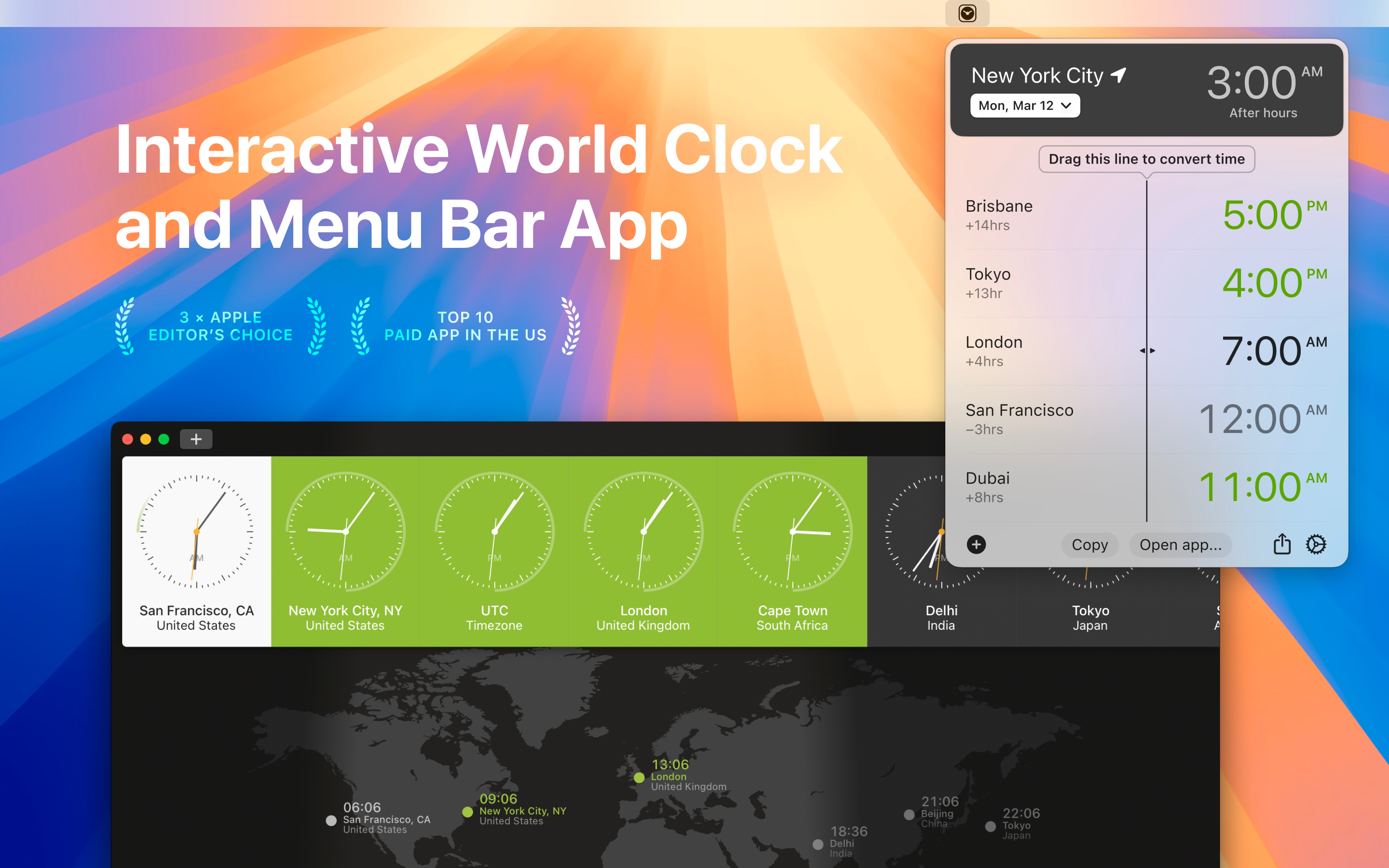
World Clock Pro: Time Zones on Mac OS is your all-in-one time widget, time converter, and world clock for managing schedules across the globe. Whether you need a clock widget for quick checks, a world time clock for business meetings, or a time zone converter for travel planning, World Clock Pro makes it simple. Plan meetings, track international times, and stay on schedule—all in one intuitive app.
If you’ve ever struggled to coordinate with colleagues in different time zones or needed a digital clock widget with seconds, you know the challenge. World Clock Pro gives you a clear, reliable, and beautifully designed solution that works exactly the way you need.
"If you work or interact with people in different countries you’ll know what a pain it can be to coordinate a meeting with the parties are in different timezones.
World Clock gives a visual representation of what time of day it is for your co-workers."—LIFE HACKER
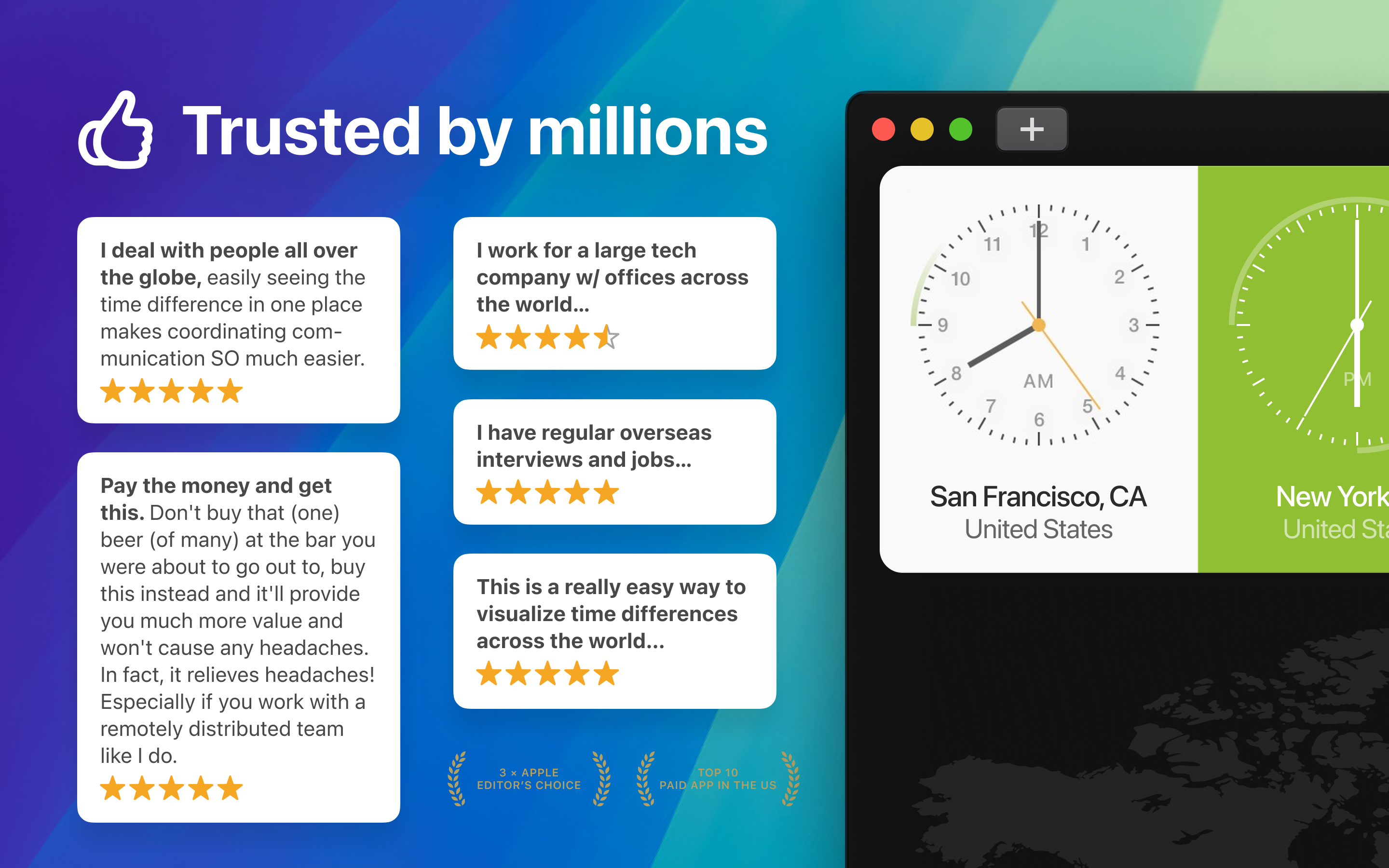
-= 3 x Apple Editor's Choice =-
MULTIPLE TIME ZONE CLOCK:
Add cities and time zones like GMT and UTC with a click. Manage global projects and meetings without fuss.
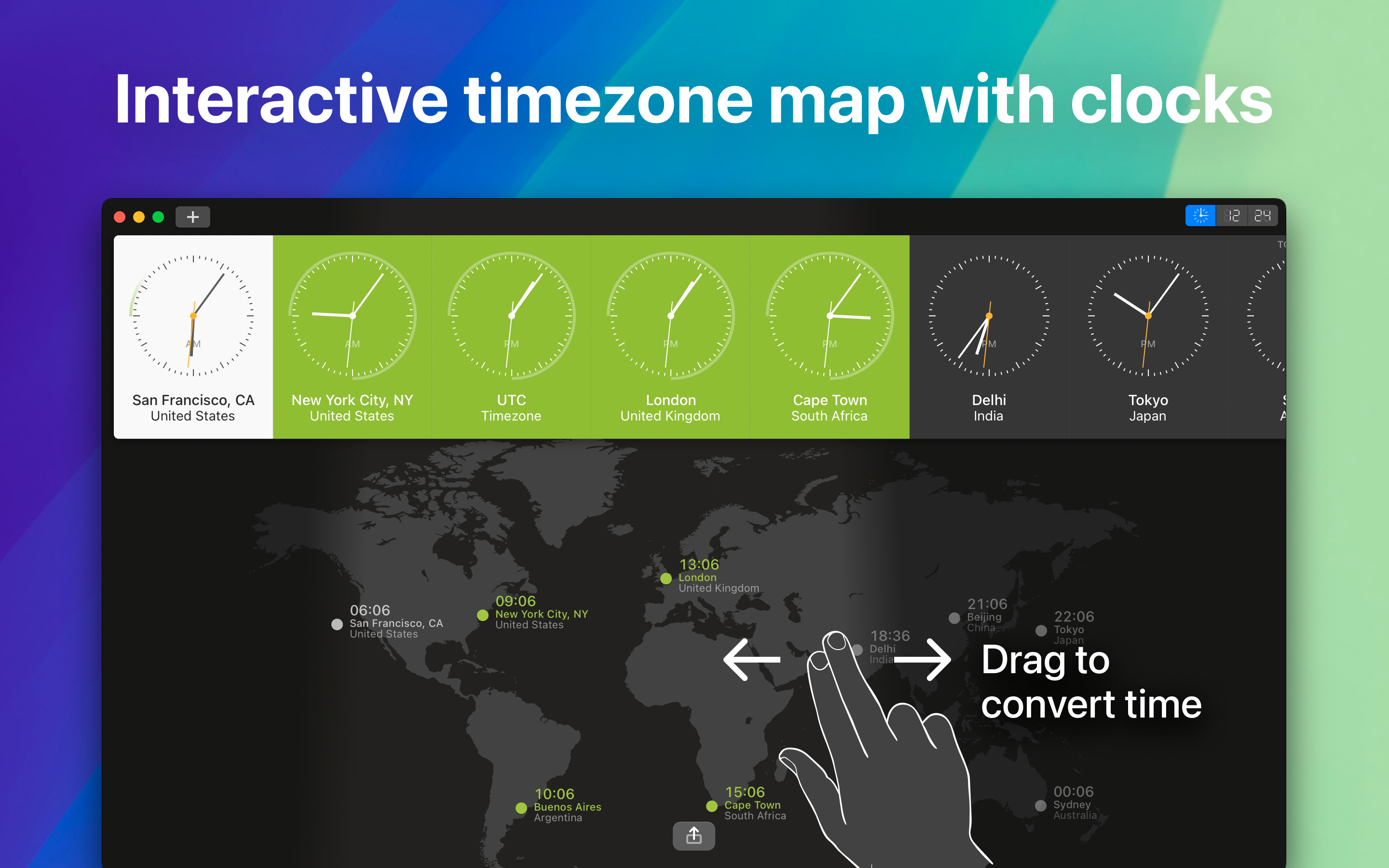
TIME ZONE MAP & VISUALIZATION:
See your favorite time zones on a map. Understand time differences with a clear view.
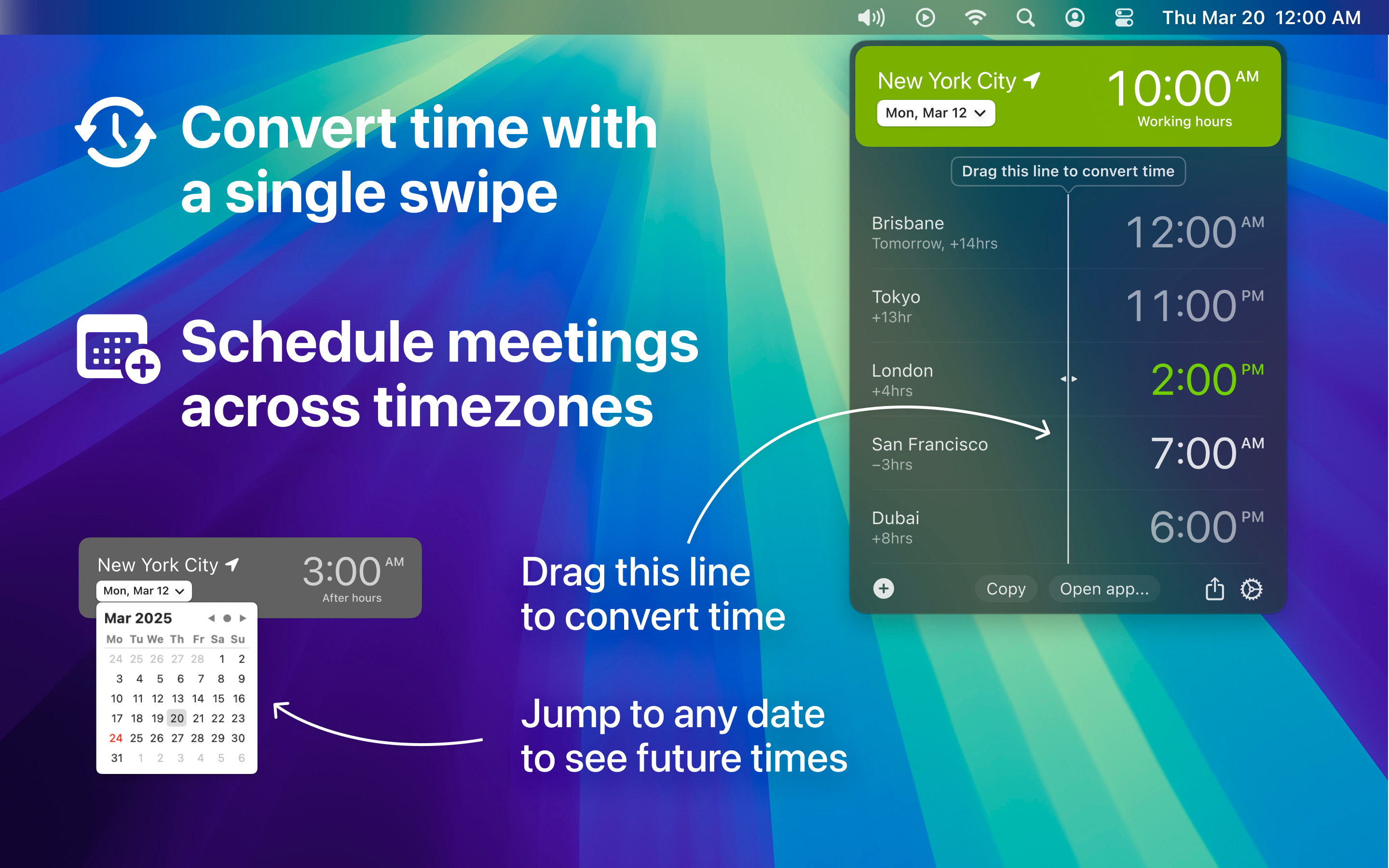
TIME CLOCK CONVERTER:
Drag and drop to convert times instantly. Plan travel or schedule calls in seconds.
MENUBAR MODE:
Quickly access time and conversion features from your menubar. Check times without interrupting your work.
POWERFUL SHARING:
Schedule meetings and phone calls with just a few clicks.
FULL DARK MODE SUPPORT:
Enjoy a sleek, clear display in low light on macOS Mojave and later.
MACBOOK PRO TOUCH BAR & HAPTIC FEEDBACK:
Feel smooth time scrolling with support for Touch Bar and gentle haptic clicks.
=========
FAQ – Quick Answers
Q: What is World Clock Pro: Time Zones?
A: A clear, straightforward tool for managing time across the globe. It’s the best world time buddy, time zone converter app, and menu bar UTC clock for macOS.
Q: How do I convert a time zone?
A: Use the Time Clock Converter—just drag the slider or enter your time, and World Clock Pro instantly shows it in every selected city.
Q: Can I use it as a widget?
A: Yes, World Clock Pro works as a world clock widget, date and time widget, and digital clock widget right from your desktop.
Q: Does it support military time?
A: Absolutely! You can switch between standard, 24-hour, and military time clock formats.
=========
Why Choose World Clock Pro?
- Save time scheduling international meetings
- Always see accurate UTC, GMT, and local time
- One-click timezone conversion
- Works seamlessly as a free clock app or premium with more features
Download World Clock Pro: Time Zones today and take control of your schedule—whether you’re a business professional, traveler, or just someone who needs to keep time straight.
=========
World Clock Pro offers premium subscription.
Subscribe to get access to unlimited timezones, customizations, and timely automatic updates of our timezone database of more than 160,000 locations and timezones.
– Length of subscription: 1 month or 1 year
– Payment will be charged to iTunes Account at confirmation of purchase
– Subscription automatically renews unless auto-renew is turned off at least 24-hours before the end of the current period
– Account will be charged for renewal within 24-hours prior to the end of the current period, and identify the cost of the renewal
– Subscriptions may be managed by the user and auto-renewal may be turned off by going to the user's Account Settings after purchase
– Any unused portion of a free trial period, if offered, will be forfeited when the user purchases a subscription to that publication, where applicable
– Terms & Conditions: http://bit.ly/2rIc2kE
Hide
Show More...
If you’ve ever struggled to coordinate with colleagues in different time zones or needed a digital clock widget with seconds, you know the challenge. World Clock Pro gives you a clear, reliable, and beautifully designed solution that works exactly the way you need.
"If you work or interact with people in different countries you’ll know what a pain it can be to coordinate a meeting with the parties are in different timezones.
World Clock gives a visual representation of what time of day it is for your co-workers."—LIFE HACKER
-= 3 x Apple Editor's Choice =-
MULTIPLE TIME ZONE CLOCK:
Add cities and time zones like GMT and UTC with a click. Manage global projects and meetings without fuss.
TIME ZONE MAP & VISUALIZATION:
See your favorite time zones on a map. Understand time differences with a clear view.
TIME CLOCK CONVERTER:
Drag and drop to convert times instantly. Plan travel or schedule calls in seconds.
MENUBAR MODE:
Quickly access time and conversion features from your menubar. Check times without interrupting your work.
POWERFUL SHARING:
Schedule meetings and phone calls with just a few clicks.
FULL DARK MODE SUPPORT:
Enjoy a sleek, clear display in low light on macOS Mojave and later.
MACBOOK PRO TOUCH BAR & HAPTIC FEEDBACK:
Feel smooth time scrolling with support for Touch Bar and gentle haptic clicks.
=========
FAQ – Quick Answers
Q: What is World Clock Pro: Time Zones?
A: A clear, straightforward tool for managing time across the globe. It’s the best world time buddy, time zone converter app, and menu bar UTC clock for macOS.
Q: How do I convert a time zone?
A: Use the Time Clock Converter—just drag the slider or enter your time, and World Clock Pro instantly shows it in every selected city.
Q: Can I use it as a widget?
A: Yes, World Clock Pro works as a world clock widget, date and time widget, and digital clock widget right from your desktop.
Q: Does it support military time?
A: Absolutely! You can switch between standard, 24-hour, and military time clock formats.
=========
Why Choose World Clock Pro?
- Save time scheduling international meetings
- Always see accurate UTC, GMT, and local time
- One-click timezone conversion
- Works seamlessly as a free clock app or premium with more features
Download World Clock Pro: Time Zones today and take control of your schedule—whether you’re a business professional, traveler, or just someone who needs to keep time straight.
=========
World Clock Pro offers premium subscription.
Subscribe to get access to unlimited timezones, customizations, and timely automatic updates of our timezone database of more than 160,000 locations and timezones.
– Length of subscription: 1 month or 1 year
– Payment will be charged to iTunes Account at confirmation of purchase
– Subscription automatically renews unless auto-renew is turned off at least 24-hours before the end of the current period
– Account will be charged for renewal within 24-hours prior to the end of the current period, and identify the cost of the renewal
– Subscriptions may be managed by the user and auto-renewal may be turned off by going to the user's Account Settings after purchase
– Any unused portion of a free trial period, if offered, will be forfeited when the user purchases a subscription to that publication, where applicable
– Terms & Conditions: http://bit.ly/2rIc2kE
In-Apps
- 1 Year Subscription
- $9.99
- 1 Month Subscription
- $1.49
Screenshots
World Time Clock Pro FAQ
-
Is World Time Clock Pro free?
Yes, World Time Clock Pro is free to download, however it contains in-app purchases or subscription offerings.
-
Is World Time Clock Pro legit?
Not enough reviews to make a reliable assessment. The app needs more user feedback.
Thanks for the vote -
How much does World Time Clock Pro cost?
World Time Clock Pro has several in-app purchases/subscriptions, the average in-app price is $5.74.
-
What is World Time Clock Pro revenue?
To get estimated revenue of World Time Clock Pro app and other AppStore insights you can sign up to AppTail Mobile Analytics Platform.

User Rating
App is not rated in United States yet.
Ratings History
World Time Clock Pro Reviews
No Reviews in United States
App doesn't have any reviews in United States yet.
Store Rankings
Ranking History
App Ranking History not available yet
Category Rankings
App is not ranked yet
Keywords
World Time Clock Pro Installs
Last 30 days
World Time Clock Pro Revenue
Last 30 daysWorld Time Clock Pro Revenue and Downloads
Gain valuable insights into World Time Clock Pro performance with our analytics.
Sign up now to access downloads, revenue, and more.
Sign up now to access downloads, revenue, and more.
App Info
- Category
- Utilities
- Publisher
- Alex Komarov
- Languages
- English, Chinese
- Recent release
- 1.9.1 (2 weeks ago )
- Released on
- Apr 20, 2014 (11 years ago )
- Last Updated
- 4 days ago
This page includes copyrighted content from third parties, shared solely for commentary and research in accordance with fair use under applicable copyright laws. All trademarks, including product, service, and company names or logos, remain the property of their respective owners. Their use here falls under nominative fair use as outlined by trademark laws and does not suggest any affiliation with or endorsement by the trademark holders.