Freenotes: AI Notes, Docs, PDF

Planner, Journal, Memo Notepad

Beschreibung

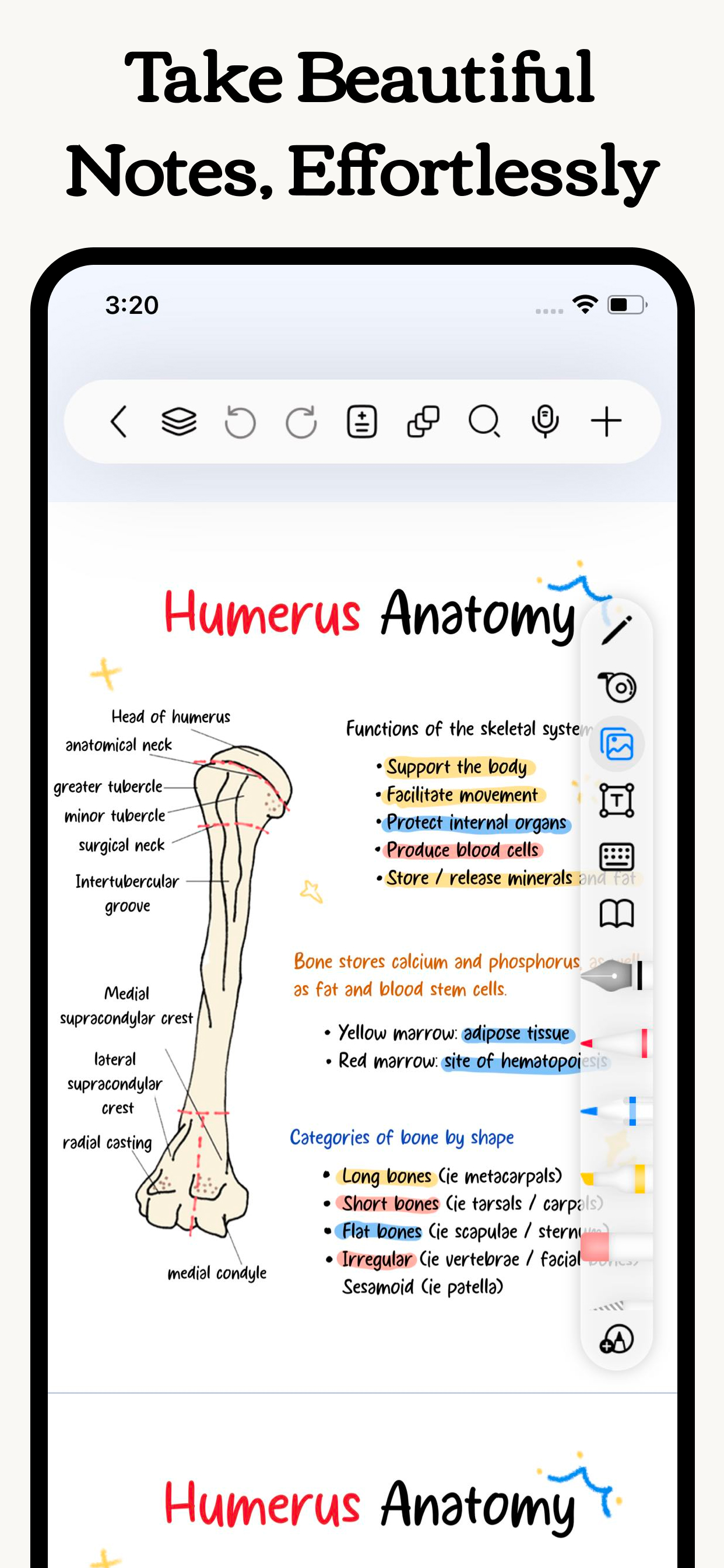
Freenotes lets you experience true paperless learning, enjoying the pleasure of writing while boosting your study efficiency. Realistic pen strokes bring the feel of writing on paper, and tools like handwriting-to-text, stickers and drawing brushes help you take notes effectively.
iCloud sync and multi-cloud backups keep your notes seamlessly accessible across iPad, iPhone, and Mac. Features like PDF annotation, picture-in-picture video, and split-screen for courses meet diverse learning needs.
Plus, an AI assistant provides instant answers and content summaries, making learning even easier!

[Just like writing on real paper]
- Realistic Pen Strokes: By combining handwriting pens, you can experience lifelike pen strokes on electronic devices, providing a natural feel for writing on digital platforms.
Smooth Writing: The handwriting tool provides a smooth writing experience, accurately capturing your strokes whether you're sketching or taking detailed notes.

[AI Assistant]
Take a screenshot or upload a document to instantly get answers to questions and summaries of content.

[Organize your notes easy and neat]
- Organized and Neat: The folder feature allows you to categorize and organize your notes by projects, courses, or topics, keeping your note library tidy and orderly.
- Quick Search: No more wasting time searching for specific notes; with the folder function, you can easily find the content you need.

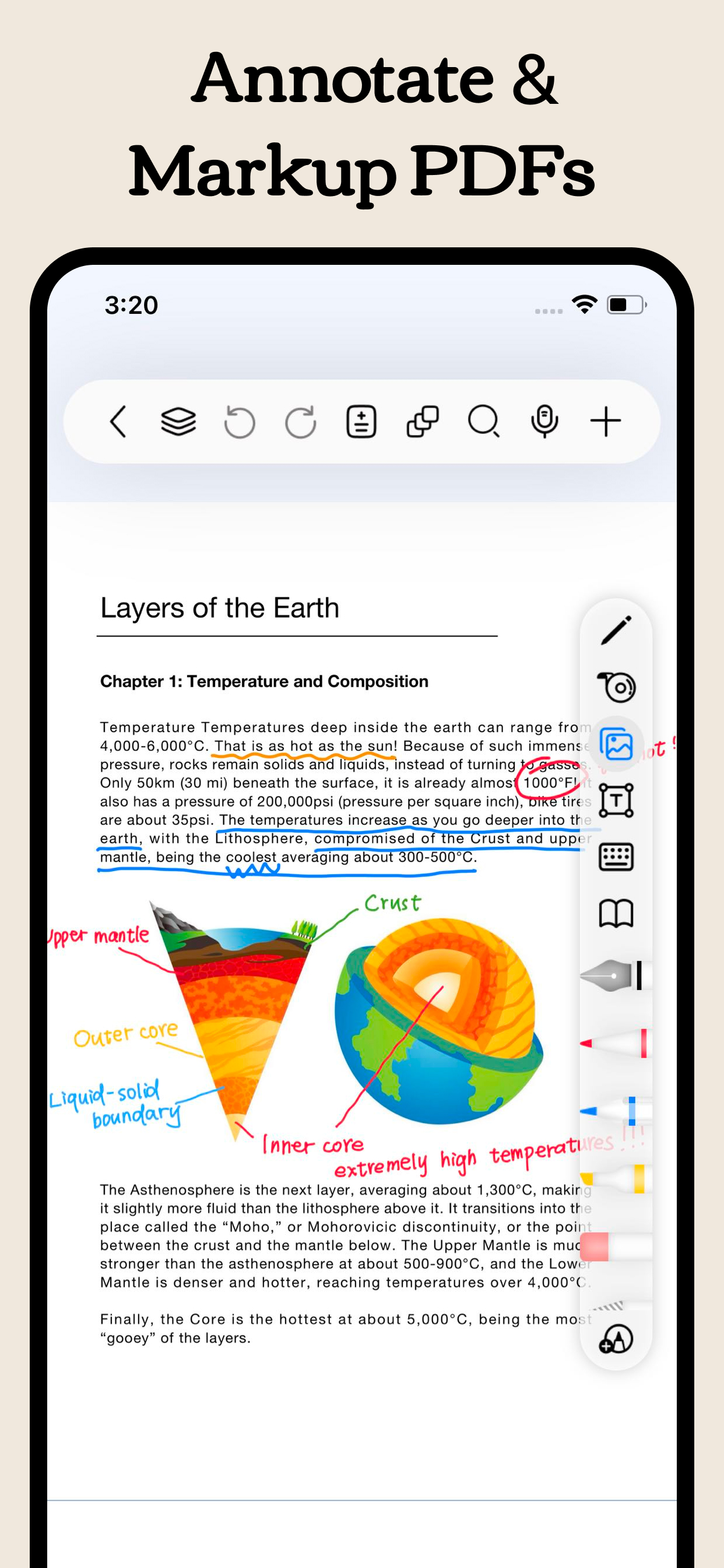
[Annotate PDFs]
- Interactive Learning: Annotate, mark up, and highlight PDF files. Select text to translate and look up words directly, making learning more convenient and engaging.
- Content Integration: Combine text and handwritten notes to better understand and memorize study materials.
- Hyperlinks: Add hyperlinks to jump to different pages within your notes or to external web pages for easy access to related information.

[Enhance learning efficiency]
- Batch Import: In addition to local import, supports batch importing from cloud services like Google Drive, OneDrive, and Dropbox.
- Video Learning: Use picture-in-picture to take notes while watching videos and instantly capture screenshots directly into your notes.
- Course Learning: Display your handwritten or mind map notes alongside course content for a deeper understanding and quick review.
- Exam Prep: The resource center provides exam materials for various tests, combined with timers, layers, and in-app split-screen, allowing you to practice and simulate exams without re-importing files.
- Review and Memorization: Use the tape tool to mark key information for memorization and quickly test yourself by toggling visibility.

[Dark Themes]
- Eye Protection and Comfort: Dark mode adjusts the background color of the app to darker tones, reducing glare and protecting your eyes, allowing you to focus on learning and working for longer periods.
- Nighttime Reading: Night mode adjusts the app's background to a darker tone, reducing glare and protecting your eyes.

[Personalized Note-taking]
- Custom Brushes: Create custom brushes with different parameters in the custom pen box for quick access. Now supports Apple Pencil Pro.
- Custom Templates: Create or import your favorite templates and covers to create note formats and layouts that suit your needs.
- Templates Center: Provides original templates, stickers, and curated fonts and color palettes for you to download and use to create beautiful digital notebooks. You can also import your own resources.

Payment will be charged to subscriber’s iTunes account at the confirmation of purchase. Subscriptions automatically renew unless canceled at least 24 hours before the end of the current period. Subscriber’s account will be charged for renewal within 24 hours prior to the end of the current period. Subscribers can manage their subscriptions by going to their account settings on the App Store.

Privacy Policy: https://www.freenotetech.com/policy/
Terms of Service: https://www.freenotetech.com/terms/
Ausblenden Mehr anzeigen...

Screenshots

Freenotes Häufige Fragen

  • Ist Freenotes kostenlos?

    Ja, Freenotes ist komplett kostenlos und enthält keine In-App-Käufe oder Abonnements.

  • Ist Freenotes seriös?

    🤔 Die Qualität der Freenotes-App ist gemischt. Einige Nutzer sind zufrieden, während andere Probleme melden. Ziehen Sie in Betracht, einzelne Bewertungen für mehr Kontext zu lesen.

    Danke für die Stimme

  • Wie viel kostet Freenotes?

    Freenotes ist kostenlos.

  • Wie hoch ist der Umsatz von Freenotes?

    Um geschätzte Einnahmen der Freenotes-App und weitere AppStore-Einblicke zu erhalten, können Sie sich bei der AppTail Mobile Analytics Platform anmelden.

Benutzerbewertung

4.64 von 5

100 Bewertungen in Jamaika

5 star
79
4 star
12
3 star
5
2 star
2
1 star
2
Bewertungsverlauf

Freenotes Bewertungen

Lack Communication!

SharZ_Own on

Jamaika

Love this app ! But NO customer service respond to any emails at all. Pay ATTENTION to this please! Must be able to report issues with the app and also request features and have feedback from developer.

Email

SharZ Own on

Jamaika

Please provide a support email address to contact you.

笔很好写

i 1111 on

China

笔很好写,界面也很好看,但是总是闪退,总是黑屏就很烦

简直太棒了

ou同学 on

China

又不收费,又平替无边记,无边记写多了是真的卡功能都很齐全

bug挺多

iPad正使用中 on

China

莫名其妙写完就没了,很多用法也不流畅,问了客服也根本没有答复

新版本有问题

糯米糕c c on

China

最新版本会闪退

超棒的刷题+笔记软件!免费学生党友好

Olivia祎 on

China

可不可以再资料库里加上中考真题啊学生党真的很需要啊啊其他方面都做的不戳👍嘻嘻写感也很好

很好的一款软件不错!!

会闪退!,!!! on

China

不错不错不错!

好用还不收费

eminemsein on

China

比那些收费的好用,大学生学习做笔记神器

实用

A.✋ on

China

性能全面 特别实用

Store-Rankings

Ranking-Verlauf
App-Ranking-Verlauf noch nicht verfügbar
Kategorien-Rankings
Diagramm
Kategorie
Rang
Top Kostenlos
61
Top Kostenlos
88
Top Kostenlos
97
Top Kostenlos
114
Top Kostenlos
117

Schlüsselwörter

自由笔记 Installationen

Letzte 30 Tage

自由笔记 Umsatz

Letzte 30 Tage

Freenotes Einnahmen und Downloads

Gewinnen Sie wertvolle Einblicke in die Leistung von 自由笔记 mit unserer Analytik.
Melden Sie sich jetzt an, um Zugriff auf Downloads, Einnahmen und mehr zu erhalten.

App-Informationen

Kategorie
Productivity
Sprachen
English, Arabic, Czech, Danish, Dutch, Finnish, French, German, Greek (modern), Hungarian, Indonesian, Italian, Japanese, Korean, Malay, Norwegian Bokmål, Polish, Portuguese, Russian, Chinese, Spanish, Swedish, Thai, Turkish, Ukrainian, Vietnamese
Letzte Veröffentlichung
3.11.2 (vor 4 Tagen )
Veröffentlicht am
Sep 5, 2023 (vor 2 Jahren )
Zuletzt aktualisiert
vor 1 Woche
This page includes copyrighted content from third parties, shared solely for commentary and research in accordance with fair use under applicable copyright laws. All trademarks, including product, service, and company names or logos, remain the property of their respective owners. Their use here falls under nominative fair use as outlined by trademark laws and does not suggest any affiliation with or endorsement by the trademark holders.