
Feedback
Thanks for the update, all good now Really disappointing, no clear instructions on how to use and set up



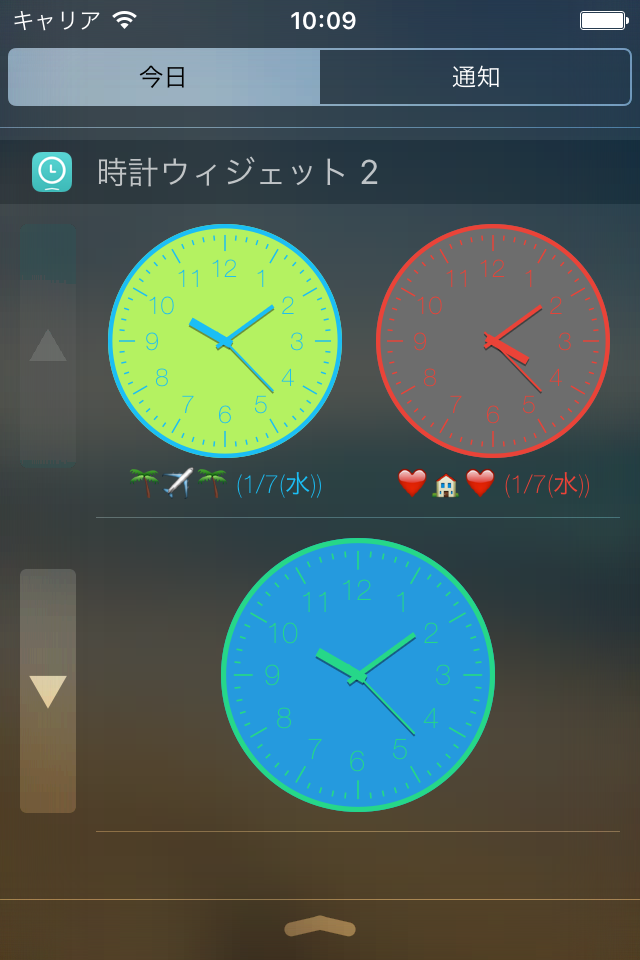


Ja, Clock Widget ist komplett kostenlos und enthält keine In-App-Käufe oder Abonnements.
⚠️ Die Clock Widget-App hat schlechte Bewertungen und negatives Feedback. Die Nutzer scheinen mit der Leistung oder den Funktionen unzufrieden zu sein.
Clock Widget ist kostenlos.
Um geschätzte Einnahmen der Clock Widget-App und weitere AppStore-Einblicke zu erhalten, können Sie sich bei der AppTail Mobile Analytics Platform anmelden.

3.75 von 5
4 Bewertungen in Vereinigtes Königreich
Thanks for the update, all good now Really disappointing, no clear instructions on how to use and set up
Updated... Thanks for your response, Mr Dev. I tried putting the clocks onto "Automatic" sizing. I still get the small notification window, and the clocks are no-longer cut in half... but now my clocks are very small, unless I click View More every time. It works, as such, so I can't complain. Don't break your back, trying to fix it. The app still serves its purpose, and its the best one available. It's obviously an iOS issue, and you shouldn't be expected to work around Apple's screw-ups. Just a side point... I did do a full restore recently, but it hasn't made any difference. Original... It might be an iOS 10 issue, but (recently) every time I swipe to view the today screen, the clocks are cut in half. There's a button to View More/Less, but it's always showing View More, and it cuts my clocks in half. Only 2 widgets on my today screen, so it's nothing to do with a lack of space. It's little more than half full. And it does it on my iPad too. A bit annoying, and I'm pretty sure it's a CrApple issue. Nothing new there, since I only paid £700+ for my iPhone. It's a good app tho. No major problems. Certainly worth its price.
今朝からデジタルの表示が6:13:16の6しか出ない しょうがないのでアナログで使用中 削除再設定もダメどす〜
今まで様々な時計ウィジェットアプリを使ってきましたが、ここまで完成されたアプリはこれが初めてです。 大満足です
ウィジェット画面で、アプリで作った自分仕様のとても大きい時計が表示されるのが好きだった。 アナログ時計のように秒針がカチカチと動くものが欲しかったのでとても助かっていた。 アプリをアプデしたら、アップル仕様のウィジェットしか出せなくなってしまった。 秒カウントが数字で動くならアナログでいいしこのアプリの良さは秒針が刻むことだったのでもう不要になる。 元に戻せないのだろうか
秒数表示が欲しくて購入しましたが数秒遅れてます。これは致命的。
時計と日付を同時に表示できるウィジェットを探してました。ばっちりです。 しかし設定が難しい。参考プレビューにあるような「末尾にAMPMつける」「曜日を英語表記にする」仕方がわからない…。英語圏じゃなきゃ無理なのかな?
アナログにしたときに秒針が表示させない(秒の表示がデジタル) これは設定が悪いの?
時計の文字は風景黒で文字が白には出来無いの?
ウィジェットに設定できないとか、お金払ったとか訳の分からないレビューを書いてる人は一体何なのでしょうか。何か意図を持って酷評してるのか、スキルが低いかどちらかとしか思えない。 ちゃんとウィジェット設定出来ますよ。 ーーーーー 以前のバージョンのウィジェットでは秒表示できてたと思うのですがiOS14のウィジェットでは秒が表示されないので残念です。 追記 秒表示に早速ご対応頂いてありがとうございます。
|
Diagramm
|
Kategorie
|
Rang
|
|---|---|---|
|
Top Bezahlt
|

|
257
|
|
Top Bezahlt
|

|
293
|
|
Top Bezahlt
|

|
300
|
|
Top Bezahlt
|

|
329
|
|
Top Bezahlt
|

|
379
|
