Clear Scan: Doc Scanner App

Photo to PDF, Receipt scanning

Veröffentlicht von: INDY MOBILE APP COMPANY

Beschreibung

Get the best FREE document scanning app for your phone that you can use anytime, anywhere. Use all the features without having to pay for In-App purchase.
*** Clear Scanner is FREE, powerful, fast, and easy.***
Whether you are a student, professionals, business owners, or even a stay at home mom, you need to download Clear Scanner now. You don’t need to invest in an expensive scanner because you can turn your phone into a scanner with Clear Scanner. It’s a great and handy app to have even if you don’t frequently use a scanner. It’s lightweight so it won’t take much storage room and you can use it anytime you need to.
You can use Clear Scan to scan anything:
* Scan Documents
* Scan Letters, Bills, Receipts.
* Scan Photos.
* Scan Whiteboards.
* Scan Books.
* Scan Notes and Sketches.
* or anything you may think of.
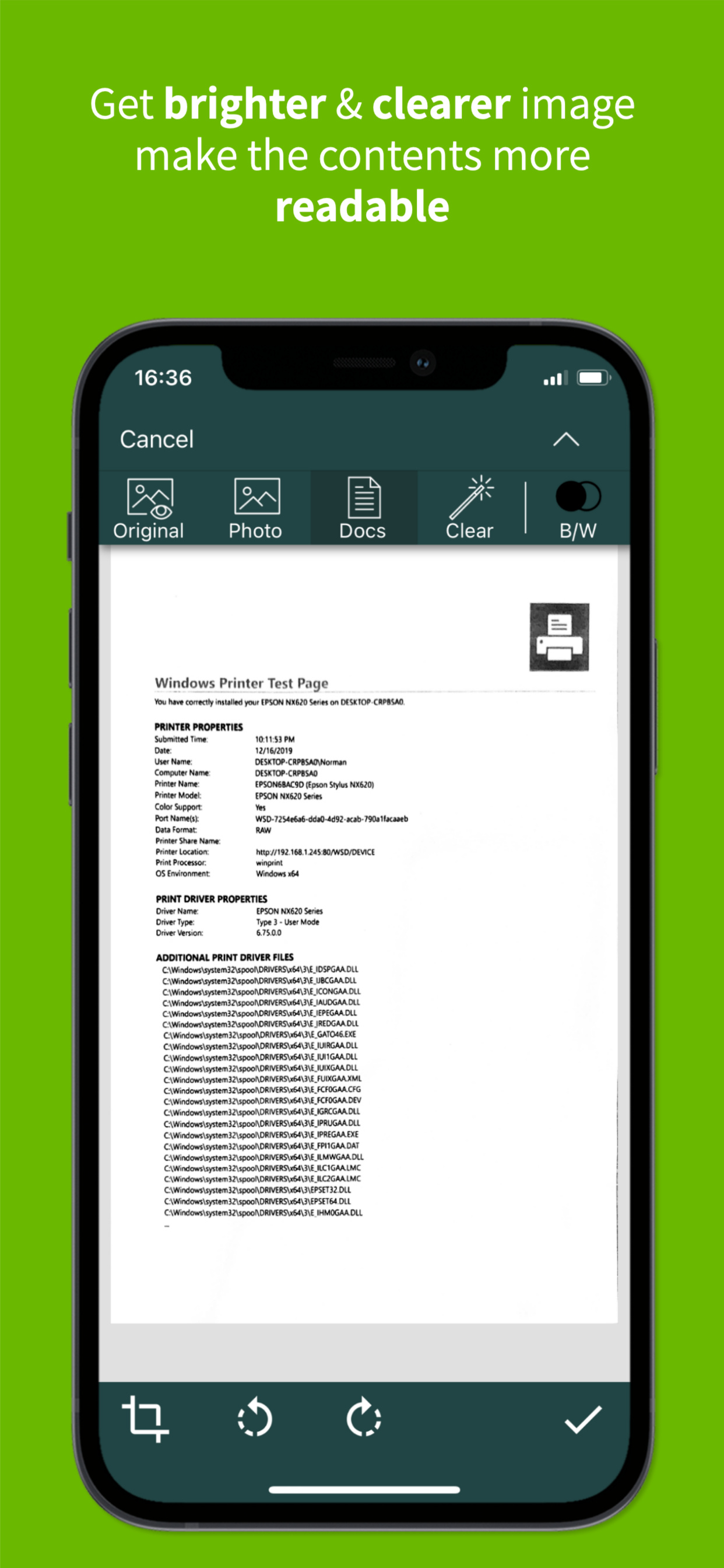
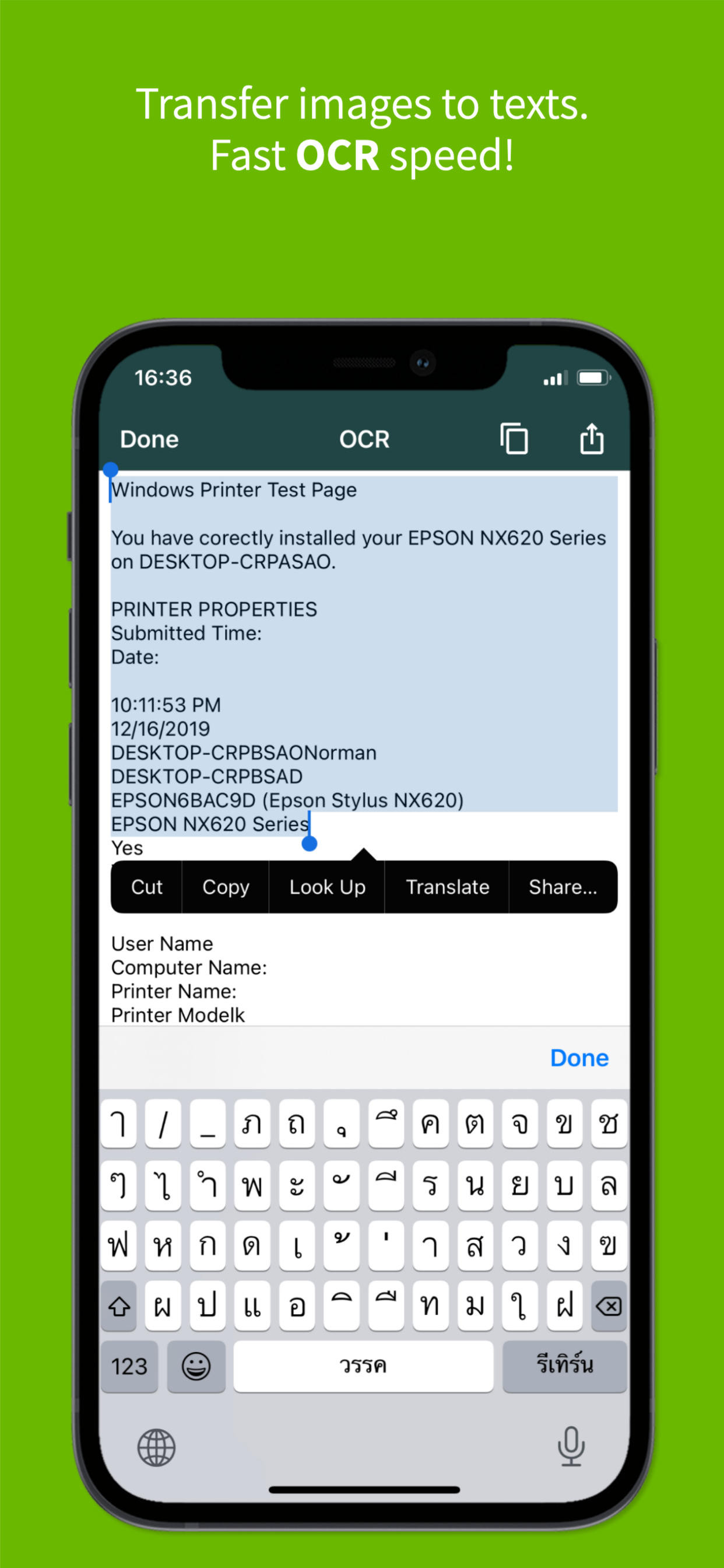
We will automatically make the image more readable for you and if you need to, you can use the OCR feature to convert the image into text.
Why should you download & use Clear Scanner:
Clear result that is very readable.
Completely FREE. Scan as many times as you want & get the best result.
NO In-app purchase. Use all the features for FREE.
No watermarks on the saved PDF files.
Advanced algorithm to clarify the image to readable text.
OCR capability, convert image to text.
Save to Phone, Print, or Share via other apps immediately.
Supports sharing to Dropbox, OneDrive, SkyDrive, Google Drive, Evernote & other essential apps.
Lightweight and fast.
Manage documents in folders and subfolders.
Reorder pages.
Email only certain pages or selected documents.
Note: Please allow access to your Camera and File to use Clear Scanner for scanning your documents, photos, or receipts.
How to use Clear Scanner to scan documents:
Give us permission to access your phone’s Camera and Photo Gallery.
Tap on the Camera icon below if you want to scan a new file.
Tap on the Photo icon below if you want to export from a file on your phone.
Adjust the camera zoom function if you need a more detailed picture.
Adjust the border of the scanned image or use auto-adjust
Rotate the image if you need to.
We will automatically make the image more readable. However, you have options to choose the Original version, Photo version, Docs version, or Clear version.
You can still edit the image as you wish.
Our features include: Cop, Rotate, Eraser, & choose Color or BW version.
You can save the Document as PDF and view or share with other apps.
Tips on how to get better scan result:
- Try to take an image on the flat surface.
- Make sure you have enough lighting to get the best result.
- Zoom in if necessary to get clearer results from small text.
- Try to make the paper/ books/ receipt as flat and wrinkle free as possible.
- Tweak the image as best as you can before you save it.
So, what are you waiting for? Download Clear Scanner | Fast Scanning now and enjoy FREE, fast, and powerful scanning experience.
Ausblenden Mehr anzeigen...

In-App-Käufe

ClearScanner Pro
₹599.00

Screenshots

Clear Scan Häufige Fragen

  • Ist Clear Scan kostenlos?

    Ja, Clear Scan ist kostenlos herunterzuladen, enthält jedoch In-App-Käufe oder Abonnements.

  • Ist Clear Scan seriös?

    🤔 Die Qualität der Clear Scan-App ist gemischt. Einige Nutzer sind zufrieden, während andere Probleme melden. Ziehen Sie in Betracht, einzelne Bewertungen für mehr Kontext zu lesen.

    Danke für die Stimme

  • Wie viel kostet Clear Scan?

    Clear Scan bietet mehrere In-App-Käufe/Abonnements, der durchschnittliche In-App-Preis beträgt ₹599.00.

  • Wie hoch ist der Umsatz von Clear Scan?

    Um geschätzte Einnahmen der Clear Scan-App und weitere AppStore-Einblicke zu erhalten, können Sie sich bei der AppTail Mobile Analytics Platform anmelden.

Benutzerbewertung

4.75 von 5

27,687 Bewertungen in Indien

5 star
23,657
4 star
2,463
3 star
770
2 star
310
1 star
487
Bewertungsverlauf

Clear Scan Bewertungen

⭐️⭐️⭐️⭐️⭐️

//&; on

Indien

Superb application 1st time used not having single query or a complain

Good app

gubf rh bh on

Indien

Very very nice app

Excellent app

M K D Nair on

Indien

I am using this app since last couple of days. It appears to be very convenient and all features are available. I will continue using and put my review again.

Clear Scan

Clear Scan on

Indien

Its a Very nice app, easy to use

Ammaizing Aap Clear Scan

82906 on

Indien

very easy and best working aap

Clear scan

ml patel on

Indien

The best

Some improvement needed

cjpune on

Indien

Please fix sync speed with google drive. It's painfully slow. Please sync in background or while during the app use automatically.

Good

GC MEENA on

Indien

Nice app

G faad app , been using this since 2020

Munjya on

Indien

Super excellent waaaw

👍👍

Janhvi Bhoir on

Indien

This is a very great and effortless scanner app !

Store-Rankings

Ranking-Verlauf
Kategorien-Rankings
Diagramm
Kategorie
Rang
Top Kostenlos
7
Top Kostenlos
11
Top Kostenlos
15
Top Kostenlos
35
Top Kostenlos
39

Schlüsselwörter

Clear Scan Konkurrenten

Clear Scan Installationen

Letzte 30 Tage

Clear Scan Umsatz

Letzte 30 Tage

Clear Scan Einnahmen und Downloads

Gewinnen Sie wertvolle Einblicke in die Leistung von Clear Scan mit unserer Analytik.
Melden Sie sich jetzt an, um Zugriff auf Downloads, Einnahmen und mehr zu erhalten.

App-Informationen

Kategorie
Business
Sprachen
English, Arabic, Azerbaijani, Bulgarian, Catalan, Czech, Danish, Dutch, Estonian, Finnish, French, German, Greek (modern), Haitian, Hebrew (modern), Hindi, Hungarian, Indonesian, Italian, Japanese, Kannada, Korean, Latvian, Lithuanian, Malay, Malayalam, Maltese, Norwegian Bokmål, Oriya, Persian, Polish, Portuguese, Romanian, Russian, Sanskrit, Chinese, Slovak, Slovene, Spanish, Swedish, Thai, Turkish, Ukrainian, Urdu, Vietnamese, Welsh
Letzte Veröffentlichung
10.0.28 (vor 2 Tagen )
Veröffentlicht am
Oct 9, 2013 (vor 12 Jahren )
Zuletzt aktualisiert
vor 4 Tagen
This page includes copyrighted content from third parties, shared solely for commentary and research in accordance with fair use under applicable copyright laws. All trademarks, including product, service, and company names or logos, remain the property of their respective owners. Their use here falls under nominative fair use as outlined by trademark laws and does not suggest any affiliation with or endorsement by the trademark holders.