Device Monitor Z: CPU x RAM OS

Info Dispositivo:Disco,Batería

Veröffentlicht von: Phan Nhut

Beschreibung

Descubre el poder de nuestra aplicación: Device Monitor Z (también conocida como iDevice Monitor) es una app optimizada para usuarios de iPhone, iPod Touch y iPad. Proporciona una manera rápida y eficiente de acceder al monitor de actividad (monitor de CPU, RAM detallada, espacio de almacenamiento, ...) y a la información del sistema del dispositivo.
Características principales:
• Ver información básica de la CPU y monitor de CPU en tiempo real
• Ver información básica de la GPU
• Ver información básica del dispositivo
• Ver información básica del sistema operativo
• Ver información básica de la batería
• Consultar detalles de memoria y disco
• Monitorizar el tráfico de red con velocidades de subida y bajada en tiempo real
• Soporte para Acciones Rápidas para ejecutar funciones directamente desde la pantalla de inicio
• Acceder a la información de la cámara
• Acceder a la información de la pantalla
• Consultar los sensores compatibles
Soporte de Widgets para mostrar información del dispositivo como RAM/Disco/CPU/Batería/Red:
• Widget de inicio iOS 14
• Widget de bloqueo iOS 16
• Modo de espera iOS 17 para Widget
Fuentes del sistema:
→ Mostrar todas las fuentes disponibles en el sistema
Herramientas adicionales:
• Benchmark:
→ Benchmark de CPU: Medir la capacidad de procesamiento de la CPU del dispositivo
→ Benchmark de disco: Medir la velocidad de lectura/escritura secuencial, lectura/escritura aleatoria 4K y latencia del almacenamiento interno
• Analizador de red, incluyendo:
→ SpeedTest: Evaluar la velocidad de descarga y subida de Internet (con tecnología de SpeedChecker)
→ Escáner LAN: Escanear dispositivos en la red local
→ Herramienta Ping: Medir la latencia hacia un dominio o dirección IP
→ Traceroute
→ Escáner de puertos: Verificar puertos abiertos o cerrados en un dominio/dirección IP
→ Consulta DNS (soporte DoH y DoT): Obtener información de dominios
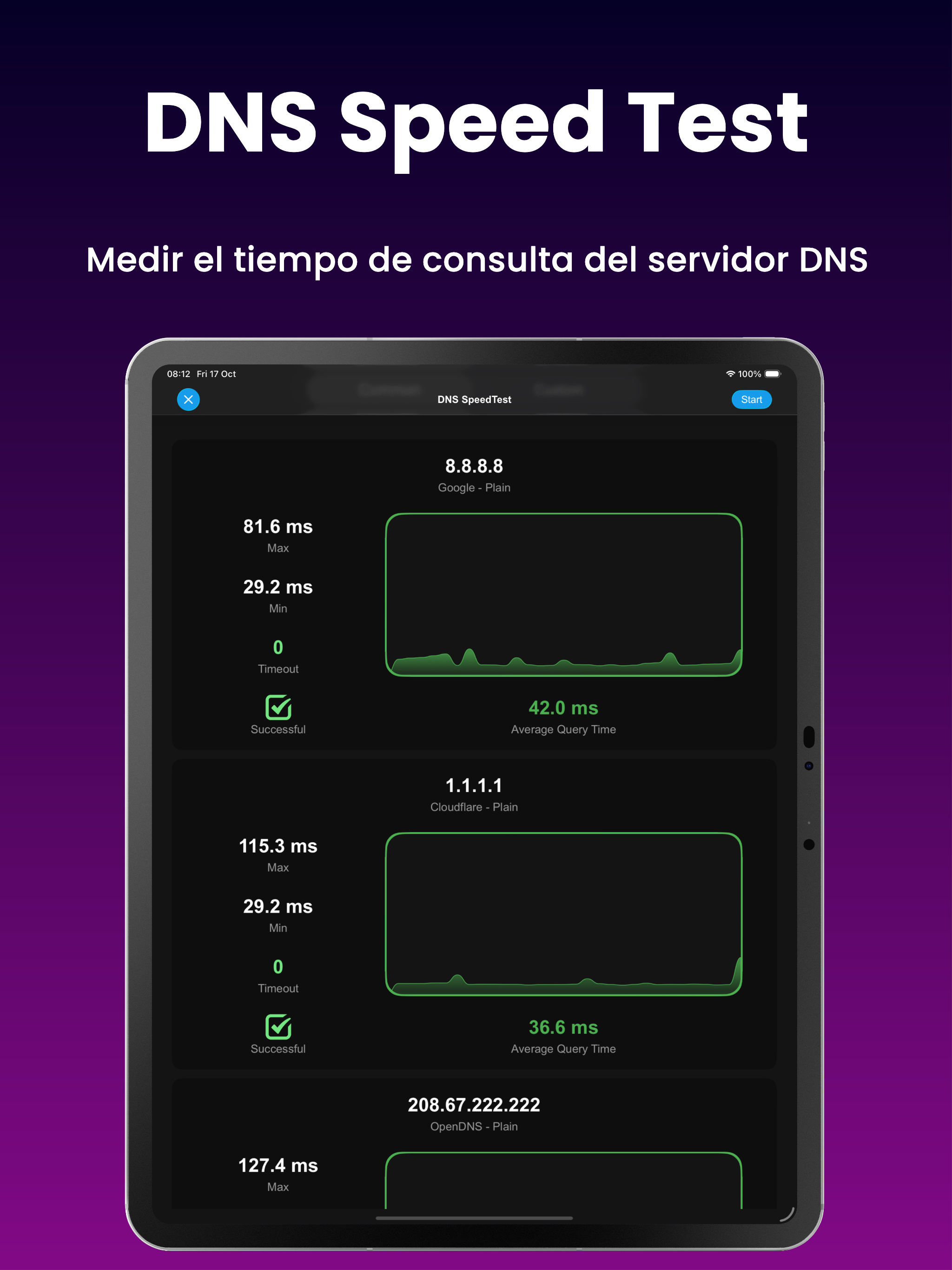
→ Prueba de velocidad DNS (soporte DoH y DoT): Medir y comparar los tiempos de respuesta de distintos servidores DNS, ayudando al usuario a identificar y seleccionar el servidor más rápido para mejorar el rendimiento de la red
→ Explorador de servicios Bonjour: Listar los servicios Bonjour anunciados en la red inalámbrica
• Prueba de pantalla:
→ Realizar pruebas rápidas de pantalla
• Monitor de sensores, incluyendo:
→ GPS
→ ALTÍMETRO
→ ACELERÓMETRO
→ MAGNETÓMETRO
→ GIROSCOPIO
→ COPROCESADOR DE MOVIMIENTO
→ MAGNÉTICO
→ GRAVEDAD
→ ROTACIÓN
→ VELOCIDAD DE ROTACIÓN
• Caja de herramientas:
→ Ahuyenta mosquitos
→ Medidor de ruido: Medir con precisión los niveles de ruido ambiental
→ Escáner Bluetooth: Detectar dispositivos Bluetooth cercanos
→ Linterna
→ Exportar toda la información del dispositivo a archivos en múltiples formatos (csv, pdf, xlsx, json, rtf, txt)
¡Gracias por elegir nuestra app como tu herramienta de información y monitoreo de dispositivos!
Ausblenden Mehr anzeigen...

In-App-Käufe

Pro Kit
USD 1.99

Screenshots

Device Monitor Z Häufige Fragen

  • Ist Device Monitor Z kostenlos?

    Ja, Device Monitor Z ist kostenlos herunterzuladen, enthält jedoch In-App-Käufe oder Abonnements.

  • Ist Device Monitor Z seriös?

    Nicht genügend Bewertungen, um eine zuverlässige Einschätzung vorzunehmen. Die App benötigt mehr Nutzerfeedback.

    Danke für die Stimme

  • Wie viel kostet Device Monitor Z?

    Device Monitor Z bietet mehrere In-App-Käufe/Abonnements, der durchschnittliche In-App-Preis beträgt USD 1.99.

  • Wie hoch ist der Umsatz von Device Monitor Z?

    Um geschätzte Einnahmen der Device Monitor Z-App und weitere AppStore-Einblicke zu erhalten, können Sie sich bei der AppTail Mobile Analytics Platform anmelden.

Benutzerbewertung

5 von 5

3 Bewertungen in Argentinien

5 star
3
4 star
0
3 star
0
2 star
0
1 star
0
Bewertungsverlauf

Device Monitor Z Bewertungen

Nice

диша78 on

Vereinigte Staaten

Love

Simply doesn’t work

Insoectohecto on

Vereinigte Staaten

I tried doing a DNS look up multiple times and my screen goes blank. When I hit the start button I tried to do a land scan on my Wi-Fi and it flickered every time I hit the start button just ain’t working for me.

You cannot find one single word about what you get on the pro version

Nirniro1 on

Vereinigte Staaten

I dont get it. Its a nice free app and i use it to free some space on my ipad Ram. But it never stay for long , i tried to get some info of where all my Ram is working but you cannot get much info but title on where it used. I thought maybe the Pro version will give me some more info or option to fix things , but nothing , not on the app any not on the app store download page Shame

Good

Shengfu2308 on

Vereinigte Staaten

It's OK

Store-Rankings

Ranking-Verlauf
Kategorien-Rankings
Diagramm
Kategorie
Rang
Top Umsatz
32
Top Kostenlos
33
Top Umsatz
57
Top Kostenlos
59
Top Kostenlos
60

Device Monitor Z Konkurrenten

Device Monitor Z Installationen

Letzte 30 Tage

Device Monitor Z Umsatz

Letzte 30 Tage

Device Monitor Z Einnahmen und Downloads

Gewinnen Sie wertvolle Einblicke in die Leistung von Device Monitor Z mit unserer Analytik.
Melden Sie sich jetzt an, um Zugriff auf Downloads, Einnahmen und mehr zu erhalten.
This page includes copyrighted content from third parties, shared solely for commentary and research in accordance with fair use under applicable copyright laws. All trademarks, including product, service, and company names or logos, remain the property of their respective owners. Their use here falls under nominative fair use as outlined by trademark laws and does not suggest any affiliation with or endorsement by the trademark holders.