Infinite Painter

Painting, drawing, & sketching

Veröffentlicht von: Sean Brakefield

Beschreibung

Experience one of the best-designed painting, sketching, and drawing apps created for iPad and iPhone. Used by millions, this award-winning app brings a rich, powerful feature set to artists of all levels, whether art is your hobby, passion or career.
HIGHLIGHTS
- Best-in-class pencils
- Minimal and intuitive interface
- Easily group layers
- Share Time-lapse recordings with your social networks
- Convert any stroke into an editable shape
REIMAGINING BRUSHES
- Hundreds of built-in brushes: Airbrushes, Calligraphy, Chalk, Charcoal, Glow, Lasso Fills, Pencils, Markers, Oil Paint, Paint Splatter, Spray Paint, Screentones, and Watercolor
- Realistic brush to canvas interaction
- Over 100 customizable settings for every brush
- Organize and share your favorite brushes and brush sets
- Designed for the Apple Pencil with full pressure and tilt support
- Apply real-time color adjustments and live filters to any brush
- Sample lower layers when blending
- Import and export custom brushes and sets
GETTING THE MOST OUT OF YOUR SPACE
- More canvas, less clutter with a clean, customizable interface
- Assign finger functions separate from the Apple Pencil
- Expand and collapse layers with a flick
- Dock brushes and brush settings for quick, easy editing
- Quick access eyedropper
- Rotate and flip canvas
- Group layers with a pinch
MAKING ART LESS WORK
- Pin tools and actions to the main interface
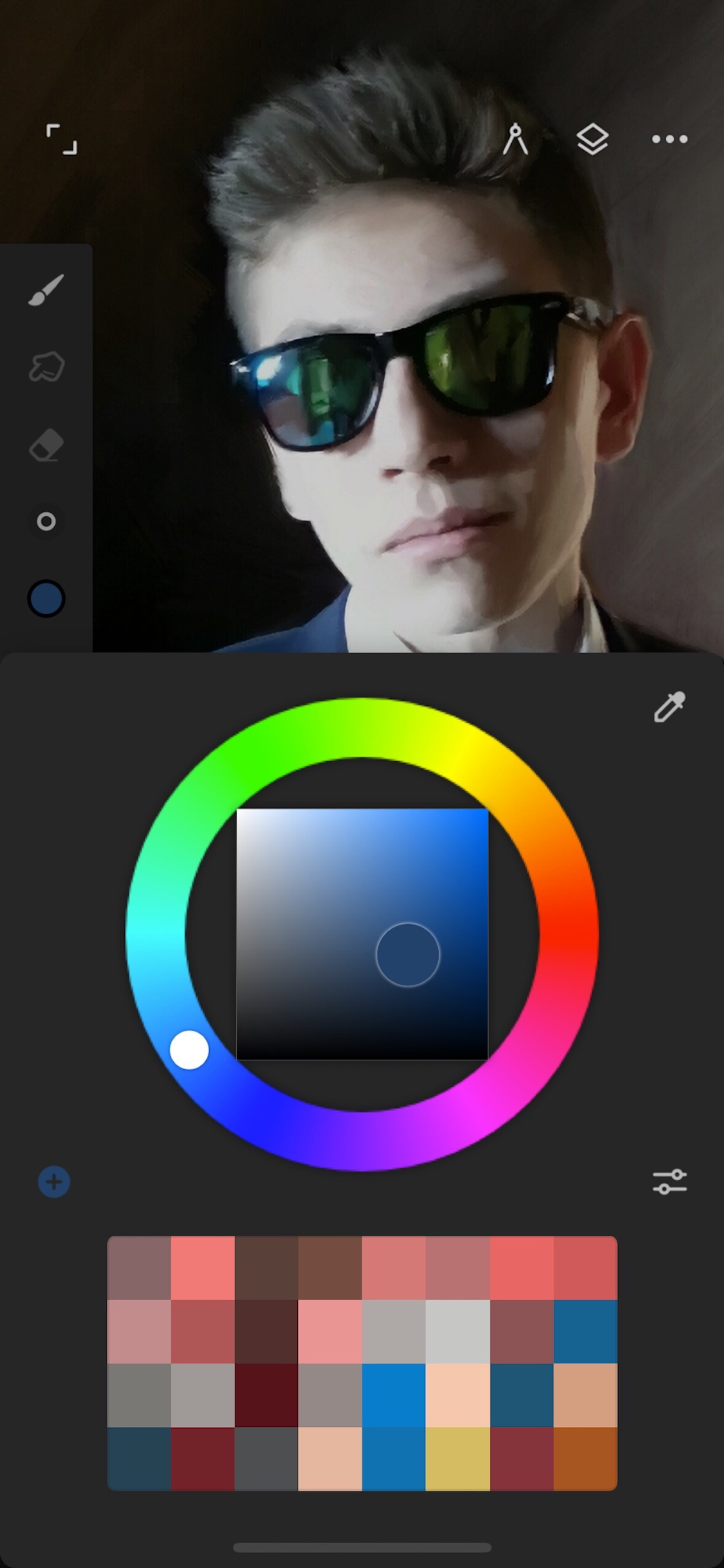
- Pull the color wheel right on the canvas with two fingers
- Add multiple reference images
- Lighting-fast saving and loading
- Step back in time with Project History
DIVERSIFYING TOOLS
- Simple or complex symmetry with Radial or Kaleidoscope
- Draw with precision using Guides or Shapes
- Smart shape detection by pausing when drawing
- Innovative Hatching guide
NEVER LOSING PERSPECTIVE
- Design 3D cityscapes with five different perspective guides or a standard 2D grid
- Drag Rectangle and Circle shapes in perspective
PIXEL-PERFECT EDITING
- Seamless pattern projects
- Selection tools: Lasso, Rectangle, Circle, Poly, Path, Wand, Brush, and Color Range
- Industry-leading Transformations
- Transform multiple layers at once
- Gradient and Pattern Fill tools
- Target separate layers or all layers with Fill tools
- Drag with Fill tool or Magic Wand for live tolerance adjustment
- Bring your painting to life with Time-lapse
- Canvas Navigator with flip and grayscale support (for proportions and value checking)
- Clone tool with offset
- Tools for pattern creation
EVERYTHING YOU NEED TO CREATE
- 64-bit color when painting
- Layer support with 30 blend modes
- Masks for layers, adjustments, and groups
- Clipping masks
- Gradient map, Color Curves, and Filter layers
- Industry-leading color correction
- Over 40 live Filters
- Focus and Tilt-shift masking
- Liquify
- Crop and Resize tool
- Pattern and Array tools
- Powerful selection workspace
- Photoshop®-like smart layers for multiple transformations without loss of quality
- Solo & Trace modes
- Print presets & CMYK color modes
ACCELERATE YOUR WORKFLOW
- Import from Photos, Camera, Clipboard, or Image Search
- Search over 1 million free for commercial-use images
- Export images as JPG, PNG, ZIP, layered PSD files, or Painter projects
- Share artwork to Infinite Painter's ever-growing community and see what others are creating, #InfinitePainter
WHAT’S FREE?
- 7 days to try out everything
- 3 layers at the device resolution
- Solid Fill, Lasso selection, Basic Transform and Symmetry
- Seamless pattern projects
- All the built-in brushes and brush editing
- Smart shape detection
WHAT’S PRO?
- HD canvas sizes and tons of layers*
- Adjustments and live Filter layers
- Layer groups
- Layer masks
- Over 40 powerful, professional tools
* Maximum number of layers depends on the canvas size and your device
TAKE INFINITE PAINTER WITH YOU
See what you can do.

ARTIST CREDITS
Tiffanie Mang
Fabián Gálvez
Adam Ford
Piotr Kann
Andrew Theophilopoulos
Jojuki
@dwight_theartist
Ausblenden Mehr anzeigen...

In-App-Käufe

Get Everything
$12.99
Get Everything (Trial Discount)
$14.99
Get Everything! (iPhone-only)
$9.99
Get Everything!
$6.99

Screenshots

Infinite Painter Häufige Fragen

  • Ist Infinite Painter kostenlos?

    Ja, Infinite Painter ist kostenlos herunterzuladen, enthält jedoch In-App-Käufe oder Abonnements.

  • Ist Infinite Painter seriös?

    🤔 Die Qualität der Infinite Painter-App ist gemischt. Einige Nutzer sind zufrieden, während andere Probleme melden. Ziehen Sie in Betracht, einzelne Bewertungen für mehr Kontext zu lesen.

    Danke für die Stimme

  • Wie viel kostet Infinite Painter?

    Infinite Painter bietet mehrere In-App-Käufe/Abonnements, der durchschnittliche In-App-Preis beträgt $11.24.

  • Wie hoch ist der Umsatz von Infinite Painter?

    Um geschätzte Einnahmen der Infinite Painter-App und weitere AppStore-Einblicke zu erhalten, können Sie sich bei der AppTail Mobile Analytics Platform anmelden.

Benutzerbewertung

4.24 von 5

79 Bewertungen in Neuseeland

5 star
53
4 star
8
3 star
9
2 star
2
1 star
7
Bewertungsverlauf

Infinite Painter Bewertungen

I can’t rename folders

Mormat Hills on

Neuseeland

I tried changing folder name, but not worked. So I created a new folder with my wanted name, then succeeded to make one. But if you can’t rename, then why there is “rename” exist? Also after created that new folder, I tried to move my drawings from other folders. I selected a illustration and pressed “Ungroup” then, all things in the folder including not selected works ungrounded. Is these problems happening only on me??

Very good

Ham In Ice on

Neuseeland

This is the best drawing apps that is free. This one has not restricted most things for money. Almost everything you need in it is free

Best brush engine

-8III- on

Neuseeland

After trying several painting apps, and used infinite painter for more than a year, along with the other competitors, my verdict is that this one has the best brush engine, and it’s free from random bugs, inconsistencies and unpleasant surprises. It does take a while to learn to use the different brush settings and figure out how they work together, but once you understand, it is a great tool. I hope there will be other compatible apps from the same developer.

Good-ish

Syd 3108 on

Neuseeland

I was trying to create a sketch but I couldn’t find a good pencil or pen brush that didn’t run out ink. I couldn’t figure out the settings. The pencil brushes were either way to light or they ran out of ink? That’s not even realistic There are also good parts of this app so it’s overall ok

?

Playerhuman on

Neuseeland

It wont let me write anything!!!

Outstanding

Mistavista01 on

Neuseeland

For context, I’m an engineer exploring the world of digital painting ... left handed, left brained ... not sure i even have the right lobe. I stumbled on this app when looking for a good watercolour app. I have played with (and purchased :-) too many painting and drawing apps. Then this popped up. All I can wonder is, why has this not been at the top of various reviews and lists. Its just spectacular and I think maybe even better than another (unnamed app but which is a very Pro-fessional Creation :-). Look ... its a no brainer ... just buy this app ... even if you have the other one!! I agree with another reviewer, to me the app seems very intuitive, uncluttered interface, the brushes seem better and I haven’t yet found anything that other apps do better. 6 stars team .. outstanding.

Way better than Procreate...

taylorisokay on

Neuseeland

Best set of brushes, intuitive and user friendly interface, plenty of options... this software needs more recognition!!!

Not great

me jessett on

Neuseeland

If you don’t want to pay to or don’t have the money you can’t use the layers and other things this was really disappointing about the layers and there is a great free drawing app called sketchbook would recommend getting that it is completely free

I think it has potential

CareBear14670 on

Neuseeland

I do like this app it works well and has got amazing brushes and blending tool and what not, but I have 2 problems with it, 1. This is the free substitute for procreate, theres nothing wrong with that, but, if you don’t buy premium you don’t get important features such as layers which is a key part of digital art. 2. If you are going to offer a premium version why make it the same price as procreate I might as well buy procreate because that is the professionally proclaimed product, and more people use it. And I wouldn’t mind buying the premium package if it was cheaper.

Real good aye

ovvvvvvvveeeeeeñ on

Neuseeland

Pretty good

Store-Rankings

Ranking-Verlauf
Kategorien-Rankings
Diagramm
Kategorie
Rang
Top Kostenlos
48
Top Kostenlos
51
Top Umsatz
75
Top Kostenlos
78
Top Kostenlos
81

Schlüsselwörter

Infinite Painter Konkurrenten

Infinite Painter Installationen

Letzte 30 Tage

Infinite Painter Umsatz

Letzte 30 Tage

Infinite Painter Einnahmen und Downloads

Gewinnen Sie wertvolle Einblicke in die Leistung von Infinite Painter mit unserer Analytik.
Melden Sie sich jetzt an, um Zugriff auf Downloads, Einnahmen und mehr zu erhalten.

App-Informationen

Herausgeber
Sean Brakefield
Sprachen
English, Dutch, French, German, Indonesian, Italian, Japanese, Korean, Polish, Portuguese, Russian, Chinese, Spanish
Letzte Veröffentlichung
7.2.1 (vor 1 Woche )
Veröffentlicht am
Aug 26, 2016 (vor 9 Jahren )
Zuletzt aktualisiert
vor 5 Stunden
This page includes copyrighted content from third parties, shared solely for commentary and research in accordance with fair use under applicable copyright laws. All trademarks, including product, service, and company names or logos, remain the property of their respective owners. Their use here falls under nominative fair use as outlined by trademark laws and does not suggest any affiliation with or endorsement by the trademark holders.