Inkflow Visual Notebook

Journal. Sketchnotes. Todos.

Veröffentlicht von: Qrayon

Beschreibung

Inkflow is a note-taking and brainstorming experience unlike any other! Capture your ideas as easily as with pen and paper, then resize and reorganize them with your fingers.
DIGITAL WRITING DONE RIGHT
Inkflow's ink feels like a really smooth fountain pen. Great for expressive writing or sketching. Effortlessly scale or move anything you select. This will change the way you think about ink: Jot down a list of concepts then rearrange them to fit into the bigger picture. literally move your thoughts around the page, and assemble big ideas with your fingers. This works great for brainstorming and planning. It's also perfect for prototyping layouts, sketching, and drawing.
FULL RESOLUTION ZOOM
Zoom and pan with two fingers. Inkflow's ink stays sharp no matter how much you zoom in, so you can add fine details at full quality. It's also lightning fast and lag free. This allows writing and drawing with incredible precision, with or without a stylus.
TEXT, PHOTOS, and PAPER BACKGROUNDS TOO
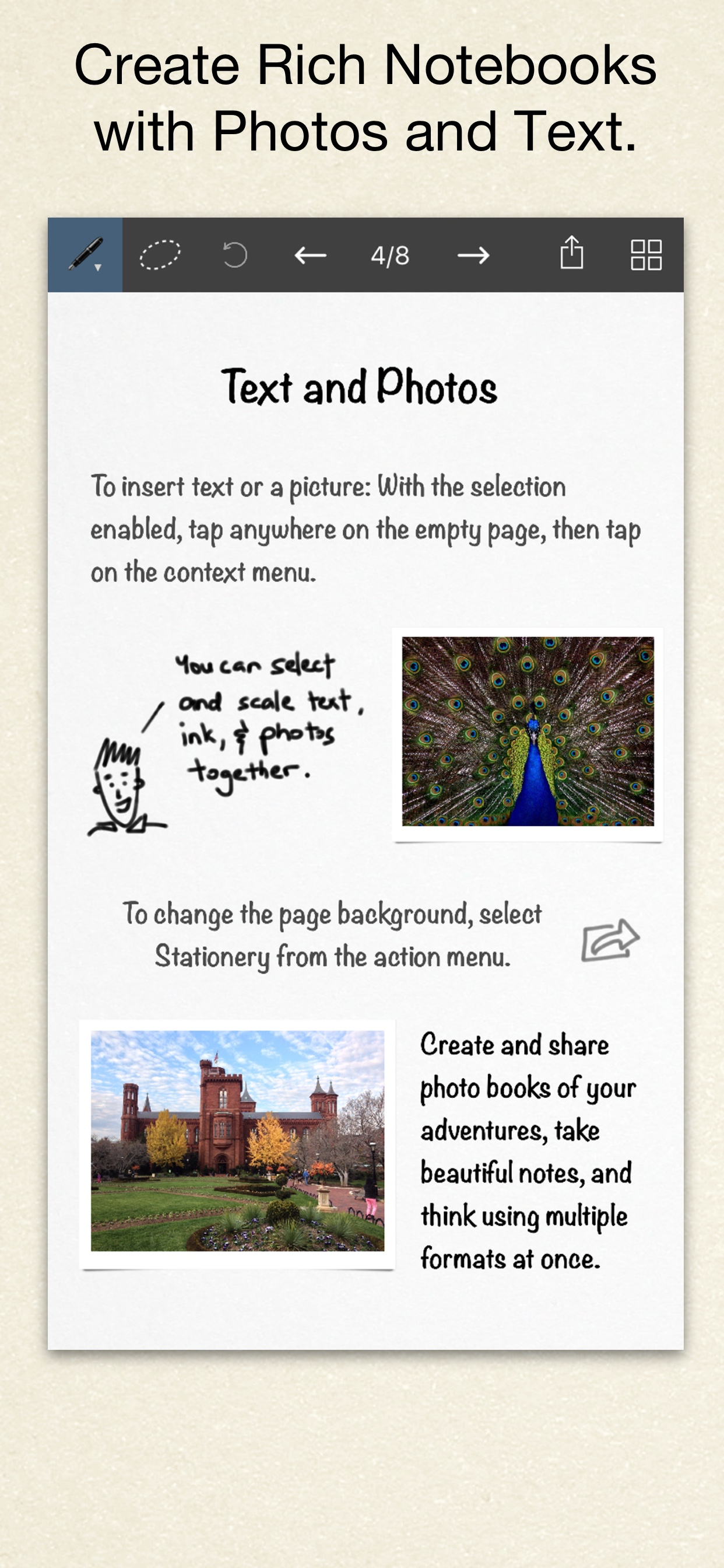
Insert text boxes and photos anywhere on the page and resize them seamlessly with the ink. You can also choose from a selection of different paper backgrounds.
EASILY CREATE and SHARE
Inkflow let's you export your books to PDF, high-resolution JPEG, and share them via Twitter, Email, or with other Apps.
TRY INKFLOW FOR FREE
Rather than just read about Inkflow, go ahead and try it out: We've decided to make the Basic Edition of Inkflow completely FREE. The Basic Edition is a full featured note-taking and sketching app. It comes with the Fountain Pen with black ink, photos, and a standard set of 5 popular fonts for text. Books max out at 20 pages each, but you can create as many as you like.
*** NOTE: To delete ink, tap on the selection then tap delete. Tap on the book name to delete a book.
If you're looking for more, there is...
INKFLOW PLUS
Upgrade instantly at any time to the Plus Edition to get:
- Inkport
- A customizable, full color palette,
- Pencil, Eraser, and Paint Brush tools,
- The Write-Behind Hilighter tool,
- Rotate, Cut, Copy, Paste Ink, and Page Management,
- Export as PNG with transparent backgrounds,
- Notebooks with unlimited pages,
- Custom paper backgrounds,
- An additional 50+ fonts,
- And more!
The Plus Edition lets you do even more things such as: Painting, cartooning, page layouts, and brainstorming in full color. Learn more in the in-App Quickstart Guide.
INKPORT: COPY AND PASTE FROM THE REAL WORLD
Only Inkflow Plus includes the revolutionary Inkport tool. Inkport uses your iPad's camera to instantly convert your written notes and sketches into Inkflow's native vector ink. Easily pull in materials from multiple sources and go from paper to iPad without missing a beat. Inkport is going to change the way you use paper in your workflow.
Universal App for iPad, iPhone and iPod Touch: Upgrade once and get Inkflow Plus on all your compatible devices connected to your iTunes account!
EDUCATORS: Inkflow Plus is also available as a standalone App, and qualifies for Apple's Volume Purchase Program.
A PLATFORM FOR CREATIVITY
We strongly believe that the iPad is not just a consumption device. It's a creativity device. Check out our whole range of creativity Apps on our website.
Keep on creating!
Ausblenden Mehr anzeigen...

In-App-Käufe

Inkflow Plus
₹599.00

Screenshots

Inkflow Visual Notebook Häufige Fragen

  • Ist Inkflow Visual Notebook kostenlos?

    Ja, Inkflow Visual Notebook ist kostenlos herunterzuladen, enthält jedoch In-App-Käufe oder Abonnements.

  • Ist Inkflow Visual Notebook seriös?

    🤔 Die Qualität der Inkflow Visual Notebook-App ist gemischt. Einige Nutzer sind zufrieden, während andere Probleme melden. Ziehen Sie in Betracht, einzelne Bewertungen für mehr Kontext zu lesen.

    Danke für die Stimme

  • Wie viel kostet Inkflow Visual Notebook?

    Inkflow Visual Notebook bietet mehrere In-App-Käufe/Abonnements, der durchschnittliche In-App-Preis beträgt ₹599.00.

  • Wie hoch ist der Umsatz von Inkflow Visual Notebook?

    Um geschätzte Einnahmen der Inkflow Visual Notebook-App und weitere AppStore-Einblicke zu erhalten, können Sie sich bei der AppTail Mobile Analytics Platform anmelden.

Benutzerbewertung

4.56 von 5

104 Bewertungen in Indien

5 star
77
4 star
15
3 star
7
2 star
3
1 star
2
Bewertungsverlauf

Inkflow Visual Notebook Bewertungen

A marvellous creation

0527 lovely on

Indien

The concept of thinking visually, with a neat diagram, allowing the users to truly understand visual memory, is something I exceptionally love about this app. For people, who really want to brainstorm about various concepts and ideas, I recommend this app to the best. However, I truly think that it is unnecessary to think that to change the colour scheme of your own, you must buy the premium version if Inkflow. Colour schemes make a truly great understanding of your digital notes, and adding colours definitely is unnecessary to buy The premium version of Inkflow. I hope this review doesn’t go unneeded. And please add a erase button, because undoing your creations is extremely frustrating and annoying.

No Updates from 8 months tells whole story

SAGARVARD on

Indien

Obviously it’s not a perfect app as they may assume that they are gone in deep hibernation for 8 months with no updates .....don’t buy apps like this from developers who don’t care for its own creation ( app) how much they value us is obvious ...keep sleeping

Inkflow

Abhilashabhi on

Indien

It will be nice to have extra colour in free edition

Great effort .... it’s a must have app

Induscom on

Indien

Great effort .... it’s a must have app

Ram

Ram MRM on

Indien

Excellent

Amazing with Apple Pencil

akruti2000 on

Indien

Wonderful for iPad Pro and Apple Pencil....with Apple Pencil it's superbly smooth flow...wow I loved it...only I feel there should be delete option for page,book and eraser size adjustment, add ready shapes-circle,square,rectangle also.

Sure must have app

Harilogan on

Indien

If you don't have this app yet u really missing out..... A must have app..

Amazing app!

A.shri412 on

Indien

Now I have no worries about my note misplacing!! It's always help me to delegate work to my employee.. Very easy to take notes while I am working on any case. Just wow!!

Very nice experience.

Sanjiv Sharan on

Indien

I after its download am so obsessed with it that I have started its use regularly for normal notings also! It is really capable of giving a paperless note book. Thanks, I request for 1. Addition of eraser on main menu 2. Page delete option Wish the developers all the best! P.S. I have tried about half a dozen apps for taking handwritten note, none could meet my requirements except the present "Inkflow"

Inflow 's awesome

Avanthilaksh on

Indien

Loving it!!!

Store-Rankings

Ranking-Verlauf
App-Ranking-Verlauf noch nicht verfügbar
Kategorien-Rankings
App ist noch nicht gerankt

Schlüsselwörter

Inkflow Visual Notebook Konkurrenten

Inkflow Visual Notebook Installationen

Letzte 30 Tage

Inkflow Visual Notebook Umsatz

Letzte 30 Tage

Inkflow Visual Notebook Einnahmen und Downloads

Gewinnen Sie wertvolle Einblicke in die Leistung von Inkflow Visual Notebook mit unserer Analytik.
Melden Sie sich jetzt an, um Zugriff auf Downloads, Einnahmen und mehr zu erhalten.
This page includes copyrighted content from third parties, shared solely for commentary and research in accordance with fair use under applicable copyright laws. All trademarks, including product, service, and company names or logos, remain the property of their respective owners. Their use here falls under nominative fair use as outlined by trademark laws and does not suggest any affiliation with or endorsement by the trademark holders.