Veröffentlicht von: Imaginando

Beschreibung

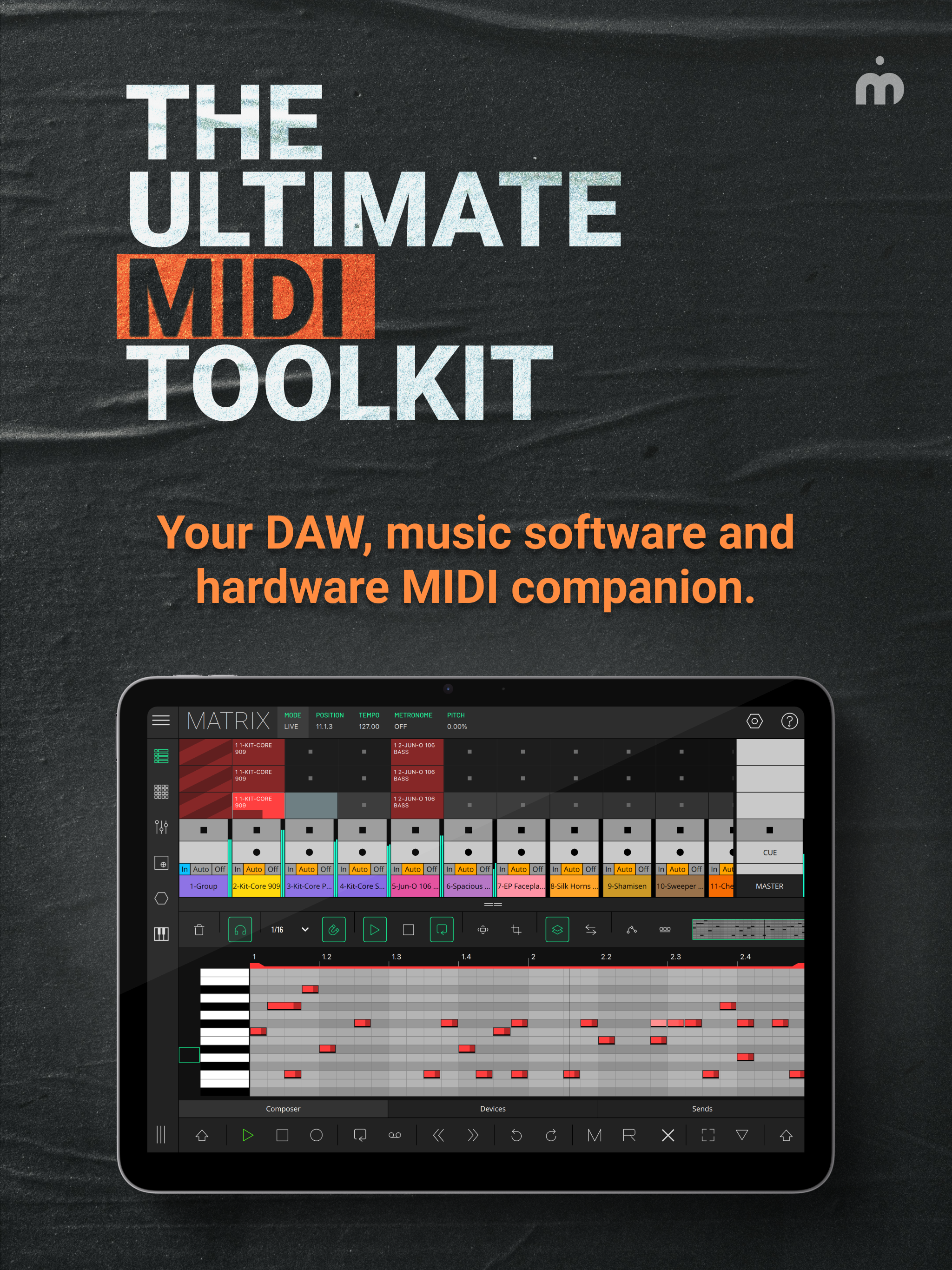
LK is a flexible remote control application for Ableton Live and MIDI devices, providing a wide range of features and functionality to enhance the production and live performance of electronic music. LK offers tight integration with Ableton Live using our free UBRIDGE desktop application, providing access and control of Ableton Live projects, with both wired and wireless connection options.
LK has extensive MIDI capabilities too, allowing for communication and control of any MIDI compliant software or hardware, even apps running on the same device thanks to virtual MIDI support and AUv3 integration too. LK is split into six unique modules, each available as a separate in-app purchase, offering great value that you can tailor to your specific needs.
LK is also capable of connecting with USB MIDI interfaces which allows you to interact with external gear.
To connect LK to your host computer you will need to download and install a free software utility called UBRIDGE on your computer. It is available for Windows and macOS and it can be downloaded from Imaginando website. See our setup guide for further details in LK’s product page.
MATRIX MODULE
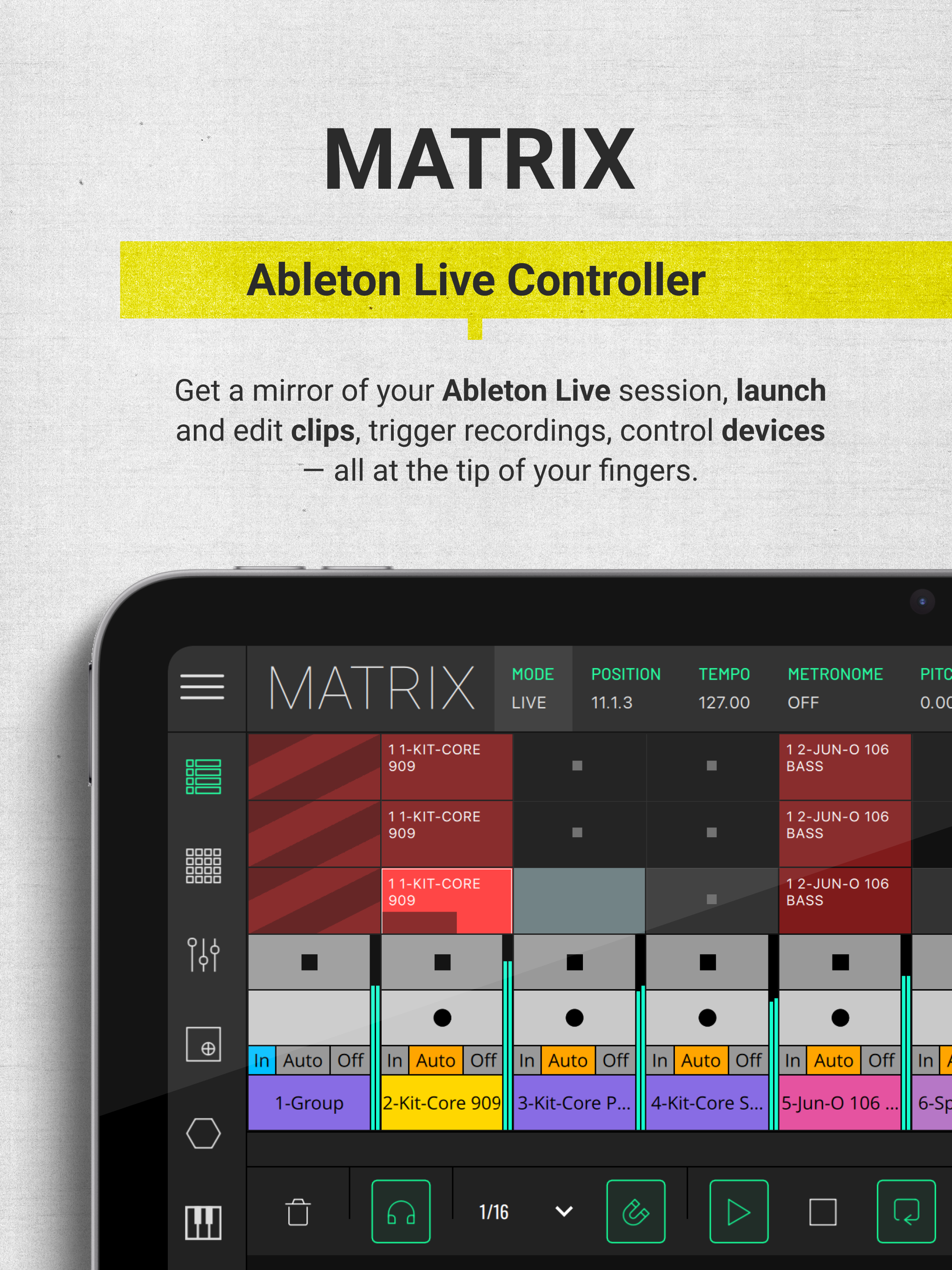
- Live Mode - In Live mode, you can control almost every aspect of Ableton Live directly from LK. The app mirrors your session view, allowing you to launch clips, add tracks and scenes, arm, solo, and mute tracks, and adjust track monitoring, volume, pan, and cue settings on the master track. You can create and edit clips with the powerful built-in clip composer, featuring tools like scales, swing, humanize, horizontal and vertical mirroring, time-shifting notes, pitch swapping, transposing, and even chord and melody generation within a defined range. LK also enables device control within each track, offering a range of generic layouts for quick access and instant parameter adjustments, so you can modify settings without needing to interact directly with your computer.
- MIDI Mode - In MIDI mode, LK enhances workflow with a flexible, independent sequencing environment for streamlined composition and arrangement. Users can create and manage MIDI clips per track, arrange scenes, and send MIDI to other software or hardware. When loaded as an AUv3 in hosts like AUM, LK sequences and coordinates various instruments, perfect for complex setups and live performances. Essential editing tools like signatures, scales and transformative tools simplify MIDI editing, while automation and generative tools enable dynamic compositions. Follow actions and probability settings further smooth transitions, making performance arrangements seamless and spontaneous—all within a single, powerful interface.
PADS MODULE
- Get the MPC feel on your touchscreen with PADS, featuring an arpeggiator and a chorder. When working in Ableton Live mode it automatically maps drum rack pad names to each pad on the app - never miss a pad again. Use it in MIDI mode to quickly play other synth apps.
CONTROLLER MODULE
- Extensive control of 128 parameters with CONTROLLER. Use assignable and customisable knobs, faders, buttons and pads to control MIDI hardware, desktop and mobile DAWs - now with the power of AUv3 integration too.
X/Y MODULE
- Three dimensional parameter tweaking with X/Y PAD. This module can work with CC or NOTE events. In CC mode, a CC can be assigned per axis. In NOTE mode, X is pitch, Y is velocity and Z is Note ON/ Note OFF.
CHORDER MODULE
- Play chords like never before with the CHORDER module. Use this chord generator to build chords and lay them out according to your needs.
KEYBOARD MODULE
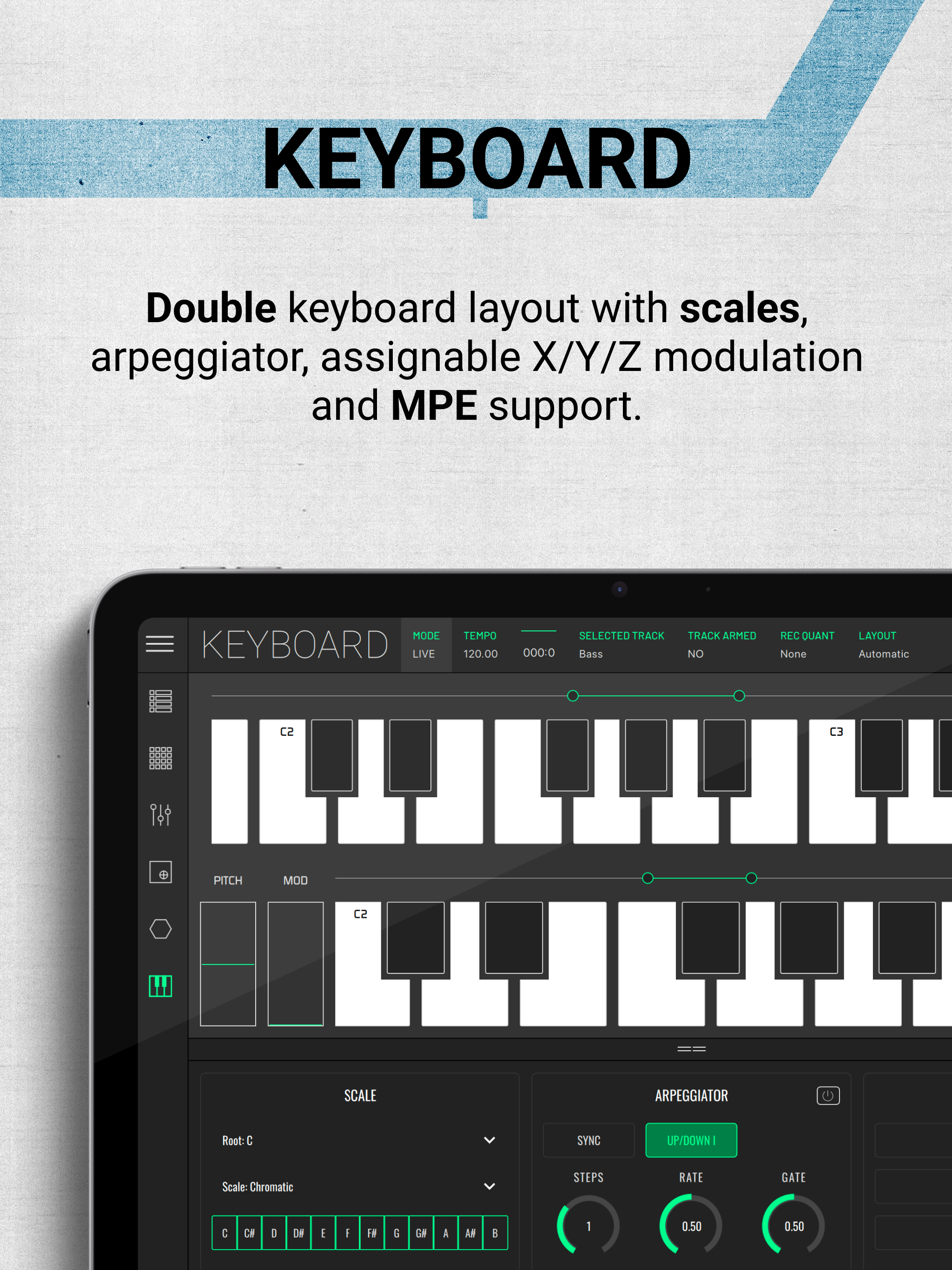
- KEYBOARD features 3-axis expression capabilities with scale and range controls. It also allows the possibility of mapping any Live or MIDI CC parameters to be controlled by the X and Y position within each of the keys, providing additional expression to the performance. It also has an MPE mode so you can use it with your favorite MPE compatible synths.
Ausblenden Mehr anzeigen...

In-App-Käufe

Unlock MIDI Pads
USD 5.99
Unlock Keyboard
USD 5.99
Unlock Chorder
USD 5.99
Unlock Matrix
USD 11.99
Unlock X/Y Pad
USD 5.99
Unlock MIDI Controller
USD 5.99

Screenshots

Häufige Fragen

  • Ist LK - Ableton & Midi Controller kostenlos?

    Ja, LK - Ableton & Midi Controller ist kostenlos herunterzuladen, enthält jedoch In-App-Käufe oder Abonnements.

  • Ist LK - Ableton & Midi Controller seriös?

    🤔 Die Qualität der LK - Ableton & Midi Controller-App ist gemischt. Einige Nutzer sind zufrieden, während andere Probleme melden. Ziehen Sie in Betracht, einzelne Bewertungen für mehr Kontext zu lesen.

    Danke für die Stimme

  • Wie viel kostet LK - Ableton & Midi Controller?

    LK - Ableton & Midi Controller bietet mehrere In-App-Käufe/Abonnements, der durchschnittliche In-App-Preis beträgt USD 6.99.

  • Wie hoch ist der Umsatz von LK - Ableton & Midi Controller?

    Um geschätzte Einnahmen der LK - Ableton & Midi Controller-App und weitere AppStore-Einblicke zu erhalten, können Sie sich bei der AppTail Mobile Analytics Platform anmelden.

Benutzerbewertung

5 von 5

2 Bewertungen in Armenien

5 star
2
4 star
0
3 star
0
2 star
0
1 star
0
Bewertungsverlauf

Bewertungen

Audio?

J@¥ on

Armenien

It seems quite interesting and to be nice quality, but i have both the volume and ringer on in my phone.When opening the app, nothing i try makes a sound.It’s literally mute.Am i doing something wrong?My device is an iPhone 5s, if that has anything to do with it.I’d appreciate some feedback.

Amazing and well done

LEFTMUSIC on

Vereinigte Staaten

Finally bought a couple modules and thankfully haven’t had too many issues.

Midi controller

RalphGarrettJr on

Vereinigte Staaten

Great app for Ableton! Highly recommended it

Love it.

man3ster on

Vereinigte Staaten

I would like faders and knobs in LK to reflect what Ableton shows, when starting new projects. Right now, the faders in LK stay in place, even though faders in Ableton are at 0db for new projects. Also in console, the big pan knob should have an option to reset to 50 not 0 when you double tap it (balanced pan). Thanks.

Matrix module is fantastic

yellow eyez on

Vereinigte Staaten

LK is an incredible piece of software. I love the clip launching and unlimited steps in the matrix module, particularly for use in AUM; this is one of the most useful tools on iOS.

LK needs no words, no stars!

Deathrow Inmates on

Vereinigte Staaten

As the whole Cosmos would fall short in measuring LK’s Greatness! Could you guys please upload a couple of updated videos of LK please! Not very long, umm, around 20 minutes each vids, max 5 to 6. Trust me, LK’s PR is gonna skyrocketed! Eternal Allegiance!

I thought ide like this more

StarvedArt on

Vereinigte Staaten

I tried this app when I had a jailbroke free IAP version years ago and liked it. So when I got a new iPad I decided to buy some features to try and loop clips with ease. I never dove into it super deep so I’m just finding the UI a bit not so user friendly. It seems great and maybe great along side Ableton but only iPad alone, haven’t really found it as useful as I anticipated. Love your other apps though!?! hahah!?!

Omg, love it so much!! So much it can do…..

egoki11a on

Vereinigte Staaten

It makes me so happy.

Great but record enable is exclusive?

Tman8668 on

Vereinigte Staaten

I think this app is amazing. Really reliable and flexible. You can totally fine the granular thing as well as the macro. It’s a fantastic app and I’d easily give it 5 stars if it weren’t for one thing. Record enable is in exclusive mode in Ableton 12 at least. When I record enable a track it disables the others, it that’s something that can be changed it’s a very easy 5 stars!

Good so far — please improve fader smoothness!

Beguinne on

Vereinigte Staaten

LK as an iPad controller for Ableton Live is superb. The two-way control script works well and USB connection through UBRIDGE has been solid after I got over the initial setup (I found that some USB ports on my Windows computer would drop the connection to my iPad and so I had to try a few different ones). The big mark I have against LK right now is that, at least in Live mode, all of the faders and pots feel too choppy! It’s almost like the controls have less than the standard 7 bits of resolution, though I know this to be false since I can scroll through all 128 values of a macro if I move a control very slowly. But when moving a control with some speed, you get audible stepping when doing certain volume fades or filter sweeps, which is a shame. Controls in TouchOSC for example don’t suffer from this nearly as much. If fader smoothness improves in the future, LK will be a formidable live/DJ tool and get an instant five stars from me for the Matrix alone (plus bonus points if 14 bit control is added!). Some other suggestions: - support double tapping a control to reset to default value in Controller; - add a preference for “relative” fader controls a la TouchOSC, to prevent instantaneous parameter jumps; - on Windows, add a built-in virtual MIDI port to UBRIDGE to remove the need for a third-party MIDI routing app (the TouchOSC desktop app does this for example). Keep up the good work!

Store-Rankings

Ranking-Verlauf
App-Ranking-Verlauf noch nicht verfügbar
Kategorien-Rankings
Diagramm
Kategorie
Rang
Top Kostenlos
319
Top Kostenlos
353
Top Kostenlos
379

Konkurrenten

LK - Ableton & Midi Controller Installationen

Letzte 30 Tage

LK - Ableton & Midi Controller Umsatz

Letzte 30 Tage

Einnahmen und Downloads

Gewinnen Sie wertvolle Einblicke in die Leistung von LK - Ableton & Midi Controller mit unserer Analytik.
Melden Sie sich jetzt an, um Zugriff auf Downloads, Einnahmen und mehr zu erhalten.
This page includes copyrighted content from third parties, shared solely for commentary and research in accordance with fair use under applicable copyright laws. All trademarks, including product, service, and company names or logos, remain the property of their respective owners. Their use here falls under nominative fair use as outlined by trademark laws and does not suggest any affiliation with or endorsement by the trademark holders.