Microsoft SharePoint

Veröffentlicht von: Microsoft

Beschreibung

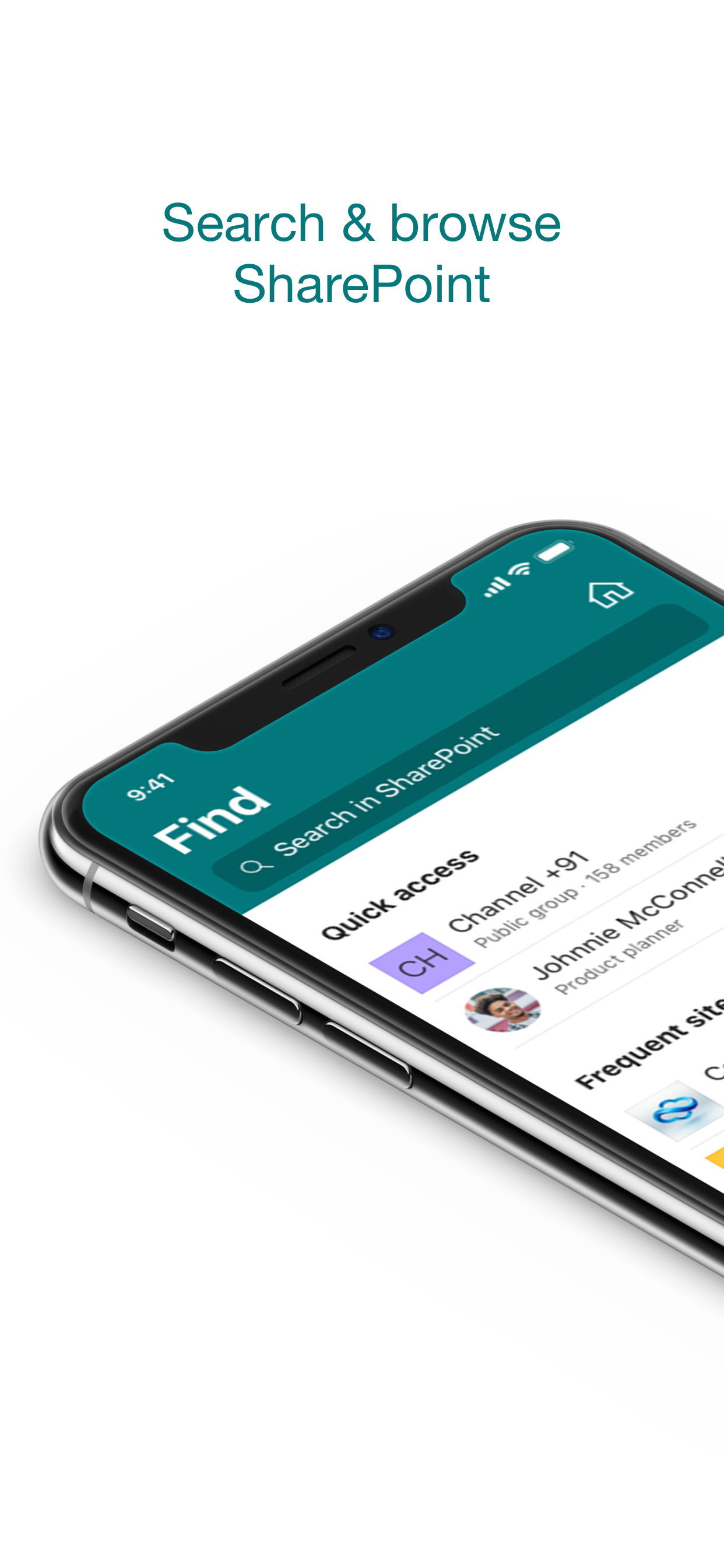
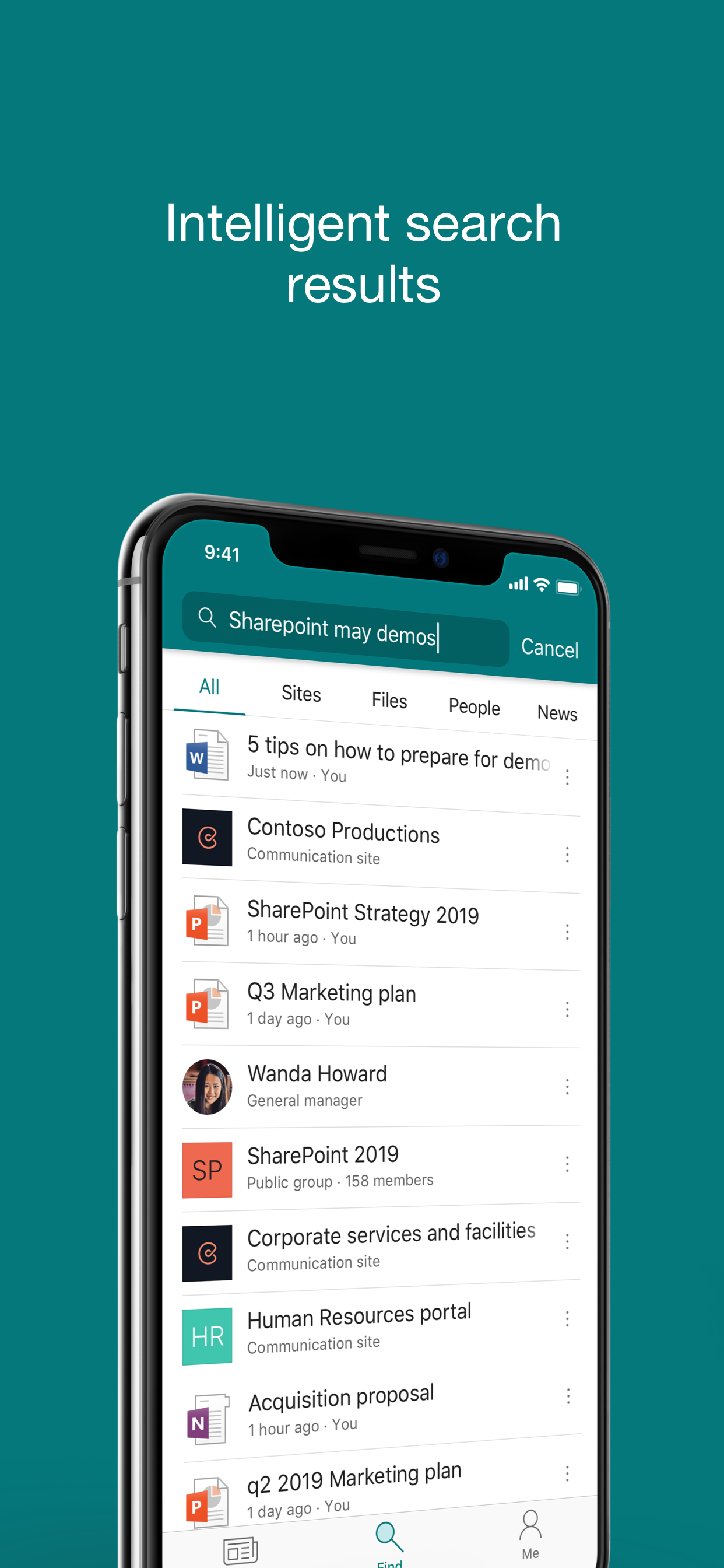
Find files, news, sites and people - personalized for you and your organization. SharePoint infuses AI into the mobile app experience to keep you focused and productive while on the go. AI builds an understanding of what you work on, how you work, and how your colleagues' work relates to you. When you need expertise, content, or resources when you're on the go, SharePoint is a great place to start looking.
 
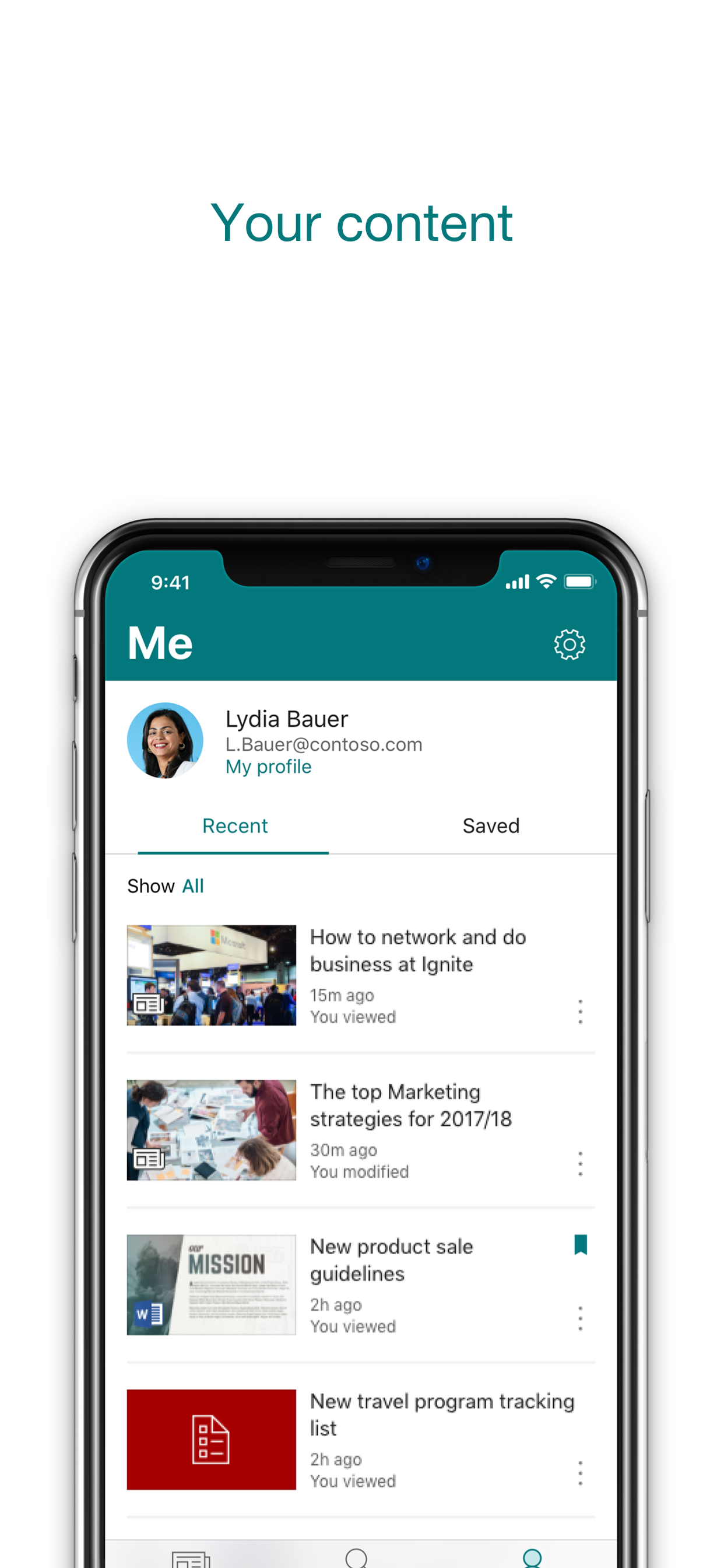
· Browse your sites, files, people and more to get back to what you were working on 
· Use search to find and discover important content
· Access your personalized view of team sites, communication sites, and news posts 
· Tap on a user to get to their contact card and see who they work with and what they are working on
· Create news posts on the go and share your updates, reports, status, and experiences with your team
· Sign in to your SharePoint sites, whether they're in the cloud or on-premises. The app works with SharePoint Online and SharePoint Server versions 2013 and higher
· Add multiple accounts, and easily switch between them
 
What people are saying:
 
The SharePoint mobile app has been featured in TechCrunch, The Verge, ZDNet, PCWorld and Computerworld.
 
Over 2 years of app store reviews:
"making collaboration easier than ever!!"""
"keeps me connected with my office documents and coworkers"
"seamless integration with other Office apps"
"it's so easy and simple to use!!"
 
Note: To sign in to SharePoint, your organization needs to have an Office 365 subscription that includes SharePoint Online or an on-premises SharePoint Server.

This app is provided by Microsoft. Data provided through the use of this store and this app may be accessible to Microsoft and transferred to, stored, and processed in the United States or any other country where Microsoft or its affiliates maintain facilities.
Ausblenden Mehr anzeigen...

Screenshots

Microsoft SharePoint Häufige Fragen

  • Ist Microsoft SharePoint kostenlos?

    Ja, Microsoft SharePoint ist komplett kostenlos und enthält keine In-App-Käufe oder Abonnements.

  • Ist Microsoft SharePoint seriös?

    ⚠️ Die Microsoft SharePoint-App hat schlechte Bewertungen und negatives Feedback. Die Nutzer scheinen mit der Leistung oder den Funktionen unzufrieden zu sein.

    Danke für die Stimme

  • Wie viel kostet Microsoft SharePoint?

    Microsoft SharePoint ist kostenlos.

  • Wie hoch ist der Umsatz von Microsoft SharePoint?

    Um geschätzte Einnahmen der Microsoft SharePoint-App und weitere AppStore-Einblicke zu erhalten, können Sie sich bei der AppTail Mobile Analytics Platform anmelden.

Benutzerbewertung

4.54 von 5

2,204 Bewertungen in Irland

5 star
1,706
4 star
248
3 star
97
2 star
39
1 star
114
Bewertungsverlauf

Microsoft SharePoint Bewertungen

Folders not syncing properly

Limegreenz on

Irland

Can’t get access to updated folders through the app, so have to use the web browser…

Files in Sharepoint

Bobenergy on

Irland

Too many errors

shocking

SussyBakaImpostsr on

Irland

terrible app becuase it is for school work!! would not recommend to anyone who doesn’t like homework #schoolsucks

Can’t sign in

Laylababe on

Irland

Can’t sign in to SharePoint Online when multi-factor authentication is enabled on your account. The sign in page loads then skips past the page to enter the code texted to you. Not surprising from Microsoft that this simple thing was not tested. Update 03.10.19 - problem resolved after installing today’s new version.

Terrible

breffcos on

Irland

Can’t save as an excel sheet

Share Points Teams to stay connected!

Sun Marketing Agents on

Vereinigte Staaten

Share Point is a great benefit for communication with your team, clients, and manufacturers at all times.

Unable to save file from mobile

Wheadon96 on

Vereinigte Staaten

Frustrated by not being able to save a PDF file to my files on my phone via the app. Or at least insert into Outlook to email as a follow up.

It’s just a viewer

lmaguina on

Vereinigte Staaten

There I no way to upload files the only option the app gives you doesn’t work. The App is laggy and the content is not properly shown. As a productivity app tris is useless.

RN

Matseliso on

Vereinigte Staaten

I

Great but getting files from SharPoint to other apps like outlook impossible

navb-hw on

Vereinigte Staaten

It’s annoying that you can’t force it to actually attach a file. It always sends a link but the problem is sometimes I want to send a real file and not actually send a link to someone outside of my company because where the files are being stored I don’t want anyone to ask for access to that location, and for legal purposes very often they need the file to be inside the email not a link to it Another issue is very often you can’t view the file names and a professional company you end up with quite long file names for files to cover for versions or legal turns and in SharePoint on the mobile, they basically all look the same because the file names get truncated, which makes what would be an awesome application, a nightmare to use

Store-Rankings

Ranking-Verlauf
Kategorien-Rankings
Diagramm
Kategorie
Rang
Top Kostenlos
38
Top Kostenlos
39
Top Kostenlos
39
Top Kostenlos
48
Top Kostenlos
48

Schlüsselwörter

Microsoft SharePoint Konkurrenten

Microsoft SharePoint Installationen

Letzte 30 Tage

Microsoft SharePoint Umsatz

Letzte 30 Tage

Microsoft SharePoint Einnahmen und Downloads

Gewinnen Sie wertvolle Einblicke in die Leistung von Microsoft SharePoint mit unserer Analytik.
Melden Sie sich jetzt an, um Zugriff auf Downloads, Einnahmen und mehr zu erhalten.

App-Informationen

Kategorie
Productivity
Herausgeber
Microsoft
Sprachen
English, Arabic, Catalan, Croatian, Czech, Danish, Dutch, Finnish, French, German, Greek (modern), Hebrew (modern), Hungarian, Indonesian, Italian, Japanese, Korean, Norwegian Bokmål, Polish, Portuguese, Romanian, Russian, Chinese, Slovak, Spanish, Swedish, Thai, Turkish, Ukrainian, Vietnamese
Letzte Veröffentlichung
4.55.1 (vor 1 Monat )
Veröffentlicht am
Jun 20, 2016 (vor 9 Jahren )
Zuletzt aktualisiert
vor 3 Tagen
This page includes copyrighted content from third parties, shared solely for commentary and research in accordance with fair use under applicable copyright laws. All trademarks, including product, service, and company names or logos, remain the property of their respective owners. Their use here falls under nominative fair use as outlined by trademark laws and does not suggest any affiliation with or endorsement by the trademark holders.