MirrorMeister Screen Mirroring

Smart Anyview, Air Cast To TV

Veröffentlicht von: MeisterApps BV

Beschreibung

There's no need to use tiny screens, annoying HDMI cables or expensive hardware. Prevent eyestrain, save money and get rid of those unsightly & unsafe cables. Discover MirrorMeister today!
Easily connect your TV to your iOS devices with MirrorMeister's revolutionary app. Totally wireless smartcast of course! Enjoy movies, sport, photos, news and all apps on the big screen and make your life more comfortable.
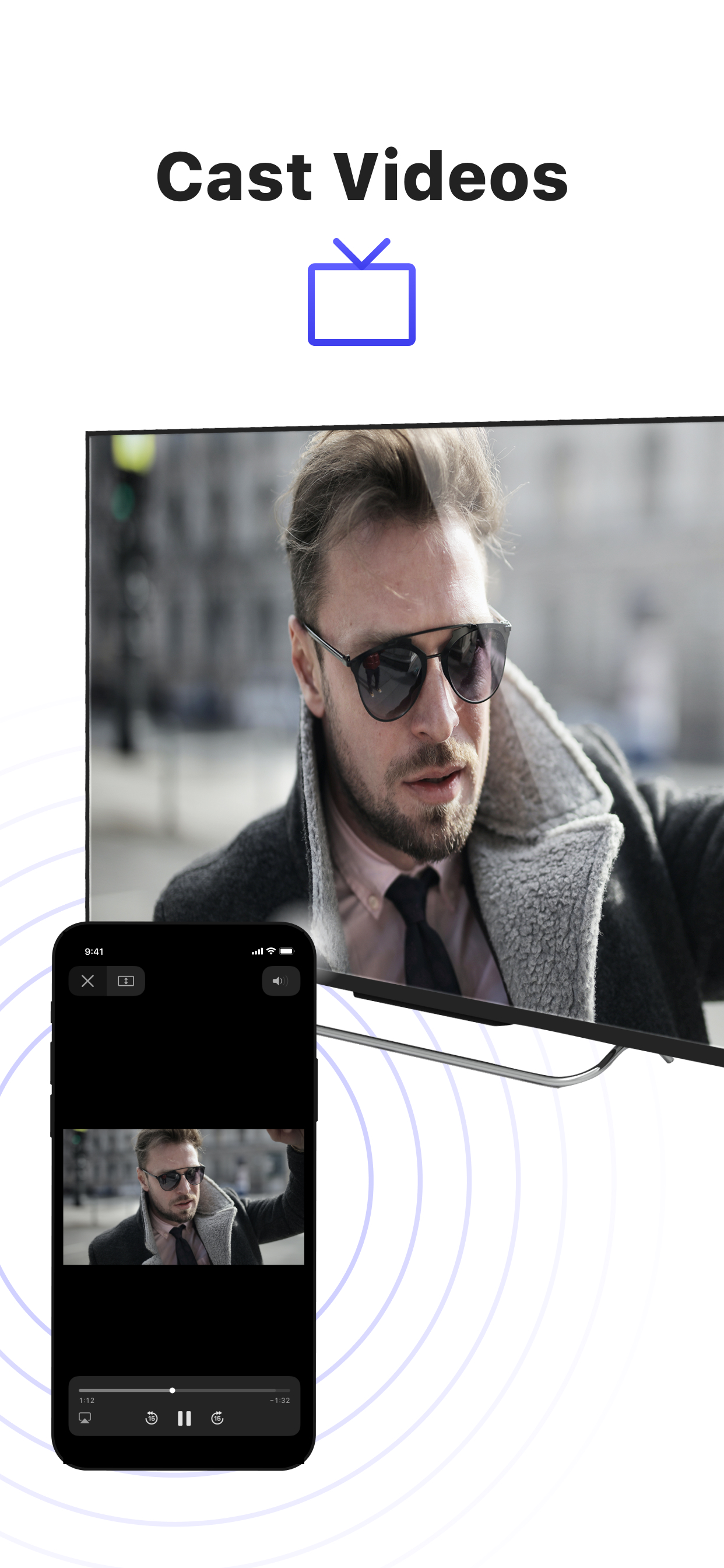
MirrorMeister is a screen mirroring app that allows you to play the media that’s playing on your phone/ tablet to your smart tv.
- Mirror your phone/ tablet to your smart TV.
- No ugly, clumsy & unsafe cables!
- One app for popular TV brands (Samsung, Sony, LG, Panasonic, Hisense, etc.)
- Watch movies.
- Stream sports.
- Screen mirroring cast to tv.
- Binge-watch series.
- Watch breaking news.
- Show photos to loved-ones and impress friends & family.
- Cast YouTube, Facebook, TikTok, Instagram to TV.
MirrorMeister supports:
1. iPhone & iPad
2. Smart TV: Samsung, Roku TV, Sony, LG, Panasonic, Philips, Grundig, Arçelik, Beko, Hisense, TCL, Toshiba, Sharp, Hitachi, Skyworth, Changhong, and any other TV using Android TV operational system.
3. Streaming devices: Roku Streaming Player, Chromecast, Amazon FireTV, Xiaomi Mi Box.
Screen Mirroring Advantages:
* Larger screen:
* Better viewing experience
* Share content with others
* No additional hardware required
* No compatibility issues
* Improved battery life:
* Easy setup
* Smartview
* Streaming content
* Use as a second display
* High-quality video and audio
INSTRUCTIONS:
1. Make sure that your iPhone or iPad is connected to the same local network as your TV. Don't use multiple VLANs or subnets.
2. Launch the MirrorMeister app.
3. When you open MirrorMeister for the first time, a simple setup process will guide you step by step on how to connect the mirror app to your TV.
4. To enable sound while screen mirroring, turn down the sound of your iPhone or iPad and turn ON the sound of your TV. Don’t forget to switch OFF the mute button on the side of your iPhone so sound is enabled.
PRIVACY:
Even though there are notifications about Screen Recording, we don’t record your screen into files and we don’t send any content to a server. We only temporarily store data in memory, before it is streamed to the TV. Upon streaming, the content is removed from memory.
Limitations and known issues:
DRM
Some apps don't allow screen mirroring. For instance, iTunes, Netflix, Disney or Apple TV: when you start screen mirroring one of those apps on your iPhone or iPad, the TV screen will turn black. This is a choice that this company made, there is nothing that MirrorMeister can do about it.
Gaming
Please note that our screen mirroring app is not suitable for high-intensity gaming on a Smart TV because of some delay (latency). The delay is normally between 1 and 3 seconds.
Support
If you need any assistance using the mirroring app, please contact us via email or Facebook Messenger. Our support staff is available 24/7 to help you.
UNLIMITED ACCESS PRO SUBSCRIPTION
You need a subscription for unlimited access to all features without advertising and interruptions. Payment will be charged to iTunes Account at confirmation of purchase. Subscription automatically renews unless auto-renew is turned off at least 24-hours before the end of the current period. The account will be charged for renewal within 24-hours before the end of the current period and identify the cost of the renewal. Subscriptions may be managed by the user and auto-renewal may be turned off by going to the user's Account Settings after purchase. Any unused portion of a free trial period, if offered, will be forfeited when the user purchases a subscription to that publication, where applicable.
- Terms of use: https://www.mirrormeister.com/terms-of-use/
- Privacy policy: https://www.mirrormeister.com/privacy-policy-meisterapps/
Ausblenden Mehr anzeigen...

In-App-Käufe

Weekly
$12.99
Yearly
$24.99
Monthly
$19.99
Pay Only Once
$99.99
Annual Plan: Special Discount
$14.99
Weekly: All Features
$12.99
Annual Plan: All Features
$24.99
Pay Only Once: All Features
$99.99
Pay Only Once: Special Offer!
$39.99

Screenshots

MirrorMeister Screen Mirroring Häufige Fragen

  • Ist MirrorMeister Screen Mirroring kostenlos?

    Ja, MirrorMeister Screen Mirroring ist kostenlos herunterzuladen, enthält jedoch In-App-Käufe oder Abonnements.

  • Ist MirrorMeister Screen Mirroring seriös?

    ⚠️ Die MirrorMeister Screen Mirroring-App hat schlechte Bewertungen und negatives Feedback. Die Nutzer scheinen mit der Leistung oder den Funktionen unzufrieden zu sein.

    Danke für die Stimme

  • Wie viel kostet MirrorMeister Screen Mirroring?

    MirrorMeister Screen Mirroring bietet mehrere In-App-Käufe/Abonnements, der durchschnittliche In-App-Preis beträgt $38.99.

  • Wie hoch ist der Umsatz von MirrorMeister Screen Mirroring?

    Um geschätzte Einnahmen der MirrorMeister Screen Mirroring-App und weitere AppStore-Einblicke zu erhalten, können Sie sich bei der AppTail Mobile Analytics Platform anmelden.

Benutzerbewertung

4.11 von 5

83 Bewertungen in Neuseeland

5 star
53
4 star
13
3 star
3
2 star
1
1 star
13
Bewertungsverlauf

MirrorMeister Screen Mirroring Bewertungen

Not a good option

LucaManuka on

Neuseeland

The stream lags very badly, cannot watch a movie using it that’s for sure. Audio runs through the phone rather than the device being casted to. No good no good

review

sukh kau on

Neuseeland

the site has no volume and it runs 5 second late

Mirror meister

Slantemohr on

Neuseeland

Worked first time then zilch. Says tv is not on network but as I can cast YouTube to tv this is plainly not true. Disappointed

keeps cutting out.

Jtreviewer74 on

Neuseeland

Terrible.

Unhappy with purchase

Kitty2873 on

Neuseeland

Worked really well for a bit, then it stopped working, won’t cast at all just cuts out after the first few minutes

Don't connect to TV all the time

J Liang on

Neuseeland

was disconnected itself.

works on panasonic tv

peachy!2 on

Neuseeland

great app, connects instantly to my 2023 panasonic tv

Laggy and crashes

Ninjatash on

Neuseeland

Don’t bother

No Sound

WBear77 on

Neuseeland

As others have said, this app will mirror your screen but will not send sound as well. So it's useless for video viewing in Chromecast. It's fine if you don't care about sound though. Far worse is that is very difficult to remove from your system. After refusing to agree, after removing the installer, after deleting everything and restarting it persists. Real junk.

Didn't work and no sound file drive was recommended upon start up

JessFerroni on

Neuseeland

Downloaded this app to help screen mirror my mac to my Hisense TV. Didn't work. Tried searching for solutions and some videos said I should have been prompted to make certain changes to my macbook settings to use and those changes were not prompted to do during start up and installation. App aws deleted and I am back to the drawing board.

Store-Rankings

Ranking-Verlauf
Kategorien-Rankings
Diagramm
Kategorie
Rang
Top Kostenlos
185
Top Kostenlos
217
Top Kostenlos
270
Top Kostenlos
322
Top Kostenlos
365

Schlüsselwörter

MirrorMeister Screen Mirroring Konkurrenten

MirrorMeister Screen Mirroring Installationen

Letzte 30 Tage

MirrorMeister Screen Mirroring Umsatz

Letzte 30 Tage

MirrorMeister Screen Mirroring Einnahmen und Downloads

Gewinnen Sie wertvolle Einblicke in die Leistung von MirrorMeister Screen Mirroring mit unserer Analytik.
Melden Sie sich jetzt an, um Zugriff auf Downloads, Einnahmen und mehr zu erhalten.
This page includes copyrighted content from third parties, shared solely for commentary and research in accordance with fair use under applicable copyright laws. All trademarks, including product, service, and company names or logos, remain the property of their respective owners. Their use here falls under nominative fair use as outlined by trademark laws and does not suggest any affiliation with or endorsement by the trademark holders.