


PLIST Editor
Veröffentlicht von:
VDT LABS S.R.L
Beschreibung
PLIST Editor is a side-by-side tree & text editor for property list (plist) data. In a clean and easy to use interface, it allows you to quickly create, inspect, modify and save your .plist documents.
PLIST Editor is one of the few source control "friendly" property list editors that you can find on the market. For all plist formats (XML, Binary and OpenStep/ASCII), it maintains the order of dictionary elements and the editing capabilities are on parity with Xcode, so you don't see a difference between a file edited in PLIST Editor and one edited in Xcode.
PLIST Editor can be used as a lightweight Xcode alternative, having more features, using less disk space, less memory and starting up faster.
Core Features
• Open & save property list files in XML, Binary and OpenStep/ASCII format, including those created using NSKeyedArchiver
• Side-by-side tree & text editor. Any changes made in one of the editors are automatically reflected in the other.
• "Source control" friendly - the order of dictionary elements is preserved, showing them in the same order as defined in the file. Similarly, when the plist is written to disk, the order of items from a dictionary written to disk is the same as the one seen on screen. This is especially useful when you keep the files in a repository, because only the relevant changes will be shown when diff-ing the edited files.
Tree Editor
• Presents the plist data in a "tree" like interface, making easier for you to understand how the data is structured
• Makes the process of editing plist data error-free and way more easier than dealing with raw text
• Its selection is automatically reflected in the text editor
Tree Editor - Features
• Multiple selection of sibling elements
• Cut, copy, paste, duplicate, delete and reorder elements, even when multiple elements are selected
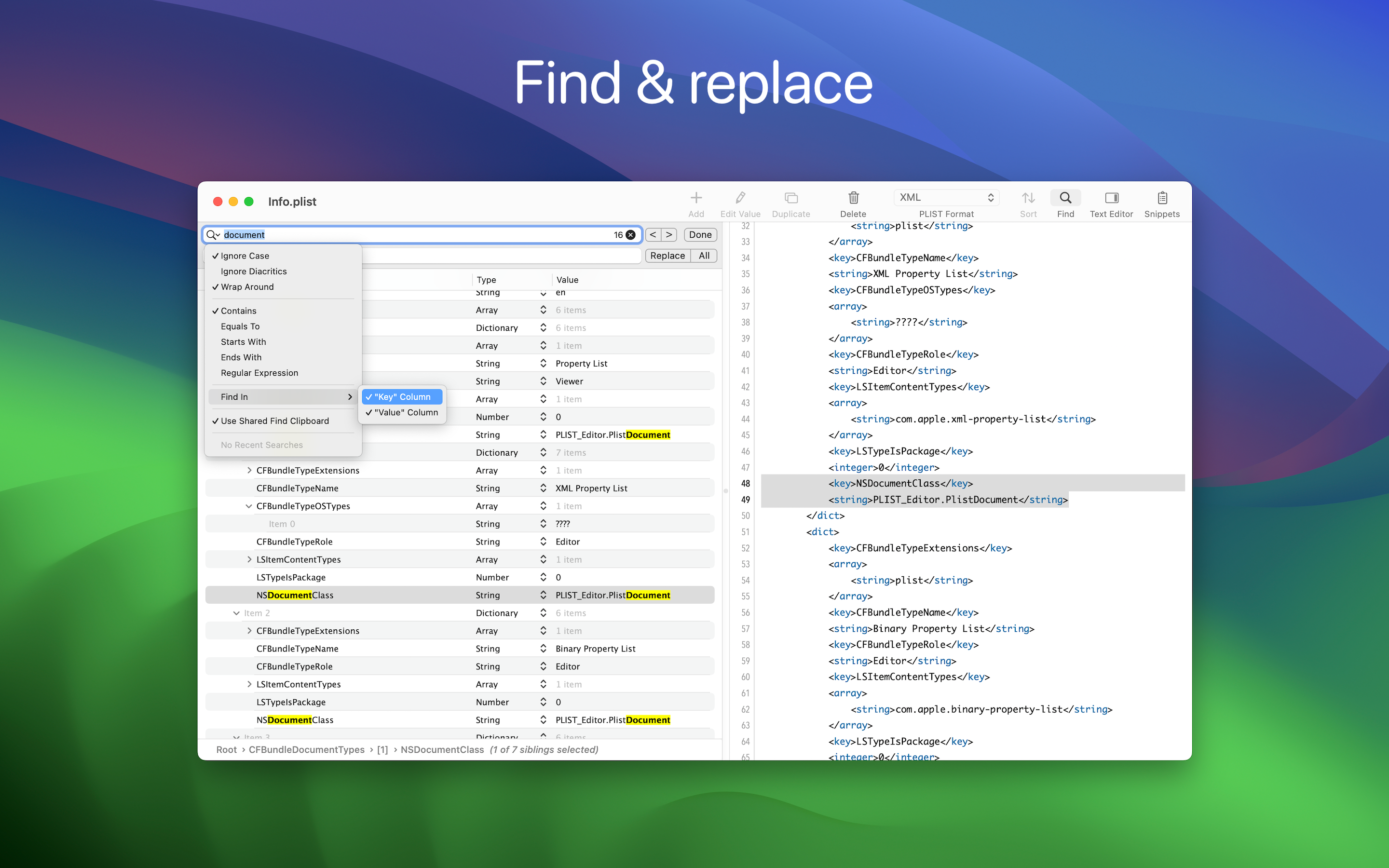
• Find & replace text in the plist elements. Support for "Regular Expression" is included, too
• Choose where the Find (or Replace) will take place: in "Key" or "Value" column or both
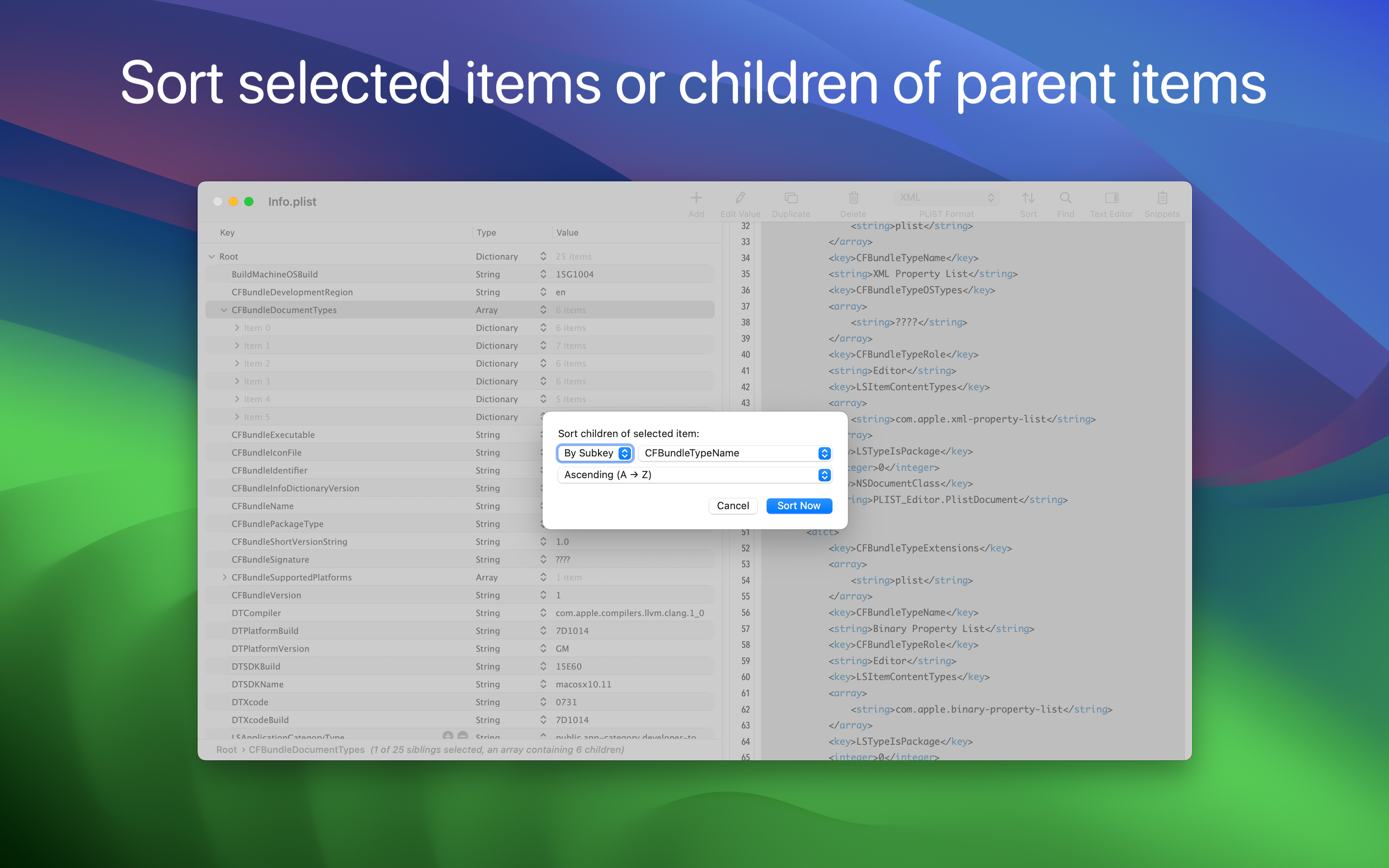
• Sort elements, either by clicking one of the column headers or using the dedicated panel
• Set label for child dictionaries to help you understand what each dictionary represents
• Edit the elements, even when multiple are selected (via "Edit -> Edit Value...")
• Paste plist data, either from raw XML or from Xcode
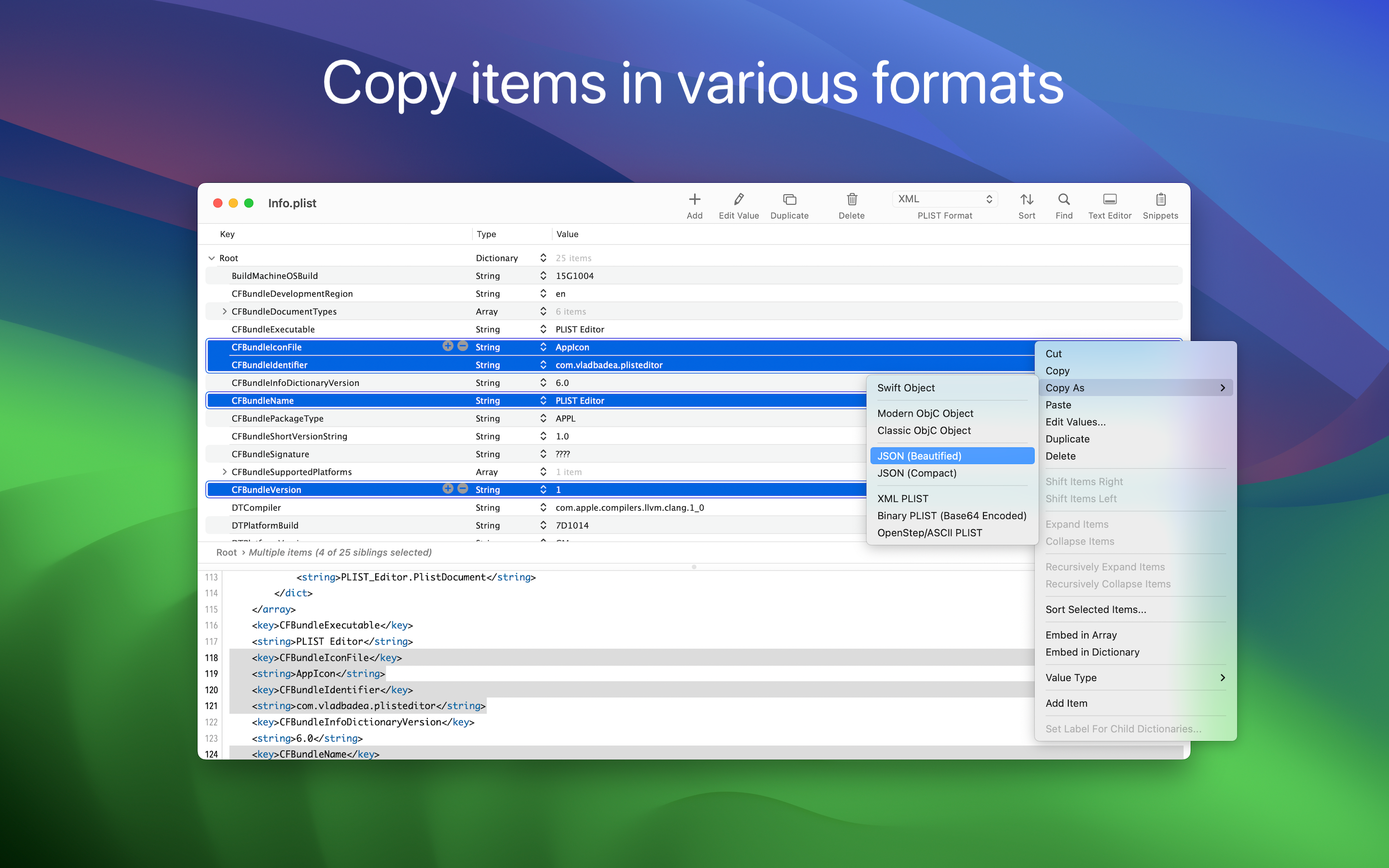
• Copy elements as Swift or Obj-C objects or JSON data or PLIST data
• Embed elements in array or dictionary
• Shift elements left or right
• Move elements up or down
• Row height which accommodates multi-line text
• Undo & redo
Text Editor
• Visualize and edit plist's textual content
• Any changes made in the text editor will automatically be synchronized with the tree editor
• For any errors during editing (i.e. you mistyped something and the plist XML becomes invalid) you'll be informed about this
Text Editor - Features
• Syntax coloring
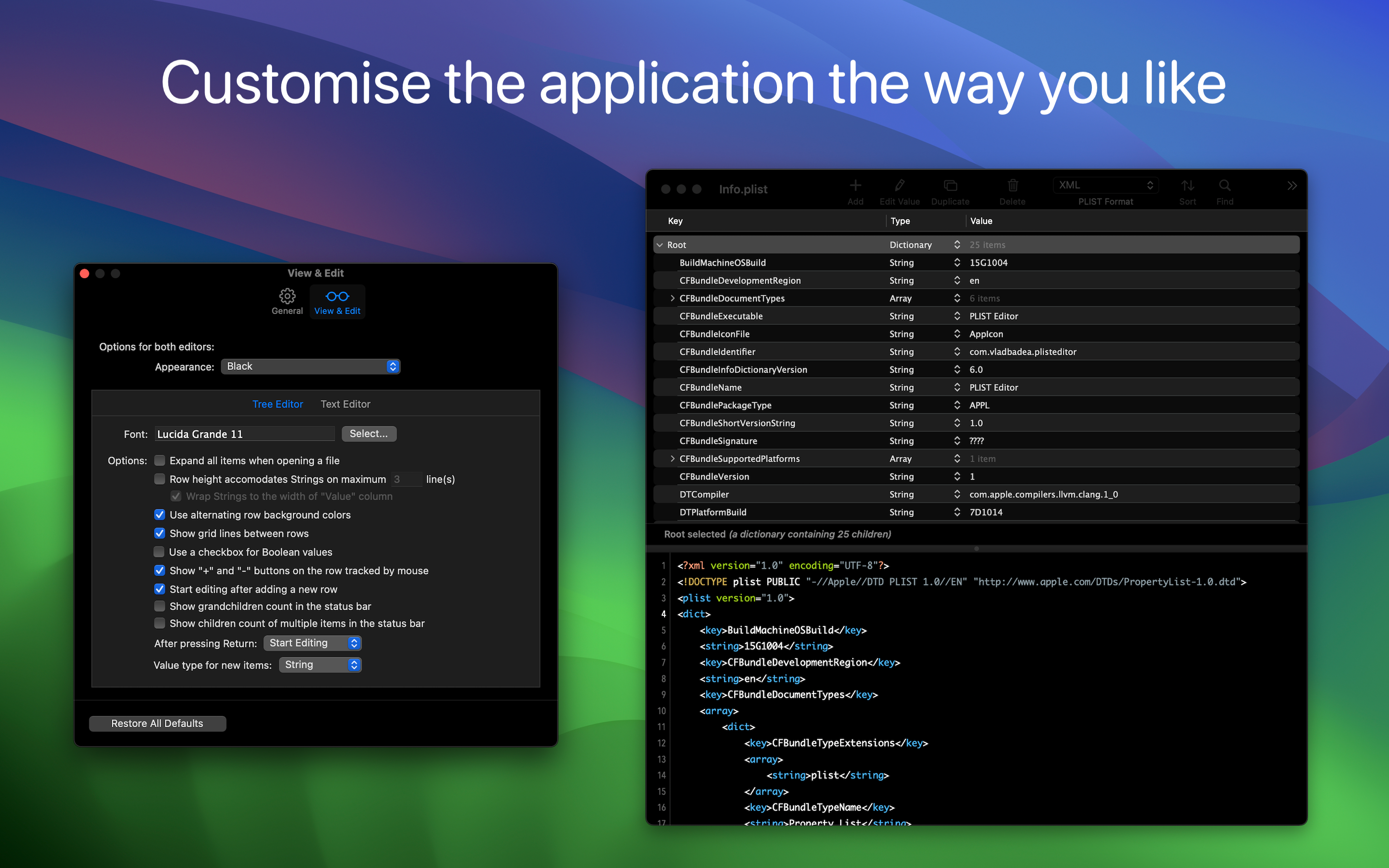
• Customize the font and its size
• Change editor's location (right or bottom)
• Toggle the visibility of the the text editor
• Show (or hide) invisible characters, like tab or new lines
• Undo & redo
Folder Browser
• Browse folders' content by dragging them on the app's Dock icon or by using "File → Open" panel
• Choose .plist files to make quick edits or to view their content
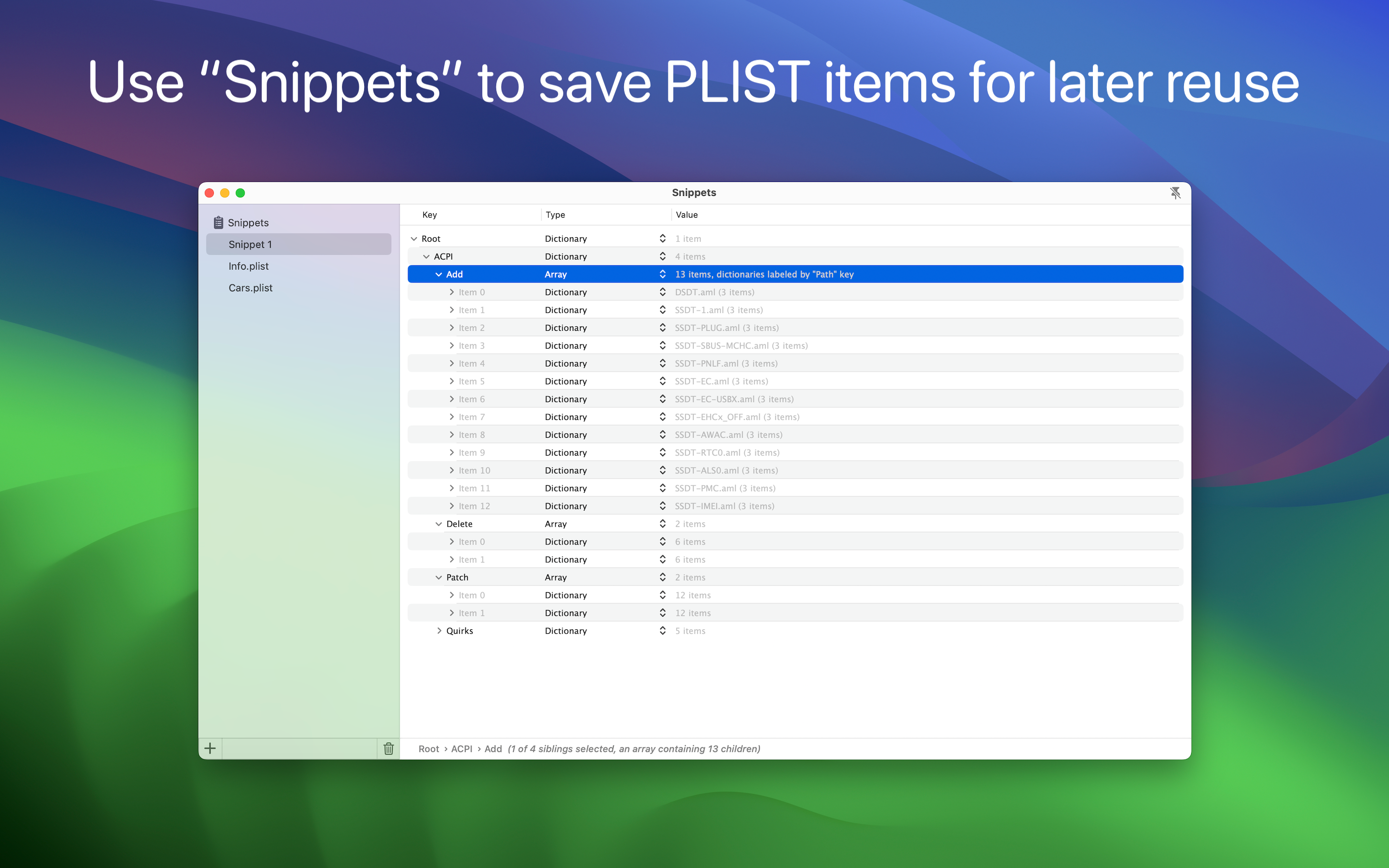
Snippets
• Save plist items for later reuse
• Access the Snippets by clicking the corresponding toolbar button
Quick Look Preview Extension
• Preview the .plist files in Finder using the Quick Look extension provided by the app
CMS Support
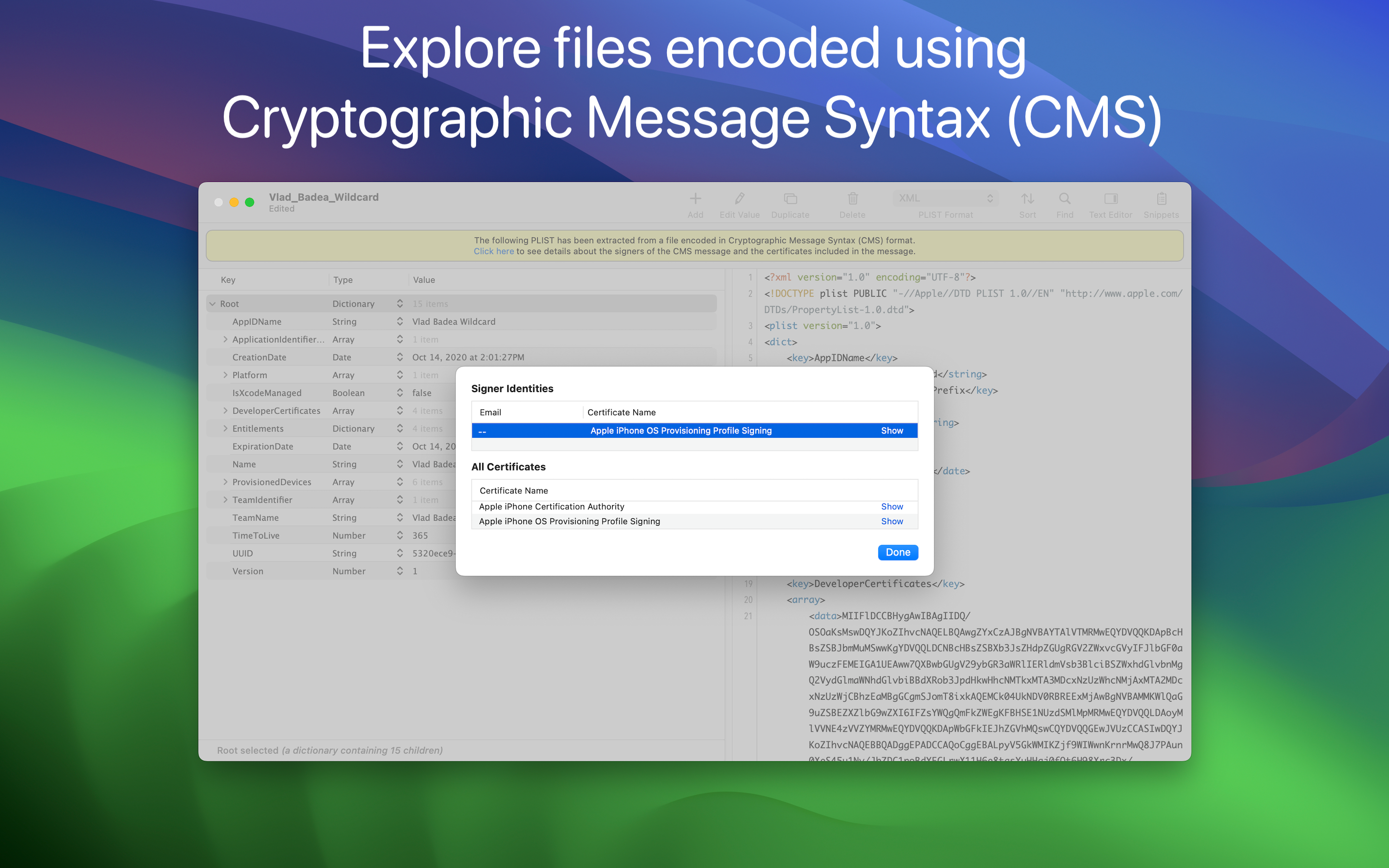
• Import plist data contained in files which are encoded using Cryptographic Message Syntax (CMS), like .mobileconfig or .mobileprovision files
• View information about the signers and the additional certificates which might be included in the message
Other Features
• Dark mode, including a beautiful "black" mode
• Auto Save & Versions support, including the possibility to disable them
• Detect when the file is changed by another application
• Toolbar to access common operations
Ausblenden
Mehr anzeigen...
PLIST Editor is one of the few source control "friendly" property list editors that you can find on the market. For all plist formats (XML, Binary and OpenStep/ASCII), it maintains the order of dictionary elements and the editing capabilities are on parity with Xcode, so you don't see a difference between a file edited in PLIST Editor and one edited in Xcode.
PLIST Editor can be used as a lightweight Xcode alternative, having more features, using less disk space, less memory and starting up faster.
Core Features
• Open & save property list files in XML, Binary and OpenStep/ASCII format, including those created using NSKeyedArchiver
• Side-by-side tree & text editor. Any changes made in one of the editors are automatically reflected in the other.
• "Source control" friendly - the order of dictionary elements is preserved, showing them in the same order as defined in the file. Similarly, when the plist is written to disk, the order of items from a dictionary written to disk is the same as the one seen on screen. This is especially useful when you keep the files in a repository, because only the relevant changes will be shown when diff-ing the edited files.
Tree Editor
• Presents the plist data in a "tree" like interface, making easier for you to understand how the data is structured
• Makes the process of editing plist data error-free and way more easier than dealing with raw text
• Its selection is automatically reflected in the text editor
Tree Editor - Features
• Multiple selection of sibling elements
• Cut, copy, paste, duplicate, delete and reorder elements, even when multiple elements are selected
• Find & replace text in the plist elements. Support for "Regular Expression" is included, too
• Choose where the Find (or Replace) will take place: in "Key" or "Value" column or both
• Sort elements, either by clicking one of the column headers or using the dedicated panel
• Set label for child dictionaries to help you understand what each dictionary represents
• Edit the elements, even when multiple are selected (via "Edit -> Edit Value...")
• Paste plist data, either from raw XML or from Xcode
• Copy elements as Swift or Obj-C objects or JSON data or PLIST data
• Embed elements in array or dictionary
• Shift elements left or right
• Move elements up or down
• Row height which accommodates multi-line text
• Undo & redo
Text Editor
• Visualize and edit plist's textual content
• Any changes made in the text editor will automatically be synchronized with the tree editor
• For any errors during editing (i.e. you mistyped something and the plist XML becomes invalid) you'll be informed about this
Text Editor - Features
• Syntax coloring
• Customize the font and its size
• Change editor's location (right or bottom)
• Toggle the visibility of the the text editor
• Show (or hide) invisible characters, like tab or new lines
• Undo & redo
Folder Browser
• Browse folders' content by dragging them on the app's Dock icon or by using "File → Open" panel
• Choose .plist files to make quick edits or to view their content
Snippets
• Save plist items for later reuse
• Access the Snippets by clicking the corresponding toolbar button
Quick Look Preview Extension
• Preview the .plist files in Finder using the Quick Look extension provided by the app
CMS Support
• Import plist data contained in files which are encoded using Cryptographic Message Syntax (CMS), like .mobileconfig or .mobileprovision files
• View information about the signers and the additional certificates which might be included in the message
Other Features
• Dark mode, including a beautiful "black" mode
• Auto Save & Versions support, including the possibility to disable them
• Detect when the file is changed by another application
• Toolbar to access common operations
In-App-Käufe
- Tip
- 3.30 ₩
Screenshots



PLIST Editor Häufige Fragen
-
Ist PLIST Editor kostenlos?
Ja, PLIST Editor ist kostenlos herunterzuladen, enthält jedoch In-App-Käufe oder Abonnements.
-
Ist PLIST Editor seriös?
Nicht genügend Bewertungen, um eine zuverlässige Einschätzung vorzunehmen. Die App benötigt mehr Nutzerfeedback.
Danke für die Stimme -
Wie viel kostet PLIST Editor?
PLIST Editor bietet mehrere In-App-Käufe/Abonnements, der durchschnittliche In-App-Preis beträgt 3.30 ₩.
-
Wie hoch ist der Umsatz von PLIST Editor?
Um geschätzte Einnahmen der PLIST Editor-App und weitere AppStore-Einblicke zu erhalten, können Sie sich bei der AppTail Mobile Analytics Platform anmelden.

Benutzerbewertung
Die App ist in Südkorea noch nicht bewertet.
Bewertungsverlauf
PLIST Editor Bewertungen
Keine Bewertungen in Südkorea
Die App hat noch keine Bewertungen in Südkorea.
Store-Rankings
Ranking-Verlauf
App-Ranking-Verlauf noch nicht verfügbar
Kategorien-Rankings
|
Diagramm
|
Kategorie
|
Rang
|
|---|---|---|
|
Top Umsatz
|

|
49
|
|
Top Umsatz
|

|
57
|
|
Top Umsatz
|

|
78
|
|
Top Umsatz
|

|
81
|
|
Top Umsatz
|

|
82
|
Schlüsselwörter
PLIST Editor Installationen
Letzte 30 Tage
PLIST Editor Umsatz
Letzte 30 TagePLIST Editor Einnahmen und Downloads
Gewinnen Sie wertvolle Einblicke in die Leistung von PLIST Editor mit unserer Analytik.
Melden Sie sich jetzt an, um Zugriff auf Downloads, Einnahmen und mehr zu erhalten.
Melden Sie sich jetzt an, um Zugriff auf Downloads, Einnahmen und mehr zu erhalten.
App-Informationen
- Kategorie
- Developer Tools
- Herausgeber
- VDT LABS S.R.L
- Sprachen
- English
- Letzte Veröffentlichung
- 1.62 (vor 2 Monaten )
- Veröffentlicht am
- Sep 27, 2016 (vor 9 Jahren )
- Auch verfügbar in
- Belarus , Kolumbien , Irland , Mexiko , Japan , Vereinigtes Königreich , Rumänien , Italien , Portugal , Argentinien , Türkei , Indien , Sonderverwaltungsregion Hongkong , Kanada , Malaysia , Russland , Thailand , Australien , Vietnam , Ägypten , Ecuador , Kasachstan , Pakistan , Dominikanische Republik , Kuwait , Südafrika , Dänemark , Frankreich , Chile , Saudi-Arabien , Brasilien , Ukraine , Singapur , Aserbaidschan , Vereinigte Arabische Emirate , China , Niederlande , Vereinigte Staaten , Norwegen , Israel , Spanien , Deutschland , Ungarn , Österreich , Schweden , Südkorea , Philippinen , Polen , Indonesien , Griechenland , Neuseeland , Schweiz , Belgien , Finnland , Taiwan , Tschechien
- Zuletzt aktualisiert
- vor 5 Tagen
This page includes copyrighted content from third parties, shared solely for commentary and research in accordance with fair use under applicable copyright laws. All trademarks, including product, service, and company names or logos, remain the property of their respective owners. Their use here falls under nominative fair use as outlined by trademark laws and does not suggest any affiliation with or endorsement by the trademark holders.
- © 2025 AppTail.
- Unterstützung
- Privacy
- Terms
- All Apps