PXPlay: Remote Play

Stream your console Games

Veröffentlicht von: Florian Grill

Beschreibung

PXPlay – Performance eXtended Play
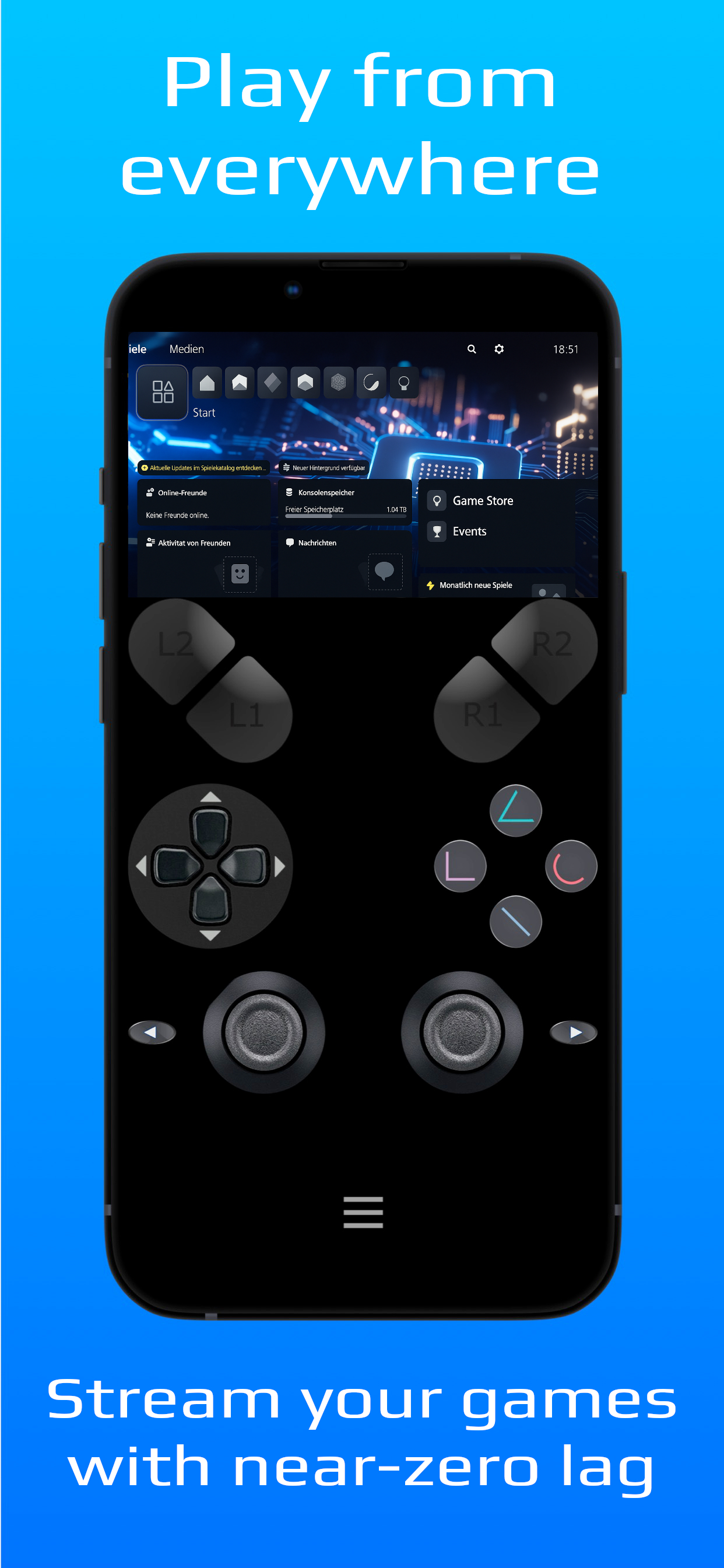
Experience your console games like never before. PXPlay lets you take full control of your console remotely, without limits. Whether you’re away from home or just in another room, enjoy smooth, low-latency streaming with high-quality visuals, great audio, and full controller support.
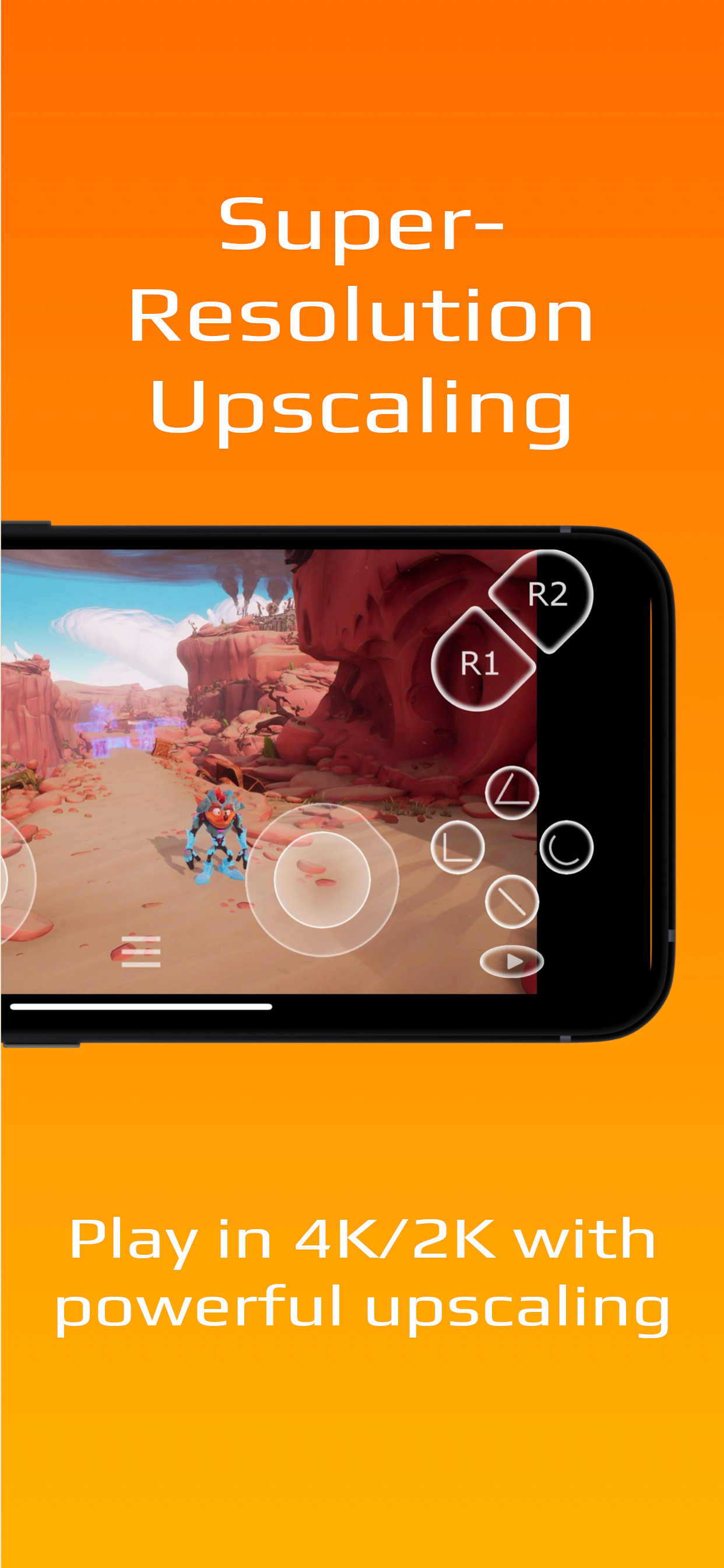
PXPlay is engineered for performance and designed to provide the best remote play experience possible, with advanced features like 4K / 2K upscaling. Every detail is fine-tuned to deliver the lowest possible latency and the highest possible quality, so it feels like you’re right in front of your console, even over mobile data.
Why PXPlay?
With PXPlay, you can stream and play any of your console’s games remotely, titles like GTA V, Fortnite, The Last of Us, FIFA, Crash Bandicoot, and more, directly on your iPhone, iPad, or Apple TV. You can even use PXPlay as a virtual gamepad with advanced touch controls and gesture support.
Main Features
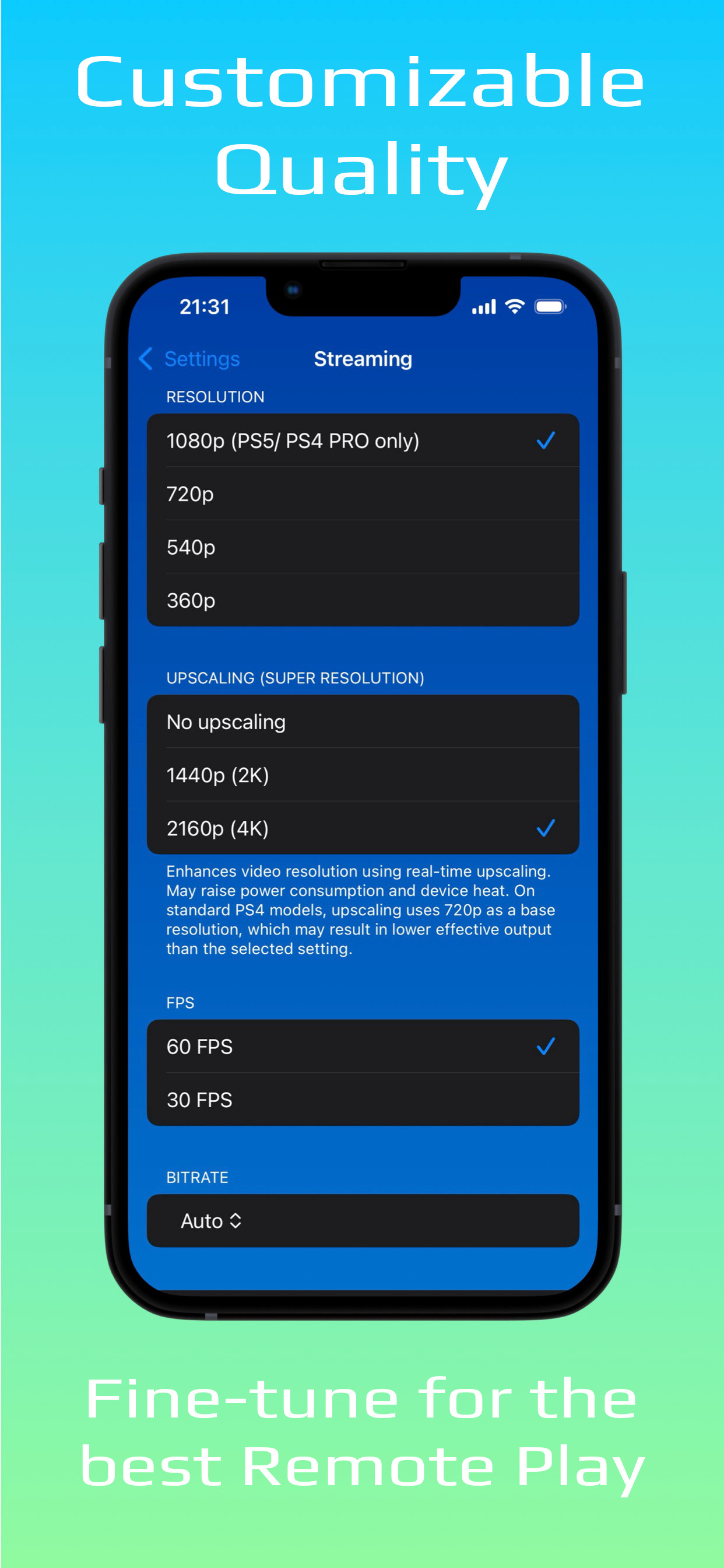
• HDR visuals and real-time 4K / 2K “Super Resolution” upscaling
• Spatial Audio (3D Audio)
• Custom bitrate and video frame pacing
• Low-latency streaming optimized for responsiveness
• Button mapping, hotkeys, and touchpad gesture emulation
• Register and switch between multiple consoles
• Third-party controller support
• Works over Wi-Fi or mobile data*
Learn more: https://streamingdv.github.io/pxplay/index.html
*To play over the internet, follow these setup instructions:
https://streamingdv.github.io/pxplay/index#line5
Registration must be performed on the same network as your console.
Note: All trademarks are property of their respective owners.
Ausblenden Mehr anzeigen...

In-App-Käufe

Unlock new features
79.00 r

Screenshots

PXPlay Häufige Fragen

  • Ist PXPlay kostenlos?

    Ja, PXPlay ist kostenlos herunterzuladen, enthält jedoch In-App-Käufe oder Abonnements.

  • Ist PXPlay seriös?

    🤔 Die Qualität der PXPlay-App ist gemischt. Einige Nutzer sind zufrieden, während andere Probleme melden. Ziehen Sie in Betracht, einzelne Bewertungen für mehr Kontext zu lesen.

    Danke für die Stimme

  • Wie viel kostet PXPlay?

    PXPlay bietet mehrere In-App-Käufe/Abonnements, der durchschnittliche In-App-Preis beträgt 79.00 r.

  • Wie hoch ist der Umsatz von PXPlay?

    Um geschätzte Einnahmen der PXPlay-App und weitere AppStore-Einblicke zu erhalten, können Sie sich bei der AppTail Mobile Analytics Platform anmelden.

Benutzerbewertung

5 von 5

3 Bewertungen in Norwegen

5 star
3
4 star
0
3 star
0
2 star
0
1 star
0
Bewertungsverlauf

PXPlay Bewertungen

won’t pair with my PS5

miss tour beest on

Vereinigte Staaten

i’ve tried changing networks, changing network permissions on the app, entering my IP and manually entering my psn ID, everything i can think of. and it just cannot connect to my PS5.

全平台使用,但Mac存在问题

假发不应该到华清池旁喝咖啡 on

Vereinigte Staaten

Mac端关联ps5一直失败,错误代码408,求解决方法!

Worked great until Sequoia

Dorkington on

Vereinigte Staaten

The app has been abandoned by the developer to focus on a new paid version. This version does not support Sequoia

Reliable But Stutters

Mohannad on

Vereinigte Staaten

This app works well when I’m on my local network. I use it to play my PS5 on my Vision Pro, which is an awesome experience. Only issue is that the game play stutters. Hoping for a fix.

Doesn’t really mirror

Captain Pleasure on

Vereinigte Staaten

To mirror a screen usually means to show the same thing on two screens at once. But this app doesn’t really do that, which is too bad. Consider actual mirroring as a possible enhancement?

Can’t register

Raziel480 on

Vereinigte Staaten

Worked in the past but even then it took a lot of fiddling to get it to work. Attempted to re-register and now it won’t work at all. My PSN account uses a Passkey so it might be MirrorPlay won’t work with them?

What happened

thatcjkid on

Vereinigte Staaten

Worked perfectly before. Now I can’t even connect locally.

Didn’t even work

Matthew73638 on

Vereinigte Staaten

App failed to connect to the PS5 despite using all of the settings and instructions

Magic

souptrev on

Vereinigte Staaten

So far it plays noticeably better than the PS Remote play app, even at a higher resolution. The $6 was well worth it after I was able to map the “…” button on my Backbone controller to be a touchpad press. It makes no sense that Backbone doesn’t allow you to map that button and forces you to have two screenshot buttons instead, so this solved one of my biggest gripes with that controller as well as fixes the remote play experience with PS5.

Disappointed

kuhlala on

Vereinigte Staaten

I'm really disappointed. I saw a lot of reviews saying that this was a good alternative for PlayStation remote play and it just absolutely will not connect to my system.. i'm an adult who can follow directions & the directions are easy enough so i dont believe this is a user error. it'd be nice to be able to use since I've heard such good things.

Store-Rankings

Ranking-Verlauf
Kategorien-Rankings
Diagramm
Kategorie
Rang
Top Umsatz
98
Top Umsatz
100
Top Kostenlos
118
Top Kostenlos
176
Top Kostenlos
226

Schlüsselwörter

PXPlay Konkurrenten

PXPlay Installationen

Letzte 30 Tage

PXPlay Umsatz

Letzte 30 Tage

PXPlay Einnahmen und Downloads

Gewinnen Sie wertvolle Einblicke in die Leistung von PXPlay mit unserer Analytik.
Melden Sie sich jetzt an, um Zugriff auf Downloads, Einnahmen und mehr zu erhalten.
This page includes copyrighted content from third parties, shared solely for commentary and research in accordance with fair use under applicable copyright laws. All trademarks, including product, service, and company names or logos, remain the property of their respective owners. Their use here falls under nominative fair use as outlined by trademark laws and does not suggest any affiliation with or endorsement by the trademark holders.