Veröffentlicht von: vishnu rao

Beschreibung

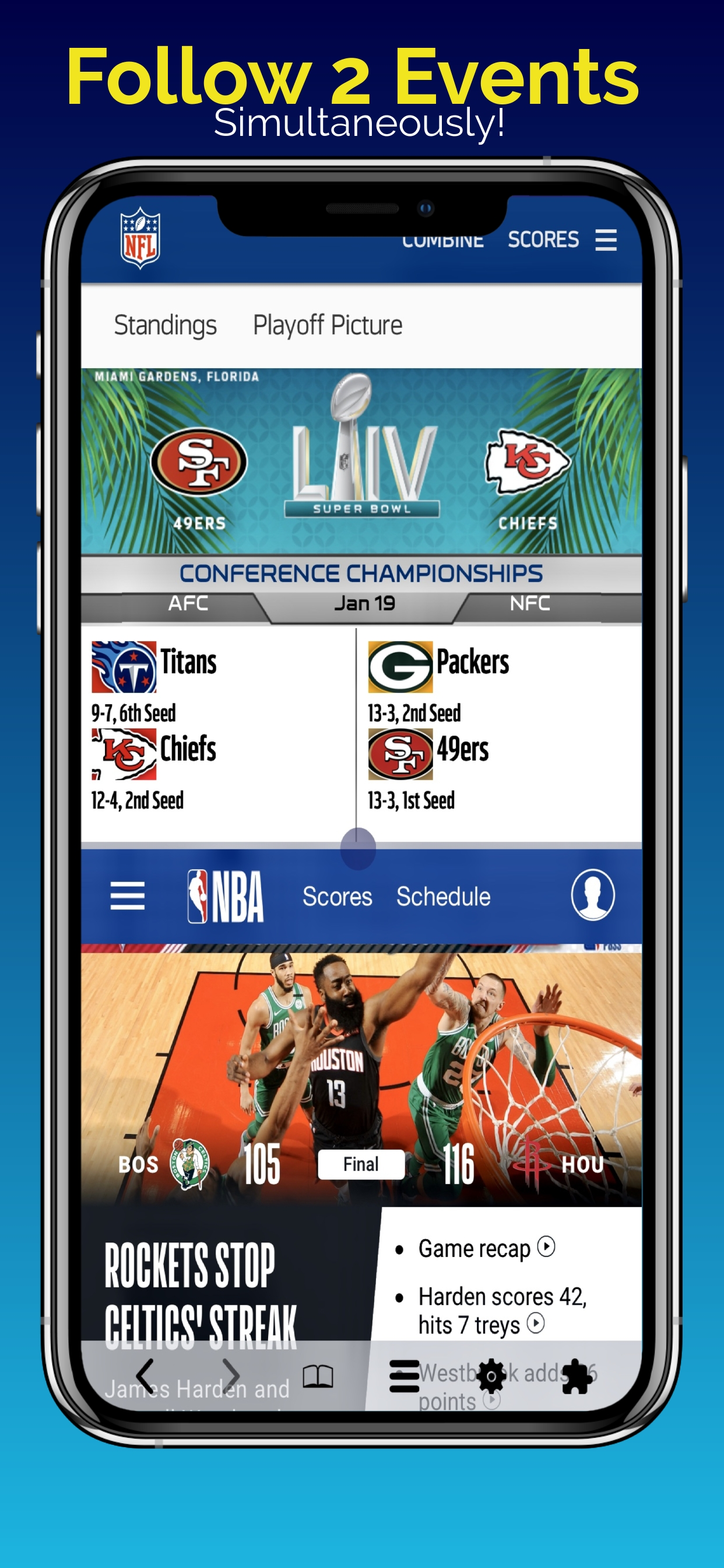
Ranked #1 iPhone & iPad Utility App in 50+ Countries, Split Screen Multitasking app DuMore also ranked Top 10 in around 100 countries including USA, China & Japan, Top 25 in 84 countries and Top 100 in several more. Split View lets you do 2 things at the same time. Download to stop constantly switching between apps or browser tabs for all your online tasks. Start viewing two things at the same time in Dual Split Screens on your iPhone and iPad.
We love doing two things on iPad & iPhone multitasking, but keeping an eye on both at the same time was impossible until now. Haven’t you always wanted to open and view 2 things on your iPhone and iPad at the same time? Now you can! Download Now!
DuMore Split Screen Multitasker is designed for your new large screen iPhone and iPads that do not have the native iOS Split Screen, Split View and Slide Over features. The DuMore Split Screen App offers an alternative experience similar to using two apps at the same time with web apps, browsers, inbuilt plugins and extensions.
► Download Now! ◄
How will you DuMore with Split Screen View?
- Watch a TV show while you check all your social network accounts - flip left/right in social plugin to easily manage all your social network accounts in a split screen
- Or play Music and check Facebook while checking routes with Google Maps on a road trip!
- How about having the superpower to play your little one’s favorite cartoon while tracking the score
- Imagine keeping one eye on the market, news or data while responding to an email at work
» There are millions of possibilities!
►Download Now!◄
Get most out of the large screen of your iPhone, iPhone Plus or iPad with split screen multitasking.
DuMore comes equipped with all the tools you need for multitasking:
» Social Plugin: Instantly switch between social networks with left/right swipe in a cool cube animation. Access all your social media accounts in one app.
» Child Lock: Control and limit access to web pages, social networks, videos and more.
» File Manager: Download and save files or screenshots in the file manager.
» Download Manager: Desktop-class download manager coming soon.
» Split View Management: Resize, Maximize, Minimize, Add, and Remove Split Tabs.
» Plugins: Full featured mini apps for split screen multitasking experience.
» Extensions: support for Evernote, 1Password, Translate and more apps coming soon.
» Support for Left Handed User: First and only iOS app to support left handed users on iOS. Toggle interface for left-hand or right-hand users in settings.
» Page shot: screen capture now allows you to turn a full web page into an image.
» And more!
► DuMore includes a desktop class screen split browser that includes:
- Smart address box.
- Private Browsing.
- Translator.
- Customizable Home Page.
-Parental Controls.
- Maximize, Minimize, Add or Remove a Tab in split screen view.
- Edge-to-edge full-screen.
- Customizable search box: 1 click access to your favorite search engine.
- Bookmark, History, Reading List.
- Share Link
- Save a complete web page as a pdf.
- And more.
DuMore also helps you recover several GB disk space on your iPhone and iPad by allowing you to remove Facebook, Instagram and other bulky apps that store content you can't delete.
This is the perfect iPhone split screen app with split screen multitasking browser for your large screen iPhone Pro, iPhone Pro Max, 12, 11, etc. DuMore brings split screen multi tasking and split view for all iPads, old and new. You don't have to switch between two apps when you can view two things simultaneously. This is limited to apps that have a website like facebook and twitter. You can also resize the two split view windows or close one split screen tab for an edge-to-edge full screen view of your favorite websites and videos. iOS Limitations Apply. Some web apps are not compatible and/or blocked in third party apps like this one.
Tell us how you use this app & how it can be improved for you, we're listening.
Ausblenden Mehr anzeigen...

Screenshots

Häufige Fragen

  • Ist Split Screen Multitasking View kostenlos?

    Ja, Split Screen Multitasking View ist komplett kostenlos und enthält keine In-App-Käufe oder Abonnements.

  • Ist Split Screen Multitasking View seriös?

    🤔 Die Qualität der Split Screen Multitasking View-App ist gemischt. Einige Nutzer sind zufrieden, während andere Probleme melden. Ziehen Sie in Betracht, einzelne Bewertungen für mehr Kontext zu lesen.

    Danke für die Stimme

  • Wie viel kostet Split Screen Multitasking View?

    Split Screen Multitasking View ist kostenlos.

  • Wie hoch ist der Umsatz von Split Screen Multitasking View?

    Um geschätzte Einnahmen der Split Screen Multitasking View-App und weitere AppStore-Einblicke zu erhalten, können Sie sich bei der AppTail Mobile Analytics Platform anmelden.

Benutzerbewertung

2.07 von 5

15 Bewertungen in Vereinigtes Königreich

5 star
4
4 star
0
3 star
0
2 star
0
1 star
11
Bewertungsverlauf

Bewertungen

It is rubbish application ripping me off money,big shame for developer

gos 23 on

Vereinigtes Königreich

Do not pay for this crap. Refund me for the stupid application

Help

Serious App Critic on

Vereinigtes Königreich

Refund me, this app is stupid!

Disappointing app

+AE on

Vereinigtes Königreich

Disappointing app in that everything loaded in the 2 screens is via new internet connections to existing apps that you already have on your iPhone. Definitely not the impression I got from the write up and other reviews! Hardly worth a single star really.

Don’t buy

aasdghjjgfbnmhgdd on

Vereinigtes Königreich

This app doesn’t work

worthless

Ro uk on

Vereinigtes Königreich

the app doesn’t support landscape... it’s really outdated. The homepage is messy and annoying, not intuitive at all. I have to type in the URL directly (WTH). I’d rather use Safari than use this awful app. Completely waste 5£. Should look up the split screen app, which is free anyway

Terrible

steve 6655 on

Vereinigtes Königreich

Worst app I have purchased, it's read only format so pretty useless if you want to do anything interactive, emailed developer for advice, didn't bother to reply,, very amateurish

Worthless..

MMUsayyeb on

Vereinigtes Königreich

I thought I could open my Mail and a Piano keyboard application together, but it does not. Worthless...

Multitasking made easier

Matthew KoKo on

Vereinigtes Königreich

Split screen is an amazing app that saves me time and effort. I can effortlessly browse between different tabs on the internet, take notes whilst I’m editing a picture and even more. There isn’t another way I can do this without using two or more apps, it just makes sense!

Great app!

nhatminhh382711 on

Vereinigtes Königreich

This is a great app to multitask. I'm very satisfied with it!!!! Great job!!!!!

Love it

Andy M. Ellis on

Vereinigtes Königreich

Its the best split screen browser I've used, it'd be perfect. I use it every day. It saves me time and effort😃💐

Store-Rankings

Ranking-Verlauf
App-Ranking-Verlauf noch nicht verfügbar
Kategorien-Rankings
Diagramm
Kategorie
Rang
Top Bezahlt
69
Top Bezahlt
91
Top Bezahlt
92
Top Bezahlt
98
Top Bezahlt
99

Konkurrenten

Split Screen Multitasking View Installationen

Letzte 30 Tage

Split Screen Multitasking View Umsatz

Letzte 30 Tage

Einnahmen und Downloads

Gewinnen Sie wertvolle Einblicke in die Leistung von Split Screen Multitasking View mit unserer Analytik.
Melden Sie sich jetzt an, um Zugriff auf Downloads, Einnahmen und mehr zu erhalten.
This page includes copyrighted content from third parties, shared solely for commentary and research in accordance with fair use under applicable copyright laws. All trademarks, including product, service, and company names or logos, remain the property of their respective owners. Their use here falls under nominative fair use as outlined by trademark laws and does not suggest any affiliation with or endorsement by the trademark holders.