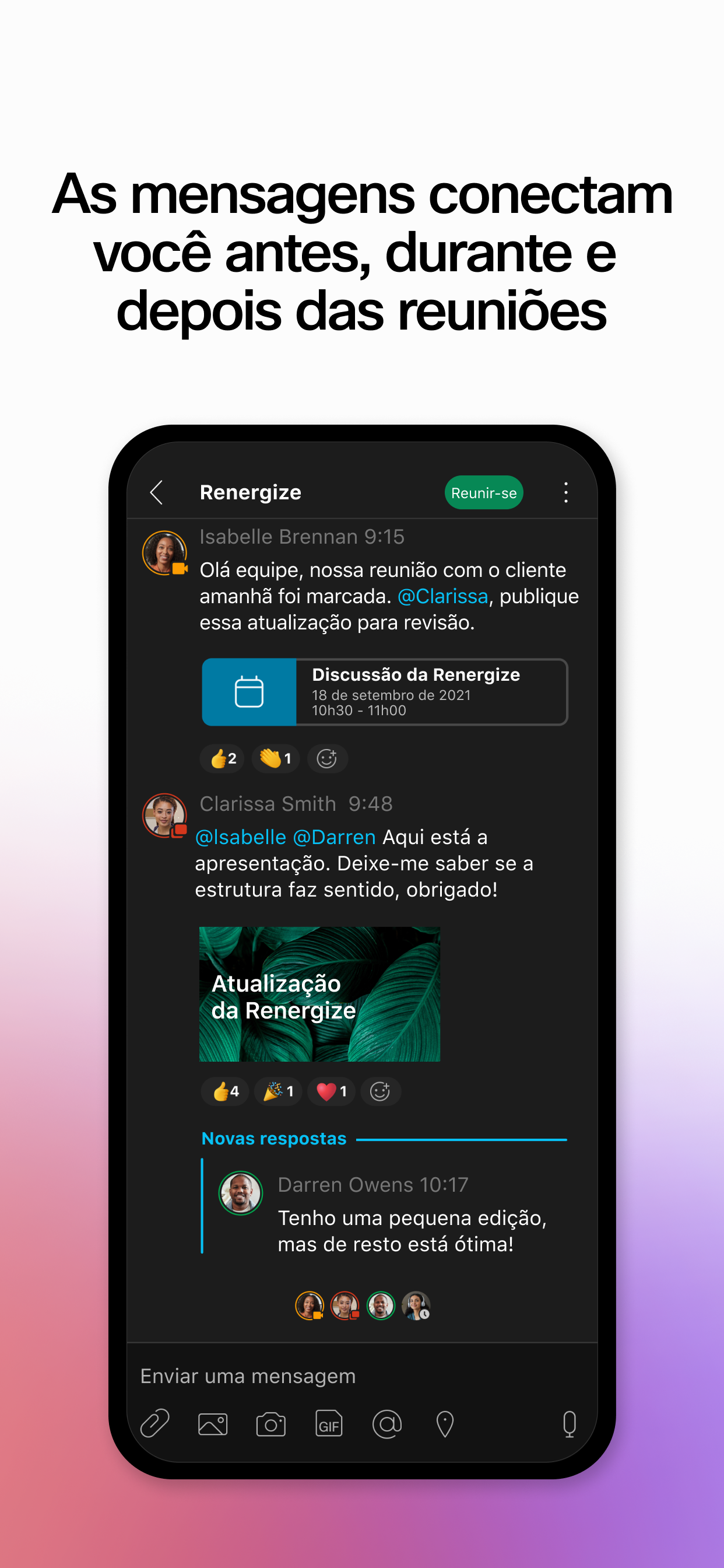
O Cisco Webex é um aplicativo para trabalho em equipe contínuo. Faça o trabalho avançar em espaços de trabalho seguros onde todos podem contribuir a qualquer momento com mensagens, compartilhamento de arquivos, quadro de comunicações, reuniões por vídeo, chamadas e muito mais. Funciona em praticamente qualquer dispositivo, com estes principais benefícios para usuários de aplicativos móveis:
• Simplifique o trabalho em equipe: Um único lugar para todas as ferramentas que o ajudam a fazer seu trabalho melhor e mais rápido. Crie espaços para você e outra pessoa ou para um grupo que esteja trabalhando em um projeto.
• Faça melhores decisões: Inicie e entre em reuniões instantaneamente. Veja todos com uma incrível experiência de vídeo HD. Compartilhe sua tela. Mantenha o trabalho em equipe no espaço de trabalho conectado.
• Mantenha-se informado sobre todo o seu trabalho: Selecione em nosso crescente catálogo de integrações e bots para se manter atualizado sobre o que está acontecendo em outros aplicativos, como Box e Salesforce
• Encontre o que quiser de forma rápida: Pesquise pessoas, mensagens e arquivos em todos os espaços, sem precisar alternar contas ou visualizações
• Leve a experiência para as salas de reuniões: Emparelhe seu aplicativo com um dispositivo Webex, como o Webex Board, para atividades como controlar reuniões sem fio e salvar desenhos do quadro de comunicações
• Trabalhe com segurança: Desenvolvido para colaboração empresarial com criptografia de ponta a ponta
Deseja fazer mais com o Webex? Visite webex.com.
AVISOS IMPORTANTES E EXCLUSÕES DE RESPONSABILIDADE - LEIA
O Cisco Webex é um aplicativo de colaboração que fornece mensagens e recursos de chamadas de voz e vídeo.
Ao baixar o Cisco Webex, você concorda em cumprir os termos e condições do EULA da Cisco. Você também concorda com a instalação de todas as atualizações futuras do software Cisco Webex. O uso deste software é regido pelo atual CONTRATO DE LICENÇA DE USUÁRIO FINAL da Cisco, encontrado no seguinte link: http://www.cisco.com/go/eula
Ao usar o software Cisco Webex, você consente com a coleta de dados da Cisco Systems Inc. provenientes do uso do software Webex. Todos os dados são coletados em conformidade com a Política de Privacidade da Cisco, que está localizada em http://www.cisco.com/web/siteassets/legal/privacy.html
AVISO: Este programa é protegido por leis de direitos autorais e tratados internacionais.
Cisco Systems Inc.
170 West Tasman Drive, San Jose, CA 95134 EUA
AusblendenMehr anzeigen...
Screenshots
Webex for Intune Häufige Fragen
Ist Webex for Intune kostenlos?
Ja, Webex for Intune ist komplett kostenlos und enthält keine In-App-Käufe oder Abonnements.
Ist Webex for Intune seriös?
Nicht genügend Bewertungen, um eine zuverlässige Einschätzung vorzunehmen. Die App benötigt mehr Nutzerfeedback.
Danke für die Stimme
Wie viel kostet Webex for Intune?
Webex for Intune ist kostenlos.
Wie hoch ist der Umsatz von Webex for Intune?
Um geschätzte Einnahmen der Webex for Intune-App und weitere AppStore-Einblicke zu erhalten, können Sie sich bei der AppTail Mobile Analytics Platform anmelden.
The recent update is trash. It keeps crashing, when launching app it does not open and you have to force close and reopen, on mobile. On desktop is is awful since update. Full meeting window closes when you open another program on other monitor.
Missed Call Bug
Almost every time I open the app, it starts a call to the last number I called. It usually immediately hangs up but still problematic.
It works, but has some issues
Works. But the text feature requires the user to enter +1 then the number, which is ridiculous. This feature need to be fixed before this can become a true functional work line or work phone replacement.
Buggy and no way to report bugs
The keyboard pops up and then goes away so you can’t type. After doing that a few times it won’t pop up at all.
Keyboard does not pop up
The keyboard does not pop up. I can just read messages but no way to respond!
The only work around is to delete and reinstall the app. Works for sometime and then back to the original issue. Very frustrating..
Version 43.3 is buggy. Avoid it like a plague
Can barely do anything with this app. Chat rooms keep freezing, keyboard won’t pop up. Well, it does pop up but for some reason it closes immediately. I tested keyboard with other apps, it works fine. So, something really wrong with this app. Oh, and also the status wont update. Well, at least I have an excuse if my work can’t reach me when I’m mobile.
Non-standard deployment
App doesn’t follow the standard Intune MAM methods of deployment and configuration, requiring additional work for administrators. Additionally, if an admin has to authorize the app with a separate account, the mobile app is now forever linked to that account unless the device is wiped.
Configuration Process Needs Work
First of all, why isn’t this app in the list of supported apps within Endpoint? Right off the bat it deviates from the standard app configuration. Second, users that already have an app password setup via MAM are prompted to setup another one. That’s not a great user experience. Finally, and this is the biggest issue, after initial login from a non-admin account, I granted consent using an admin account. Now, the app is inextricably linked to the admin account and not the normal identity. When trying to login via the normal identity I get an MSALDomainError. I’ve tried removing and reinstalling multiple times and even through Settings. I feel like I’ve tried most everything short of resetting all settings on my device, which I am not going to do. I was able to login to the app get it protected via the admin account; however, I don’t see an option to logout from the app via that account.
The app appears to work for other users now, but I really can’t comment on that, because I can’t use it.
Gewinnen Sie wertvolle Einblicke in die Leistung von Webex for Intune mit unserer Analytik. Melden Sie sich jetzt an, um Zugriff auf Downloads, Einnahmen und mehr zu erhalten.
This page includes copyrighted content from third parties, shared solely for commentary and research in accordance with fair use under applicable copyright laws. All trademarks, including product, service, and company names or logos, remain the property of their respective owners. Their use here falls under nominative fair use as outlined by trademark laws and does not suggest any affiliation with or endorsement by the trademark holders.